
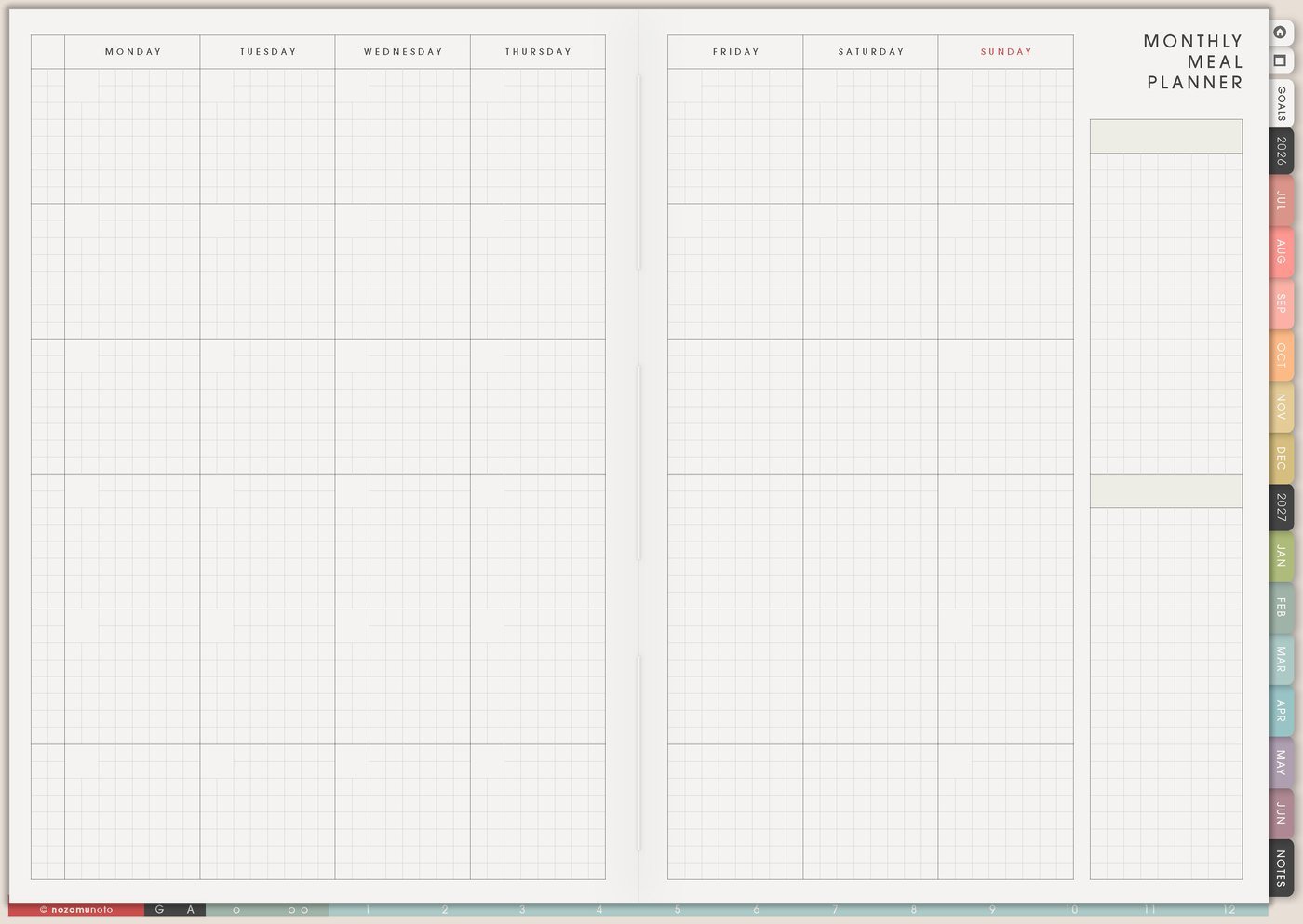
I use this Yume Techo meal planning and grocery setup to make everyday food easier: repeat meals, grocery staples, recipes that actually work, busy-night food, family schedules, lunchbox reminders, freezer backups, and the next food actions for the week.
For me, food planning has to fit real home life: work, school rhythm, my son, my grandma, groceries in expensive Japan, tired evenings, and days when cooking from zero is too much. The goal is fewer daily decisions, not an impressive menu.
Use case ideas for meal planning and grocery lists
1. Use Monthly Meal Planner for repeat meals
Use Monthly Meal Planner for food your home already eats: breakfast defaults, easy lunches, dinner repeats, snack ideas, leftovers, freezer meals, takeout nights, school lunch ideas, and low-energy options.
Start with categories instead of strict dates if strict dates make the page feel heavy: rice meals, noodles, soup, eggs, onigiri, curry, freezer food, favorite family meals, big-batch meals, and no-cook meals.
A realistic meal planner repeats. If rice bowl works every Tuesday, let Tuesday have rice bowl again. Repeating meals is not failure. It is one less decision!
Related Tips: Monthly Meal Planner page ideas has more ways to plan repeat meals, tired-day dinners, and grocery rhythm.
2. Use Grocery List by store path
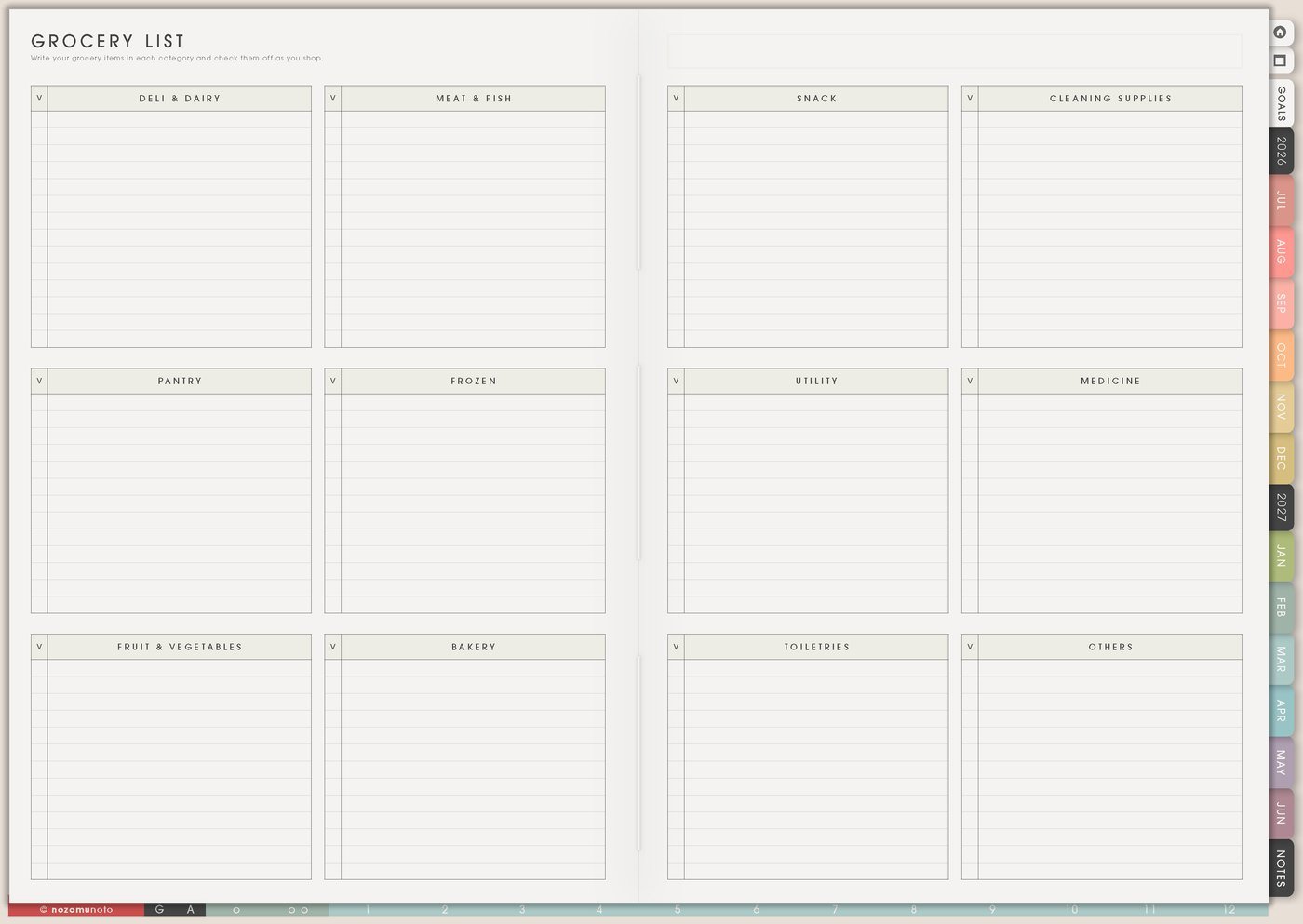
Use Grocery List by the way you move through the store: produce, protein, pantry, fridge, freezer, snacks, household, medicine, school, baby, pet, and personal care. This makes shopping faster when your brain is tired or the store is crowded.
Keep repeat staples on the page: rice, eggs, bread, milk, fruit, noodles, tofu, chicken, frozen vegetables, tea, coffee, dish soap, toothpaste, lunchbox snacks, or whatever your home actually uses.
Before shopping, I circle what we already have. This helps prevent buying more noodles while still forgetting the sauce.
Related Tips: Grocery List page ideas gives more examples for store-path lists and repeat staples.
3. Use Recipe Book for meals that actually work
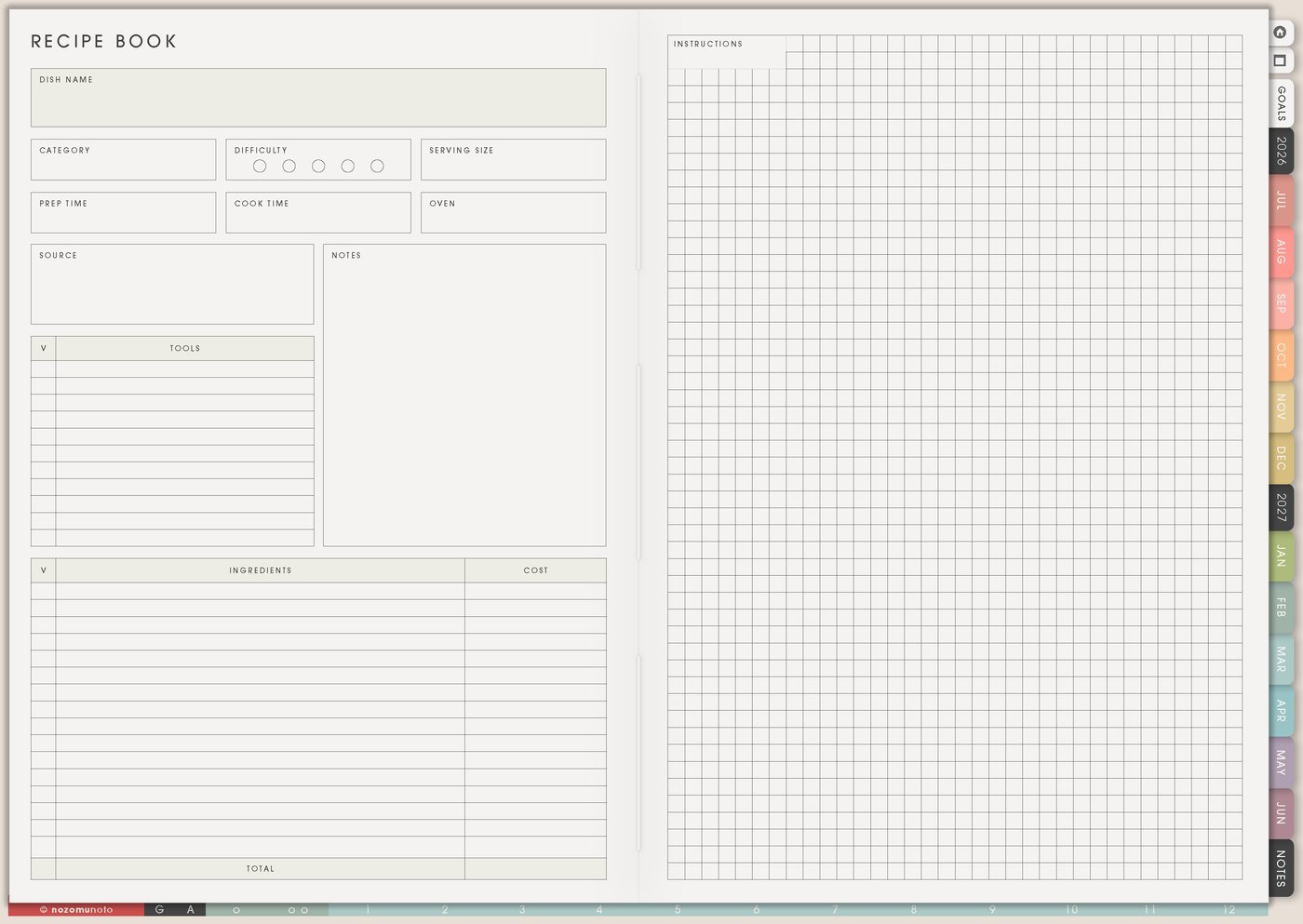
Use Recipe Book for reliable meals, not only pretty recipes. Save ingredients, cooking notes, substitutions, links, who likes it, cleanup level, and whether it works on busy nights.
Real notes are the useful part: my son likes it without onion, double the sauce, works with frozen broccoli, too much cleanup for weekdays, good for leftovers, needs rice started first, or make half portion next time.
A recipe that saves dinner at 6pm is just as worthy as a special weekend recipe.
Related Tips: Recipe Book page ideas has more examples for saving meals that actually work in real weeks.
4. Use Family Schedule for food logistics
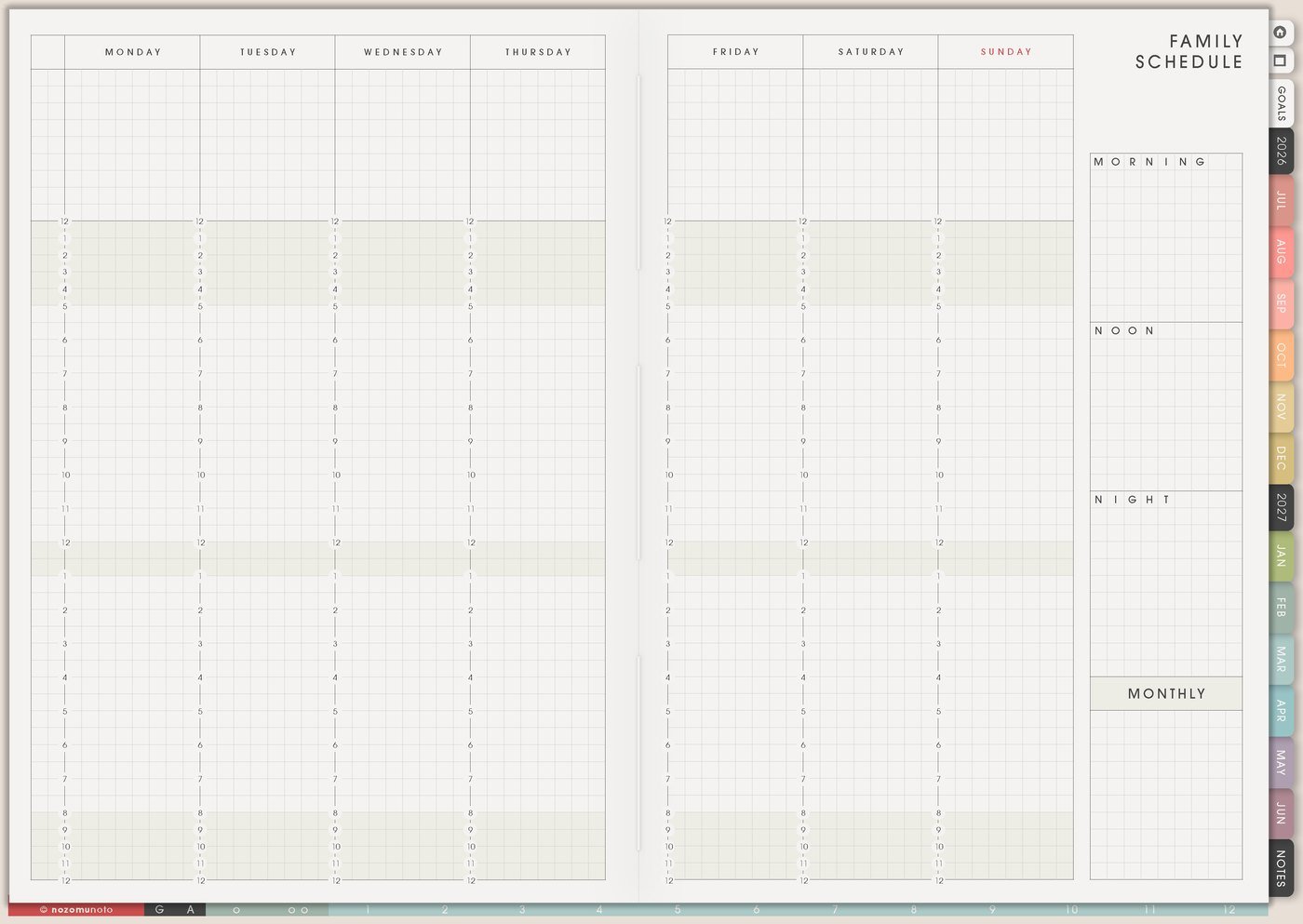
Use Family Schedule to see which nights need easy food: late work, school events, tutoring, errands, appointments, guests, early mornings, or the day everybody usually gets tired.
If Wednesday is always chaotic, Wednesday does not need a beautiful cooking plan. It needs leftovers, freezer food, rice cooker meal, onigiri, miso soup, eggs, or planned takeout. That is still planning!
Meal planning becomes much easier when the food matches the energy of the day.
Related Tips: Family Schedule page ideas helps match food plans to work, school, appointments, and care days.
5. Use Daily Weekly Monthly Routines for food defaults
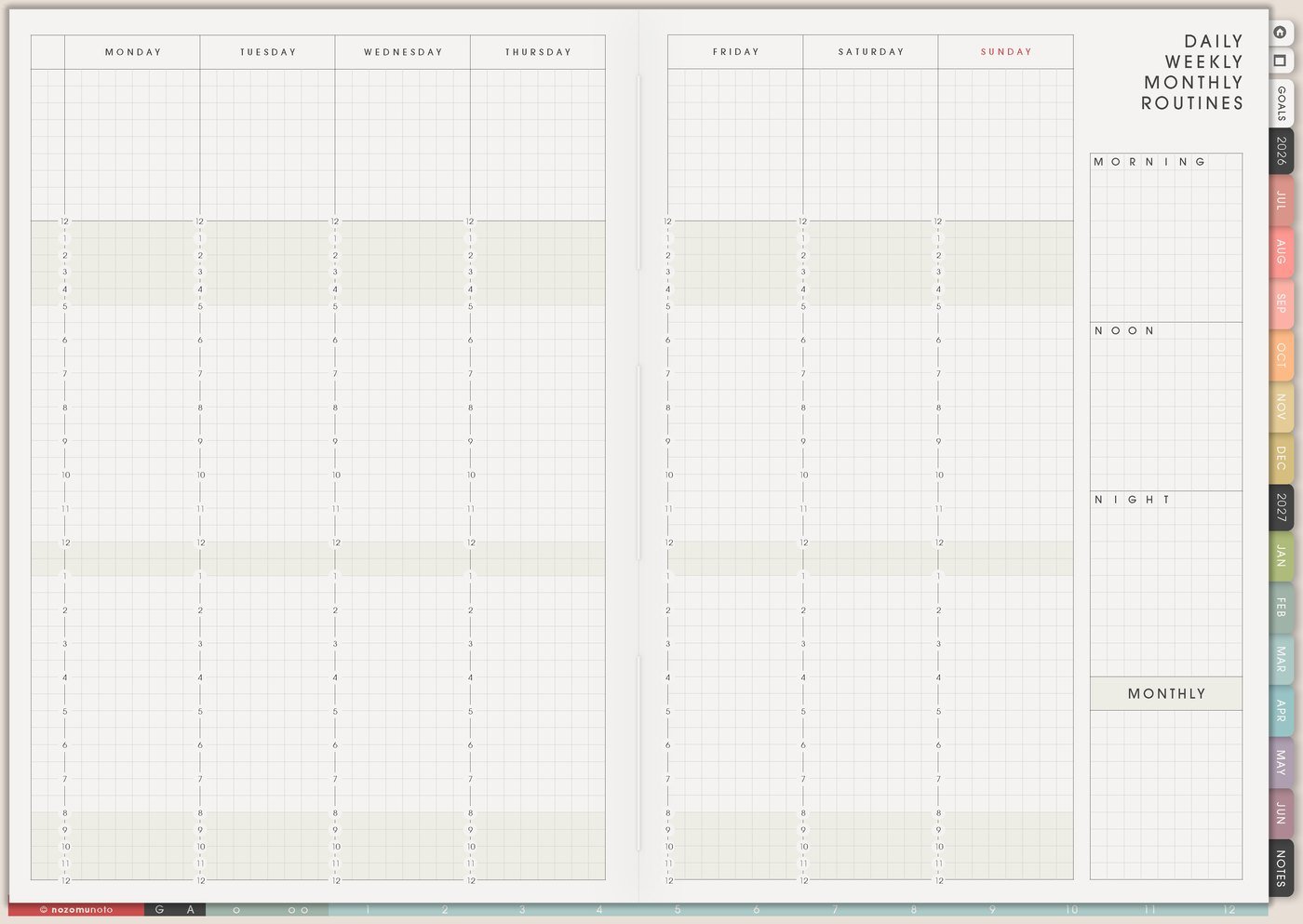
Use Daily Weekly Monthly Routines for repeated food helpers: wash fruit, cook rice, prep lunch boxes, defrost protein, check pantry, grocery day, clean fridge, make snack box, refill water bottles, or write meal ideas before shopping.
Make a normal version and a minimum version. Normal Sunday reset might be meal list, grocery order, wash fruit, cook rice, prep snacks, and check freezer. Minimum version might be choose three dinners and buy basics. Minimum still counts.
Food routines work better when they bend with real life.
6. Use Weekly for the next food actions only

Use Weekly for actions, not the entire kitchen plan. Write check pantry, defrost chicken, order groceries, wash fruit, cook rice, pack snacks, prep lunch boxes, choose three dinners, or put leftovers in front.
If the meal plan says curry night, Weekly might only need buy carrots and defrost meat. If the plan says lunchboxes, Weekly might need wash grapes and refill the snack bin.
Food planning gets easier when the next action is visible.
7. Use Weekly Review to update the food rhythm
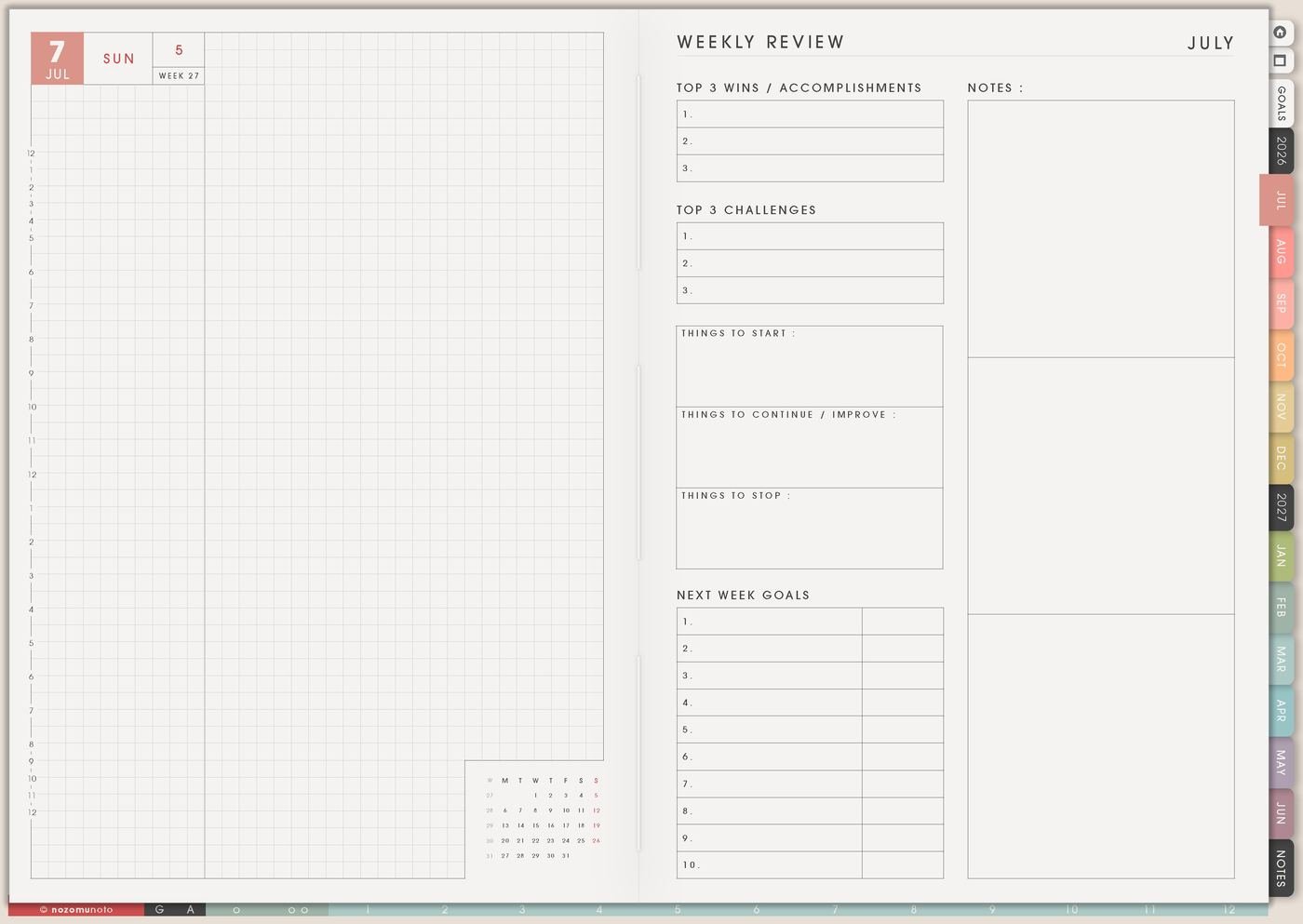
Use Weekly Review to ask what was eaten, what got wasted, what was too hard, what everyone liked, what needs buying again, and what night needs an easier plan next week.
Write one keep, one change, and one buy again. Keep soup night. Change Wednesday to leftovers. Buy more eggs. Stop planning complicated dinners after late appointments.
This is how the meal plan becomes more realistic each week.
Set it up in ten minutes
- List ten meals you already eat. Include easy meals, repeat meals, and tired-day food.
- Choose three to five meals for this week. Match harder meals with easier days.
- Build the grocery list from the meals. Group items by store path.
- Add repeat staples. Pantry, fridge, freezer, household, snacks, and medicine.
- Save one reliable recipe. Add real notes, substitutions, and cleanup level.
- Write two food actions on Weekly. Choose the actions that make dinner easier to start.
- Review what worked. Keep, change, buy again, and make one night easier.
What I usually use it for and how I use it
Tips for using this setup
- Build the plan from real meals first. Repeat favorites, leftovers, freezer options, emergency food, and one nicer meal only when there is room.
- Choose meals before writing the grocery list. Group the list by store path and circle pantry items you already have so duplicates stay lower.
- Plan tired-day meals on purpose. Frozen gyoza, udon, rice bowl, miso soup, eggs, toast, takeout budget, onigiri, or leftovers can be the plan.
- Save the practical recipe notes. Cleanup level, substitutions, who liked it, what to change, what to serve with it, and whether it works for weekdays matter more than a perfect recipe card.
- Check Family Schedule before choosing meals. Put easy food on heavy days and bigger cooking on lighter days.
- Review food waste without drama. Write what spoiled and why. Buy less, prep differently, freeze earlier, or choose meals that use the ingredient sooner.
- Keep Weekly limited to food actions. Meal ideas stay on Monthly Meal Planner, groceries stay on Grocery List, recipes stay in Recipe Book, and Weekly gets only the next food actions.
When you need setup help
For the meal planning workflow, use Monthly Meal Planner for repeat meals, Grocery List for staples and weekly ingredients, Recipe Book for meals worth saving, Family Schedule for busy nights, and Weekly for the next food action. If the technical step is unclear, like importing Yume Techo, copying a meal page, adding recipe links, adding photos, or using hyperlinks, use the NozomuNoto Help Center for app-specific steps.
Final thought
A good meal plan should make ordinary food easier, not more impressive. I hope this setup helps you repeat what works, plan tired-day food on purpose, let the grocery list match real meals, and use review to make next week easier!