

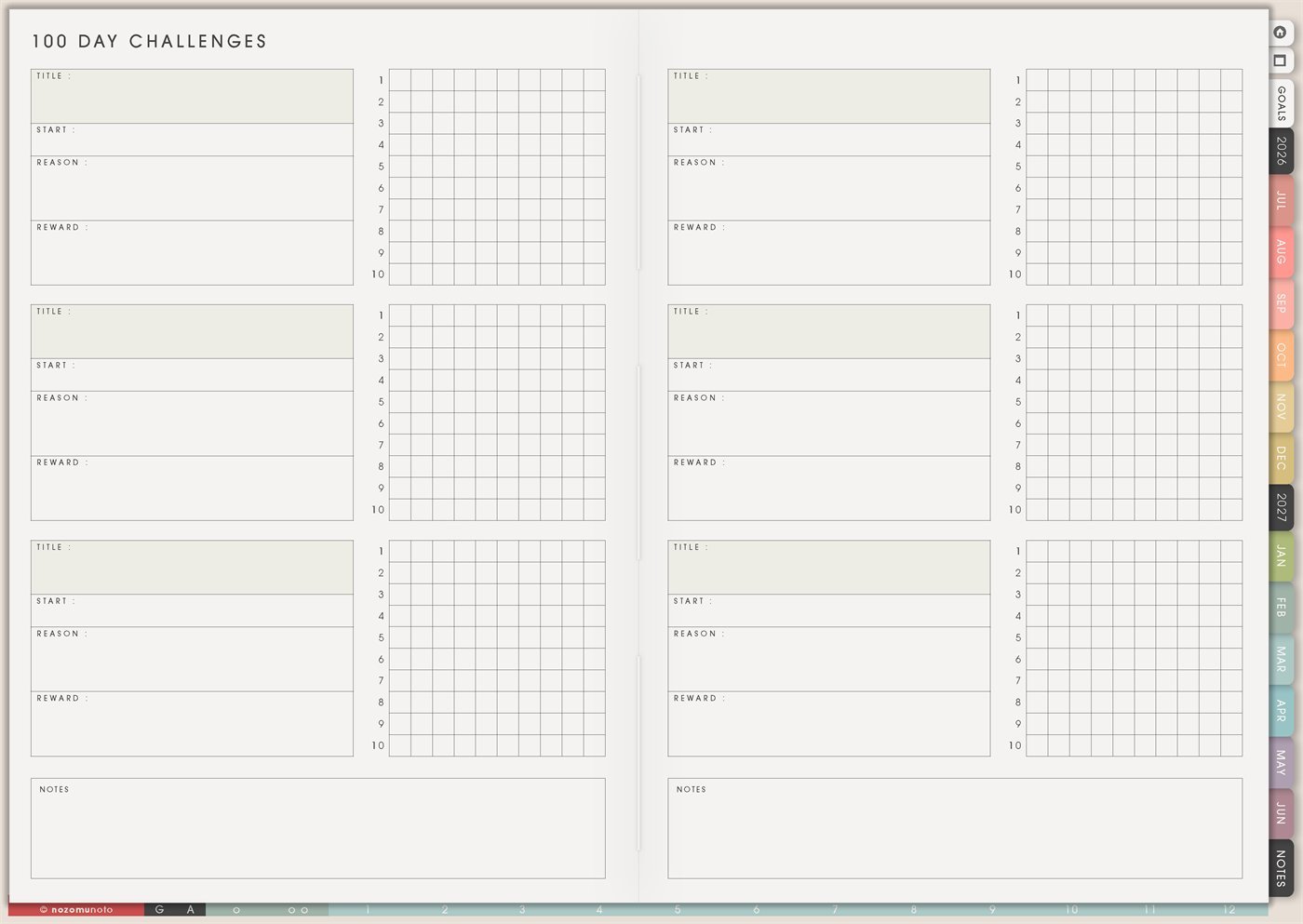
The Yume Techo 100 Day Challenges page is a reusable page for longer practice. Each challenge card has space for Title, Start, Reason, Reward, a 10-by-10 progress grid, and a Notes area. Use it when everyone wants to build something slowly: a skill, habit, study goal, creative practice, project rhythm, health help, home reset, money routine, or business action.
This page is different from 30 Day Challenges. A 30-day challenge is good for a small experiment. A 100-day challenge is better for a longer season where the goal is consistency, learning, and visible progress over time.
How to get to this page
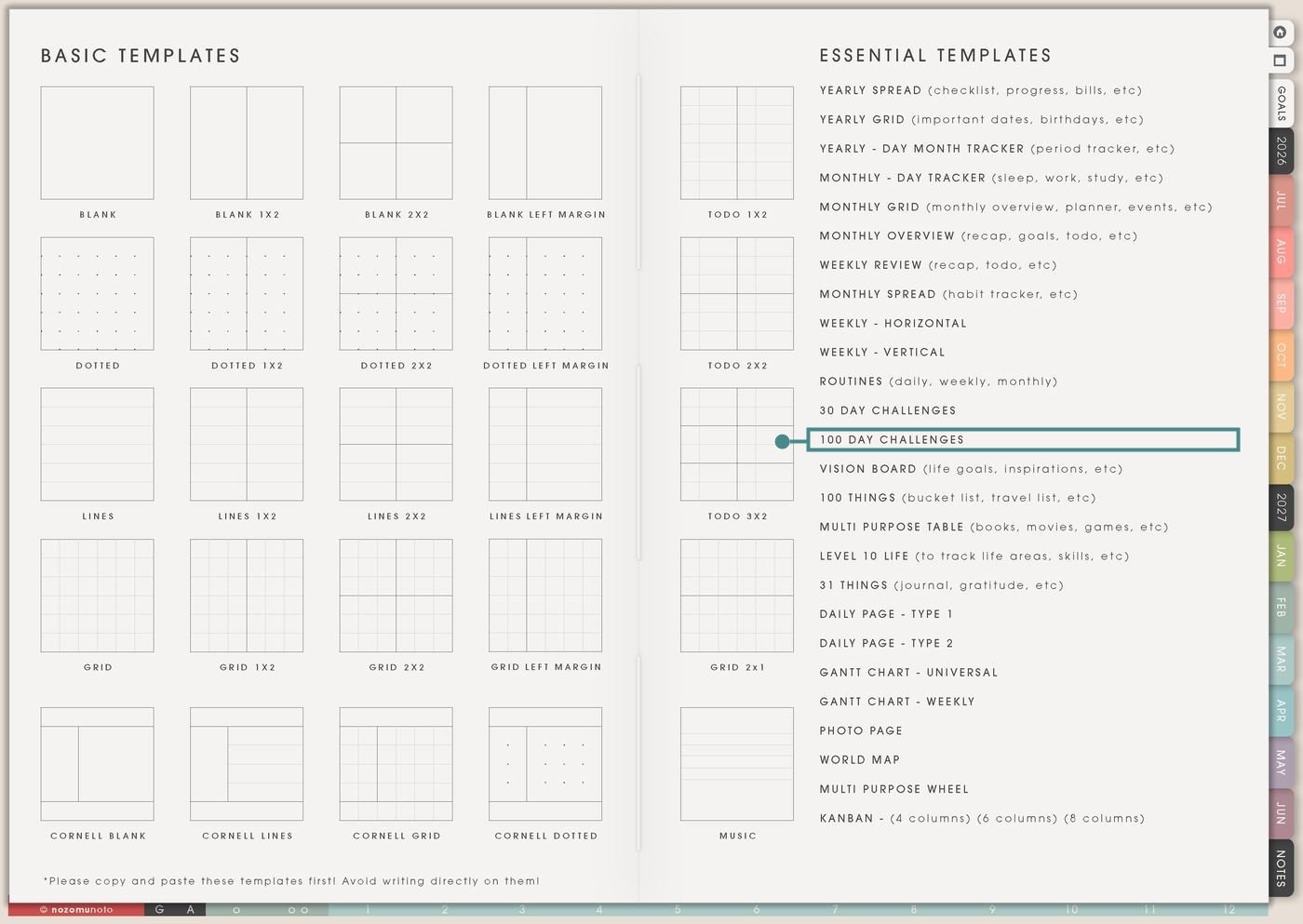
- Open the main Index page: use the planner Index if you need to return to the map.
- Tap the Template Pages icon: this opens the Template Index with reusable clean pages.
- Tap 100 Day Challenges: it is under 30 Day Challenges in the Essential Templates list.
- Copy the page before writing: this is a clean template master. Duplicate it first, then write on the copy.
Before you write: copy the clean 100 Day Challenges page first
100 Day Challenges is an Essential Template Page. Keep the original clean and make a copy for the long challenge, skill, project, or season you want to track.
- Open 100 Day Challenges from Template Index.
- Duplicate or copy the page in your app. Use the page overview, thumbnail view, page manager, or page actions menu.
- Name the copy clearly. Examples: 100 Days of Japanese, 100 Days of Drawing, 100 Study Sessions, 100 Shop Improvements, or 100 Days of Movement.
- Use the grid for progress marks. The 10-by-10 grid is useful for marking one small action per box, one session, one page, one post, one practice, or one completed step.
- Review every 10 boxes. The row numbers make it easy to pause at 10, 20, 30, and so on. Use Notes to write what helped and what needs to change.
Ways to use this page
1. Skill practice challenge
Use 100 Day Challenges for a skill that grows through repeated practice. The action should be small enough to repeat, but meaningful enough to count.
2. Creative project challenge
Use the page for drawing, writing, photography, music, sewing, sticker design, journaling, or any creative practice that needs momentum more than perfection.
3. Study sessions or exam prep
Use a 100-day grid for study sessions when the goal is repeated contact with the material. This works well for exams, language learning, professional learning, and long courses.
4. Business or shop improvement challenge
Use the page for small business work that benefits from steady improvements. A 100-day challenge can make growth feel less like one huge launch and more like repeatable progress.
5. Movement or health-help practice
Use 100 Day Challenges for easy body-care actions that need a long runway. Keep the action adjustable so busy days, low-energy days, weather, or appointments can stay inside the challenge.
6. Home reset or declutter challenge
Use the 10-by-10 grid for a slow home reset. A hundred small actions can change a space without requiring a giant weekend cleanout.
7. Money awareness or savings challenge
Use 100 Day Challenges for money habits that need repeated attention, like saving small amounts, checking spending, logging purchases, or pausing before impulse buys.
8. Reading, book notes, or learning challenge
Use the page for a long reading season. This can be one book, many books, study reading, Bible reading, personal development, or professional learning.
9. Planner consistency challenge
Use this for rebuilding the habit of opening Yume Techo. The goal does not need to be a perfect daily planning routine. It can be one tiny planner check-in.
10. Long project stage challenge
Use 100 Day Challenges for a project with many small steps: course creation, product update, home project, thesis, portfolio, craft collection, website cleanup, or launch preparation.
What I usually use it for and how I use it
Tips for using this page
- Choose a smaller unit. One paragraph, one page, one 10-minute reset, one flashcard set, one listing edit, or one sketch can count. A 100-day challenge needs a repeatable unit.
- Use the grid as progress count, not calendar perfection. Mark the next box when the next session happens. If you want calendar dates, write them in Notes or Monthly Grid.
- Review every row or every 10 boxes. Write one note: what helped, what got in the way, and what to change for the next 10. The Notes area is for learning, not decoration.
- Choose one main 100-day challenge. Use other cards for future ideas or lighter helping actions. Long challenges need space to breathe.
- Add milestone rewards at 25, 50, and 75. They can be tiny: a sticker, favorite drink, rest hour, photo, playlist, or a note saying what changed.
- Use the Notes box for a final review: what improved, what was too hard, what tiny version should stay, and what the next season needs. A finished challenge should become useful information.
- Undo if possible. If not, bring in a fresh clean copy from the original planner file. After that, make "copy first" the first step every time you use an Essential Template Page.
Final thought
I hope this helps you choose one small next step! 100 Day Challenges is useful when a goal needs time to grow. Copy the clean page, choose one meaningful practice, make the action small, review every 10 boxes, and let the Notes area show what changed. Long progress is allowed to be imperfect and still be real!
Need exact app steps for copying pages?
If you need the exact buttons for duplicating, moving, or bookmarking this template in your app, use the Help Center app guide for your device.