

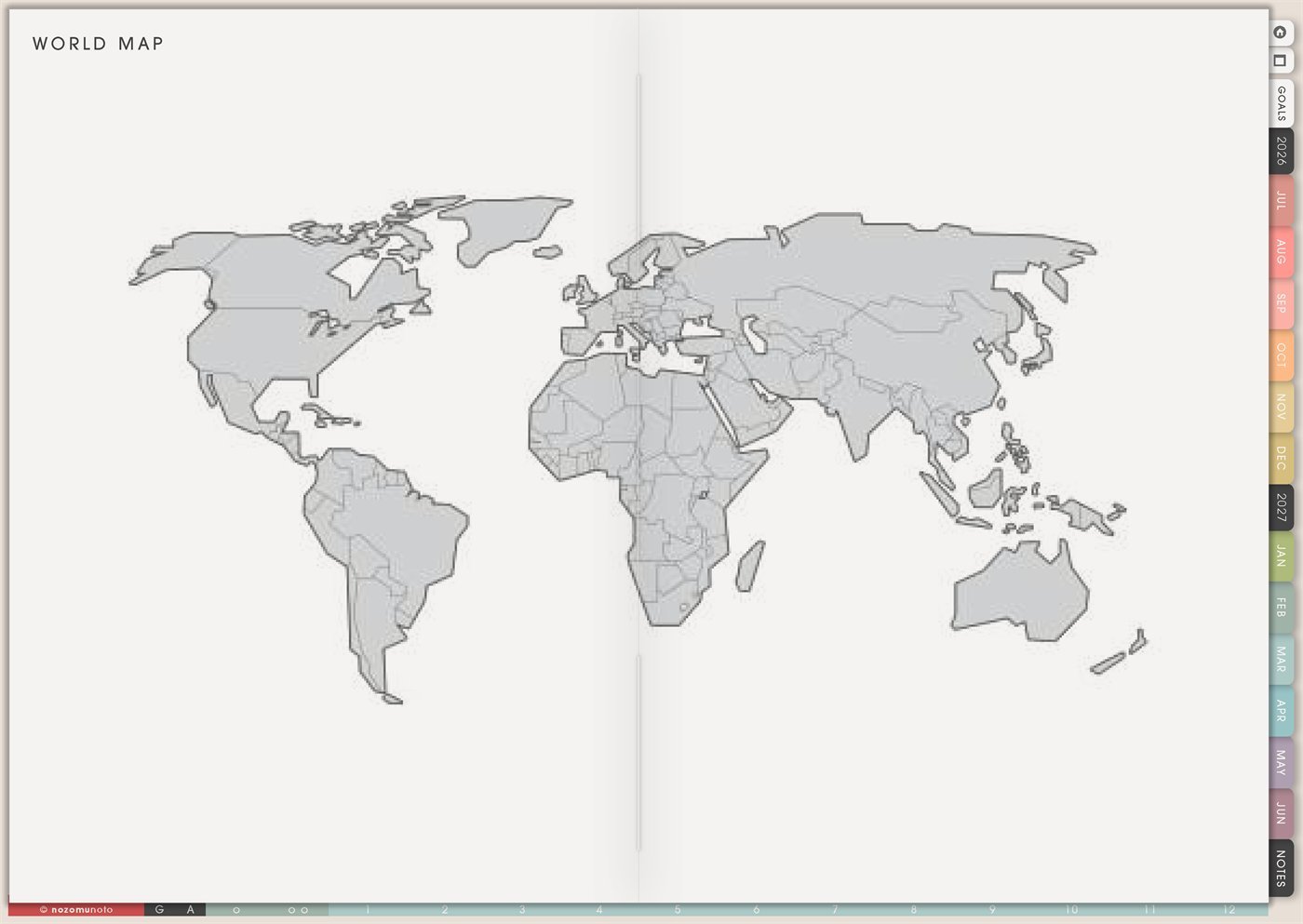
The Yume Techo World Map page is a reusable visual overview page with a simple world map. Use it for travel memories, dream trips, routes, geography learning, book or movie settings, family connections, customer or community locations, and anything that feels clearer when everyone can see the whole world at once.
This page is best for big-picture marking. It is not a detailed city map, route planner, or official political reference. Use it to see patterns, remember places, and connect the map to your planner notes.
How to get to this page
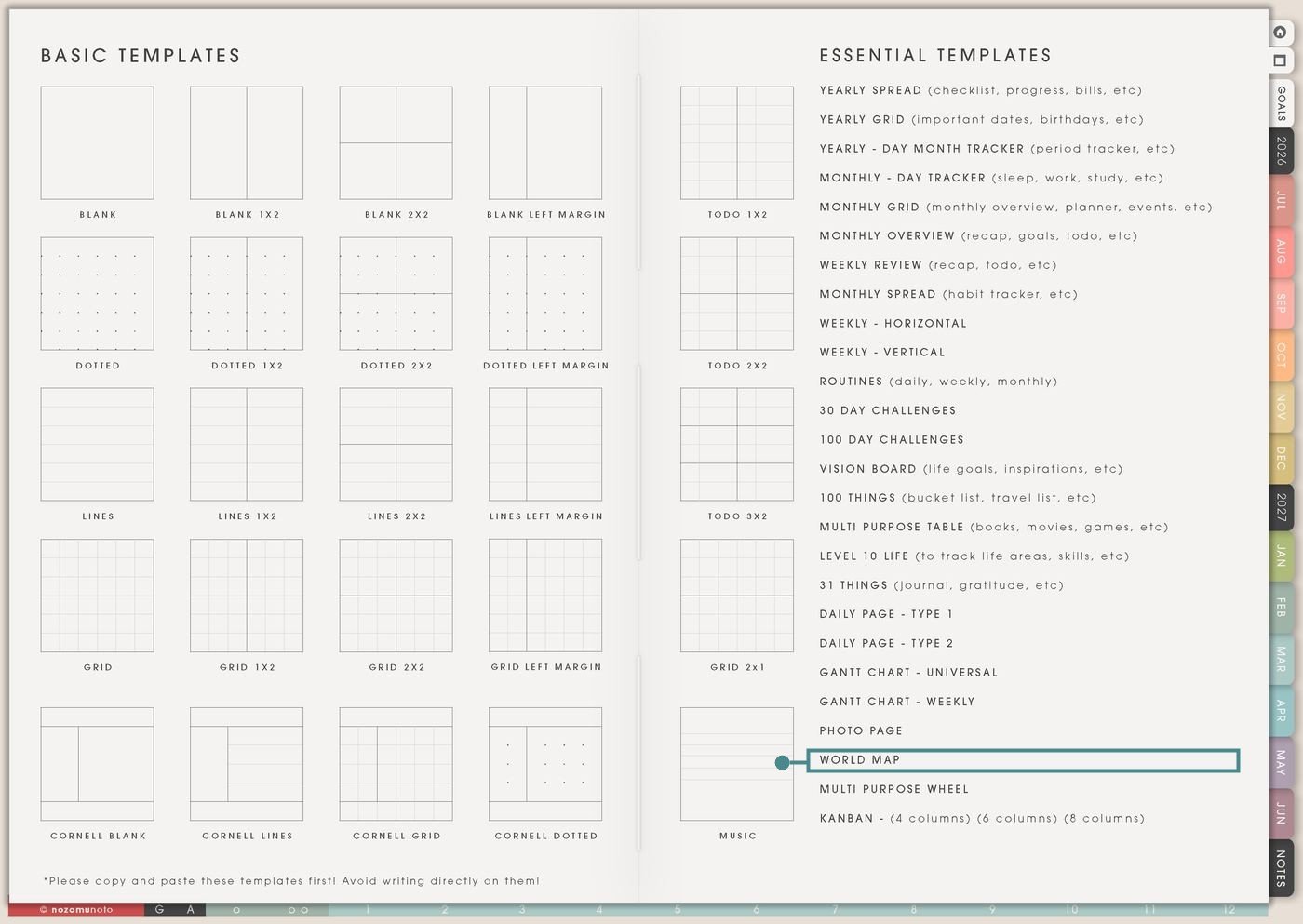
- Open the main Index page: use the planner Index if you need to return to the map.
- Tap the Template Pages icon: this opens the Template Index with reusable clean pages.
- Tap World Map: it is under Photo Page in the Essential Templates list.
- Copy the page before writing: this is a clean template master. Duplicate it first, then write on the copy.
Before you mark the map: choose one legend
World Map is an Essential Template Page. Keep the original clean and make a copy for the map story you want to build.
- Open World Map from Template Index.
- Duplicate or copy the page in your app. Use the page overview, thumbnail view, page manager, or page actions menu.
- Name the copy by purpose. Examples: Places Visited, Dream Trips, Book Settings, Family Map, Customers Map, Geography Study, or Travel 2026.
- Choose a simple legend. Examples: teal dot means visited, star means dream trip, arrow means route, number means note on Photo Page.
- Keep details somewhere else. The map shows where. Travel pages, Notes, Photo Page, and Monthly/Weekly pages hold the details.
Ways to use this page
1. Places visited map
Use the map to mark countries, regions, or big trip memories. This is a sweet way to see where life has already taken you.
2. Dream trip or travel wish map
Use World Map to collect places you want to visit someday without turning every dream into an immediate plan.
3. Trip route overview
Use arrows or numbers to show the rough route of a big trip. This is helpful when several countries or cities are involved.
4. Geography learning page
Use the map for school, homeschool, tutoring, language study, or personal learning. A world map helps information feel located instead of floating.
5. Books, movies, history, or story settings
Use the map to mark where stories happen. This makes reading, films, documentaries, history, and Bible study feel more connected to place.
6. Language and culture learning tracker
Use World Map to connect language learning or cultural study to real places. This is especially helpful if motivation grows when learning feels connected to people and places.
7. Family, friends, or community map
Use the map to show where loved ones, online friends, pen pals, customers, classmates, or communities are located. Keep it broad and privacy-safe.
8. Shop, customer, or audience overview
Use the map to see where orders, messages, reviews, or audience interest comes from. This can be motivating for small business without turning into a spreadsheet.
9. World events and current learning notes
Use the map to locate news, history, climate, sports, culture, or learning topics you want to understand better. Keep the page respectful and simple.
10. Visual bucket list or memory index
Use the map as an index to other planner pages. Tiny numbers on the map can connect to Photo Page, Travel Notes, Books To Read, or World Map memories.
What I usually use it for and how I use it
Tips for using this page
- Use the World Map for countries, regions, and rough routes. Put city details on Travel Itinerary, Travel Research, Notes, or a dedicated trip page.
- Write a tiny legend before marking the map. Keep it simple: dot visited, star dream trip, arrow route, number linked note.
- Let the World Map show where. Put the planning details on Travel Plan, Travel Itinerary, Travel Expenses, Packing List, Monthly, Weekly, or Notes.
- Use World Map as a planning and memory aid. For official facts, school research, travel rules, or current borders, check a current authoritative source.
- Keep markers broad: country, state, region, or general city. Use private codes if needed. The map can stay useful without exposing sensitive details.
- Use one copy per purpose or limit the legend to three meanings. If you need a new purpose, copy a fresh World Map page.
- Undo if possible. If not, bring in a fresh clean copy from the original planner file. After that, make "copy first" the first step every time you use an Essential Template Page.
Final thought
I hope this helps you choose one small next step! World Map is useful when place matters. Copy the clean page, choose one map purpose, use a simple legend, and let the map point to the detailed pages that hold the real stories and plans. A few careful marks can make the world feel connected to your planner in such a lovely way!
Need exact app steps for copying this map page?
If you need the exact buttons for duplicating this template, moving the copied page, importing Yume Techo, or adding image notes, use the Help Center app guide for your device.