

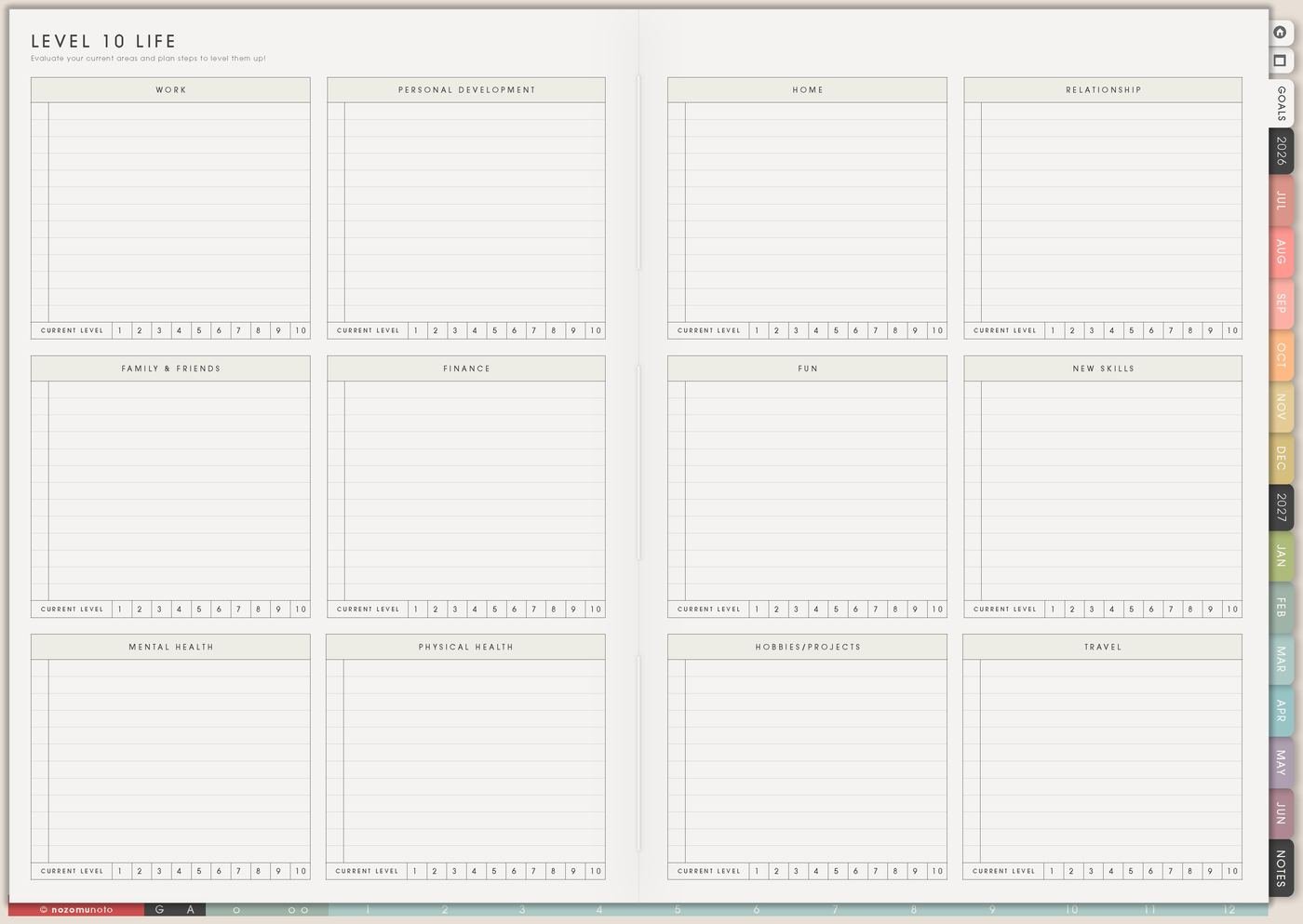
Level 10 Life is a quick life-area check. I use it to notice which area needs attention, write one reason, and choose one small action instead of trying to improve every area at once.
The number is only a snapshot. It is not a grade. The useful part is the sentence beside the score and the next action that comes from it.
How to fill Level 10 Life
- Score or label each area quickly. Use numbers or words.
- Write one reason beside the lowest or loudest area. Explain what is actually happening.
- Choose one area. Pick one that matters or one that is easiest to start.
- Write one weekly action. Make it specific enough to do this week.
- Review during Monthly Overview. Keep, change, or pause the action.
Ways to use Level 10 Life
1. Quick score or word labels
Give each area a number based on how it feels today. Do it quickly enough that the page stays light. A quick honest score is more useful than spending twenty minutes deciding whether something is a 5 or a 6.
If numbers feel too sharp, use words first: okay, crowded, neglected, improving, needs care, surprisingly good, or loud right now. I add numbers only if they help me compare areas.
2. One reason beside the score
The reason matters more than the number. Write why the area feels that way: home is low because laundry is everywhere, health feels better because walks happened, friendship needs a message, money feels unclear because renewals are scattered, or work feels crowded because every project is open.
That one sentence tells you what the next action might be. A number alone cannot do that.
3. One area only
Pick the area that can make the biggest difference or the area that feels easiest to start. The easiest area is allowed! Sometimes one quick win gives energy for the harder area later.
Choose Home because clearing the dining table can make mornings easier. Choose Health because a refill reminder can reduce stress. Choose Work because one project needs a visible Kanban board. Choose Friendship because one message can reopen the door.
4. One small action in Weekly

Turn the chosen area into one action that fits this week. If the area is home, write clear table Sunday. If it is health, write walk after lunch twice. If it is money, write check subscriptions Friday. If it is relationships, write send one voice note.
The action should be small enough to move to Weekly immediately. Level 10 Life notices the area. Weekly carries the next move.
5. Goal Planner for bigger plans
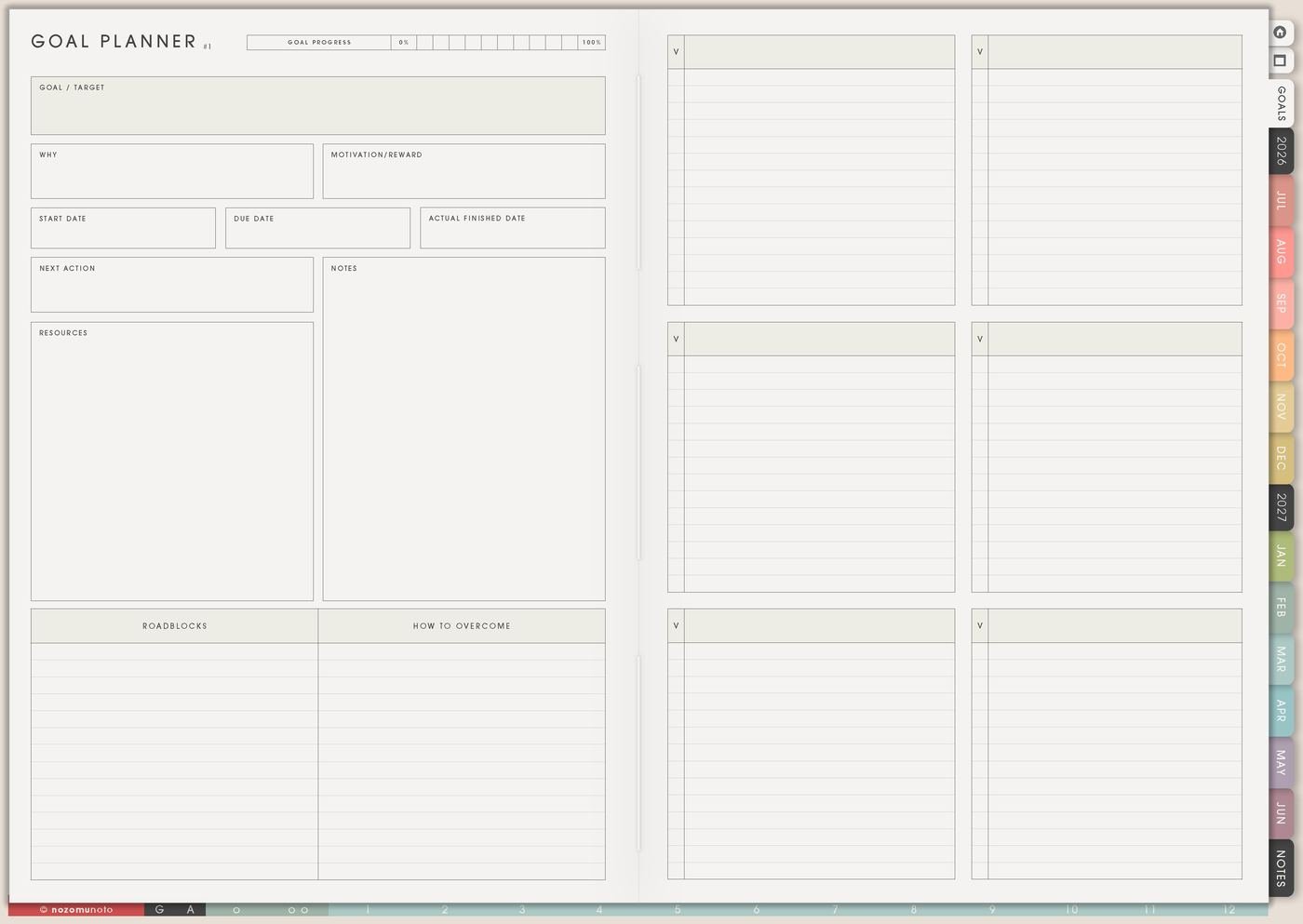
If one area needs more than a weekly action, move it to Goal Planner. Level 10 Life can say money feels unclear. Goal Planner can hold the goal, reasons, resources, roadblocks, and first steps.
This keeps Level 10 Life from becoming crowded with full plans. It stays a dashboard, while Goal Planner holds the deeper work.
6. Review one area during Monthly Overview
During Monthly Overview, check whether the chosen area improved, stayed stuck, or needs a different action. Then choose keep, change, or pause. Level 10 Life helps me notice direction, not redo every life area every month.
If the page feels heavy, make the next review shorter: one score, one sentence, one action.
What I usually use it for and how I use it
Related Tips: Life Planner page ideas helps me connect the score to the current season, Goal Planner Index and 12 goal pages helps when one area needs a bigger plan, Weekly page setup helps me move one action into the current week, and Monthly Overview reset helps me review whether the action worked.
Tips for using this page
- Use the score as information. If numbers feel harsh, write words first: crowded, better, stuck, improving, noisy, or okay.
- Write one reason beside one area. The reason matters more than the exact number because it shows what needs to happen next.
- Choose one area for this month. Let the rest stay visible without turning every low score into an active project.
- Write a visible next action. Use a task with a verb: book appointment, check subscription, clear table, send message, walk after lunch, or open budget page.
- Add one review cue. Put the review on Monthly Overview and ask: keep, change, pause, or make smaller?
Keep private life details safe
Level 10 Life can include health, money, family, relationships, faith, work, school, home, and personal goals. Keep medical records, full account details, passwords, private family information, financial documents, and sensitive relationship notes in a secure place outside the planner. In Yume Techo, write safe labels like check budget, book appointment, ask family, send message, or open secure file.
When you need setup help
Level 10 Life helps with reflection and choosing one focus area. If you need exact app steps for copying pages, importing Yume Techo, using hyperlinks, or finding Life Planner pages, open the NozomuNoto Help Center for your app or device.
Final thought
Level 10 Life is useful when it helps me choose one next action. Score lightly, write the real reason, pick one area, and move one small step to Weekly. I hope one cared-for area can make the whole month feel easier!