

Reference links
Use these for current app or device help, downloads, updates, vendor support, and manual references.
Use Page overview carefully on reMarkable
- Open the PDF planner and tap Page overview when you need to understand where pages live.
- Use Page overview and Quick browse for moving through the document before doing any page changes.
- As of June 13, 2026, reMarkable support documents Page overview page actions, but they change the working document. Use duplicate, move, or delete only on a copied planner first.
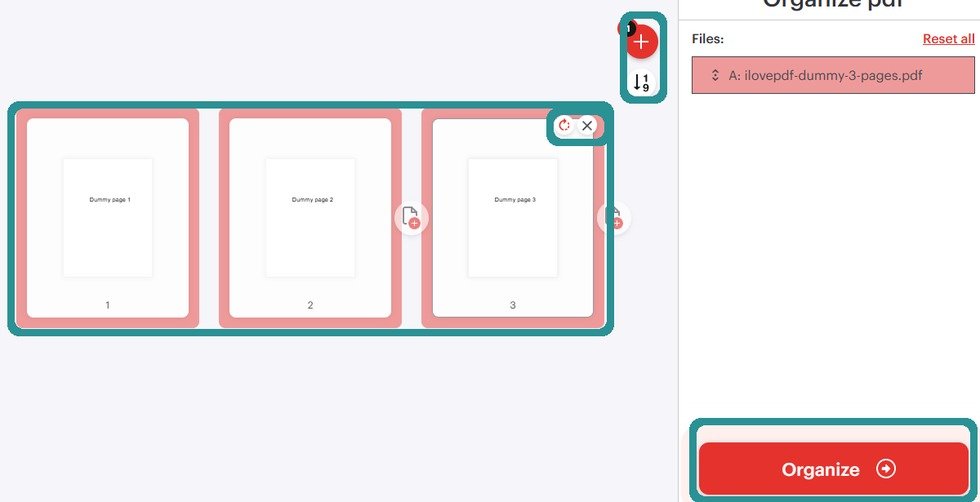
Organize before transferFor imported PDF planner structure changes, prepare the file before sending it to reMarkable unless your current reMarkable workflow gives the exact action. - Do not delete original linked planner pages just to make the planner shorter. Deleted single pages do not behave like a full deleted document you can simply restore from Trash.
- For big changes, prepare a new PDF before import so the original NozomuNoto download stays untouched. You can use iLovePDF Organize PDF to add, sort, or delete pages for a new working copy.
- After any page change, reopen the Index and test the main planner path before using the file every day.
Notes
- reMarkable page-action boundary: Page overview is useful for finding and changing pages, but it can permanently change the working document. Use it slowly, on a copied planner, and keep a clean backup outside reMarkable.
- If a page change makes navigation confusing, go back to a clean working copy before adding more notes.