

Browse help topics
Getting Started
Need help choosing?
Need help after purchase?
Download & Import
Using your notebook/planner
- How to change or reuse template pages on planner landing pages
- Why stickers look blurry when enlarged
- What to check if a product does not work on your device
- How to use NozomuNoto index pages
- How to use NozomuNoto template pages
- How to change a digital planner cover
- How to install and use digital stickers
Product Tutorials
- How to use Yume Techo Landscape tutorial pages
- How to use Yume Techo Portrait tutorial pages
- How to use Shibui Techo Weeks tutorial pages
- How to use Shibui Techo Months tutorial pages
- How to use Yume Noto V1 Landscape tutorial pages
- How to use Yume Noto V1 Portrait tutorial pages
- How to use Yume Noto V2 Landscape tutorial pages
- How to use Yume Noto V2 Portrait tutorial pages
- How to use Yume Noto V3 Portrait tutorial pages
- How to use NozomuNoto Ultimate Digital Stickers
- How to use NozomuNoto Digital Covers
- Which NozomuNoto instruction or tutorial file should I open first?
Device & App
iOS / iPadOS
GoodNotes
Notability
Noteshelf
Noteful
StarNote
Flexcil
Kilonotes
Android
StarNote
Samsung Notes
Penly
Flexcil
Noteshelf
Xodo
E-reader Devices
Boox devices
reMarkable
Bigme
Supernote
What is a digital notebook?
Learn what a digital notebook is, how it works, what you can use it for, and how to choose between a digital notebook and a digital planner.
On this page
- Quick answer
- How does a digital notebook work?
- What a digital notebook usually includes
- Digital notebook vs digital planner
- What can you use a digital notebook for?
- How to set up your first digital notebook
- When a digital notebook gets tricky
- 1. Too many sections make it harder to start
- 2. The notebook becomes a planner replacement by accident
- 3. You write on the master template
- 4. The note is hard to find again
- 5. Every page starts clean but nothing gets finished
- NozomuNoto notebook examples
- Go next
Quick answer
What is a digital notebook? A digital notebook is a reusable notebook file you open in a note-taking or PDF annotation app. You can write, type, highlight, add images, duplicate pages, use sections, and keep your notes on your device instead of paper.
A digital notebook is best when you want flexible pages for study notes, meeting notes, recipes, reading notes, journaling, client notes, project notes, homeschool notes, Bible study, language learning, creative planning, and personal collections.
Choose a digital notebook if you want open space for notes and ideas. Choose a digital planner if you need calendars, dates, routines, and weekly or monthly planning pages. Choose both if you want planning in one file and a separate place for notes, study, projects, or journaling.
How does a digital notebook work?
Most digital notebooks are PDF files. You open the notebook file on a tablet, phone, computer, or compatible e-reader inside an app that can write on PDFs.
You only need three things to begin: a device, a compatible app, and the notebook file. The app handles your writing tools, page copies, bookmarks, image inserts, and section navigation.
For digital notebook beginners, start with one Inbox section, one active topic, and one clean template copy. That is enough to learn the notebook before building a larger system.
What a digital notebook usually includes
- Notebook pages: lined, grid, dotted, blank, or specialty writing pages.
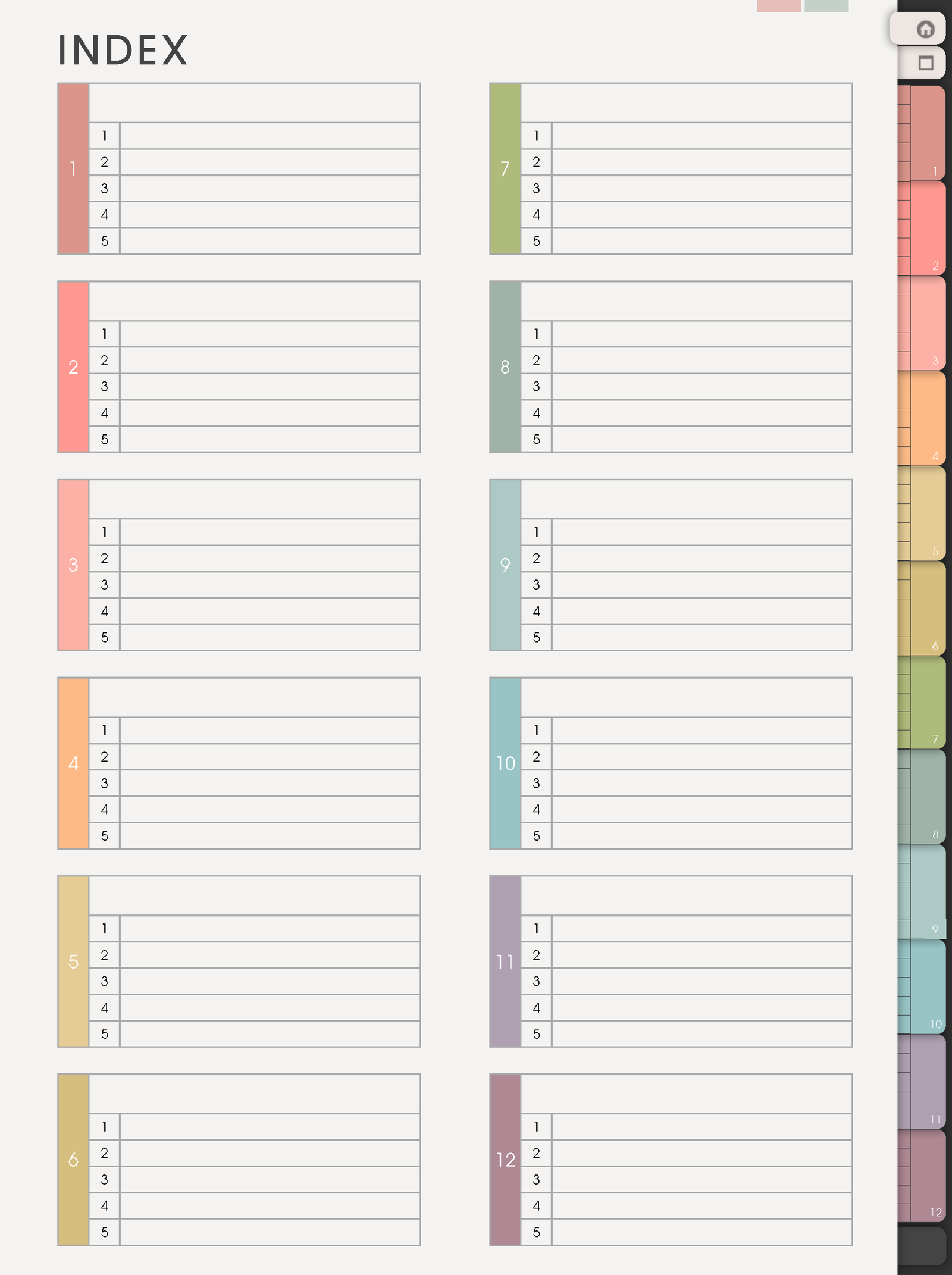
- Index pages: a home base where you label sections and return to important notes.
- Tabs or section dividers: visual shortcuts for different parts of the notebook.
- Template pages: reusable masters you can copy before writing, such as lists, project pages, trackers, study pages, or collection pages.
- Cover pages: front pages that help you recognize the notebook inside your app library.
- Optional extras: stickers, widgets, color indexes, or instruction pages depending on the product.
Digital notebook vs digital planner
- Choose a digital notebook when the main job is writing, collecting, studying, journaling, or organizing information by topic.
- Choose a digital planner when the main job is managing dates, schedules, deadlines, routines, monthly plans, weekly plans, or daily plans.
- Use both together when your planner holds time-sensitive tasks and your notebook holds the details behind those tasks.
What can you use a digital notebook for?
- Study: class notes, reading notes, lecture summaries, formulas, vocabulary, exam review, assignment planning, and question lists for teachers.
- Work: meeting notes, client notes, project notes, process notes, content ideas, decisions, follow-up lists, and small reference pages you need often.
- Home: recipes, cleaning lists, family information, budget notes, home projects, shopping lists, repair notes, and seasonal planning.
- Creative: craft plans, product ideas, moodboards, sketches, quotes, thumbnails, supply lists, research pages, and launch notes.
- Personal: journal pages, therapy notes, health notes, prayer or Bible study notes, book notes, memory pages, and private records.
How to set up your first digital notebook
- Import one clean copy into your app. Keep the original download as your backup and write only on the app copy.
- Open the index first. The index is the map. Use it before writing everywhere so your notebook stays easy to scan.
- Name only a few sections first. Try simple sections such as Inbox, Study, Work, Home, Ideas, and Archive. Add more only when a real note needs a home.
- Use Inbox for messy notes. Put quick thoughts there first, then sort them later when you know whether they are study notes, work notes, project notes, or personal notes.
- Copy templates before writing. Keep the clean template page as a master and write on the copy.
- Bookmark pages you return to often. Favorites, bookmarks, outlines, or page titles make important notes easier to find again.
When a digital notebook gets tricky
1. Too many sections make it harder to start
What happens: the notebook has beautiful sections, but every new note feels like a decision.
Example: you make sections for Work, Business, Ideas, Shop, Content, Personal, Brain Dump, Lists, Projects, and Archive, then a single note could fit in three places.
What to do: start with fewer sections. Inbox, Active, Reference, Personal, and Archive is enough for many people. Rename sections later after you see what you actually write.
2. The notebook becomes a planner replacement by accident
What happens: dates, appointments, deadlines, and routines get scattered across note pages.
Example: one deadline is in a project note, one appointment is in a journal page, and one school date is in a class note, so nothing is easy to see together.
What to do: keep dated commitments in a planner or calendar. Use the notebook for the details behind them, such as meeting notes, research, class notes, project plans, and ideas.
3. You write on the master template
What happens: the clean template page becomes filled, so the next copy is no longer clean.
Example: you write directly on a project template, reading notes template, or checklist before duplicating it.
What to do: duplicate or copy the template first, then write on the copy. If the master is already messy, import a fresh notebook copy from your saved download.
4. The note is hard to find again
What happens: the note exists somewhere, but searching manually takes too long.
Example: you remember writing a recipe change, client detail, quote, or study summary, but the section or page is hard to remember.
What to do: give important pages simple titles, add them to the index, and use bookmarks or favorites for pages you revisit. For messy notes, use the Inbox first and sort once a week.
5. Every page starts clean but nothing gets finished
What happens: the notebook feels fresh and fun, but notes stay scattered because every new idea gets a new page.
Example: a craft project has one page for supplies, one page for links, one page for costs, and one page for progress, but none of them connect.
What to do: make one project home page and link or list the related pages there. The home page can hold status, next action, key notes, and where the extra pages live.
NozomuNoto notebook examples
If you are choosing a NozomuNoto notebook, pick the version by how you like to write and how much structure you want.
- Yume Noto v1: choose this if you want the original simple notebook style for notes, sections, and reusable pages. See Yume Noto v1 Landscape or Yume Noto v1 Portrait.
- Yume Noto v2: choose this if you want an updated notebook setup with both landscape and portrait options. See Yume Noto v2 Landscape or Yume Noto v2 Portrait.
- Yume Noto v3 Portrait: choose this if you want the newest portrait notebook style, a section-based setup, index use, and cover guidance. See Yume Noto v3 Portrait tutorial pages.
Go next
- What is a digital planner?
- What tools do I need to start digital planning?
- Which apps work with NozomuNoto planners?
- Should I get a digital notebook or a digital planner?
- Difference between Yume Noto v1, v2, and v3
- How to use NozomuNoto index pages
- How to use NozomuNoto template pages
- Yume Noto v3 Portrait tutorial pages
Still need help?
Send your order number, product name, device, app, and a screenshot or short screen recording if the issue is visual.