

Browse help topics
Getting Started
Need help choosing?
Need help after purchase?
Download & Import
Using your notebook/planner
- How to change or reuse template pages on planner landing pages
- Why stickers look blurry when enlarged
- What to check if a product does not work on your device
- How to use NozomuNoto index pages
- How to use NozomuNoto template pages
- How to change a digital planner cover
- How to install and use digital stickers
Product Tutorials
- How to use Yume Techo Landscape tutorial pages
- How to use Yume Techo Portrait tutorial pages
- How to use Shibui Techo Weeks tutorial pages
- How to use Shibui Techo Months tutorial pages
- How to use Yume Noto V1 Landscape tutorial pages
- How to use Yume Noto V1 Portrait tutorial pages
- How to use Yume Noto V2 Landscape tutorial pages
- How to use Yume Noto V2 Portrait tutorial pages
- How to use Yume Noto V3 Portrait tutorial pages
- How to use NozomuNoto Ultimate Digital Stickers
- How to use NozomuNoto Digital Covers
- Which NozomuNoto instruction or tutorial file should I open first?
Device & App
iOS / iPadOS
GoodNotes
Notability
Noteshelf
Noteful
StarNote
Flexcil
Kilonotes
Android
StarNote
Samsung Notes
Penly
Flexcil
Noteshelf
Xodo
E-reader Devices
Boox devices
reMarkable
Bigme
Supernote
Bigme known problems
Known issues and practical checks for using NozomuNoto files in Bigme.
Reference links
Use these for current app or device help, downloads, updates, vendor help, and manual references.
Fix common Bigme planner problems
- If the file is missing, return to Bookshelf/Library and check WiFi Import, Local Import, Downloads, or the folder where the PDF was saved.
- If links try not to move, show the reader toolbar and leave pen/handwriting mode before tapping the planner link again.
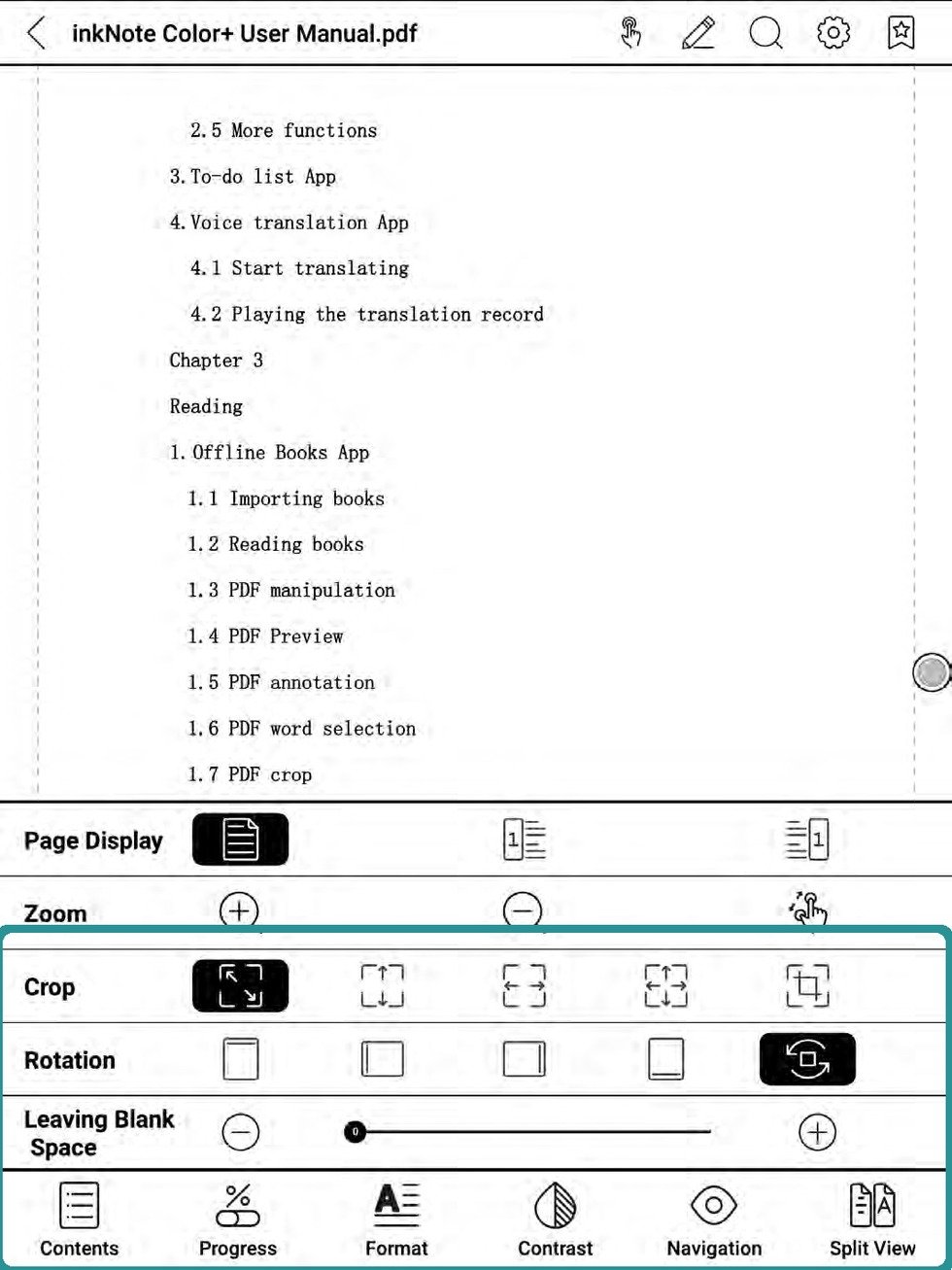
Bigme display optionsIf a page looks wrong, check reader display, crop, rotation, and navigation settings before editing the PDF. - If bookmarks are hard to find, open Contents/TOC and check the Bookmarks tab instead of scrolling page by page.
- If handwriting does not save, test one mark on a fresh imported PDF, close it, reopen it, and check whether the annotation stayed.
- If the page feels slow or blurry, start with Bigme reading settings such as refresh mode, page display, crop, contrast, navigation, or split view, then use page numbers or Contents/TOC as the return path.
- If page edits cause confusion, stop using that edited copy and import the unchanged backup PDF again.
Notes
- Before asking for help: Send the NozomuNoto product name, Bigme model, firmware version, reader app name if visible, and the exact step that failed. A short screen recording is the clearest way to show mode or toolbar problems.
- If the same issue happens in a fresh copy, note the product name, device, app version, and exact step before asking for help.
Still need help?
Send your order number, product name, device, app, and a screenshot or short screen recording if the issue is visual.