

Browse help topics
Getting Started
Need help choosing?
Need help after purchase?
Download & Import
Using your notebook/planner
- How to change or reuse template pages on planner landing pages
- Why stickers look blurry when enlarged
- What to check if a product does not work on your device
- How to use NozomuNoto index pages
- How to use NozomuNoto template pages
- How to change a digital planner cover
- How to install and use digital stickers
Product Tutorials
- How to use Yume Techo Landscape tutorial pages
- How to use Yume Techo Portrait tutorial pages
- How to use Shibui Techo Weeks tutorial pages
- How to use Shibui Techo Months tutorial pages
- How to use Yume Noto V1 Landscape tutorial pages
- How to use Yume Noto V1 Portrait tutorial pages
- How to use Yume Noto V2 Landscape tutorial pages
- How to use Yume Noto V2 Portrait tutorial pages
- How to use Yume Noto V3 Portrait tutorial pages
- How to use NozomuNoto Ultimate Digital Stickers
- How to use NozomuNoto Digital Covers
- Which NozomuNoto instruction or tutorial file should I open first?
Device & App
iOS / iPadOS
GoodNotes
Notability
Noteshelf
Noteful
StarNote
Flexcil
Kilonotes
Android
StarNote
Samsung Notes
Penly
Flexcil
Noteshelf
Xodo
E-reader Devices
Boox devices
reMarkable
Bigme
Supernote
How to use the index page in Supernote
Use the NozomuNoto index page as the main map inside Supernote.
On this page
Reference links
Use these for current app or device help, downloads, updates, vendor help, and manual references.
Use contents and index on Supernote
- Open the PDF planner as a document.
- Open the Navigation Window from the toolbar.
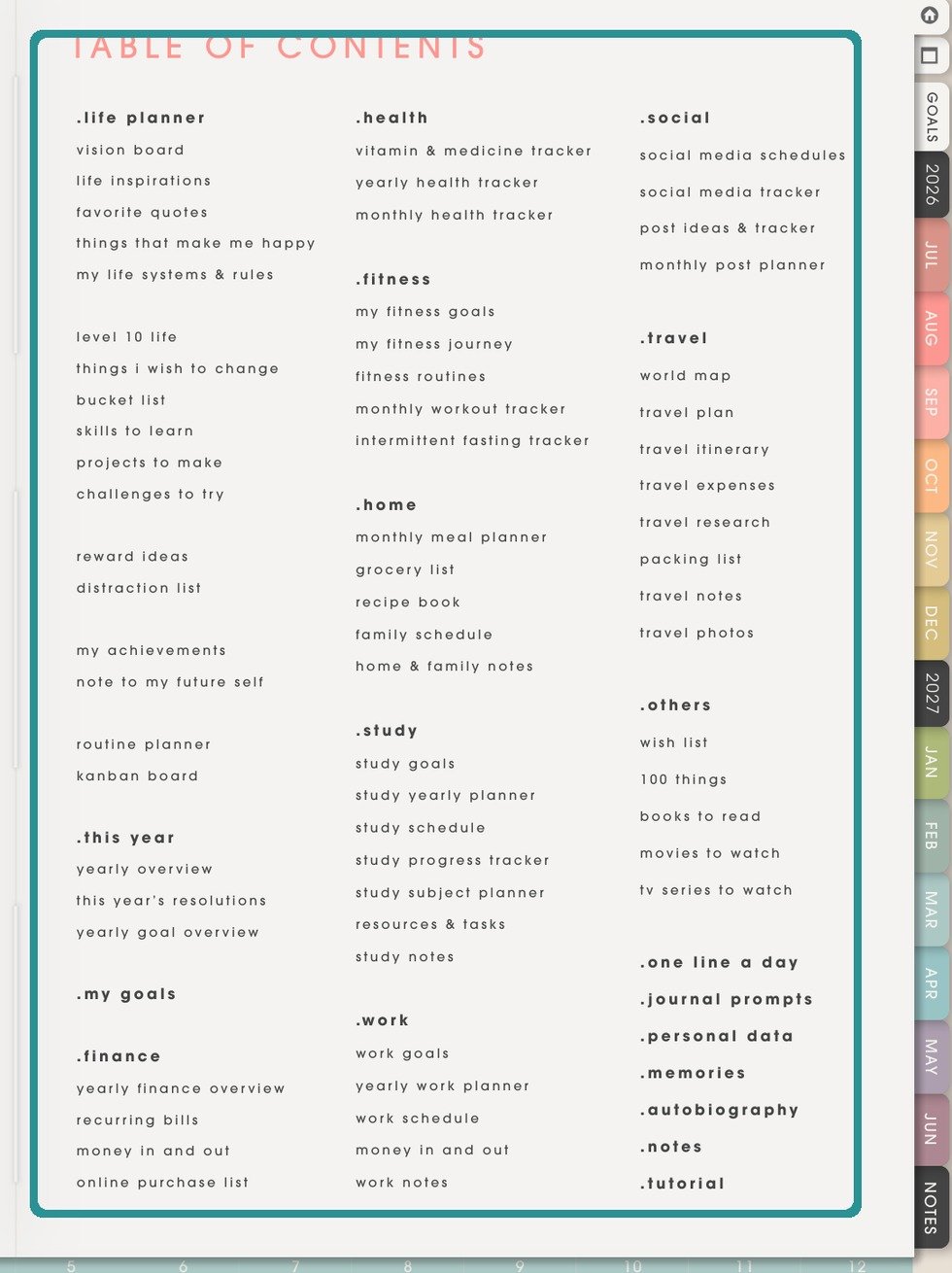
NozomuNoto Index pageThe Index page is part of the NozomuNoto PDF. Use it with Supernote document navigation, contents, bookmarks, and annotations. - Use Contents when the PDF includes readable contents.
- Use the NozomuNoto index page for planner-specific navigation.
- Use the Bookmarks tab for pages you manually saved.
Still need help?
Send your order number, product name, device, app, and a screenshot or short screen recording if the issue is visual.