
Browse tips
Yume Techo Use Cases
- As a Student
- As a Teacher
- For Moms & Family
- For Work
- For Creative Projects
- For Bible Study
- For Small Business
- For Content Creation
- For Fitness & Health
- For Travel
- For Rapid Logging
- For Life Planning
- For Journaling & Reflection
- For Budget & Finance
- For Meals & Grocery
- For Project Planning
- For Home Management
- For Creative Writing
- For Music Writing
- For Brainstorming
- For Homeschooling
Page-by-Page Use Ideas
Essential Template Pages
- Template Index
- Yearly Spread
- Yearly Grid
- Yearly - Day Month Tracker
- Monthly - Day Tracker
- Monthly Grid
- Monthly Overview
- Weekly Review
- Monthly Spread
- Weekly - Horizontal
- Weekly - Vertical
- Routines
- 30 Day Challenges
- 100 Day Challenges
- Vision Board
- 100 Things
- Multi Purpose Table
- Level 10 Life
- 31 Things
- Daily Page - Type 1
- Daily Page - Type 2
- Gantt Chart - Universal
- Gantt Chart - Weekly
- Photo Page
- World Map
- Multi Purpose Wheel
- Kanban - 4/6/8 columns
- Template Pages
- Level 10
- Daily Template
- Yearly Tracker
Life Planner Pages
- Life Planner Index
- Life Planner
- Vision Board
- Life Inspirations
- Favorite Quotes
- Things That Make Me Happy
- My Life Systems and Rules
- Level 10 Life
- Things I Need To Change
- Bucket List
- Skills To Learn
- Projects To Make
- Challenges To Try
- Resolutions
- Yearly Goal Overview
- Goal Planner
- Reward Ideas
- Distraction List
- My Achievements
- Note To My Future Self
- Routines
- 30 Day Challenges
- Kanban Board
Books
How to use Yume Techo as a digital student planner
Use Yume Techo as a digital student planner for classes, assignments, exams, study notes, weekly planning, and school deadlines.
This digital student planner setup is for classes, assignments, exams, readings, group projects, study blocks, and catch-up weeks. I use Yume Techo as a school map: big dates stay visible, class details get their own home, and this week’s real next action goes on Weekly or Daily.
The main goal is to stop school from living in five places at once: syllabus, email, class portal, chat, notebook, and memory. A good student planner should show what is due, what stage each assignment is in, and what tiny step needs attention next.
A simple student setup
Use Yume Techo as one place for your school life first. Before adding every class and every page, build one simple week that shows where school dates, class details, study notes, and today’s work belong.
- Use yearly or monthly pages for the semester map. Add term dates, exam weeks, holidays, school events, and the biggest deadlines.
- Use weekly pages for the real school week. Add class schedule, study blocks, assignment progress, and due dates.
- Use daily pages for today. Write homework, reading, review tasks, small reminders, and the next thing to start.
- Use notebook sections for each class. Keep lecture notes, class links, teacher notes, questions, and subject details together.
- Use template pages for bigger school work. Copy pages for study plans, project breakdowns, reading notes, and exam review lists.
- Use the Index page as the jump point. Move quickly between classes, planning pages, notes, and templates.
Start with one week and one subject first. Add more pages only after the basic setup feels easy to reopen.
Related guides: use rapid logging in Yume Techo for fast daily notes, project planning in Yume Techo for bigger assignments, and the Index page as your home base when you want a faster way back to class pages.
Detailed digital student planner setup
1. Map the semester before planning the week
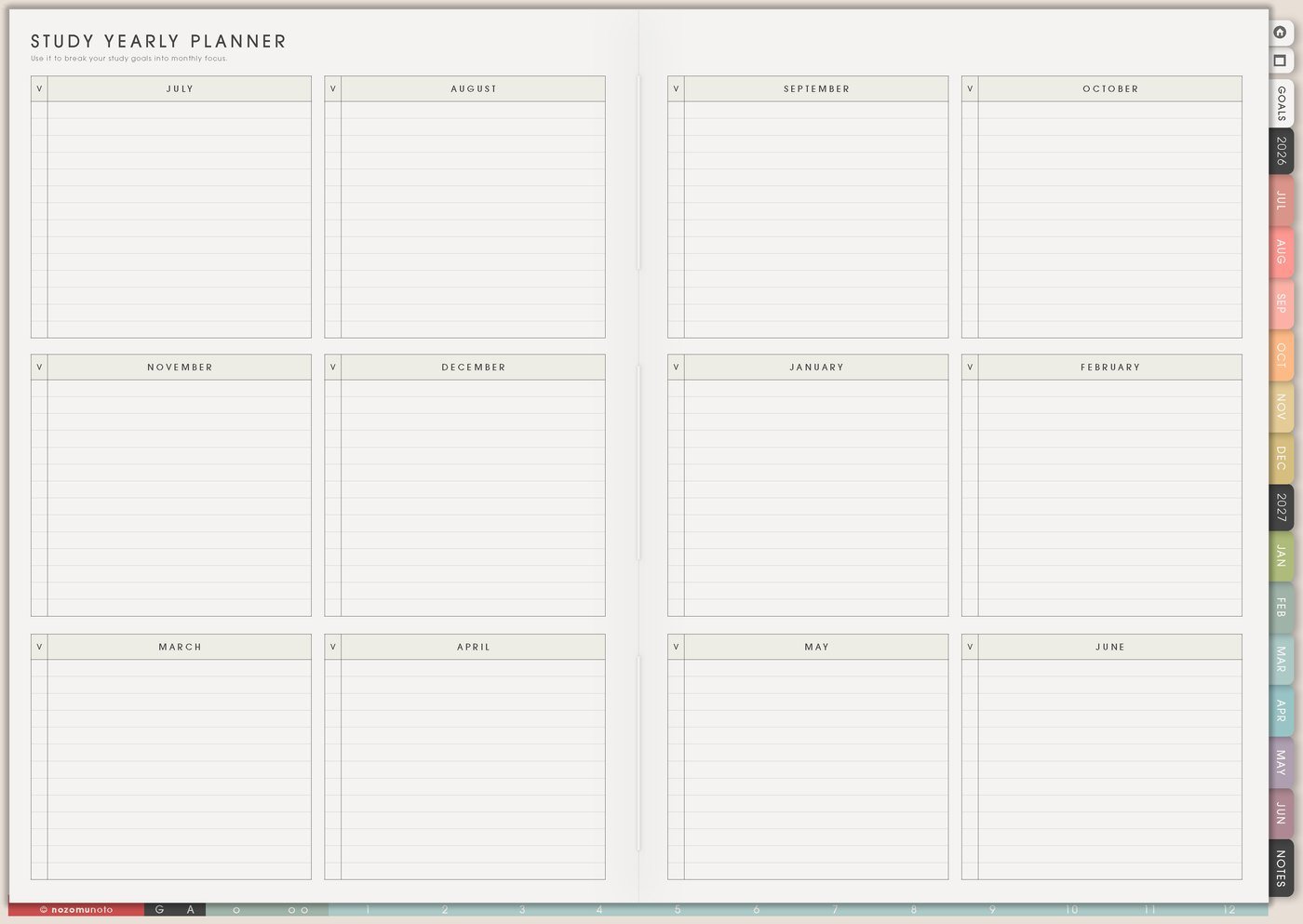
Start with Study Yearly Planner because school has seasons. Add term starts, school breaks, exam weeks, registration dates, scholarship dates, internship applications, presentation weeks, and big project deadlines.
For example, if finals are in the second week of December and a research paper is due the week before, I mark both early. Then November can hold reading, source collecting, outline time, and draft time instead of pretending December can carry everything.
2. Build a weekly study rhythm
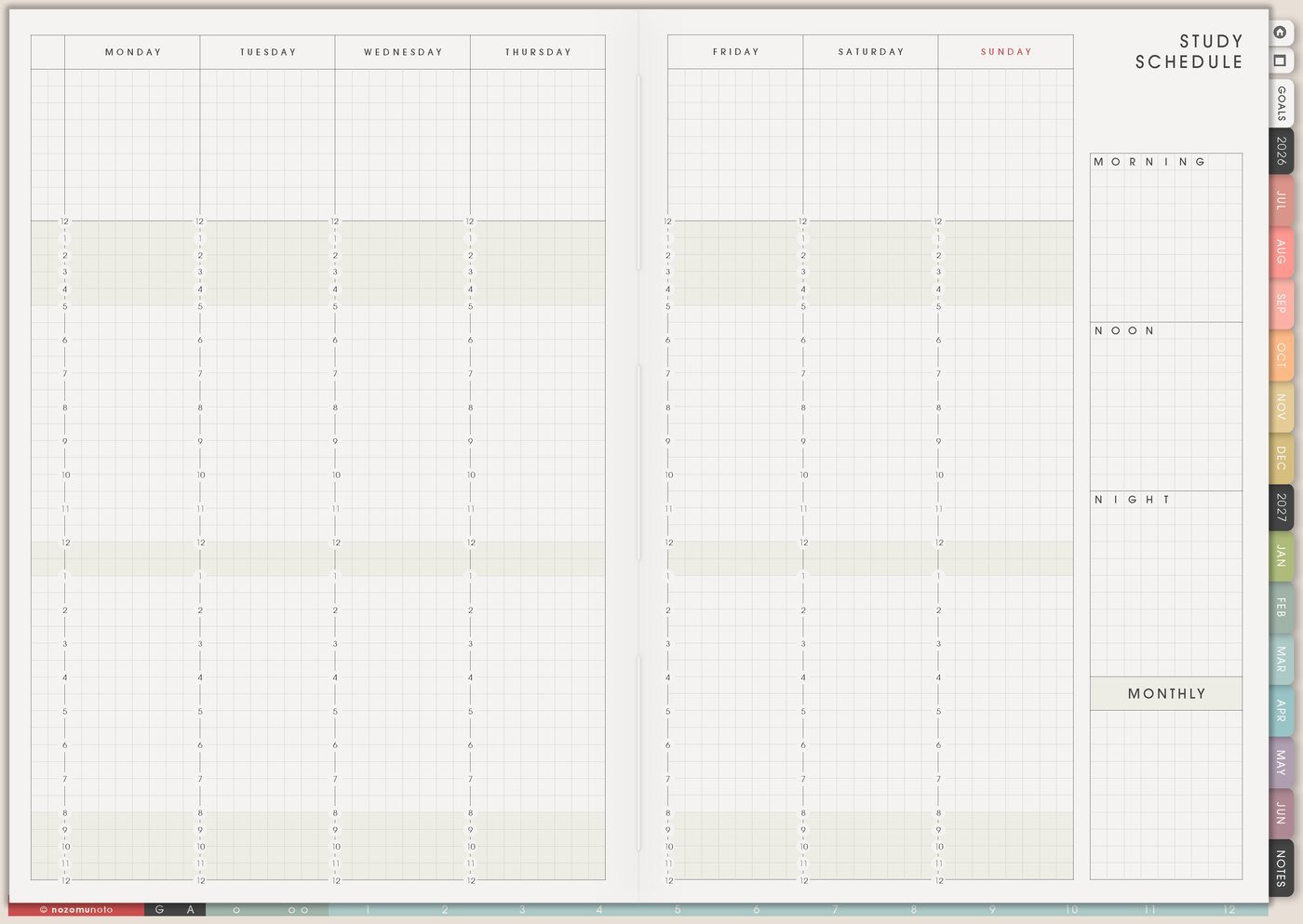
Use Study Schedule for the repeating shape of the week. Add class time, commute, work shifts, meals, rest, club activities, tutoring, office hours, and realistic study windows. Then name each block with an action: lecture review, reading, flashcards, practice questions, lab prep, language practice, essay drafting, or group project check-in.
The goal is a week that matches real life. If Tuesday already has class, commute, and work, Tuesday can be a lighter review day. Save deeper work for the day with more room. For page-specific examples, open Study Schedule page ideas.
3. Track assignments by stage, not only by due date
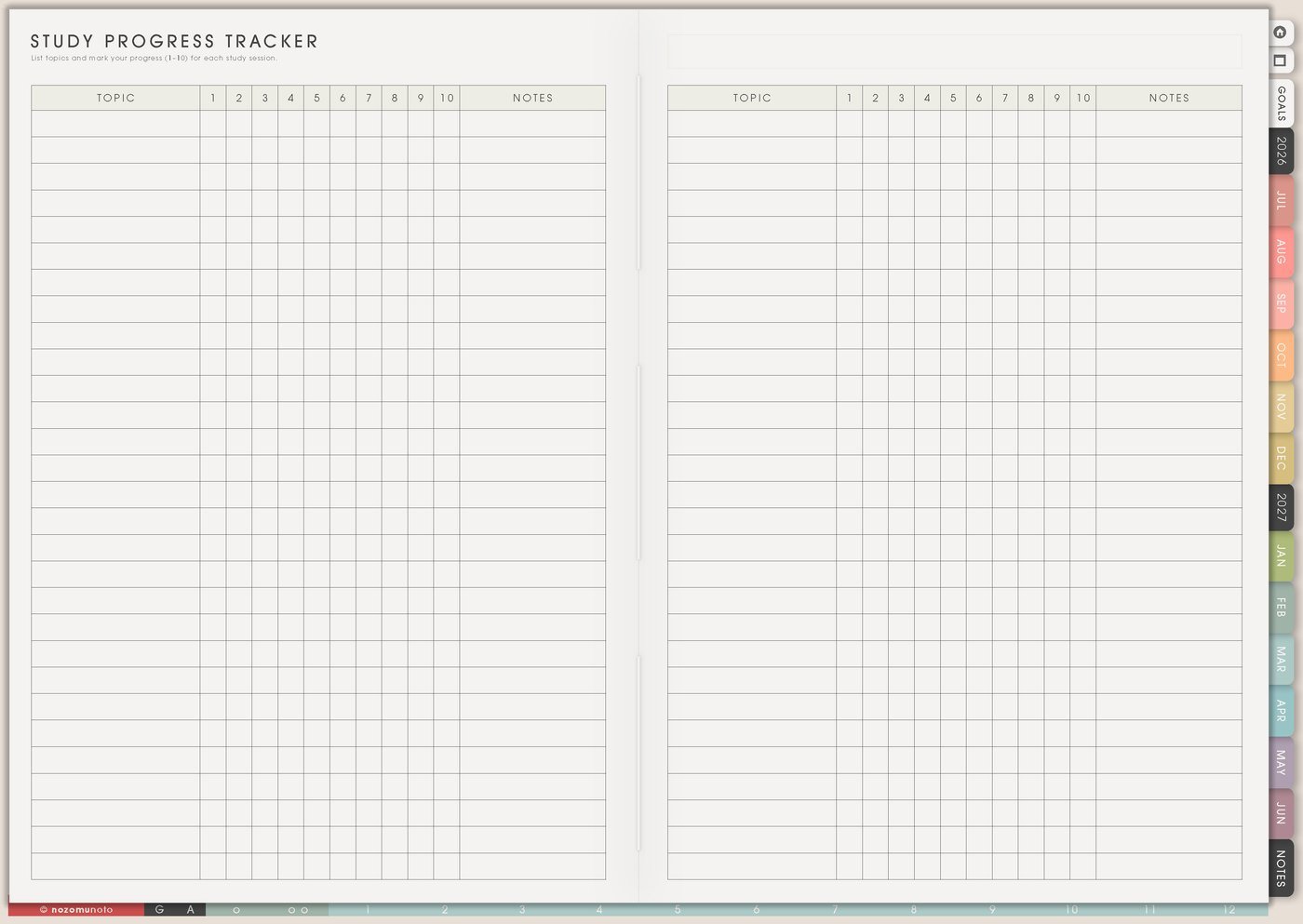
Use Study Progress Tracker when an assignment has a middle, because the middle is where most stress hides. Instead of writing only the final due date, break the work into stages: choose topic, collect sources, outline, draft, revise, format, submit, and confirm upload.
For a group project, add owner, next step, and waiting item. For an exam, use the same page like a study path: collect notes, review chapter 1, make flashcards, answer practice questions, review weak topics, and pack what you need for exam day. The detailed guide is Study Progress Tracker page ideas.
4. Give each class one home page
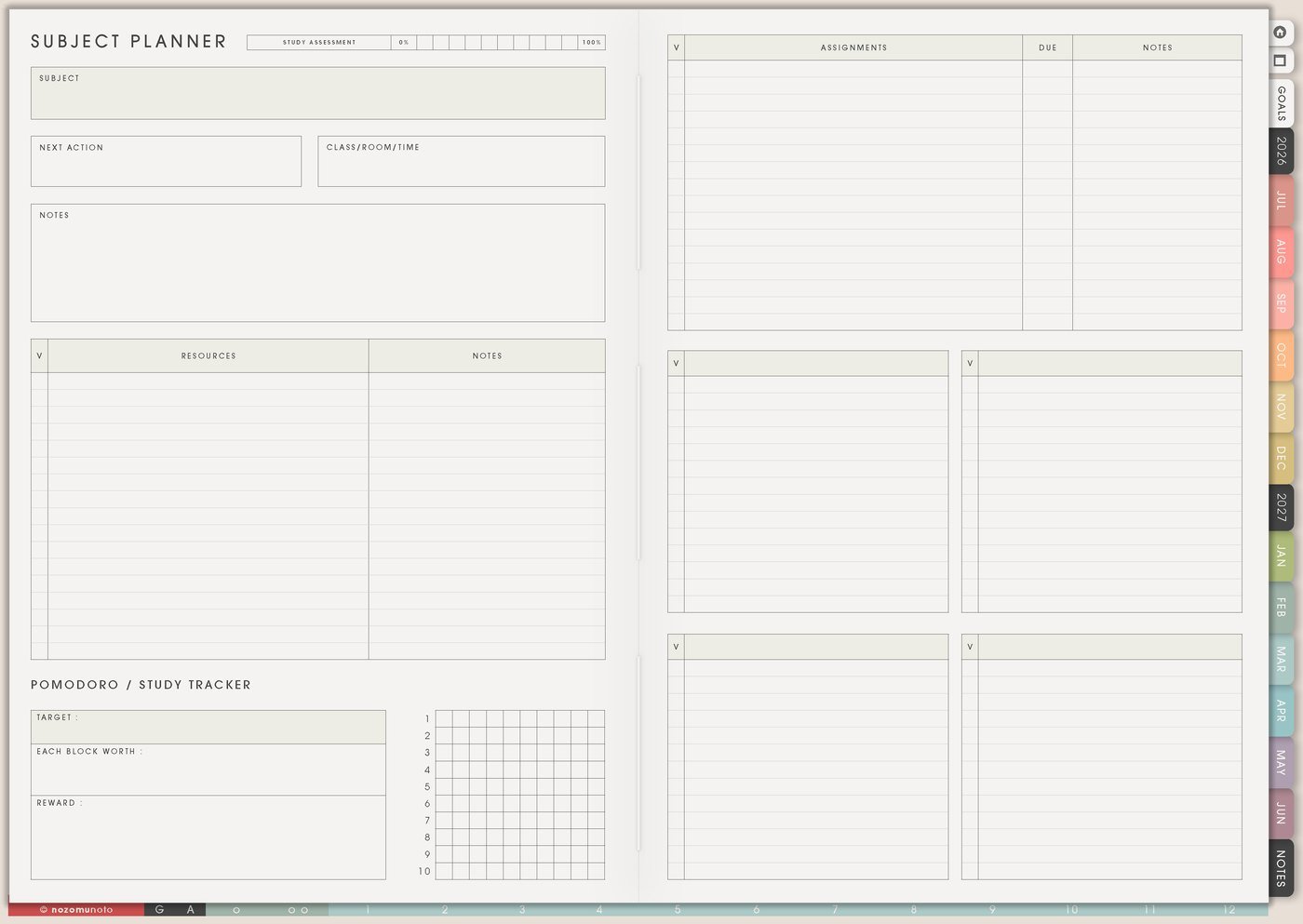
Use Subject Planner when one class has too many details for the weekly page. Keep the subject name, teacher or lecturer, class time, room or meeting link, grading notes, textbook chapters, recurring assignments, exam style, and questions to ask.
This helps when one professor posts in email, another uses a portal, and another mentions changes during lecture. The subject page can hold the class memory while Weekly only holds what needs action now. For a deeper setup, use Subject Planner page ideas.
5. Keep links and class materials off the weekly page
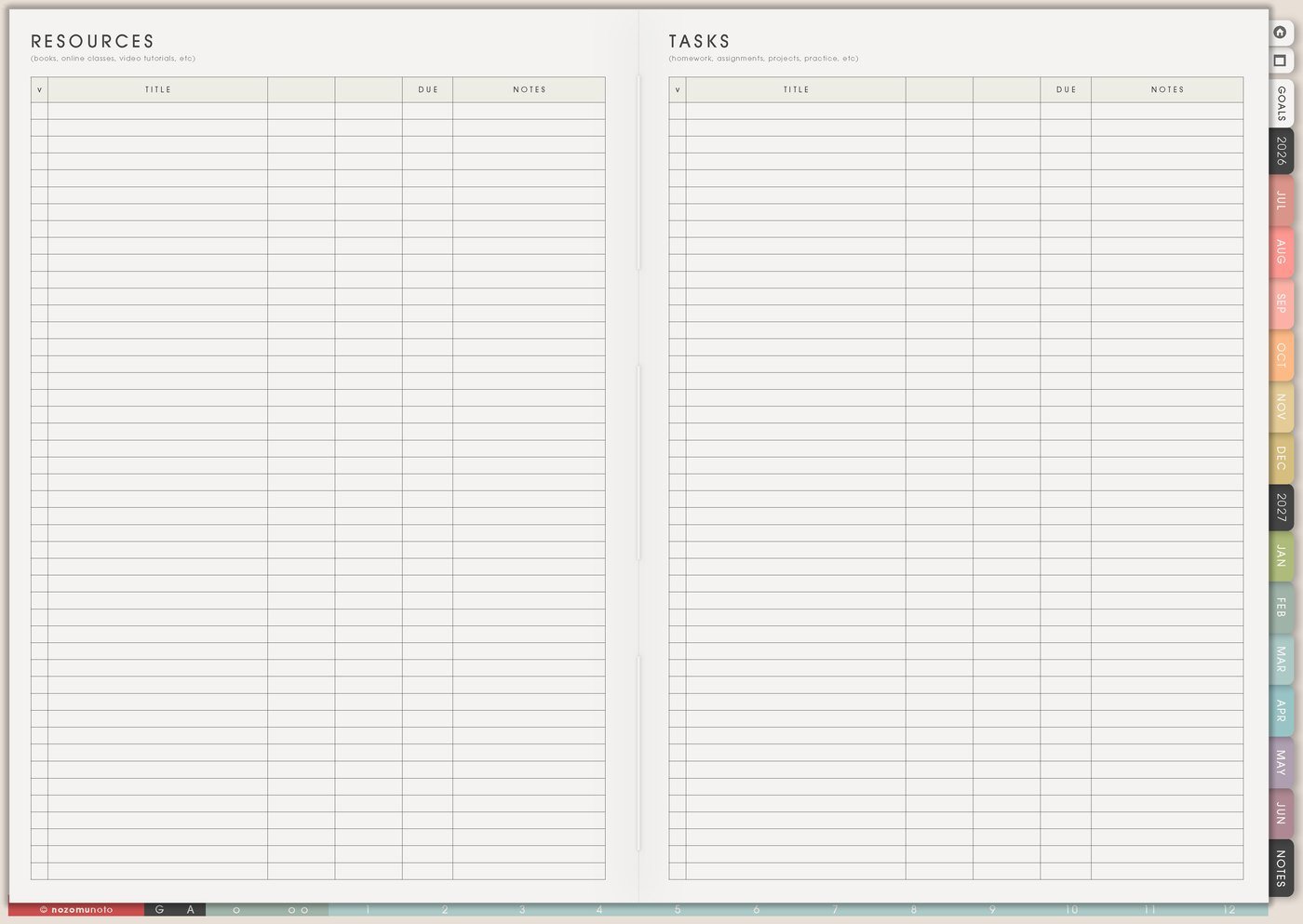
Resources / Tasks is where school clutter can live without crowding the weekly plan. Keep rubric links, reading PDFs, citation links, teacher notes, office-hour questions, class portal links, lab instructions, group chat follow-ups, files to download, and forms to submit.
At the start of the week, pull only the needed action from this page. A resource library is useful; a weekly page full of links is hard to read. If the link matters this week, write the action on Weekly, like open rubric, download article, ask teacher, or submit form. The matching article is Resources / Tasks page ideas.
6. Let Weekly and Daily carry only the next action

Weekly is the decision page. Choose the school actions that fit this week. Daily is the starting page. Write the smallest version you can begin today: open chapter 3 notes, solve five questions, revise the introduction, email the group member, print the worksheet, pack calculator, or upload the final file.
This keeps the full semester from landing on one daily page. The big map stays big, the class details stay with the class, and today stays small enough to start.
7. Use Weekly Review for catch-up weeks
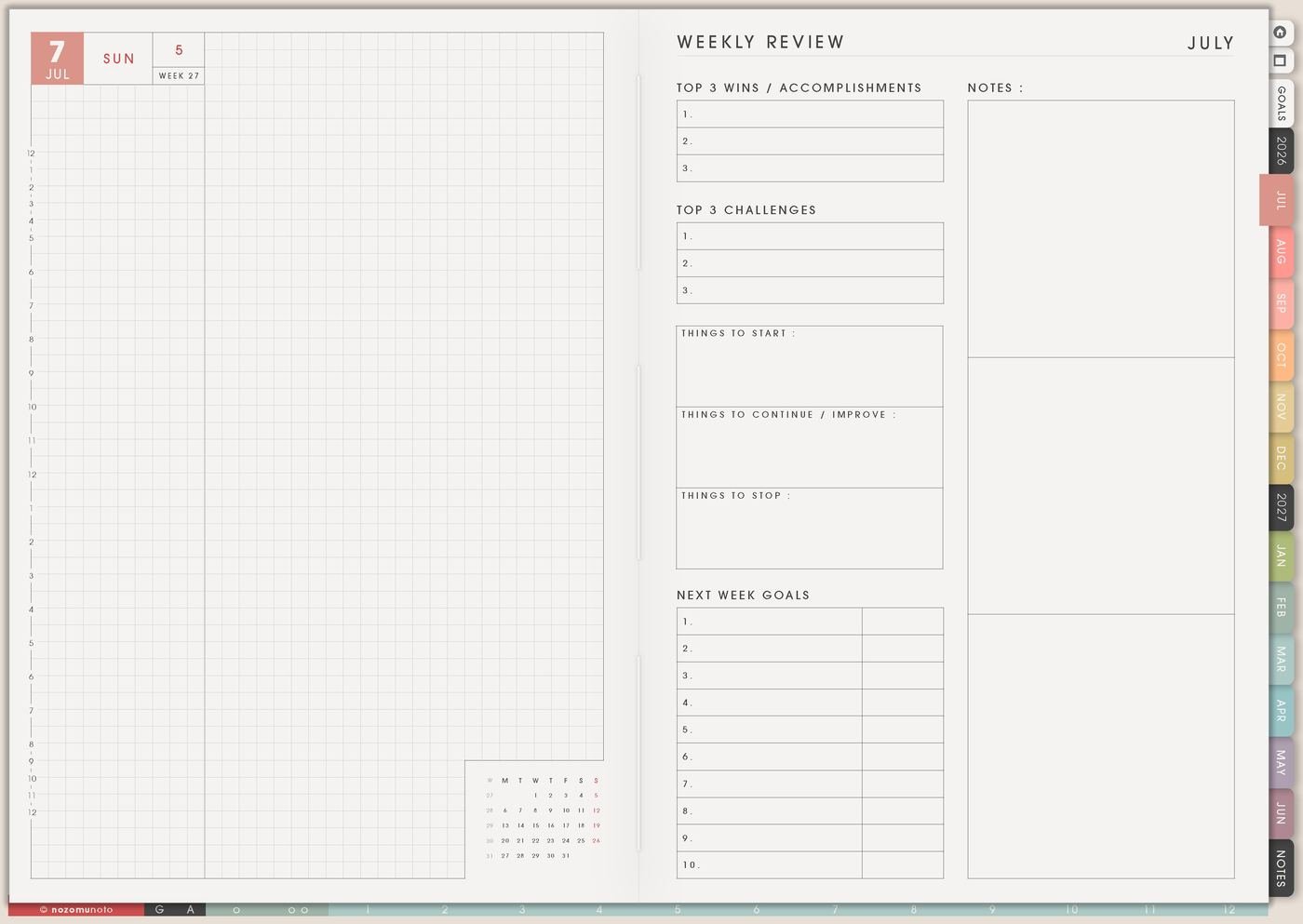
Use Weekly Review as a recovery page. Write what still matters, what expired, what can be dropped, what is waiting on someone else, and the first rescue action. If everything feels urgent, choose the task with the closest real consequence or the task that unlocks other work.
Skip the full-evening backfill and restart from the current week instead. A useful student planner helps everyone come back quickly.
Set it up in ten minutes
- Choose one real class first. Let one class prove the setup before adding every subject.
- Write the big dates. Put term dates, exam weeks, and major project deadlines on Study Yearly Planner.
- Add the weekly rhythm. Put classes, commute, work, rest, and study windows on Study Schedule.
- Break one assignment into stages. Use Study Progress Tracker for the middle steps.
- Create one Subject Planner. Give the messiest class a home for details and links.
- Move one action to Weekly. Keep Weekly focused on what can move this week.
- Choose today’s tiny start. Put the smallest physical action on Daily.
What I usually use it for and how I use it
Tips for keeping the student planner usable
- Write the middle steps, not only the deadline. An essay needs topic, sources, outline, draft, revise, format, submit, and confirm upload. Weekly only needs the next step.
- Make the schedule match real energy. Add commute, meals, work, family, club time, and tired evenings before adding study blocks.
- Give class details one home. Put syllabus notes, links, grading notes, recurring tasks, and teacher questions on Subject Planner or Resources / Tasks.
- Separate urgent from noisy. If every class feels urgent, choose by due date, consequence, and which task unlocks the next task.
- Restart from the current week. If the planner has blank days, open Weekly Review, write what still matters, then choose one rescue action.
- Name study blocks with action verbs. Write review chapter 3 notes, solve five practice questions, outline paragraph one, or make ten flashcards.
When you need setup help
For the planner workflow, keep Study Yearly Planner for the semester map, Study Schedule for the weekly rhythm, Study Progress Tracker for assignment stages, Subject Planner for class details, and Resources / Tasks for links. If the question is how to import the PDF, tap hyperlinks, duplicate a study page, or add images in your app, use the NozomuNoto Help Center for the button-by-button steps.
Final thought
For school, let Yume Techo hold the big map and the tiny next step at the same time. Put semester dates where you can see them, keep class details with the class, and make the current week small enough to start. I hope this setup helps your student planner feel like a clear desk, not another homework pile!
Build this full setup in Yume Techo
Use the pages shown above as a complete workflow, then adjust the setup until it fits your real week.
Browse NozomuNoto products
Find the planner, notebook, e-reader file, or add-on that fits the way you actually plan.
About NozomuNoto
NozomuNoto creates Japanese-inspired digital planners, notebooks, stickers, and e-reader PDFs for people who want useful pages that still work in real life.
Yume Techo is built with dated yearly, monthly, weekly, daily, Life Planner, Planner Pages, and Template Pages so one planner can hold study, work, home, ADHD-friendly routines, lists, and creative projects without adding paper bulk.
New to digital planning? Start there, use the Help Center for setup help, or browse NozomuNoto products when you are ready to choose your planner.