
Browse tips
Yume Techo Use Cases
- As a Student
- As a Teacher
- For Moms & Family
- For Work
- For Creative Projects
- For Bible Study
- For Small Business
- For Content Creation
- For Fitness & Health
- For Travel
- For Rapid Logging
- For Life Planning
- For Journaling & Reflection
- For Budget & Finance
- For Meals & Grocery
- For Project Planning
- For Home Management
- For Creative Writing
- For Music Writing
- For Brainstorming
- For Homeschooling
Page-by-Page Use Ideas
Essential Template Pages
- Template Index
- Yearly Spread
- Yearly Grid
- Yearly - Day Month Tracker
- Monthly - Day Tracker
- Monthly Grid
- Monthly Overview
- Weekly Review
- Monthly Spread
- Weekly - Horizontal
- Weekly - Vertical
- Routines
- 30 Day Challenges
- 100 Day Challenges
- Vision Board
- 100 Things
- Multi Purpose Table
- Level 10 Life
- 31 Things
- Daily Page - Type 1
- Daily Page - Type 2
- Gantt Chart - Universal
- Gantt Chart - Weekly
- Photo Page
- World Map
- Multi Purpose Wheel
- Kanban - 4/6/8 columns
- Template Pages
- Level 10
- Daily Template
- Yearly Tracker
Life Planner Pages
- Life Planner Index
- Life Planner
- Vision Board
- Life Inspirations
- Favorite Quotes
- Things That Make Me Happy
- My Life Systems and Rules
- Level 10 Life
- Things I Need To Change
- Bucket List
- Skills To Learn
- Projects To Make
- Challenges To Try
- Resolutions
- Yearly Goal Overview
- Goal Planner
- Reward Ideas
- Distraction List
- My Achievements
- Note To My Future Self
- Routines
- 30 Day Challenges
- Kanban Board
Books
Level 10 Template Ideas for Yume Techo Digital Planner
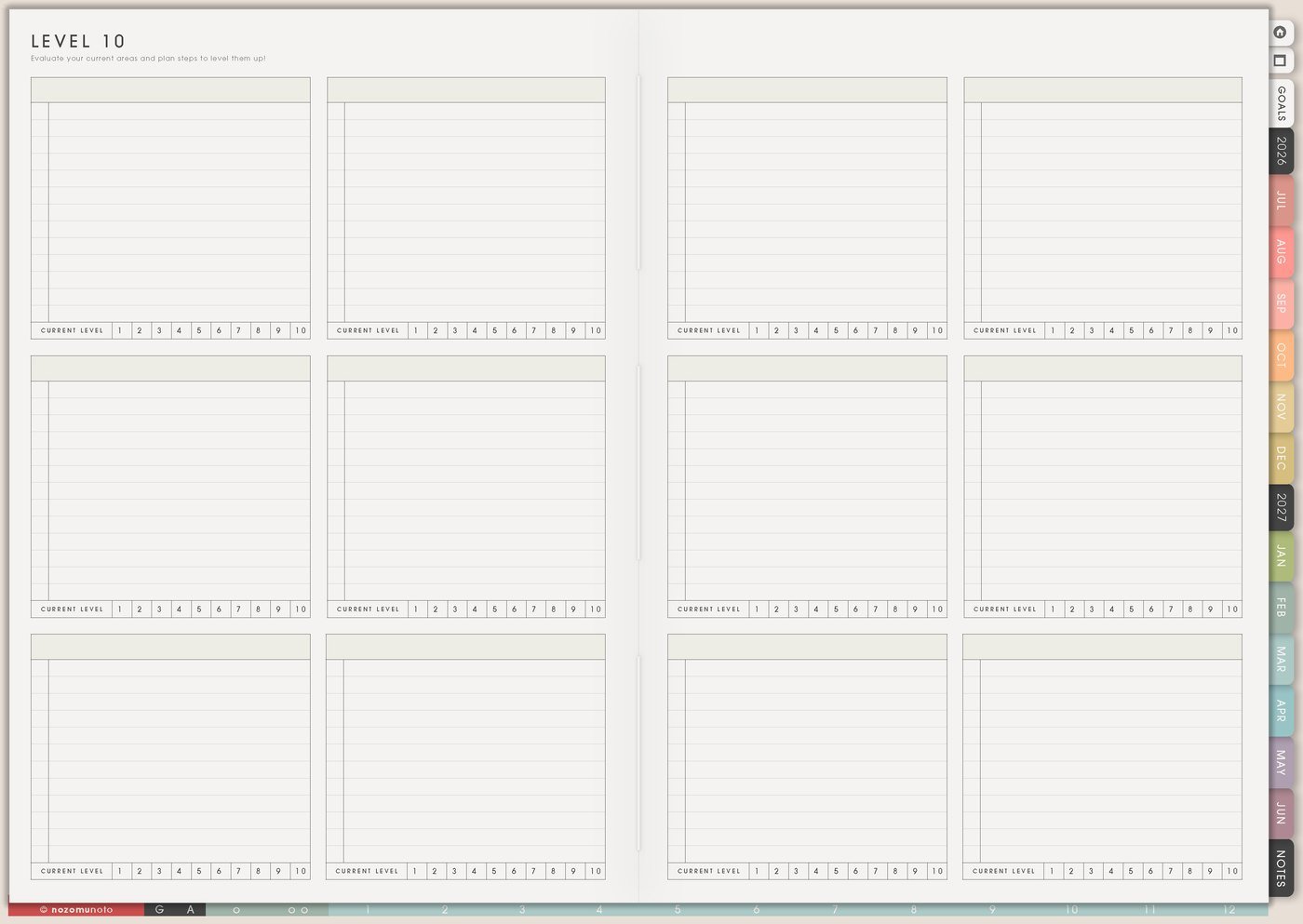
Find Level 10 template ideas for Yume Techo, including life areas, project reviews, priorities, routines, study balance, and small next steps.
I use Level 10 template as a quick life-area check without turning reflection into a giant self-improvement project. I can use it for health, home, work, money, relationships, creativity, learning, rest, fun, faith, confidence, parenting, family care, NozomuNoto, or any area I need to understand more honestly.
The useful part is not the number by itself. The useful part is the context sentence and the one small next action that comes after it.
Level 10 template ideas
Use a Level 10 template when you want to review different areas at a glance. I like it as an idea bank because the same page can review life areas, project progress, study subjects, home areas, creative work, routines, weekly priorities, or personal goals.
After you fill the template, choose one area and write one small next step. The goal is not to fix every area at once. Use the page to see what needs attention first, then move only one small action into the week.
Related guides: Level 10 Life for honest check-ins, Multi Purpose Wheel for visual reviews, and digital life planner ideas.
How I use Level 10 template
1. Rate life areas with context
I choose the areas that matter this season and give each one a quick rating. Then I add one sentence explaining why. The sentence is what makes the number useful later.
For example, home might be low because laundry is stressful, but relationships might be high because family dinners are helping. The page becomes a care map, not a grade.
2. Choose one focus area for the month
After rating, I choose one area that would create the most relief or the easiest first win. I avoid turning all ten areas into goals at once.
If health, home, money, rest, and work all need care, I pick the area that would make daily life easier first. The rest can wait without being forgotten.
3. Move one action to Weekly
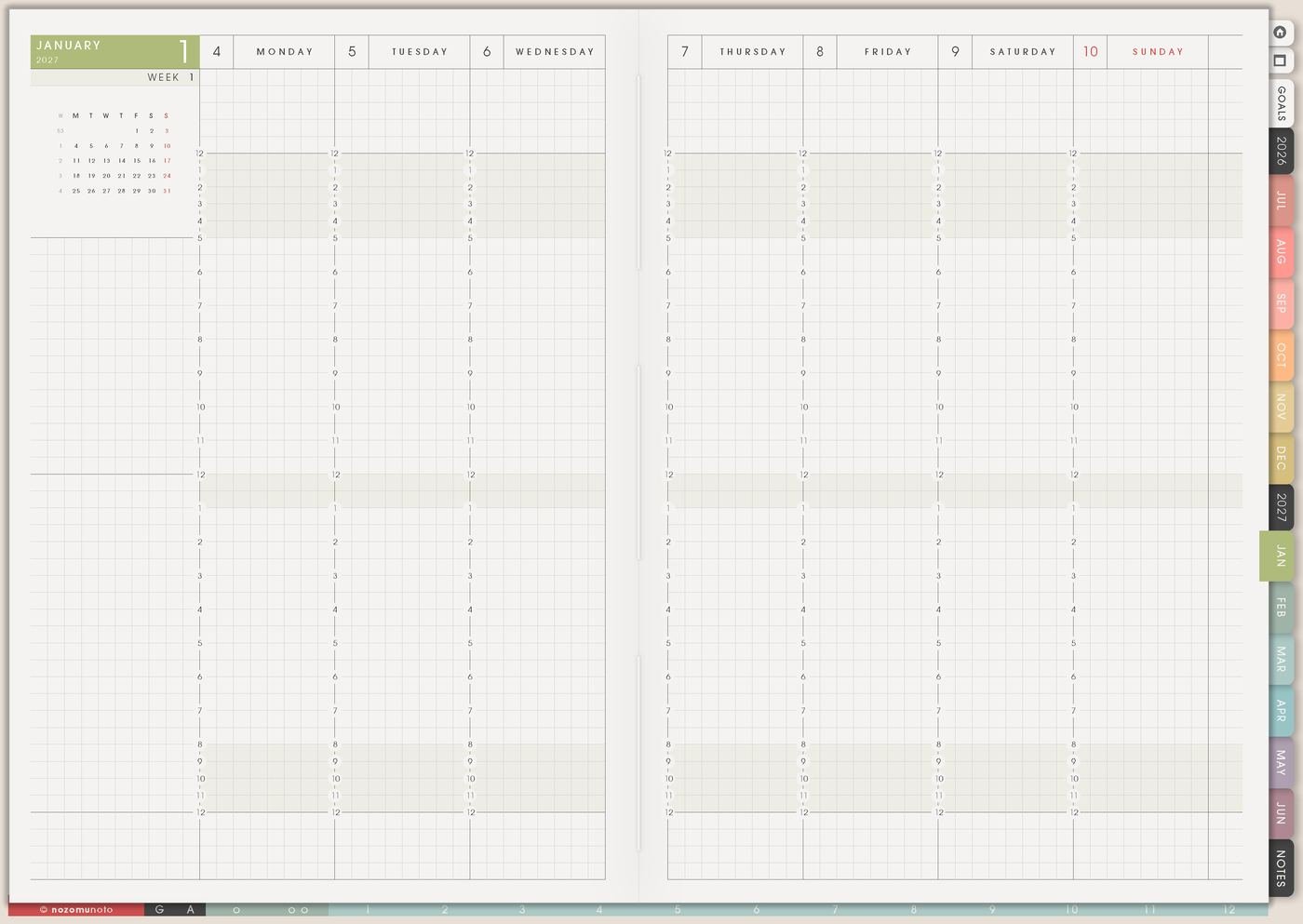
I turn the focus area into one small weekly action: book appointment, tidy desk, plan meals, text a friend, review one bill, schedule rest, start a walk, or clear one basket.
Level 10 is reflection. Weekly is where the next action happens.
4. Use it before Goal Planner
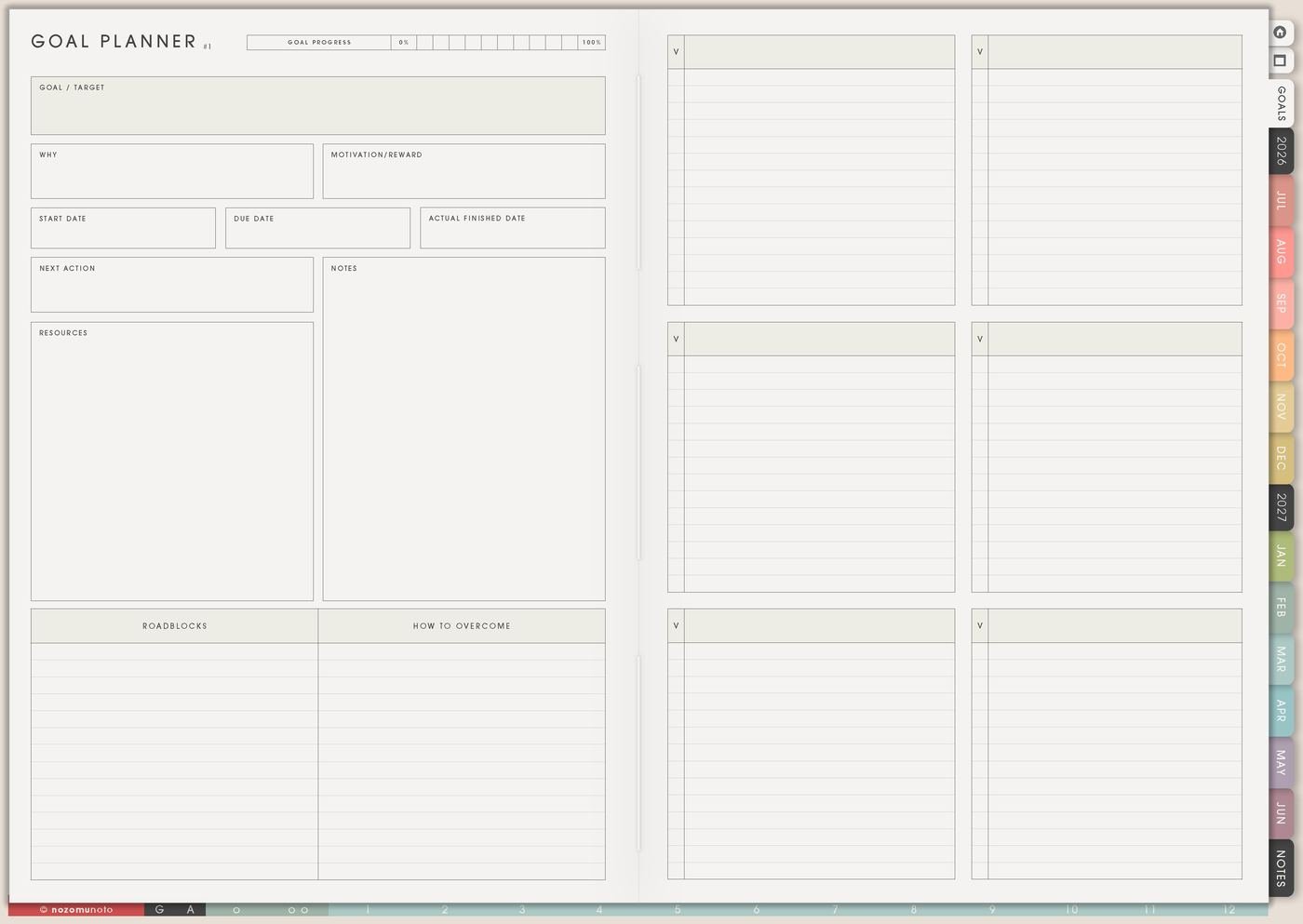
I use Level 10 before choosing goals so the goal comes from real life instead of pressure or ambition. The rating can show which area needs structure, recovery, care, or celebration.
For example, a low rest score might lead to a sleep cue goal, not another productivity goal.
5. Use it for seasonal review
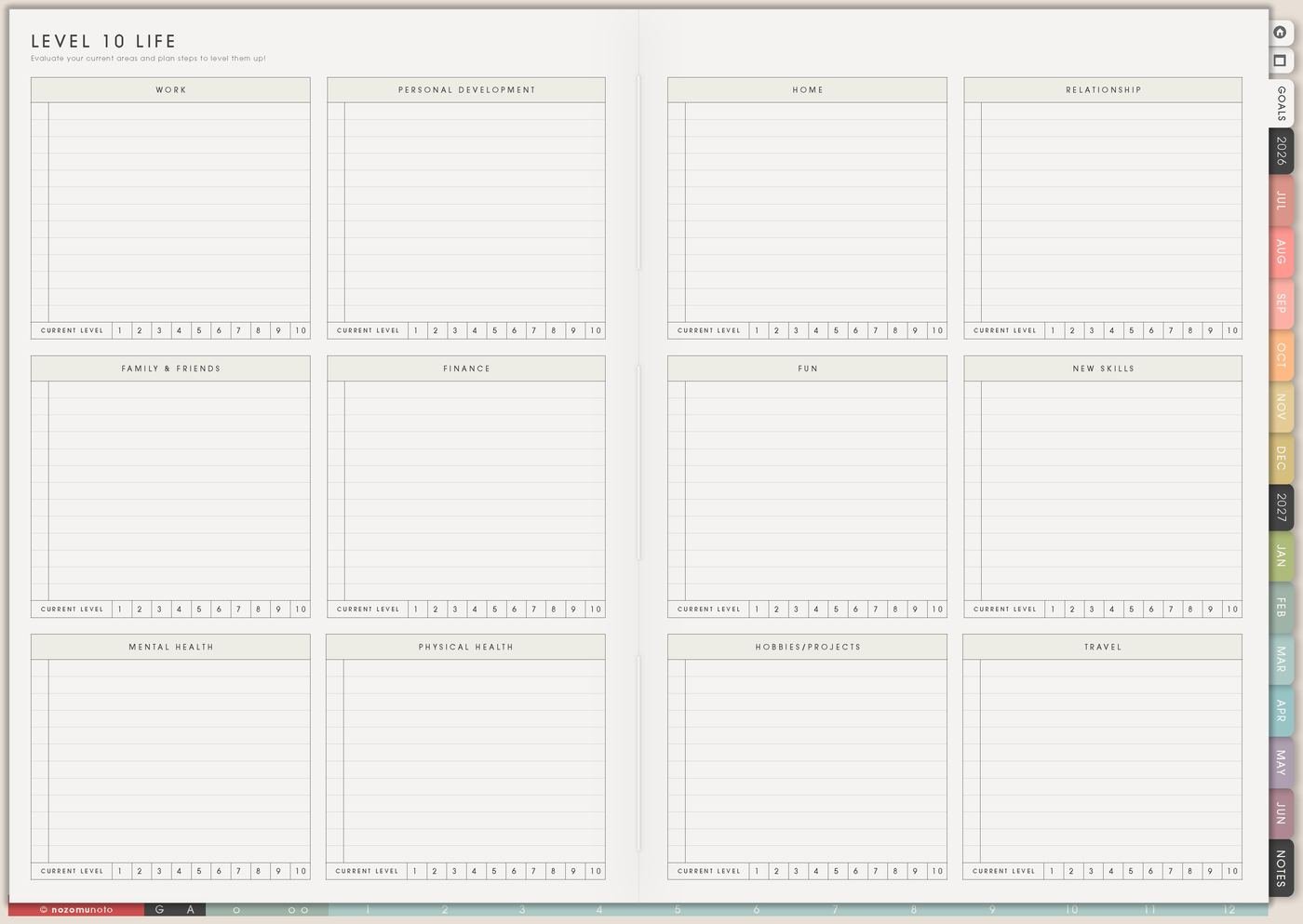
I use the template quarterly, at the start of a school term, before a new planner setup, after a busy season, or when life feels out of balance.
The seasonal review helps me notice what changed, what stayed hard, and what actually helped.
6. Add celebration too
Beside low scores, write what needs care. Beside higher scores, write what is working. This keeps the page from becoming a list of everything wrong.
A high relationship score, better sleep week, finished project, or steadier home routine deserves to be noticed too.
7. Compare notes over time
If I use Level 10 monthly or quarterly, I compare the notes instead of only the numbers. I ask what changed, what helped, and which area still needs a smaller next step.
The page should help me see movement, not demand perfect balance.
Set up Level 10 template in ten minutes
- Choose the areas. Health, home, work, money, relationships, rest, creativity, learning, faith, fun, or confidence.
- Rate quickly. Use first instinct, not a long debate.
- Add one context sentence. What is hard, what is helping, or why the number makes sense.
- Choose one focus area. Pick relief, not perfection.
- Write one small action. Make it small enough for the current week.
- Review later. Compare notes and adjust the next care step.
What I usually use it for and how I use it
Tips for using this template
- Treat the number as information. A low score is not a grade. I write why it makes sense, what is hard, what is helping, and what care step would make it easier.
- Choose one focus area only. If home, money, rest, work, and health all need attention, I choose the area that would make daily life easier first.
- Move one action to Weekly Review. Reflection becomes useful when it turns into a small action: book appointment, open bank app, plan meals, text a friend, clear one basket, or choose bedtime cue.
- Notice what is working too. Higher scores can show patterns worth repeating: family dinner, study time, cleaner desk, finished project, better sleep, or one steady routine.
- Rename areas for the real season. Parenting, family care, NozomuNoto, faith, school, health, money, creativity, or illustration study can replace generic categories.
- Keep the focus physical. Improve health is too big. Prep one meal, book appointment, start a walk, or set a bedtime cue is easier to move.
- Protect private notes. If a rating includes health, family, school, money, client, account, or personal details, I use broad labels and keep sensitive details in a secure place.
- Review monthly or seasonally. Too much rating can become rumination. I rate, choose one care step, then spend the week doing that small action.
Related guides: use Level 10 Life for the fuller life-area page, or Template Pages Ideas when you are choosing which reusable page to copy next.
When you need setup help
Level 10 template works well with Goal Planner, Yearly Goal Overview, Weekly Page, Achievements, Routines, Monthly Overview, and the NozomuNoto Help Center. If you need exact app steps for copying template pages, importing Yume Techo, adding stickers, or using hyperlinks, use the guides below.
- How to use NozomuNoto template pages
- How to import your PDF planner
- How to use planner hyperlinks
- How to install and use digital stickers
- Open the Help Center
Tips for using this page
- Choose the one part of this page that helps the current week instead of trying to fill everything at once.
- Move one small next action to Weekly or Daily so the page changes what happens next.
- Keep the page easy to return to by linking it from Index, favorites, bookmarks, or the related planner section.
Final thought
I hope Level 10 template helps reflection turn into one useful next step. Rate quickly, add context, choose one focus, and let the weekly page carry the action.
Browse NozomuNoto products
Find the planner, notebook, e-reader file, or add-on that fits the way you actually plan.
About NozomuNoto
NozomuNoto creates Japanese-inspired digital planners, notebooks, stickers, and e-reader PDFs for people who want useful pages that still work in real life.
Yume Techo is built with dated yearly, monthly, weekly, daily, Life Planner, Planner Pages, and Template Pages so one planner can hold study, work, home, ADHD-friendly routines, lists, and creative projects without adding paper bulk.
New to digital planning? Start there, use the Help Center for setup help, or browse NozomuNoto products when you are ready to choose your planner.