
Browse tips
Yume Techo Use Cases
- As a Student
- As a Teacher
- For Moms & Family
- For Work
- For Creative Projects
- For Bible Study
- For Small Business
- For Content Creation
- For Fitness & Health
- For Travel
- For Rapid Logging
- For Life Planning
- For Journaling & Reflection
- For Budget & Finance
- For Meals & Grocery
- For Project Planning
- For Home Management
- For Creative Writing
- For Music Writing
- For Brainstorming
- For Homeschooling
Page-by-Page Use Ideas
Essential Template Pages
- Template Index
- Yearly Spread
- Yearly Grid
- Yearly - Day Month Tracker
- Monthly - Day Tracker
- Monthly Grid
- Monthly Overview
- Weekly Review
- Monthly Spread
- Weekly - Horizontal
- Weekly - Vertical
- Routines
- 30 Day Challenges
- 100 Day Challenges
- Vision Board
- 100 Things
- Multi Purpose Table
- Level 10 Life
- 31 Things
- Daily Page - Type 1
- Daily Page - Type 2
- Gantt Chart - Universal
- Gantt Chart - Weekly
- Photo Page
- World Map
- Multi Purpose Wheel
- Kanban - 4/6/8 columns
- Template Pages
- Level 10
- Daily Template
- Yearly Tracker
Life Planner Pages
- Life Planner Index
- Life Planner
- Vision Board
- Life Inspirations
- Favorite Quotes
- Things That Make Me Happy
- My Life Systems and Rules
- Level 10 Life
- Things I Need To Change
- Bucket List
- Skills To Learn
- Projects To Make
- Challenges To Try
- Resolutions
- Yearly Goal Overview
- Goal Planner
- Reward Ideas
- Distraction List
- My Achievements
- Note To My Future Self
- Routines
- 30 Day Challenges
- Kanban Board
Books
How to use Yume Techo as a digital Bible study planner
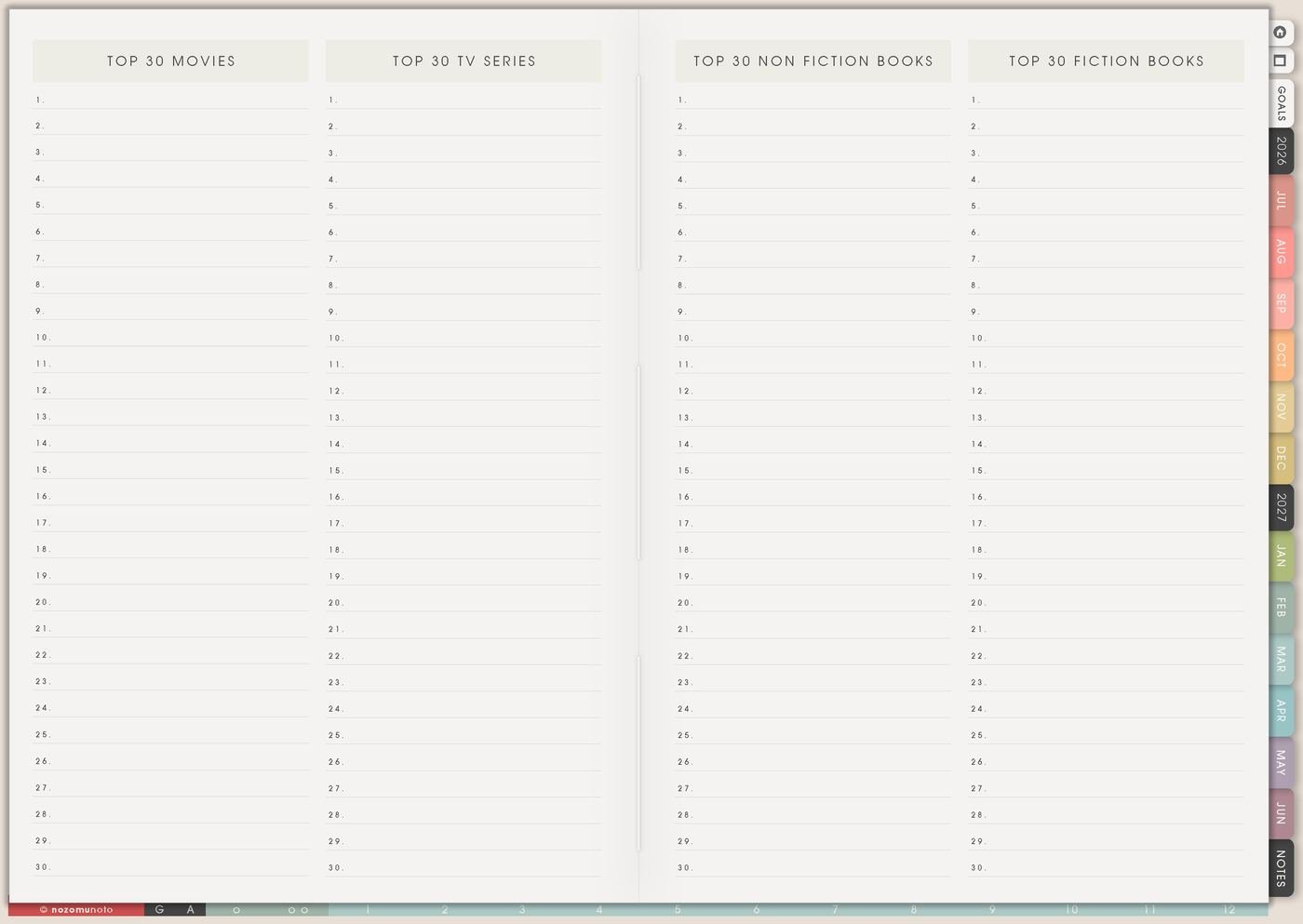
Use Yume Techo as a digital Bible study planner for sermon notes, prayer journaling, scripture reading, reflection, and study notes.
I use this Yume Techo Bible study setup for reading plans, sermon notes, prayer journaling, favorite verses, study questions, prayer requests, and one small weekly practice that can move from the page into real life.
I like this setup because Bible study can become too big in my head if every verse, note, prayer, and plan has to live in one place. Yume Techo helps me separate the pieces: Reading List for the plan, Favorite Quotes for verses, Template Pages for notes, Resources / Tasks for links and follow-ups, and Weekly for the one thing I want to carry into the week!
A simple Bible study setup
Use Yume Techo to keep your reading, sermon notes, prayer journaling, and study notes together.
- Use monthly pages for the study map. Add reading plans, church events, study group dates, and prayer focus themes.
- Use weekly pages for your current rhythm. Add reading goals, sermon review, prayer lists, reflection time, and one small practice for the week.
- Use daily pages for today. Write today’s verse, prayer notes, gratitude, study questions, and a short line you want to remember.
- Use notebook sections for each study area. Keep sermon notes, Bible study notes, prayer journaling, verses, and reflections in clear sections.
- Use template pages for repeat study pages. Make pages for reading logs, prayer lists, verse study, sermon notes, and weekly reflection.
- Use the Index page as your jump point. Link study sections, sermon notes, prayer pages, and journal pages from one starting page.
Start with one reading plan or one sermon notes section first. Keep the setup simple enough to use regularly.
For related workflows, see the digital journal planner guide, digital life planner guide, and rapid logging guide.
Use case ideas for a Bible study planner
1. Use Reading List for books, passages, and study plans
Use Reading List for Bible books, devotionals, study guides, sermon series, passages to revisit, or themes you want to study in this season.
I keep each line simple: the Bible book or passage, why I chose it, where I want to read it, and any sermon, devotional, or group-study note connected to it.
For example, instead of writing only Psalms, I write Psalms for mornings when my heart feels busy. Instead of only James, I write James for words, patience, and daily actions. That small reason makes the list useful later.
2. Use Weekly for a reading rhythm that can restart
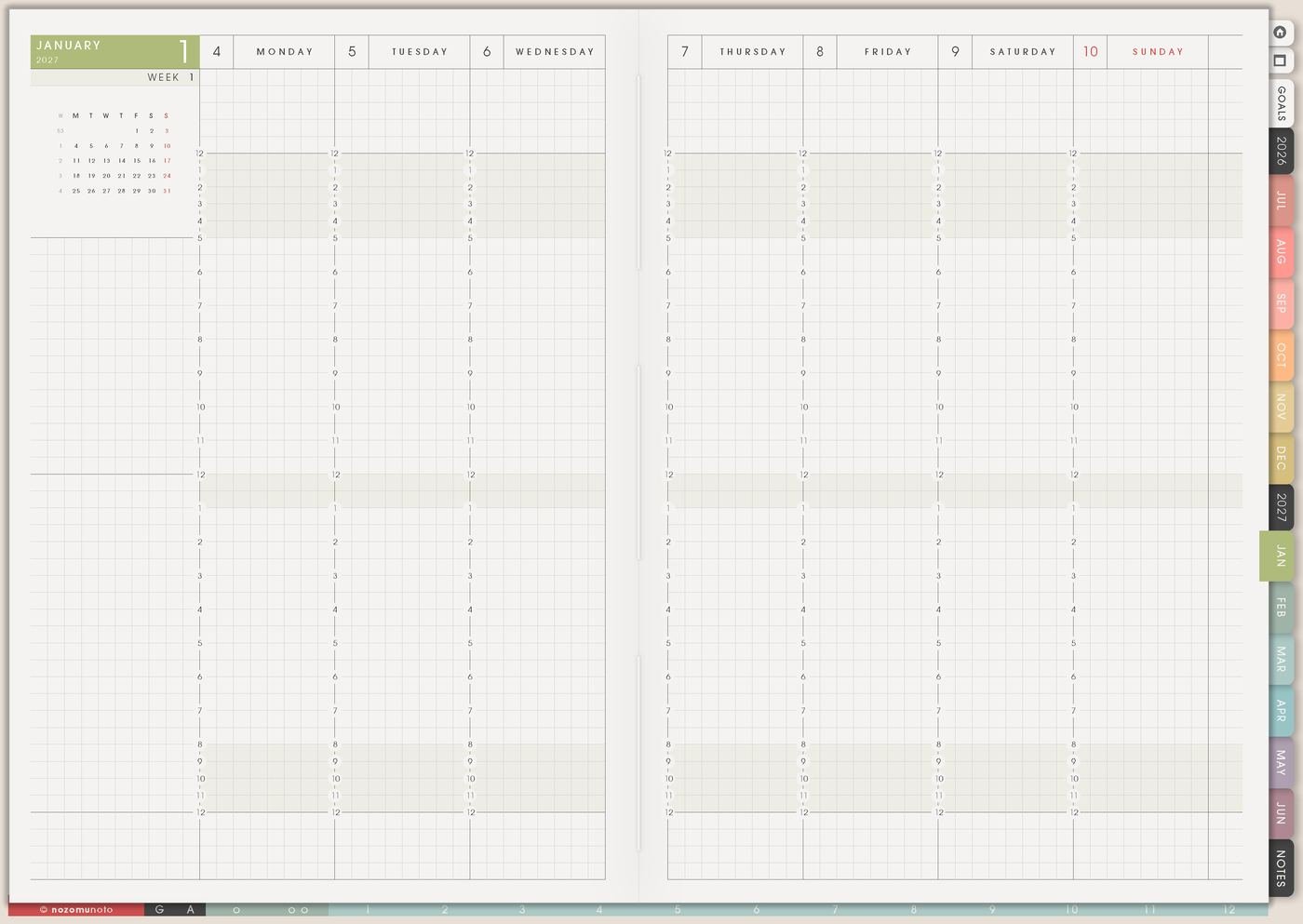
Use Weekly for the current rhythm, not the whole Bible study system. A week can hold Monday Psalm, Wednesday Gospel, Sunday sermon notes, or one short reading after breakfast.
If life is busy, I choose one real reading moment instead of a perfect plan that makes me avoid the page later. The Weekly page can hold reading day, passage, one thought, one prayer, and one small practice.
Small still counts. A planner that helps me return is more useful than a planner that only looks full.
3. Use Favorite Quotes for verses and sermon lines
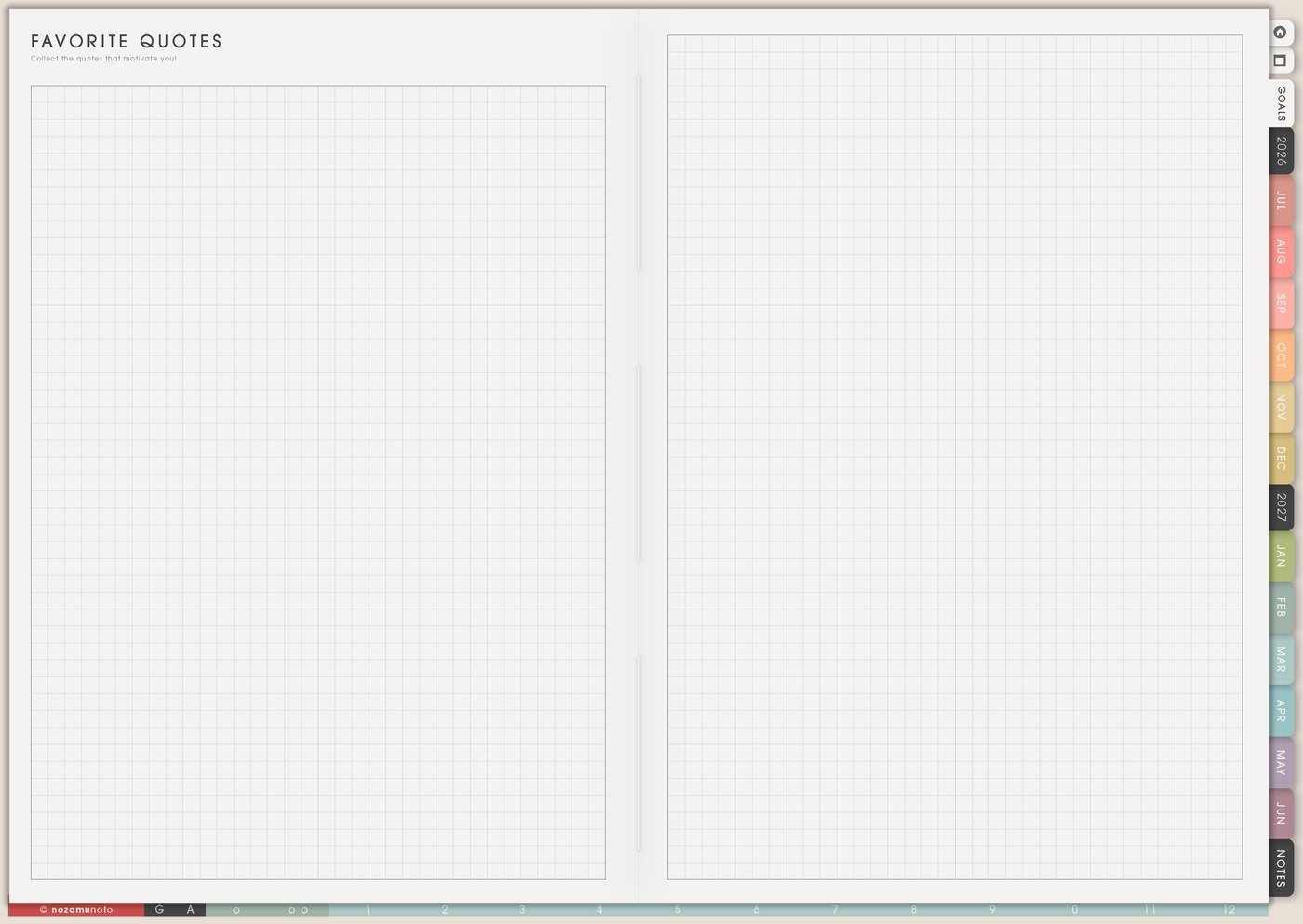
Use Favorite Quotes for verses, sermon lines, prayer sentences, or short notes that you want to remember.
I add a small why this matters note beside the quote: remember before a hard conversation, pray this before work, read this when waiting feels long, or share this with my Bible study group.
This turns Favorite Quotes into more than a pretty collection. It becomes a page I can return to when I need a verse for a real moment.
Related Tips: Favorite Quotes page ideas gives more ways to make saved words useful after the moment has passed.
4. Use Template Pages for sermon notes and prayer lists
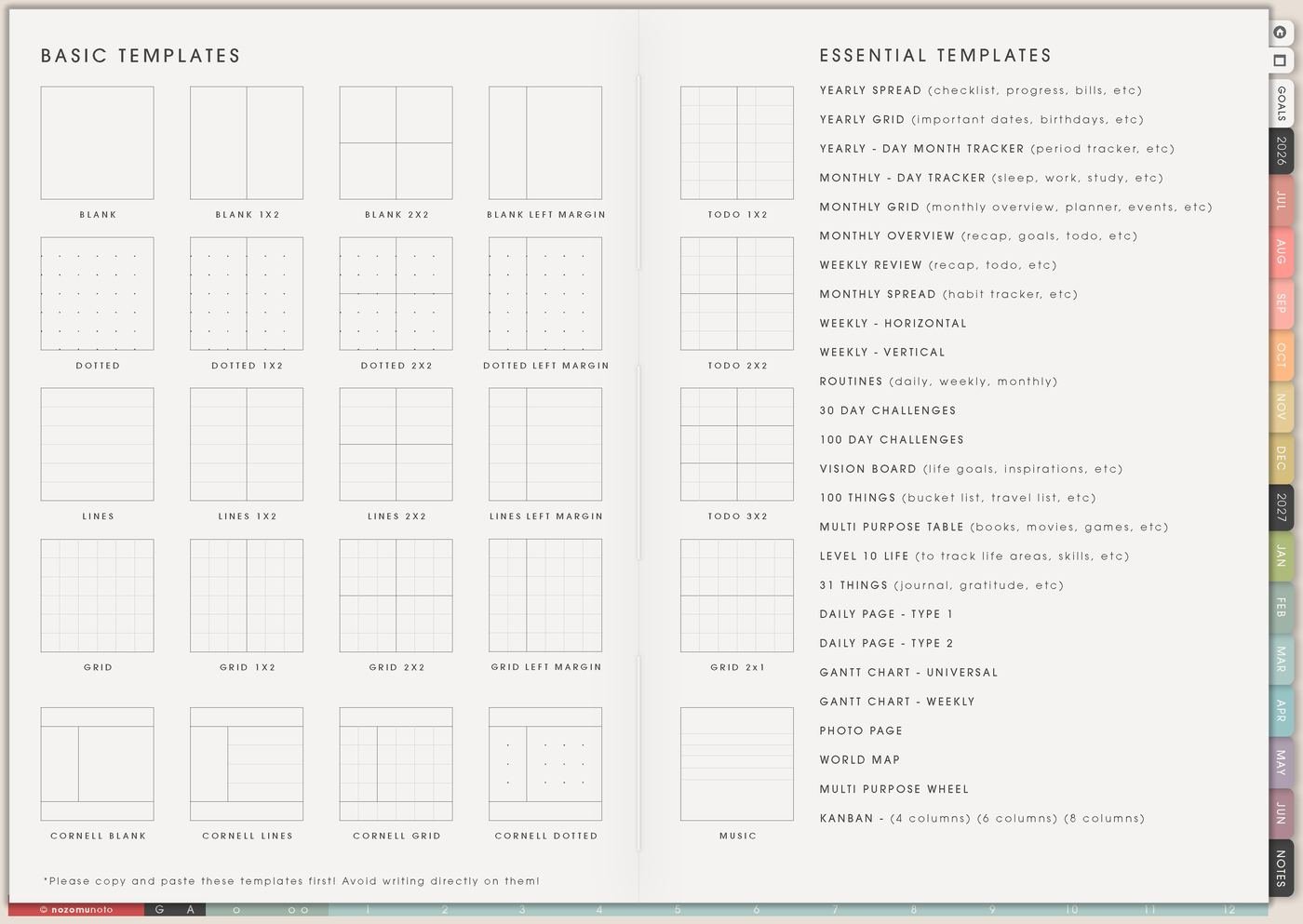
Copy a blank, lined, dotted, grid, or table page from Template Pages for sermon notes, prayer lists, gratitude notes, answered-prayer notes, study questions, or group Bible study notes. Keep the master clean, then move or bookmark the copy where you will revisit it.
A simple sermon note can have four parts: passage, main idea, one sentence to remember, and one small action. That is enough for the note to become useful instead of disappearing after Sunday.
For prayer journaling, I make sections like today, this week, waiting, gratitude, answered, and long-term. If a request is private, initials or a small symbol can be enough. The planner only needs to help me remember with care.
Related Tips: Template Pages ideas is useful when I need one clean notes page for a sermon, study group, or prayer list.
5. Use Journal Prompts for reflection
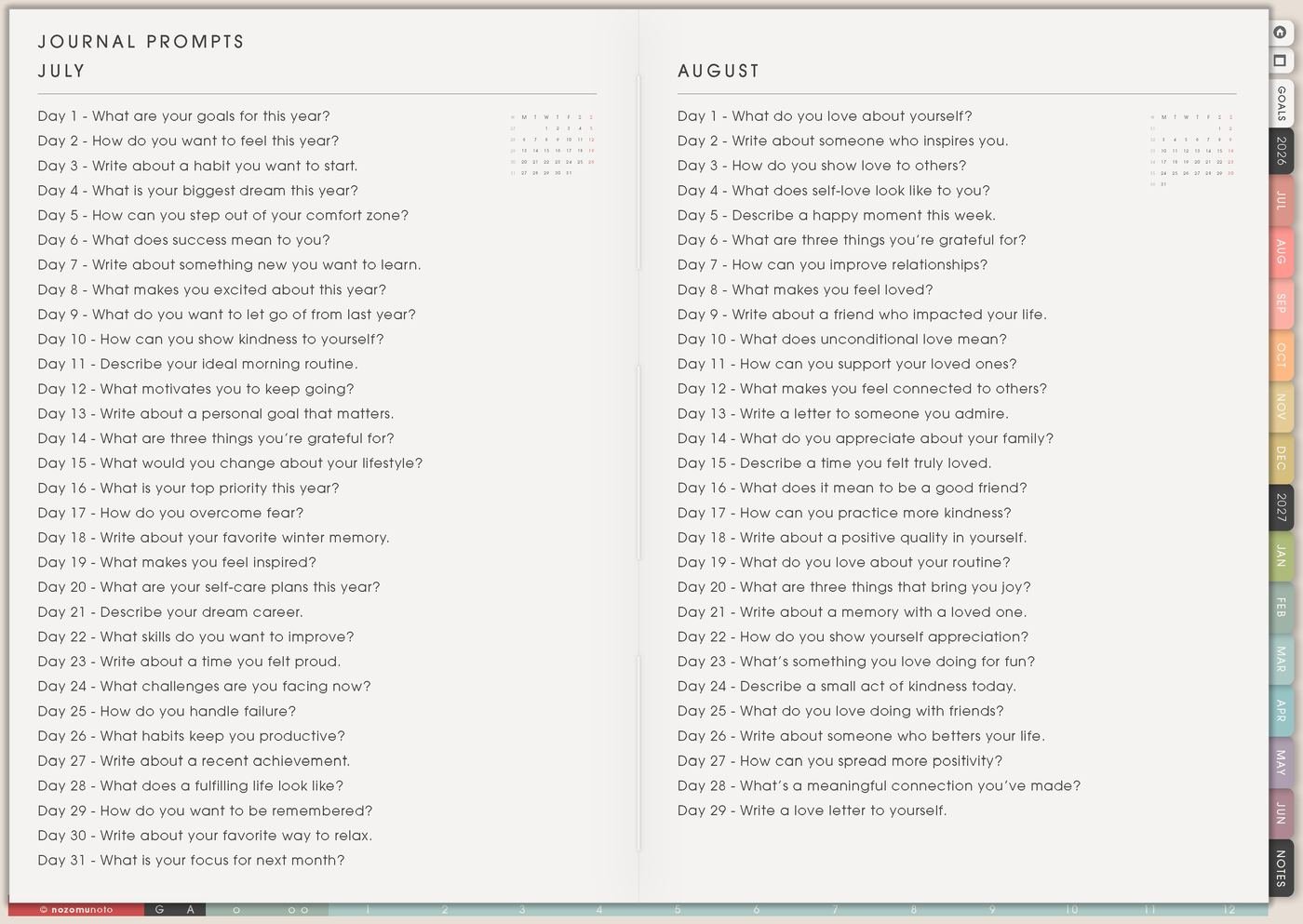
Use Journal Prompts when the page feels blank and you need a starting question. Try prompts like: What stood out? What surprised me? What is one sentence I want to remember? Who can I pray for this week? What is one small practice from this passage?
Answers can be short. One sentence, three bullets, or a messy paragraph can still be a real reflection.
If a prompt feels too big, answer only the first sentence. A useful reflection can stay short and honest.
Related Tips: 31 Things and journal prompts has more small question styles for short reflection pages.
6. Use Resources / Tasks for study details and follow-ups
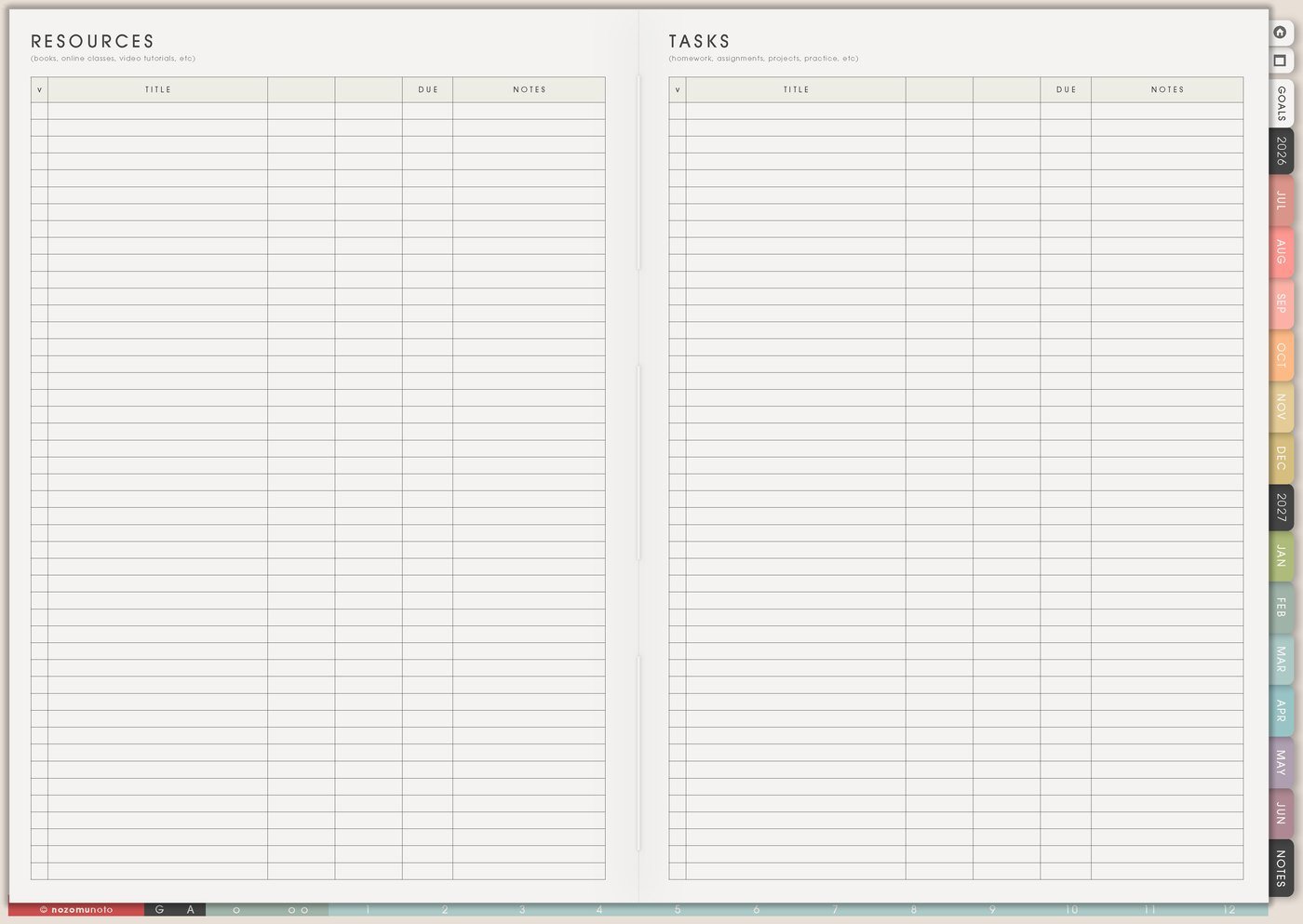
Use Resources / Tasks for Bible study links, group schedule, church notes, book titles, sermon references, questions to ask, prayer-request updates, verses to look up, and people to follow up with.
This keeps Weekly from becoming crowded. Weekly only needs the next action: read the passage, bring notebook, message a friend, ask one question, review sermon notes, pray for one person, or copy one notes page.
I like keeping reference details away from the weekly page because the week is easier to scan when it only holds what needs action now.
Related Tips: Resources / Tasks page ideas shows how I keep links, notes, and follow-ups together without crowding the weekly plan.
7. Use Weekly Review to carry one practice forward
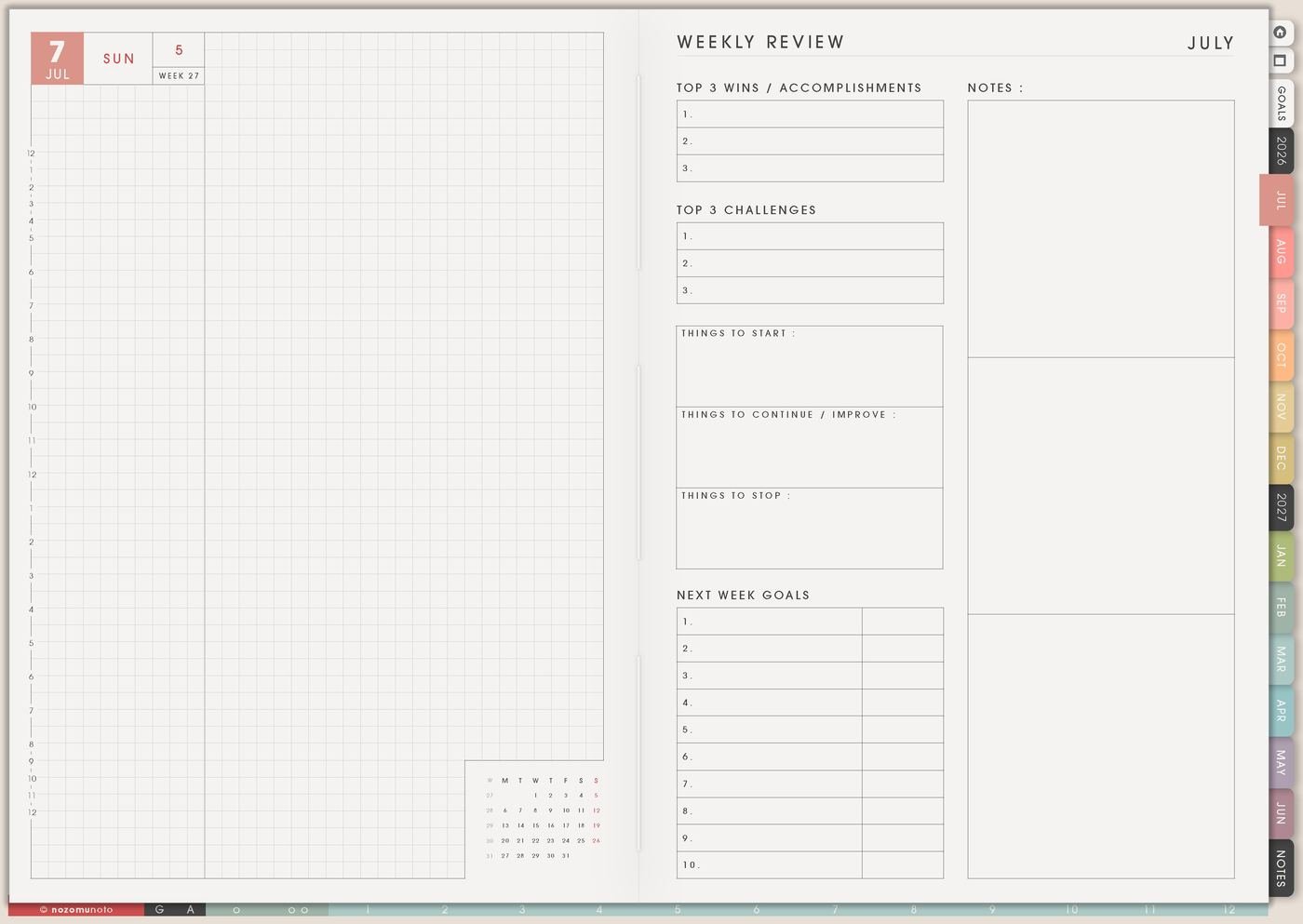
Use Weekly Review to ask what you read, what stayed with you, who you prayed for, what helped, what felt hard, and what one practice belongs in the next week.
That practice can be very small: send encouragement, read one Psalm, write one gratitude line, pray before school pickup or work, apologize, ask for help, rest without guilt, or begin again today.
This is where the planner connects Bible study to life. The page can stay small. It only needs to help you remember the next faithful step.
Set it up in ten minutes
- Choose one reading path. Pick one Bible book, passage, devotional, sermon series, or theme.
- Write the reason. Add why this reading matters in this season.
- Choose a weekly rhythm. Pick two or three small reading moments that can survive real life.
- Copy one notes page. Use a Template Page for sermon notes, prayer list, or study notes.
- Save one verse or line. Put it on Favorite Quotes with why it mattered.
- Add one prayer or follow-up. Keep private details minimal.
- Move one practice to Weekly. Choose the smallest action that helps the study reach real life.
What I usually use it for and how I use it
Tips for when the setup gets heavy
- Choose a restart rule before you need it. Continue from today, read one shorter passage, or choose one Psalm for the week. A plan that can restart is easier to keep using.
- End sermon notes with one next step. Write remember this, pray for this, practice this, or ask this, then move that one line to Weekly.
- Group prayer requests by season. Try today, this week, waiting, gratitude, answered, and long-term so the page stays possible to open.
- Use three tiny prompts when reflection feels blank. What stood out, what helped, and what is one practice? One sentence for each is enough.
- Keep the setup smaller than the study. Start with one reading page, one notes page, and one weekly practice. Add more pages only when they help you return.
When you need setup help
For the Bible study workflow, use Reading List for the plan, Favorite Quotes for verses, Template Pages for sermon notes or prayer lists, Journal Prompts for reflection, Resources / Tasks for study links, and Weekly for one small practice. For app steps like importing the planner, copying a notes page, bookmarking a study section, or using hyperlinks, use the NozomuNoto Help Center for exact app steps.
Final thought
For Bible study, I want the planner to help me return, remember, pray, save verses, and carry one small practice into the week. I hope this setup helps your study feel easier to begin again, even when the week is full!
Build this full setup in Yume Techo
Use the pages shown above as a complete workflow, then adjust the setup until it fits your real week.
Browse NozomuNoto products
Find the planner, notebook, e-reader file, or add-on that fits the way you actually plan.
About NozomuNoto
NozomuNoto creates Japanese-inspired digital planners, notebooks, stickers, and e-reader PDFs for people who want useful pages that still work in real life.
Yume Techo is built with dated yearly, monthly, weekly, daily, Life Planner, Planner Pages, and Template Pages so one planner can hold study, work, home, ADHD-friendly routines, lists, and creative projects without adding paper bulk.
New to digital planning? Start there, use the Help Center for setup help, or browse NozomuNoto products when you are ready to choose your planner.