
Browse tips
Yume Techo Use Cases
- As a Student
- As a Teacher
- For Moms & Family
- For Work
- For Creative Projects
- For Bible Study
- For Small Business
- For Content Creation
- For Fitness & Health
- For Travel
- For Rapid Logging
- For Life Planning
- For Journaling & Reflection
- For Budget & Finance
- For Meals & Grocery
- For Project Planning
- For Home Management
- For Creative Writing
- For Music Writing
- For Brainstorming
- For Homeschooling
Page-by-Page Use Ideas
Essential Template Pages
- Template Index
- Yearly Spread
- Yearly Grid
- Yearly - Day Month Tracker
- Monthly - Day Tracker
- Monthly Grid
- Monthly Overview
- Weekly Review
- Monthly Spread
- Weekly - Horizontal
- Weekly - Vertical
- Routines
- 30 Day Challenges
- 100 Day Challenges
- Vision Board
- 100 Things
- Multi Purpose Table
- Level 10 Life
- 31 Things
- Daily Page - Type 1
- Daily Page - Type 2
- Gantt Chart - Universal
- Gantt Chart - Weekly
- Photo Page
- World Map
- Multi Purpose Wheel
- Kanban - 4/6/8 columns
- Template Pages
- Level 10
- Daily Template
- Yearly Tracker
Life Planner Pages
- Life Planner Index
- Life Planner
- Vision Board
- Life Inspirations
- Favorite Quotes
- Things That Make Me Happy
- My Life Systems and Rules
- Level 10 Life
- Things I Need To Change
- Bucket List
- Skills To Learn
- Projects To Make
- Challenges To Try
- Resolutions
- Yearly Goal Overview
- Goal Planner
- Reward Ideas
- Distraction List
- My Achievements
- Note To My Future Self
- Routines
- 30 Day Challenges
- Kanban Board
Books
30 Day Challenges Page Ideas for Yume Techo Digital Planner
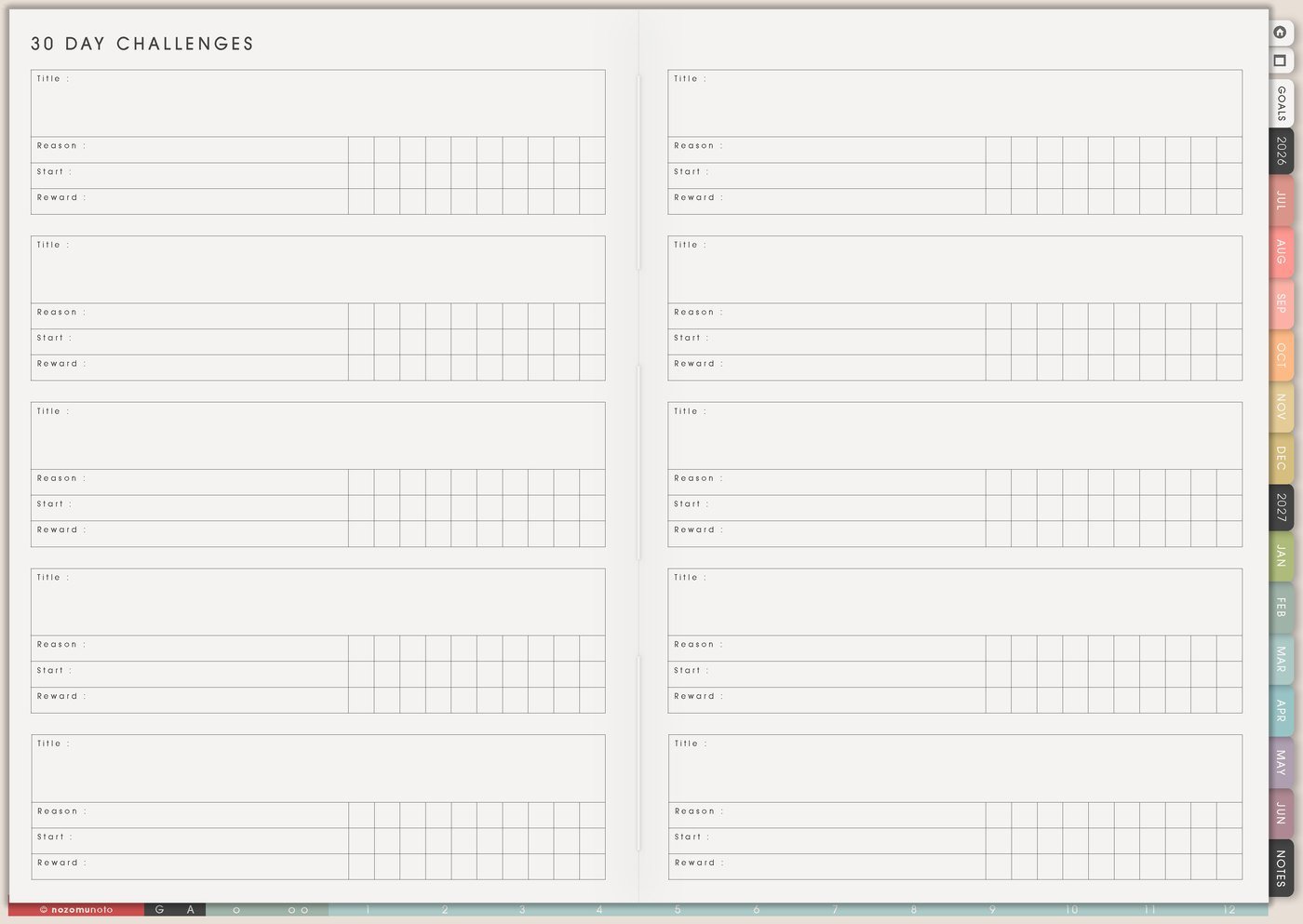
Use a Yume Techo 30 Day Challenges page for habit experiments, study goals, creative practice, home tasks, reading, and personal challenges.
The 30 Day Challenges page is for one small action you want to test for about a month. Use it for planner habits, study practice, creativity, home resets, money check-ins, reading, movement, faith, rest, or any repeated action that needs a clear container.
How to get to these pages
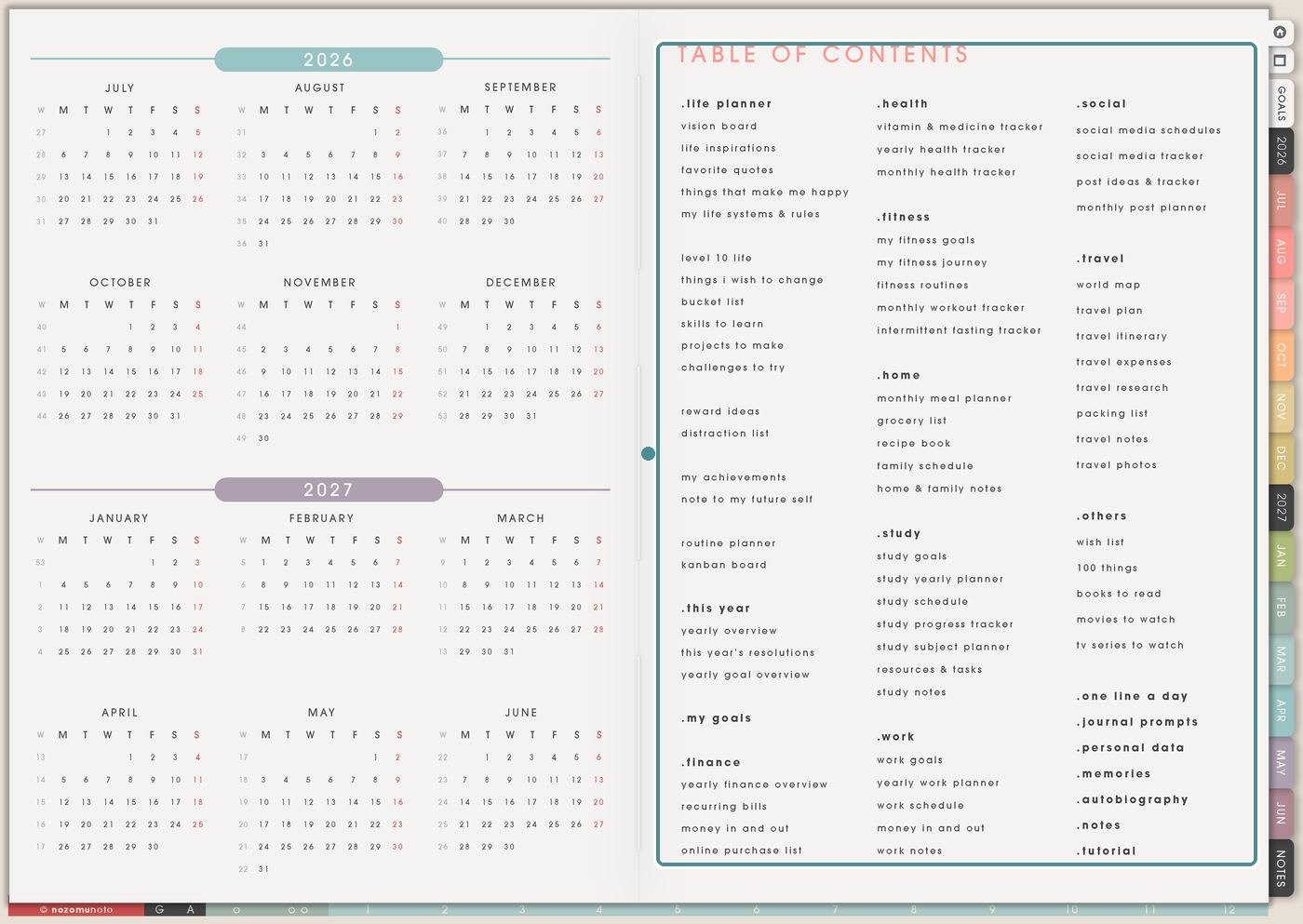
Open the main Index page, then look at the Planner Pages list in the Table of Contents. Find the Others area and tap 30 Day Challenges.
Planner Pages are regular linked pages, so everyone can write on them directly. If you want another copy for a second class, trip, project, month, or family setup, duplicate the page in your app first and name the copy clearly.
Challenges To Try can hold many possible experiments. 30 Day Challenges is for the challenge you are actually starting now: title, reason, start date, reward, full version, minimum version, progress marks, and review.
30 Day Challenges page ideas
Use this page for one short experiment at a time. It works best as an idea bank first, then a single active challenge once you choose what the month is for.
Challenge ideas include:
- 30 days of reading one page.
- 30 days of drawing one small sketch.
- 30 days of language study with one phrase or flashcard.
- 30 days of walking, stretching, or stepping outside.
- 30 days of tidying one small area.
- 30 days of writing one sentence.
- 30 days of meal planning, meal notes, or one prep step.
- 30 days of practicing a skill.
Choose one challenge and make the daily action small. At the end, write what worked, what did not, and whether you want to continue.
Related Tips: How to use Yume Techo 30 Day Challenges for habits, study, creativity, home resets, and small experiments, Challenges To Try page ideas for small experiments, and Yearly Tracker template ideas.
How to fill 30 Day Challenges
- Write the challenge title. Make it clear and small.
- Write the reason. Name what you want the month to teach or make easier.
- Add the start date. Choose when the challenge begins.
- Write full and minimum versions. Decide what counts on an ordinary day and a hard day.
- Add a restart rule and reward. Missed days continue from today; rewards can be small.
- Review the lesson. Decide what to keep, change, drop, or repeat.
Ways to use 30 Day Challenges
1. One tiny repeatable action
Choose an action small enough to repeat: open planner, write one line, stretch, read one page, wash one dish, drink water before coffee, send one message, take one photo, or review one flashcard.
For example, a planner challenge could be open Yume Techo after breakfast. The full version might be plan the day. The minimum version might be write one dot on Daily Page.
2. Full version, minimum version, restart rule
Write the smaller version before you start. Minimum versions help when energy, travel, illness, work, family, or mood changes.
Try this format: full action: read ten pages. Minimum action: open the book and read one paragraph. Restart rule: missed days continue from today.
3. Planner habit challenge
Planner challenges can be very small: open the planner daily, write one line, check Weekly Page, bookmark today, copy one useful template, move one task to the current day, add one memory photo, or review one page before bed.
This is useful after buying a new planner. Instead of trying every page at once, use one challenge to build a simple planner rhythm.
4. Home, study, work, faith, or creative challenge
Home challenges can be one dish, one laundry step, five-minute tidy, clear one surface, or prepare tomorrow’s first thing. Study or work challenges can be one flashcard, one paragraph, one focused block, one email reply, one file update, or one check-in.
Faith, reflection, or creative challenges can be one prayer, one verse, one gratitude line, one quiet minute, one sketch, one journal sentence, or one small generous action.
5. Progress marks and review notes
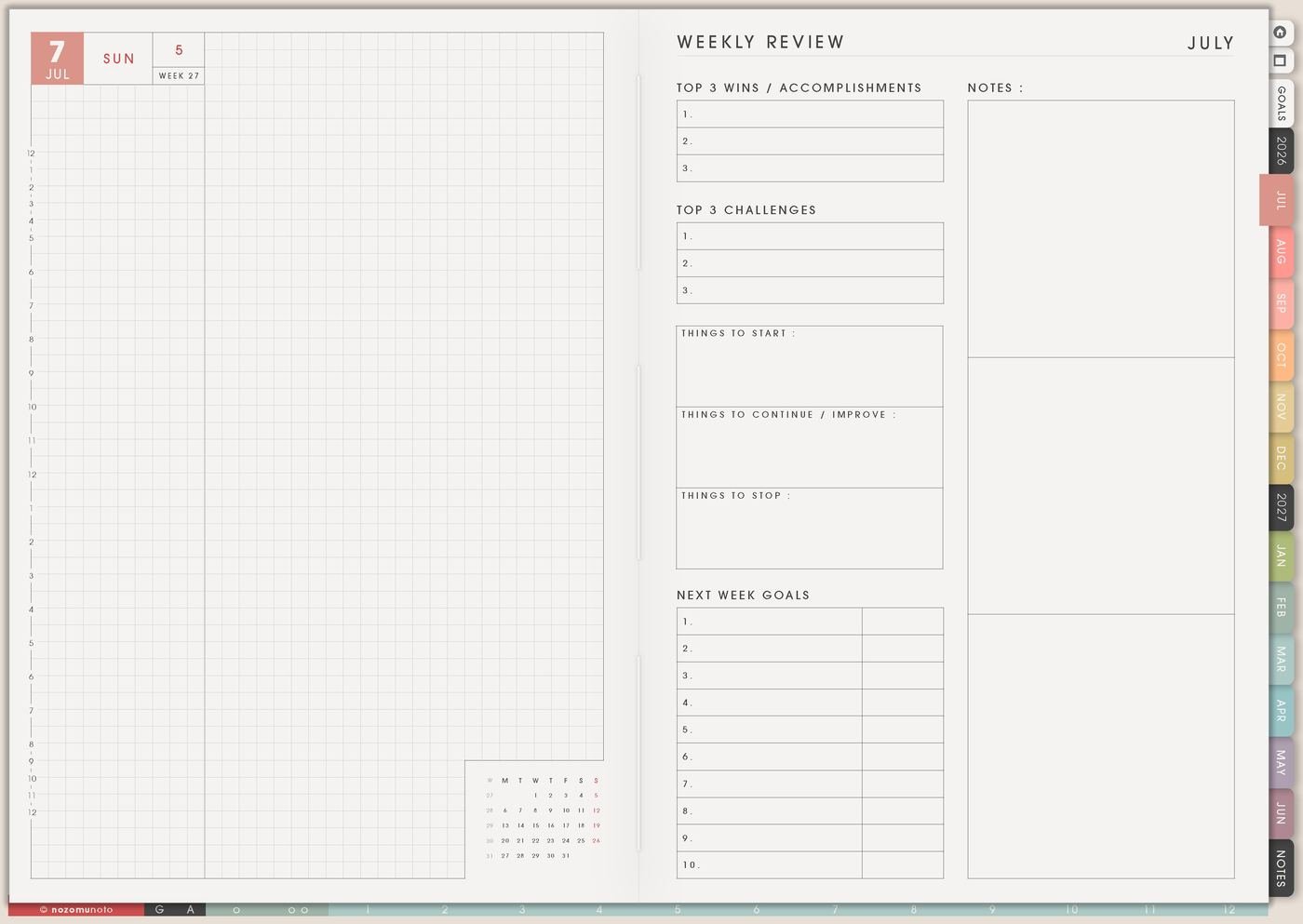
Use progress marks to learn, not to punish yourself. Mark full version, minimum version, skipped, rest, sick, travel, reset, or changed.
Good review questions are: what time worked best, what made it easier, what got in the way, what should be smaller next time, and what should move into a routine?
6. Keep only the useful part
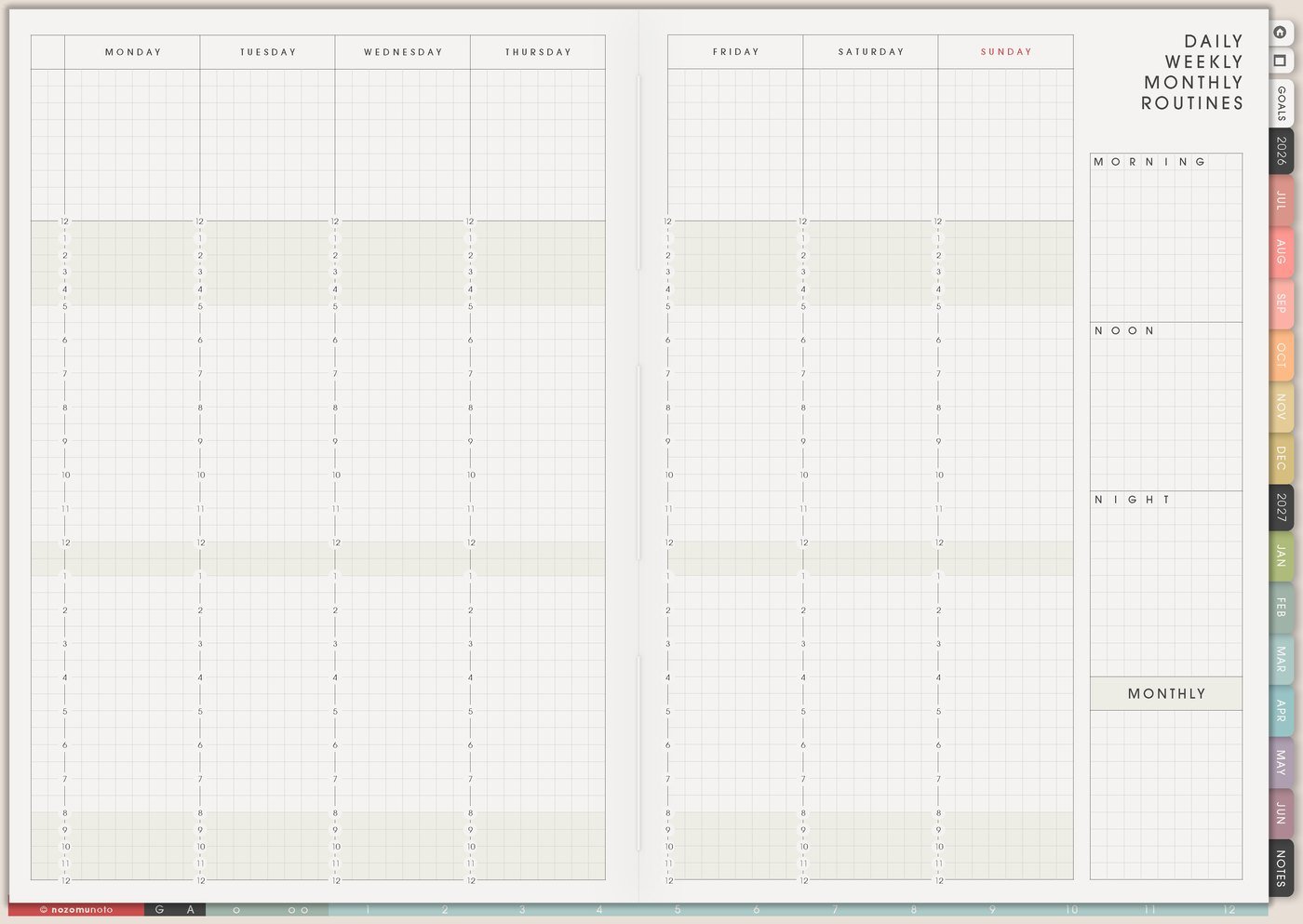
If the challenge helps, move the smallest useful version to Routines, Weekly, Daily Weekly Monthly Routines, or a copied Template Page. Keep the part that worked, even if the full challenge was too much.
If a cleaning challenge was too much but the five-minute kitchen reset helped, keep the five-minute reset. The useful lesson is the win.
A simple 30 Day Challenges setup
- Choose one action. Make it tiny, visible, and repeatable.
- Write the reason. Energy, memory, home, study, faith, creativity, health, planner habit, or rest.
- Write full and minimum versions. Decide what counts on ordinary and hard days.
- Add the restart rule. Missed days continue from today.
- Choose a reward. Keep it small enough to actually use.
- Pick review dates. Day 7, day 15, and day 30 are helpful checkpoints.
What I usually use it for and how I use it
Related Tips: 30 Day Challenge Tracker page ideas helps when I want a clear daily mark, Challenges To Try page ideas holds the maybe list, Daily Weekly Monthly Routines page ideas helps when a challenge becomes a rhythm, and Weekly page setup helps move only this week’s action forward.
Tips for using 30 Day Challenges
- Make the action tiny enough for real days. A challenge can sound exciting on day one and become impossible by day four if it needs too much time. Write the five-minute version before you start.
- Add the restart rule first. Missed days are data. Continue from today, write what got in the way, and keep the challenge alive without chasing a perfect streak.
- Give the challenge one reason. Energy, memory, study, home, faith, creativity, rest, money awareness, or planner rhythm will shape the prompts and review questions.
- Use neutral marks. Done, minimum version, skipped, rest, travel, sick, reset, or changed can show patterns without making the tracker feel like a scolding page.
- Choose one main challenge. Keep extra ideas on Challenges To Try. If you want a second habit, make it tiny and optional.
- End with keep, change, and stop. A 30-day challenge is most useful when it teaches what to repeat, what to make smaller, and what to drop.
- Protect private details. Health notes, family care, money details, client work, school scores, account reminders, prayer notes, and private emotions can use safe labels here, while sensitive details stay in a secure place outside the planner.
When you need setup help
30 Day Challenges works well with 30 Day Challenge Tracker, Challenges To Try, Daily Page, Weekly Page, Weekly Review, Routines, Daily Weekly Monthly Routines, and the NozomuNoto Help Center. If you need exact app steps, open how to import the PDF, how to use hyperlinks, how to use NozomuNoto template pages, or how to install and use digital stickers. The main NozomuNoto Help Center is there for your app or device too.
Tips for using this page
- Choose the one part of this page that helps the current week instead of trying to fill everything at once.
- Move one small next action to Weekly or Daily so the page changes what happens next.
- Keep the page easy to return to by linking it from Index, favorites, bookmarks, or the related planner section.
Final thought
30 Day Challenges works best as a small experiment. Pick one repeatable action, give hard days a minimum version, restart from today, and review what the month taught you. I hope this page makes a 30-day challenge feel smaller, realistic for real life, and easier to finish with a useful lesson!
Browse NozomuNoto products
Find the planner, notebook, e-reader file, or add-on that fits the way you actually plan.
About NozomuNoto
NozomuNoto creates Japanese-inspired digital planners, notebooks, stickers, and e-reader PDFs for people who want useful pages that still work in real life.
Yume Techo is built with dated yearly, monthly, weekly, daily, Life Planner, Planner Pages, and Template Pages so one planner can hold study, work, home, ADHD-friendly routines, lists, and creative projects without adding paper bulk.
New to digital planning? Start there, use the Help Center for setup help, or browse NozomuNoto products when you are ready to choose your planner.