
Browse tips
Yume Techo Use Cases
- As a Student
- As a Teacher
- For Moms & Family
- For Work
- For Creative Projects
- For Bible Study
- For Small Business
- For Content Creation
- For Fitness & Health
- For Travel
- For Rapid Logging
- For Life Planning
- For Journaling & Reflection
- For Budget & Finance
- For Meals & Grocery
- For Project Planning
- For Home Management
- For Creative Writing
- For Music Writing
- For Brainstorming
- For Homeschooling
Page-by-Page Use Ideas
Essential Template Pages
- Template Index
- Yearly Spread
- Yearly Grid
- Yearly - Day Month Tracker
- Monthly - Day Tracker
- Monthly Grid
- Monthly Overview
- Weekly Review
- Monthly Spread
- Weekly - Horizontal
- Weekly - Vertical
- Routines
- 30 Day Challenges
- 100 Day Challenges
- Vision Board
- 100 Things
- Multi Purpose Table
- Level 10 Life
- 31 Things
- Daily Page - Type 1
- Daily Page - Type 2
- Gantt Chart - Universal
- Gantt Chart - Weekly
- Photo Page
- World Map
- Multi Purpose Wheel
- Kanban - 4/6/8 columns
- Template Pages
- Level 10
- Daily Template
- Yearly Tracker
Life Planner Pages
- Life Planner Index
- Life Planner
- Vision Board
- Life Inspirations
- Favorite Quotes
- Things That Make Me Happy
- My Life Systems and Rules
- Level 10 Life
- Things I Need To Change
- Bucket List
- Skills To Learn
- Projects To Make
- Challenges To Try
- Resolutions
- Yearly Goal Overview
- Goal Planner
- Reward Ideas
- Distraction List
- My Achievements
- Note To My Future Self
- Routines
- 30 Day Challenges
- Kanban Board
Books
Daily Template Ideas for Yume Techo Digital Planner
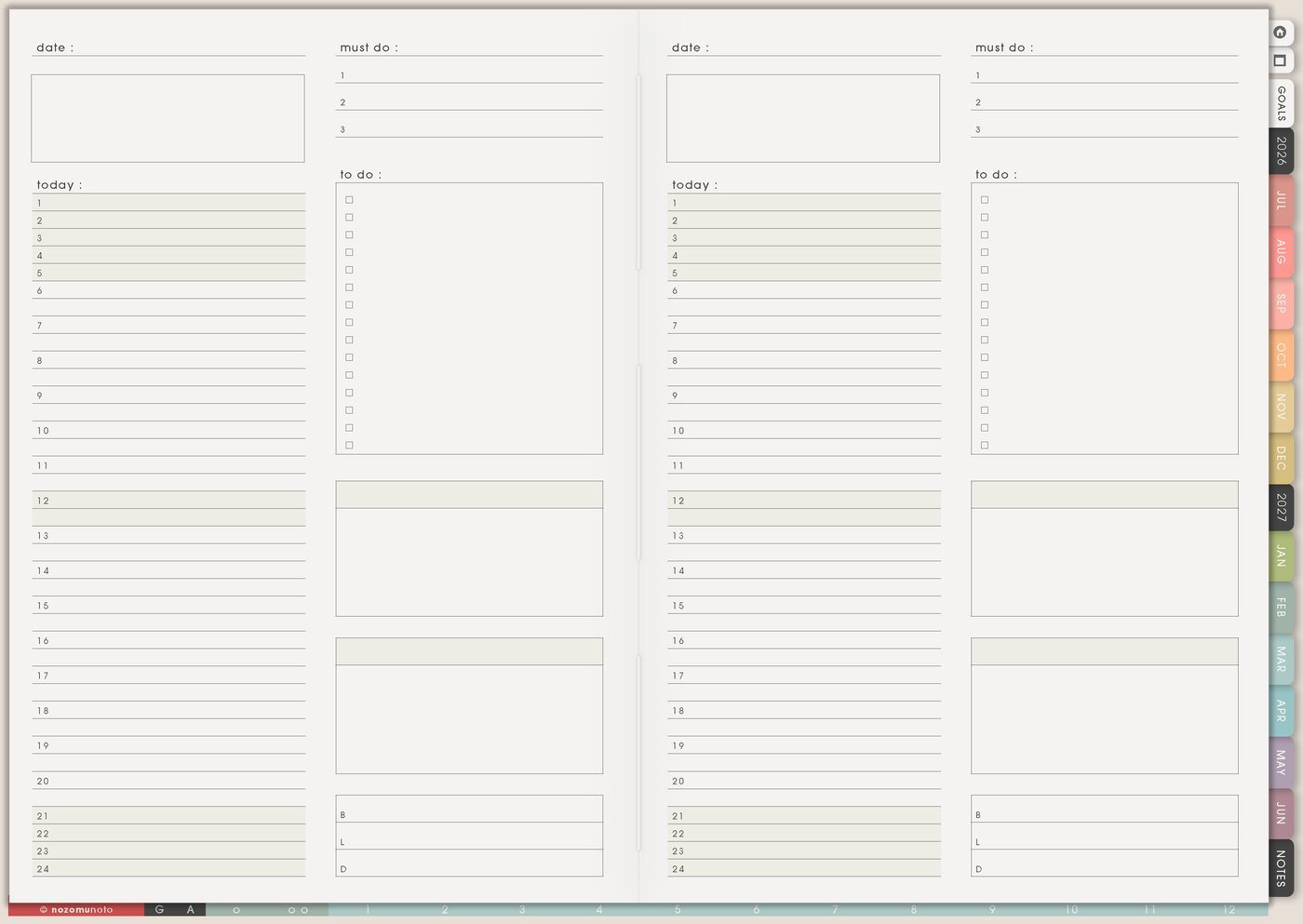
Find daily template ideas for Yume Techo, including task lists, notes, journaling, routines, study plans, work plans, home tasks, and creative pages.
I use Daily Template as the reusable daily page inside Yume Techo Template Pages. I copy it for school or study days, workdays, parenting days, low-energy days, content days, travel days, launch days, and ordinary life days that still need a little structure.
The best Daily Template helps me start the day faster. It gives the day a shape before tasks, appointments, meals, notes, and reminders scatter everywhere.
Daily template ideas
Use a daily template when you want one page for one day. Good daily page ideas include a must-do task list, quick notes, appointments and reminders, meal notes, study plan, work plan, journal notes, creative notes, home tasks, or an end-of-day review.
Choose one main purpose first, like today’s tasks, today’s notes, or today’s journal. If you want clear structure, use Daily Page Type 1. If you want more open writing or visual space, use Daily Page Type 2.
For days when thoughts arrive faster than plans, use rapid logging first, then move only today’s real actions to the daily page.
How I use Daily Template
1. Keep one clean master page
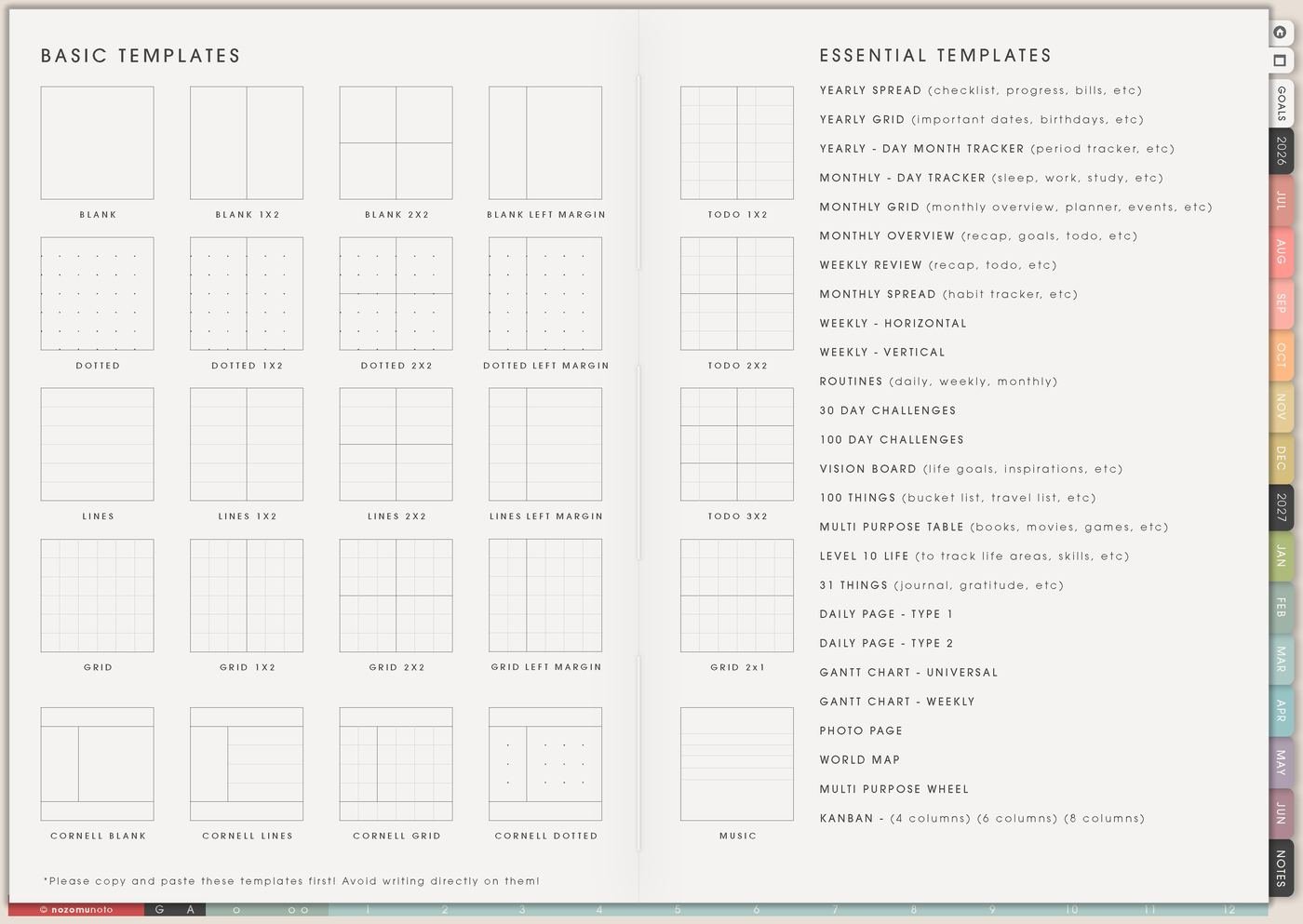
I keep the original Daily Template blank and easy to find from Template Pages or Index. Before writing on it, I duplicate or copy the page in my PDF app, then move the copy into the section where I want to use it.
This matters because a clean master saves time later. When Monday is already busy, I should not have to rebuild a daily page from scratch or erase an old filled page just to make today usable.
2. Make a normal-day version
I create one daily layout for a realistic normal day. I add only the sections that help decisions: appointments, top three tasks, meals, errands, notes, reminders, body care, today’s anchor, and one tiny tomorrow box.
For me, a normal-day page might hold part-time work, NozomuNoto admin, illustration study, meals, family care, one home task, and a tiny tomorrow note.
3. Make a low-energy version
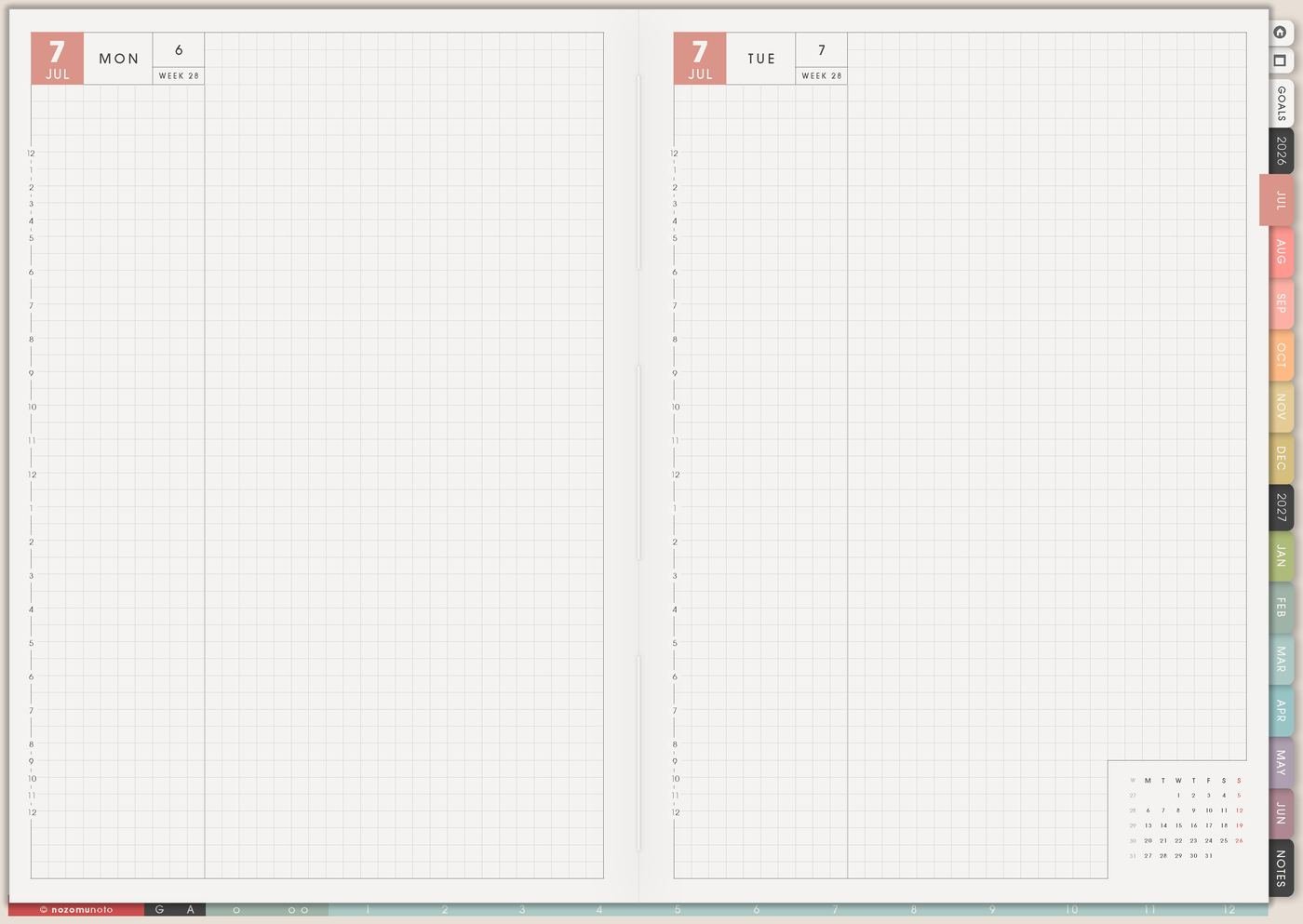
I make one smaller copy for tired, overwhelmed, sick, busy, or ADHD-heavy days. The low-energy version can have one must-do, one care task, one meal note, one message, one tiny home task, and one place to dump thoughts.
This version is not a backup plan for failure. It is the page that keeps the planner open when the full version feels too much.
4. Create separate templates for different day types
Daily life rarely has only one shape. I copy the template and make versions for study day, workday, family day, content day, cleaning day, travel day, rest day, appointment day, and project day.
The sections can change with the day. A cleaning day might need zones and laundry. A content day might need photo list, caption notes, product links, and posting time. A family day might need meals, pickup, errands, and one home block.
5. Turn a brain dump into today’s plan
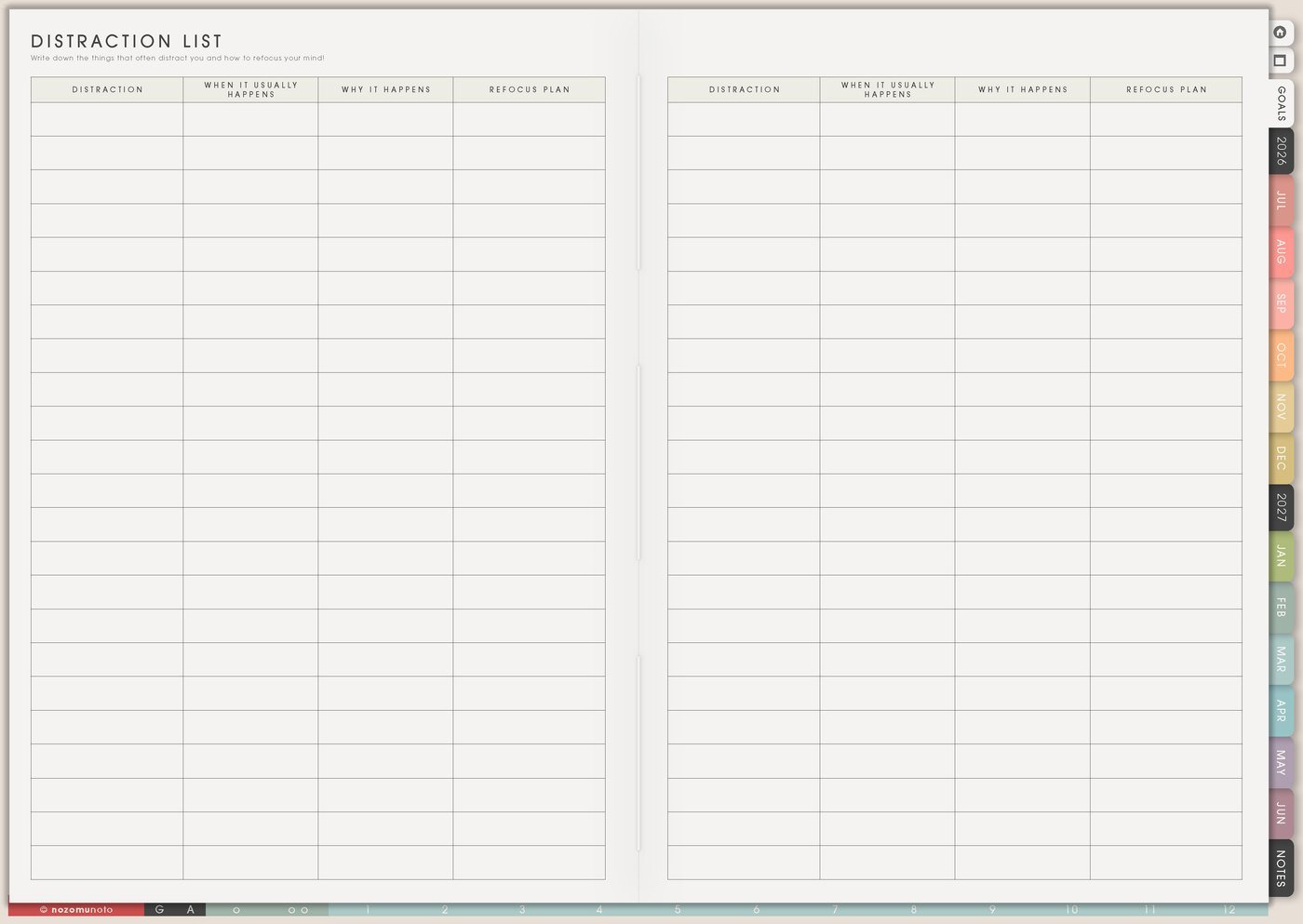
If the day starts messy, I write every loose thought on Distraction List or Notes first. Then I copy only today’s real actions to the Daily Template: one must, one should, one could, and one thing to ignore until later.
This keeps the Daily Template from becoming a giant holding area. The page should show today’s choices, while the bigger list can stay somewhere else.
6. Connect Daily Template to Weekly
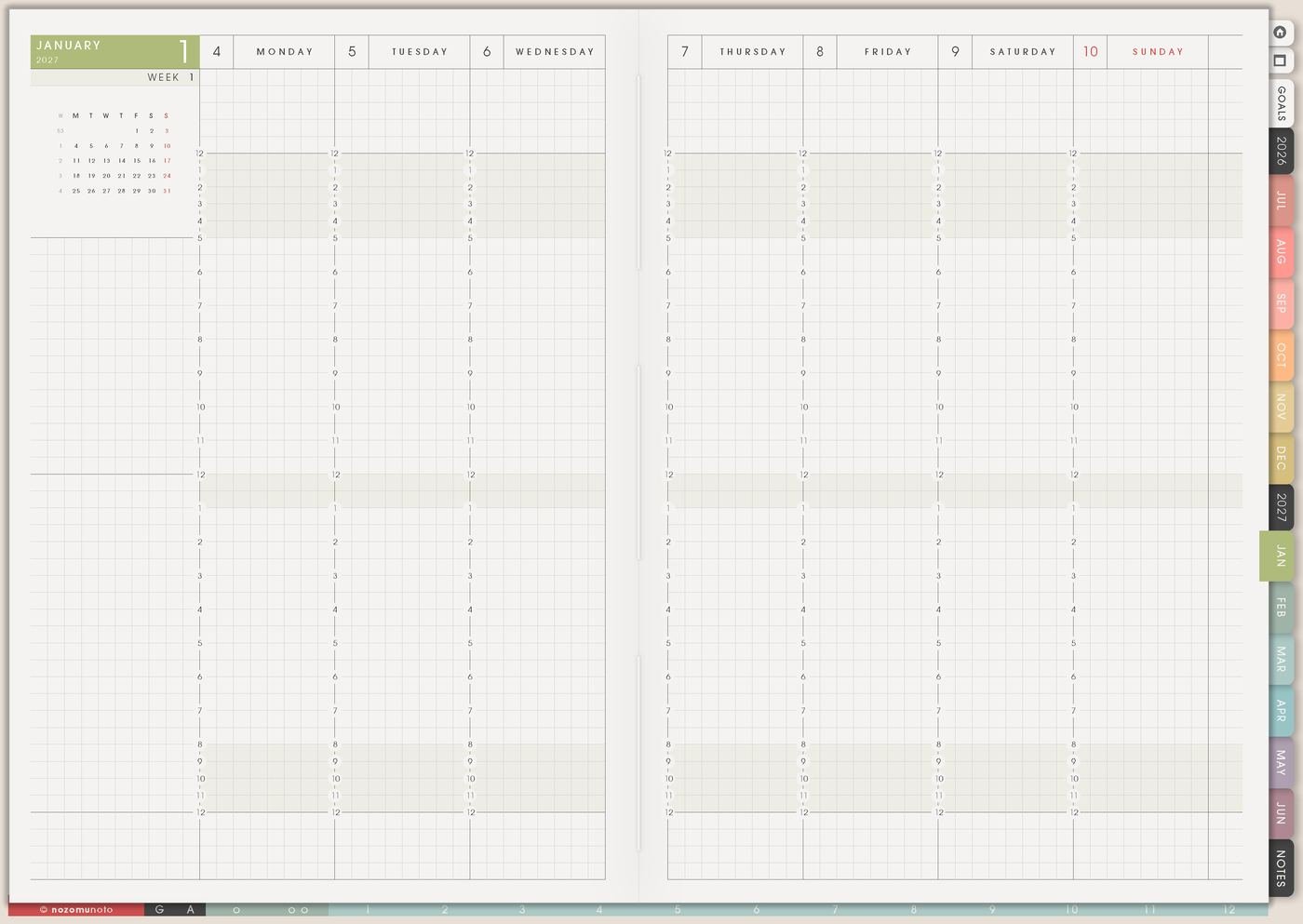
Weekly can hold the overview. Daily Template can hold the action. Each morning, I choose one or two tasks from Weekly and rewrite them on Daily as smaller physical actions.
For example, Weekly might say assignment draft. Daily can say open document, write ugly first paragraph, and send one question to teacher. Smaller words make the page easier to start.
7. Review which daily version actually helped
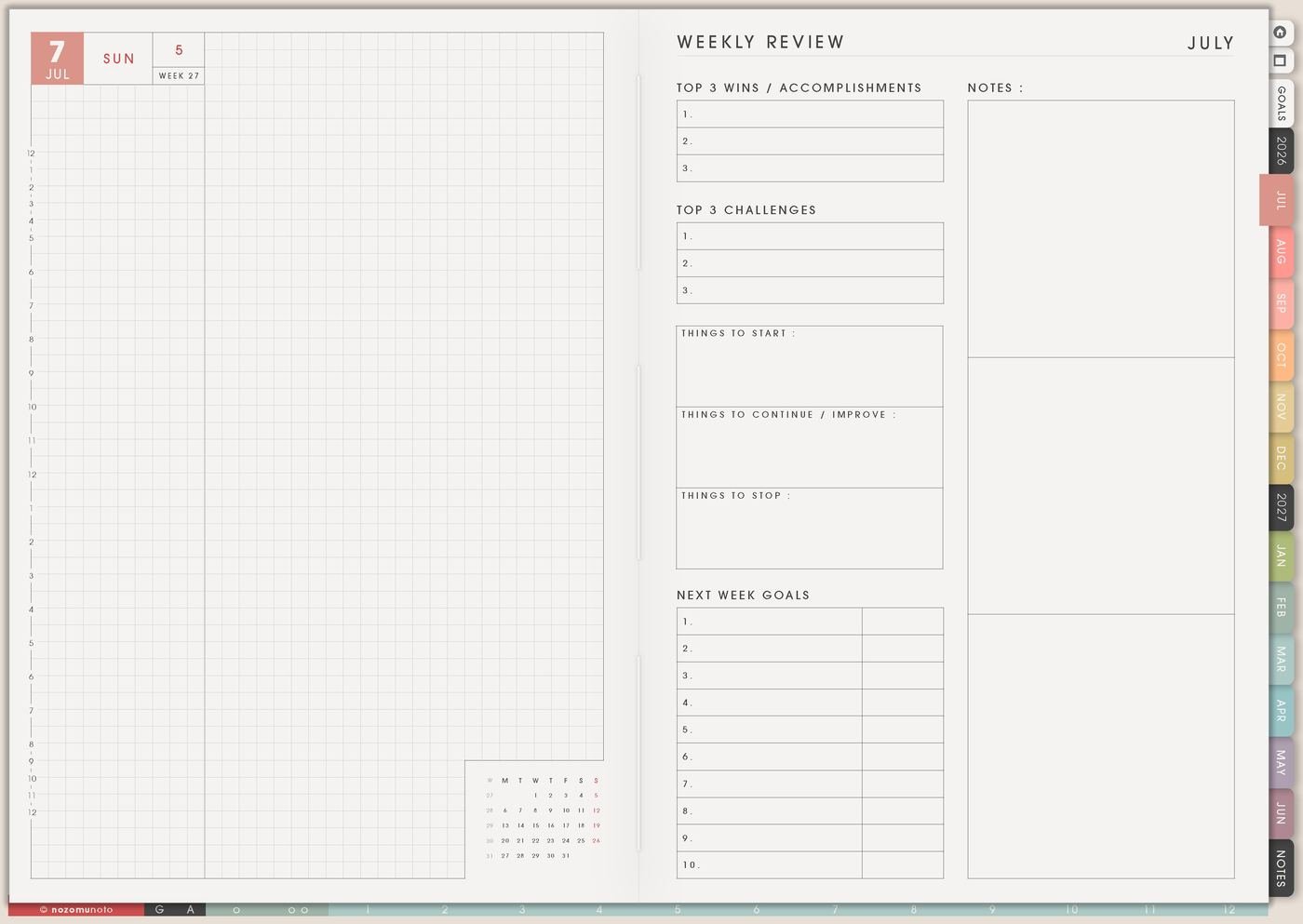
At the end of the week, I check which version was easiest to use. I keep the sections that helped, delete the sections I ignored, and copy the best version back into Template Pages if my app makes that easy.
A Daily Template should get simpler and more personal over time. The goal is not a perfect page. The goal is a page that helps real days move.
Set up Daily Template in ten minutes
- Find the clean Daily Template. Open Template Pages from Index so the master is easy to return to.
- Duplicate before writing. Use the page copy, duplicate, or page action menu in your planner app before filling the clean template.
- Choose one day type. Normal day, study day, workday, family day, low-energy day, or project day.
- Add only useful sections. Top three, appointments, notes, meals, reminders, tomorrow, or one tiny next action.
- Make a low-energy copy. Keep it tiny enough for the days when the planner feels heavy.
- Link it to Weekly. Move only today’s real action from Weekly to Daily.
- Review after one week. Keep what helped and remove what became decoration.
What I usually use it for and how I use it
Tips for using this template
- Keep the clean master unchanged. I duplicate first, write on the copy, and keep the original easy to find from Template Pages Ideas.
- Only add sections that change decisions. If mood, water, meals, chores, gratitude, finance, reading, and ten priorities make the day heavier, I move long tracking to another page.
- Make a hard-day version before needing it. My tiny Daily Template can be one must-do, one care task, one meal, one message, one small home task, and a notes box.
- Name day versions clearly. Daily – Study, Daily – Work, Daily – Low Energy, Daily – Content, or Daily – Family is easier to choose than five unnamed copies.
- Let Weekly Review stay the menu. Daily should carry today’s chosen actions only. I rewrite big tasks into tiny starts before they land on the page.
- Protect private daily details. If the copied page includes school, work, client, customer, family, health, money, account, or personal notes, I use initials, broad labels, or a secure place for sensitive details.
- Use the Help Center for app steps. If duplicate or copy is hard to find, I look for page thumbnails, page options, duplicate, copy, or add page actions in the app guide.
- Shrink pretty pages that stay unused. A simple page that gets opened on a busy day is better than a beautiful page that waits forever.
Related guides: use Daily Page Type 1 for a practical daily layout, or Daily Page Type 2 when the day needs more visual space.
When you need setup help
Daily Template works well with Index, Template Pages, Weekly Page, Daily Page, Distraction List, Routines, Weekly Review, and the NozomuNoto Help Center. If you need exact app steps for copying pages, duplicating templates, importing Yume Techo, adding stickers, or tapping planner links, use the guides below.
- How to use NozomuNoto template pages
- How to import your PDF planner
- How to use planner hyperlinks
- How to install and use digital stickers
- Open the Help Center
Tips for using this page
- Choose the one part of this page that helps the current week instead of trying to fill everything at once.
- Move one small next action to Weekly or Daily so the page changes what happens next.
- Keep the page easy to return to by linking it from Index, favorites, bookmarks, or the related planner section.
Final thought
I hope Daily Template saves energy before the day starts scattering everywhere. Keep one clean master, make a few real-life versions, and let each copied page help choose the next small step for today.
Browse NozomuNoto products
Find the planner, notebook, e-reader file, or add-on that fits the way you actually plan.
About NozomuNoto
NozomuNoto creates Japanese-inspired digital planners, notebooks, stickers, and e-reader PDFs for people who want useful pages that still work in real life.
Yume Techo is built with dated yearly, monthly, weekly, daily, Life Planner, Planner Pages, and Template Pages so one planner can hold study, work, home, ADHD-friendly routines, lists, and creative projects without adding paper bulk.
New to digital planning? Start there, use the Help Center for setup help, or browse NozomuNoto products when you are ready to choose your planner.