

Browse tips
Yume Techo Use Cases
- As a Student
- As a Teacher
- For Moms & Family
- For Work
- For Creative Projects
- For Bible Study
- For Small Business
- For Content Creation
- For Fitness & Health
- For Travel
- For Rapid Logging
- For Life Planning
- For Journaling & Reflection
- For Budget & Finance
- For Meals & Grocery
- For Project Planning
- For Home Management
- For Creative Writing
- For Music Writing
- For Brainstorming
- For Homeschooling
Page-by-Page Use Ideas
Essential Template Pages
- Template Index
- Yearly Spread
- Yearly Grid
- Yearly - Day Month Tracker
- Monthly - Day Tracker
- Monthly Grid
- Monthly Overview
- Weekly Review
- Monthly Spread
- Weekly - Horizontal
- Weekly - Vertical
- Routines
- 30 Day Challenges
- 100 Day Challenges
- Vision Board
- 100 Things
- Multi Purpose Table
- Level 10 Life
- 31 Things
- Daily Page - Type 1
- Daily Page - Type 2
- Gantt Chart - Universal
- Gantt Chart - Weekly
- Photo Page
- World Map
- Multi Purpose Wheel
- Kanban - 4/6/8 columns
- Template Pages
- Level 10
- Daily Template
- Yearly Tracker
Life Planner Pages
- Life Planner Index
- Life Planner
- Vision Board
- Life Inspirations
- Favorite Quotes
- Things That Make Me Happy
- My Life Systems and Rules
- Level 10 Life
- Things I Need To Change
- Bucket List
- Skills To Learn
- Projects To Make
- Challenges To Try
- Resolutions
- Yearly Goal Overview
- Goal Planner
- Reward Ideas
- Distraction List
- My Achievements
- Note To My Future Self
- Routines
- 30 Day Challenges
- Kanban Board
Books
How to use the Yume Techo Vision Board for goals and weekly action
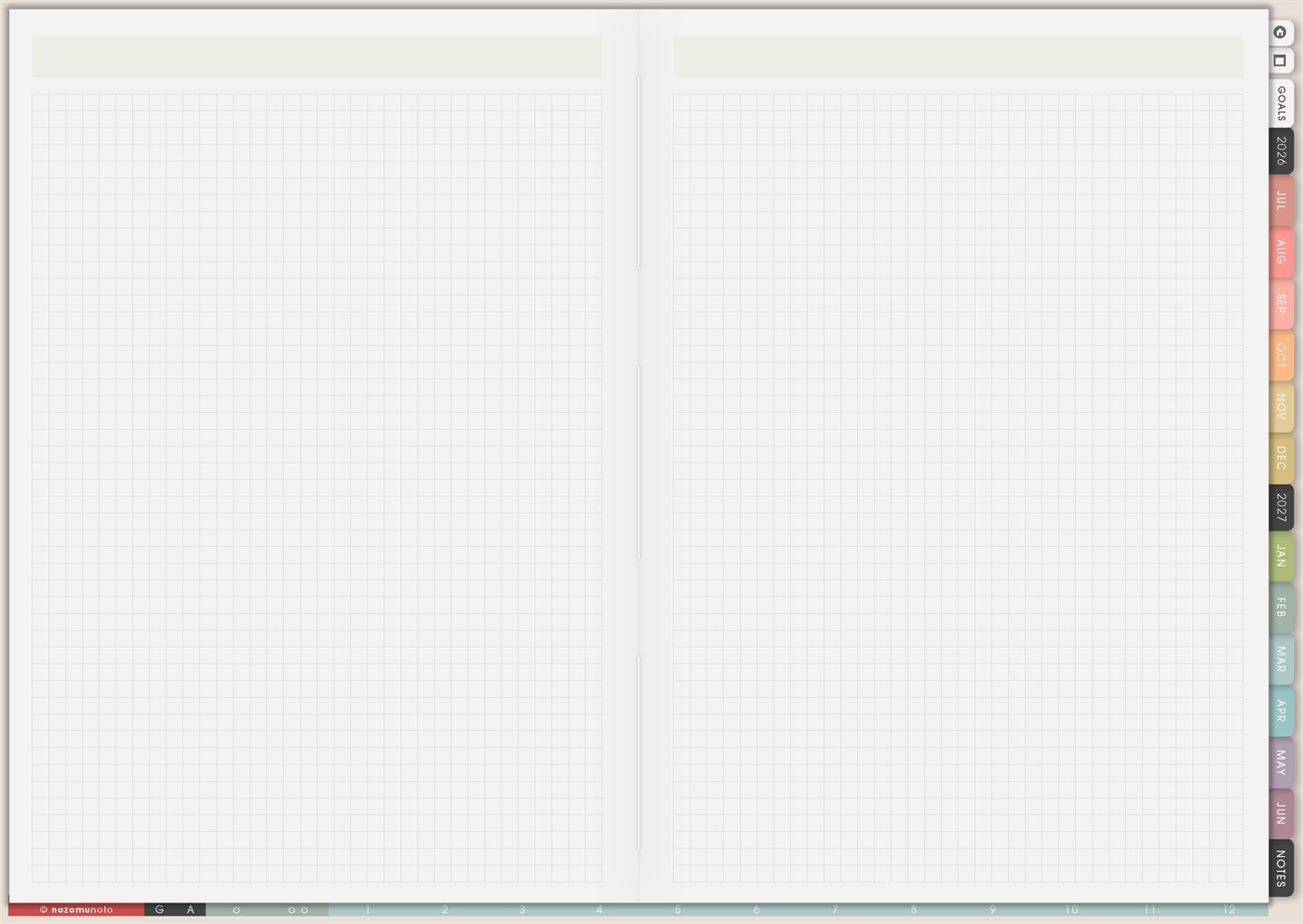
Use the Yume Techo Vision Board for visual goals, mood boards, reminders, inspiration, and small weekly actions inside your planner.
The Yume Techo Vision Board page is a reusable blank grid spread for visual goals, mood boards, reminders, quotes, screenshots, photos, color cues, and tiny pieces of direction. Use it when everyone needs to see what they are building, not only write a task list.
A useful Vision Board is not just a pretty collage. It connects a visual reminder to real choices. A clear desk image can become a Friday tidy. A walking path can become a lunch walk. A study setup can become two weekly study blocks. A family photo can become one protected dinner night.
How to use the Vision Board
Use the Vision Board to make your goals easier to see and remember.
You can add:
- Images.
- Words.
- Colors.
- Small sketches.
- Goal reminders.
- Mood board pieces.
- Quotes or phrases.
- Visual ideas for projects or life areas.
After you make the board, choose one small weekly action from it.
For example, if your board shows a writing goal, add one writing session to your week. If it shows a home goal, add one small home task. If it shows a learning goal, add one study task.
A Vision Board works best when it connects to what you actually do next.
Related guides: digital life planner for goals, routines, and direction, Weekly Review for carrying tasks forward and planning next week, and digital project planner for work and creative projects.
How to get to this page
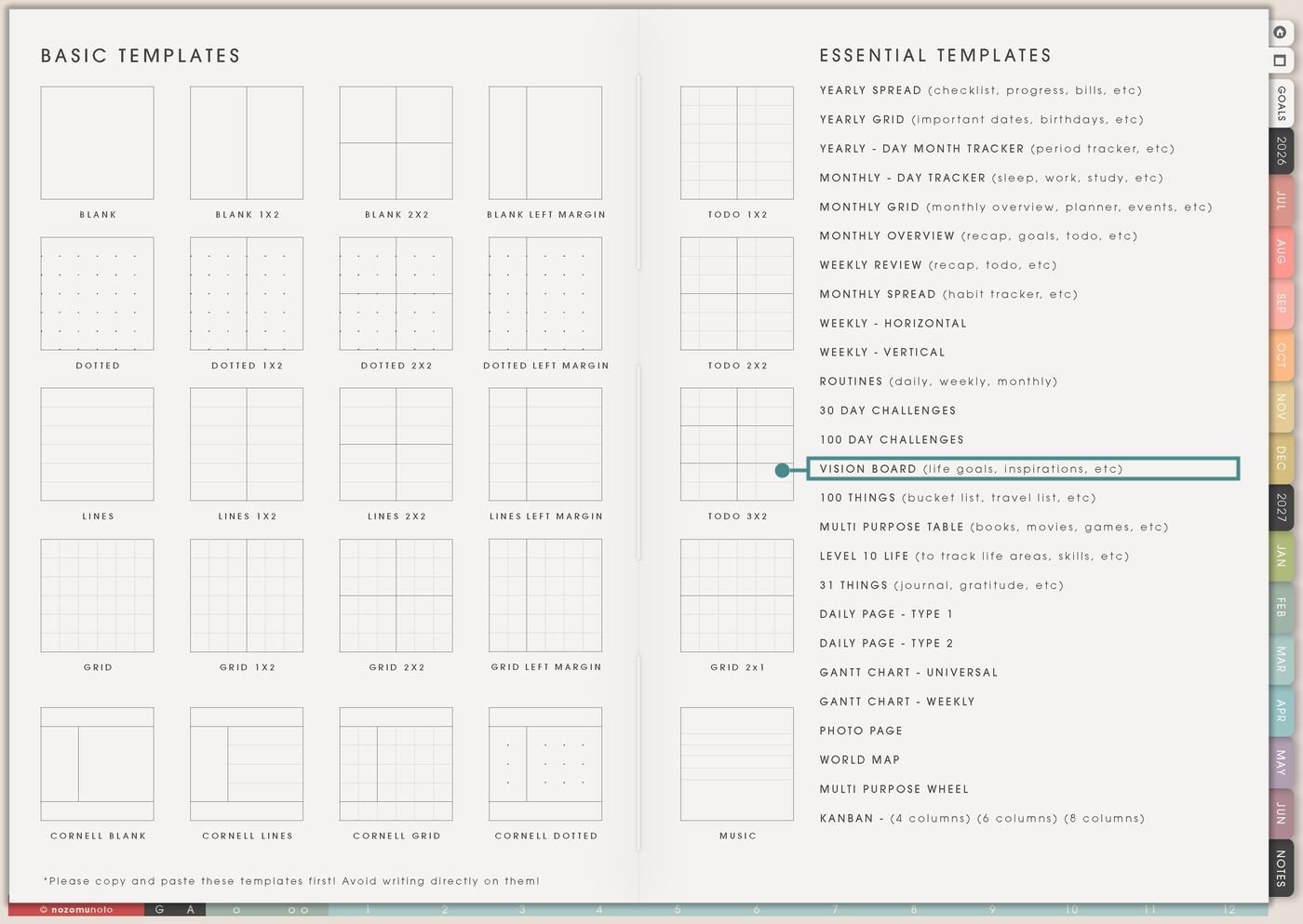
- Open the main Index page: use the planner Index if you need to return to the map.
- Tap the Template Pages icon: this opens the Template Index with reusable clean pages.
- Tap Vision Board: it is under 100 Day Challenges in the Essential Templates list.
- Copy the page before writing: this is a clean template master. Duplicate it first, then write on the copy.
Before you write: copy the clean Vision Board first
Vision Board is an Essential Template Page. Keep the original clean and make a copy for the year, season, school term, project, home refresh, business goal, faith focus, body-care focus, or creative direction you want to see.
- Open Vision Board from Template Index.
- Duplicate or copy the page in your app. Use the page overview, thumbnail view, page manager, or page actions menu.
- Name the copy by purpose. Examples: 2026 Vision, Fall Study Mood, Home Refresh Board, Creative Season, Soft Life Board, Shop Growth Board, or Faith Focus.
- Choose a simple structure. Divide the grid by life area, season, theme, feeling, project, or action.
- Connect the board to a next action. After adding images and words, write one action on Weekly, Monthly Overview, Goal Planner, Routines, or Kanban.
Use scenario ideas
1. Seasonal vision board
Use Vision Board for the feeling and focus of one season. This works better than trying to make one board carry every dream forever.
For example: a fall board can include study desk, warm meals, clean bag, reading corner, quiet mornings, and exam confidence. The weekly action can be “prepare study bag Sunday” or “choose three easy dinners.”
2. Study or academic vision board
Use the page for school identity and motivation that connects to actual study behavior. Add images that remind everyone what focus looks like in real life.
For example: add a clean desk, library photo, notebook spread, syllabus screenshot, quote, and target grade or certificate. Then move one action to Weekly: review notes Wednesday, book study room, print rubric, or start flashcards.
3. Home and family board
Use Vision Board for the home rhythm you want to protect. Keep it practical and warm: rooms, meals, bags, routines, memories, and clear corners.
For example: add a tidy entryway, simple dinner, family walk, school basket, clean laundry, and a phrase like “less rush, more ready.” The matching action can be “bags by door at night” or “Friday laundry plan.”
4. Work, shop, or business board
Use the board for business direction without losing the next step. Visuals can remind you of brand feeling, product goals, customer experience, and steady growth.
For example: add product screenshots, packaging mood, customer thank-you note, listing photo style, income goal, and content ideas. Then move one action to Kanban: edit listing photo, write FAQ, update product title, or schedule email.
5. Creative identity board
Use Vision Board to remember the creator, maker, writer, artist, planner, or designer you want to be. This helps when creative work gets buried under admin.
For example: add color palettes, sketches, fabric, sticker ideas, cozy workspace, favorite tools, and a phrase like “make small things often.” The action can be “draw 10 minutes Tuesday” or “save three references.”
6. Health, energy, and body-care board
Use this for visuals around rest, movement, meals, water, sleep, appointments, recovery, or body care. Keep it about real next steps, not pressure.
For example: add a water bottle, walking shoes, simple lunch, bedtime corner, medicine reminder, or stretch pose. The weekly action can be “prep water bottle,” “choose one walk day,” or “write appointment questions.”
7. Faith, values, or life direction board
Use Vision Board for reminders of values, verses, prayers, words of the year, personal rules, or the person you want to practice being.
For example: add one verse, one word, one quiet-place image, one family value, and one service idea. The matching action can be “read one page Sunday,” “send encouragement,” or “protect quiet morning.”
8. Travel or adventure board
Use the board for places, trips, daydreams, local adventures, or seasonal outings. A travel vision board is more useful when it separates desire from decision.
For example: add destination images, cafe ideas, museum screenshots, outfit inspiration, route screenshot, and packing mood. Then move one action to Travel Research or Monthly Grid: choose dates, check price, save map, or make packing list.
9. ADHD-friendly focus cue board
Use Vision Board as an attention anchor when words alone are easy to lose. A few visuals can make the current season easier to remember.
For example: add three cues only: open planner, clear desk, sleep prep. Put the matching actions on Weekly and Routines. Keep the board simple so it catches attention instead of becoming another busy page.
10. Year-end reflection or future-self board
Use Vision Board to collect proof of what mattered, not only what you want next. This can turn the page into a memory and direction board.
For example: add favorite moments, photos, screenshots of wins, a phrase from the year, one lesson, and one hope. Then write the next action on Monthly Overview or Goal Planner so the reflection becomes direction.
What I usually use it for and how I use it
Tips for using Vision Board
- Move one image into one action. Write one action under the board or on Weekly. Clean desk can become 10-minute Friday tidy. Travel photo can become check dates. Study image can become one review block.
- Choose one structure. Use season, life area, project, feeling, or current focus. If the board needs many themes, make separate copied boards or use small labeled zones.
- Add real-life images too. Add one real desk corner, one easy meal, one small walk, one ordinary notebook, or one quiet moment. A grounded board should make the next step feel reachable.
- Review the board during planning. Look at Vision Board during Monthly Overview, Weekly Review, or the first planning day of the month. Choose one image and one action.
- Add meaning beside important images. Use one word or tiny caption: finish, family, brave, rest, study, warm, steady, clean, return, home, save, create, or focus.
- Time-box the board. Spend 20 minutes collecting visuals, 10 minutes arranging, then move one action into Weekly. The board guides planning; it should never replace the plan.
- Copy first every time. If you write on the clean template by accident, undo if possible. If not, bring in a fresh clean copy from the original planner file and make copy first the first step.
Related Tips: Routines helps turn a visual cue into a weekly rhythm. Kanban Board helps move a board idea into project stages.
If a Vision Board includes family photos, health clues, money goals, client work, school grades, faith notes, addresses, screenshots, or private dreams, keep sensitive details in the secure place where they belong. On Vision Board, show only the safe image, phrase, or cue you want visible while planning.
Final thought
Vision Board is useful when it helps everyone remember what matters and choose one small next step. Copy the clean page, keep the board grounded, add meaning to the images, and let one visual reminder become one real action. I hope this page helps your vision feel visible, practical, and close enough to begin this week!
Need exact app steps for copying pages or adding images?
If you need the exact buttons for importing the planner, duplicating this template, using hyperlinks, adding stickers, importing images, cropping screenshots, or moving pages in your app, use the Help Center app guide for your device.
Browse NozomuNoto products
Find the planner, notebook, e-reader file, or add-on that fits the way you actually plan.
About NozomuNoto
NozomuNoto creates Japanese-inspired digital planners, notebooks, stickers, and e-reader PDFs for people who want useful pages that still work in real life.
Yume Techo is built with dated yearly, monthly, weekly, daily, Life Planner, Planner Pages, and Template Pages so one planner can hold study, work, home, ADHD-friendly routines, lists, and creative projects without adding paper bulk.
New to digital planning? Start there, use the Help Center for setup help, or browse NozomuNoto products when you are ready to choose your planner.