

Browse help topics
Getting Started
Need help choosing?
Need help after purchase?
Download & Import
Using your notebook/planner
- How to change or reuse template pages on planner landing pages
- Why stickers look blurry when enlarged
- What to check if a product does not work on your device
- How to use NozomuNoto index pages
- How to use NozomuNoto template pages
- How to change a digital planner cover
- How to install and use digital stickers
Product Tutorials
- How to use Yume Techo Landscape tutorial pages
- How to use Yume Techo Portrait tutorial pages
- How to use Shibui Techo Weeks tutorial pages
- How to use Shibui Techo Months tutorial pages
- How to use Yume Noto V1 Landscape tutorial pages
- How to use Yume Noto V1 Portrait tutorial pages
- How to use Yume Noto V2 Landscape tutorial pages
- How to use Yume Noto V2 Portrait tutorial pages
- How to use Yume Noto V3 Portrait tutorial pages
- How to use NozomuNoto Ultimate Digital Stickers
- How to use NozomuNoto Digital Covers
- Which NozomuNoto instruction or tutorial file should I open first?
Device & App
iOS / iPadOS
GoodNotes
Notability
Noteshelf
Noteful
StarNote
Flexcil
Kilonotes
Android
StarNote
Samsung Notes
Penly
Flexcil
Noteshelf
Xodo
E-reader Devices
Boox devices
reMarkable
Bigme
Supernote
Flexcil Tips for Using NozomuNoto Planners and Notebooks on iPad
Get practical Flexcil tips for using NozomuNoto planners and notebooks, including links, index pages, templates, stickers, covers, and backups.
On this page
Use these steps to work with NozomuNoto PDF planners, notebooks, stickers, covers, and template pages in Flexcil. The official links below are for downloads, updates, and current help pages.
Best Flexcil habits
These small habits make NozomuNoto easier to use in Flexcil.
- Keep one clean backup outside Flexcil.
- Test one hyperlink before setting up the whole planner.
- Use the Index page as your home base.
- Bookmark or mark the pages you use often if your Flexcil version offers it.
- Duplicate template pages before writing on them.
- Use page tools carefully when moving, copying, or deleting pages.
- Resize stickers a little at a time so they stay clear.
- Export or back up your working copy regularly.
- Learn one feature at a time.
No need to use every Flexcil feature to enjoy your planner.
Reference links
Use these for current app or device help, downloads, updates, vendor help, and manual references.
Small Flexcil habits that help
- Use Gesture mode for planner links and Index links, then return to writing tools after the jump works.
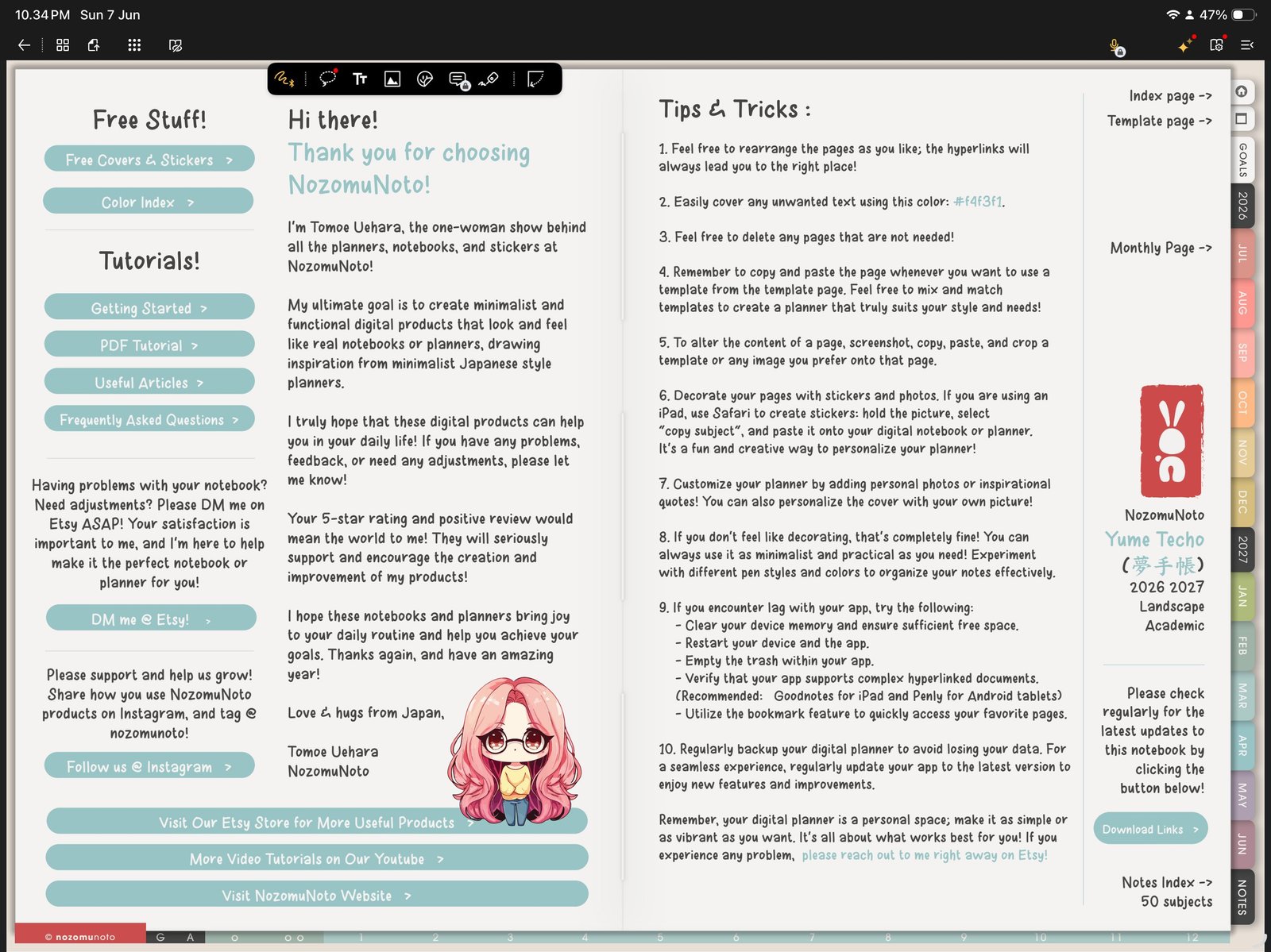
Gesture modeUse Gesture mode for navigation, then return to writing tools. Product shown: Yume Techo Academic 26-27 Landscape. - Use Page Navigation when you want thumbnails, bookmarks, outlines, or page actions in one place.
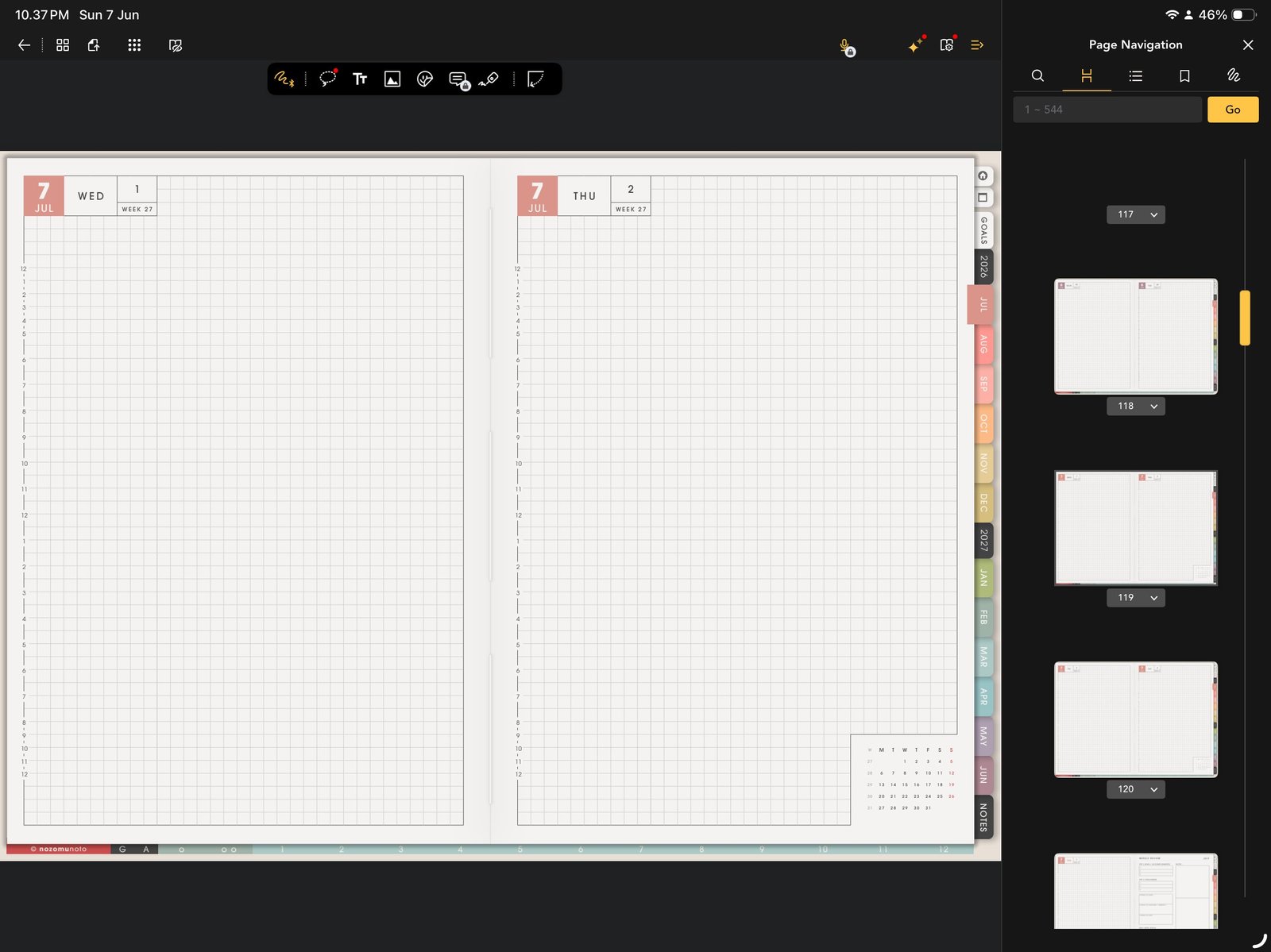
Page NavigationUse Page Navigation for thumbnails, bookmarks, outlines, and page actions. Product shown: Yume Techo Academic 26-27 Landscape. - Bookmark pages by purpose, not by long product names. Index, This Month, This Week, Notes, Project, and Review are easier to scan.
- Use Duplicate Page before writing on reusable NozomuNoto template pages.
- Use Photo Library for PNG stickers and images, then test size and save behavior on one page first.
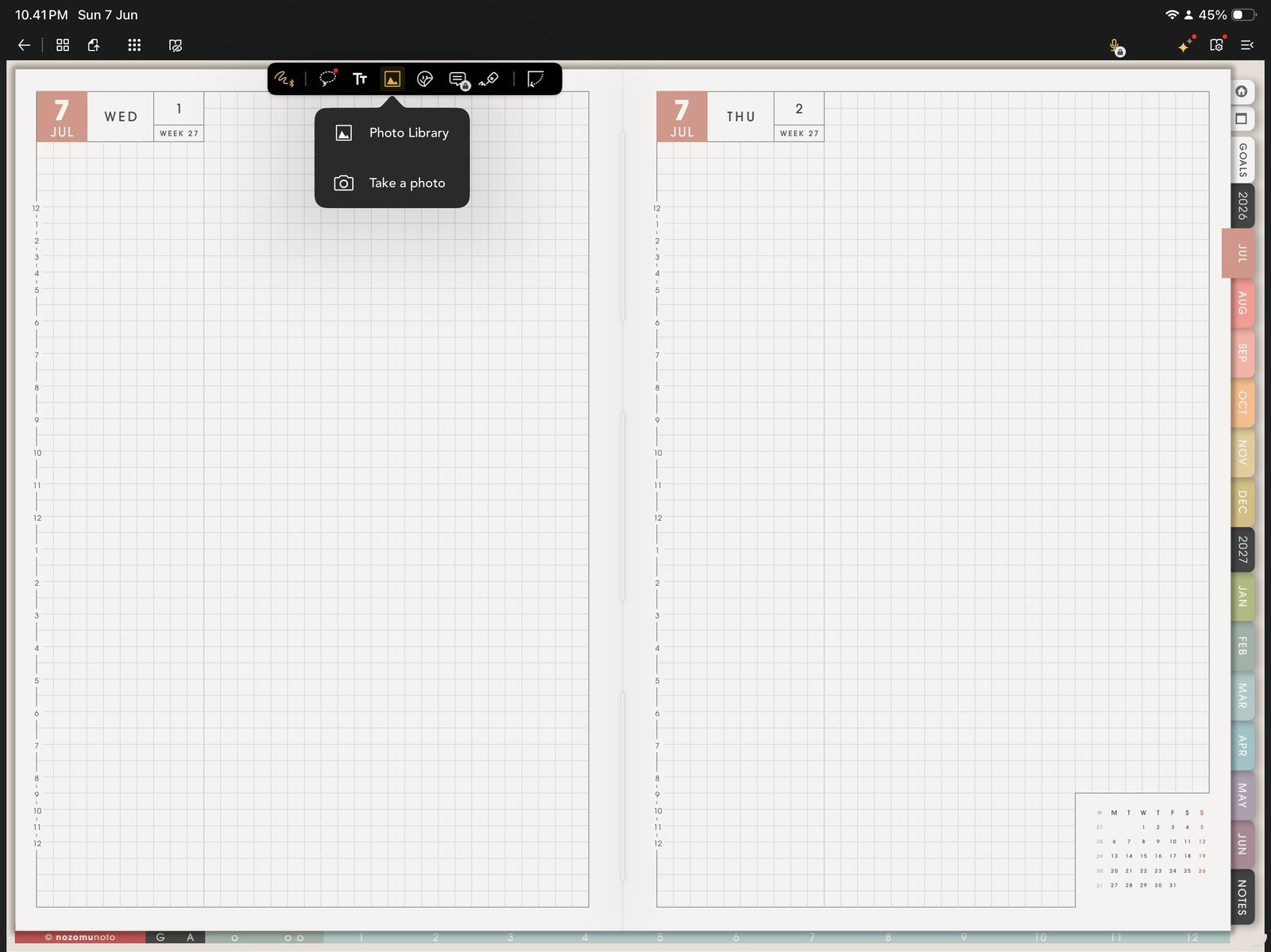
Photo Library image testUse one Photo Library image test before decorating many pages. Product shown: Yume Techo Academic 26-27 Landscape. - Keep one clean imported copy or the original downloaded PDF unchanged so you can restart if the working planner gets messy.
When Flexcil is a good fit
Flexcil is especially useful when you like reading, annotating, using page thumbnails, and keeping PDF navigation visible. For a very sticker-heavy planner setup, test image performance before decorating every page.
Best Flexcil rhythm
Use Gesture mode to move, Page Navigation to manage, and Pen mode to write. If everyone remembers only one Flexcil habit, make it this: move first, manage if needed, write after the page is correct.
Use the right Help Center article
Use import help for file access, hyperlink help for Gesture mode, page management help for Page Navigation, sticker help for PNG images, and known problems when something behaves differently than expected.
Next Flexcil tip links
Still need help?
Send your order number, product name, device, app, and a screenshot or short screen recording if the issue is visual.