

Reference links
Use these for current app or device help, downloads, updates, vendor support, and manual references.
Set up your first e-reader planner or notebook
- Keep the original NozomuNoto download unchanged on your computer, cloud storage, or main file backup.
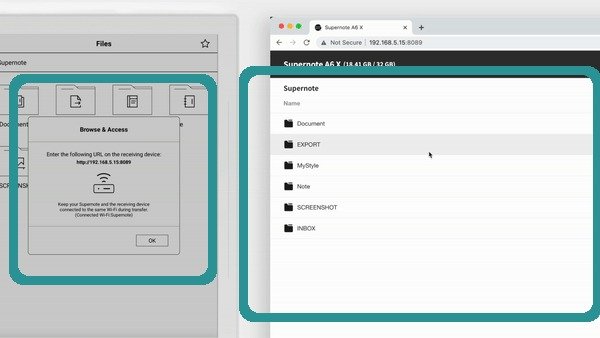
Transfer firstMove the PDF into the Supernote document workflow, then test opening, writing, closing, and reopening. - Transfer one clean PDF working copy to Supernote using the official transfer method for that device.
- Open the file as a PDF document and check the cover, Index, one monthly page, one weekly or notes page, and the page overview or contents list.
- Test writing on one blank or notes page, then close and reopen the file to confirm your handwriting saves.
- Test one navigation path: Index, contents, bookmarks, page overview, or a printed tab inside the planner.
- Set up the return tool named in this device guide: bookmarks, favorites, page overview, contents, folders, page numbers, or the printed NozomuNoto Index.
- Use the e-reader for the calm daily flow first: read, write, review, and return to important pages.
- Keep stickers, frequent page duplication, and heavy page rearranging in a tablet app or prepare those changes in the PDF before transfer.
- Start with the current month or week first. Add more pages only after the basic writing and navigation flow feels reliable.
Before you use it every day
- The PDF opens from the right folder or library.
- You can write on one test page and the writing stays after reopening.
- You know how to return to the Index, current month, and current week.
- You have one untouched backup outside the e-reader.
Good first e-reader setup
Use a small setup first: Index, current month, current week, one notes page, and bookmarks or page overview. Add more only when the device feels comfortable.