

Use these steps to work with NozomuNoto PDF planners, notebooks, stickers, covers, and template pages in Flexcil. The official links below are for downloads, updates, and current help pages.
Reference links
Use these for current app or device help, downloads, updates, vendor support, and manual references.
Use template pages in Flexcil
- Open the NozomuNoto Template Pages section.
- Open Page Navigation so you can see page thumbnails on the right.
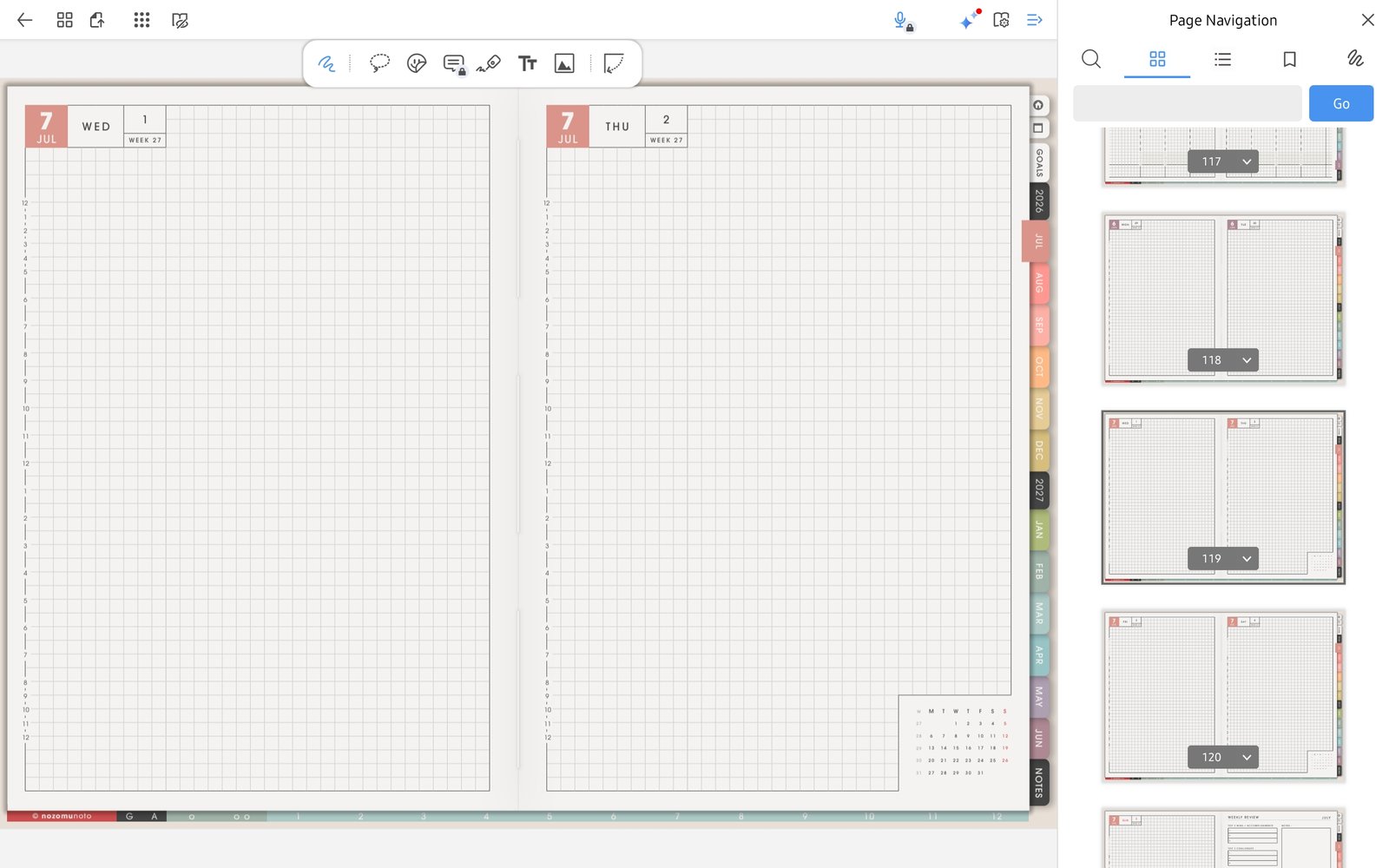
Page Navigation thumbnailsUse Page Navigation thumbnails to find clean template pages in Yume Techo Academic 26-27 Landscape. - Find the clean template page you want to reuse.
- Open the page action menu for that thumbnail.
- Choose Duplicate Page to make a copy before writing on the template.
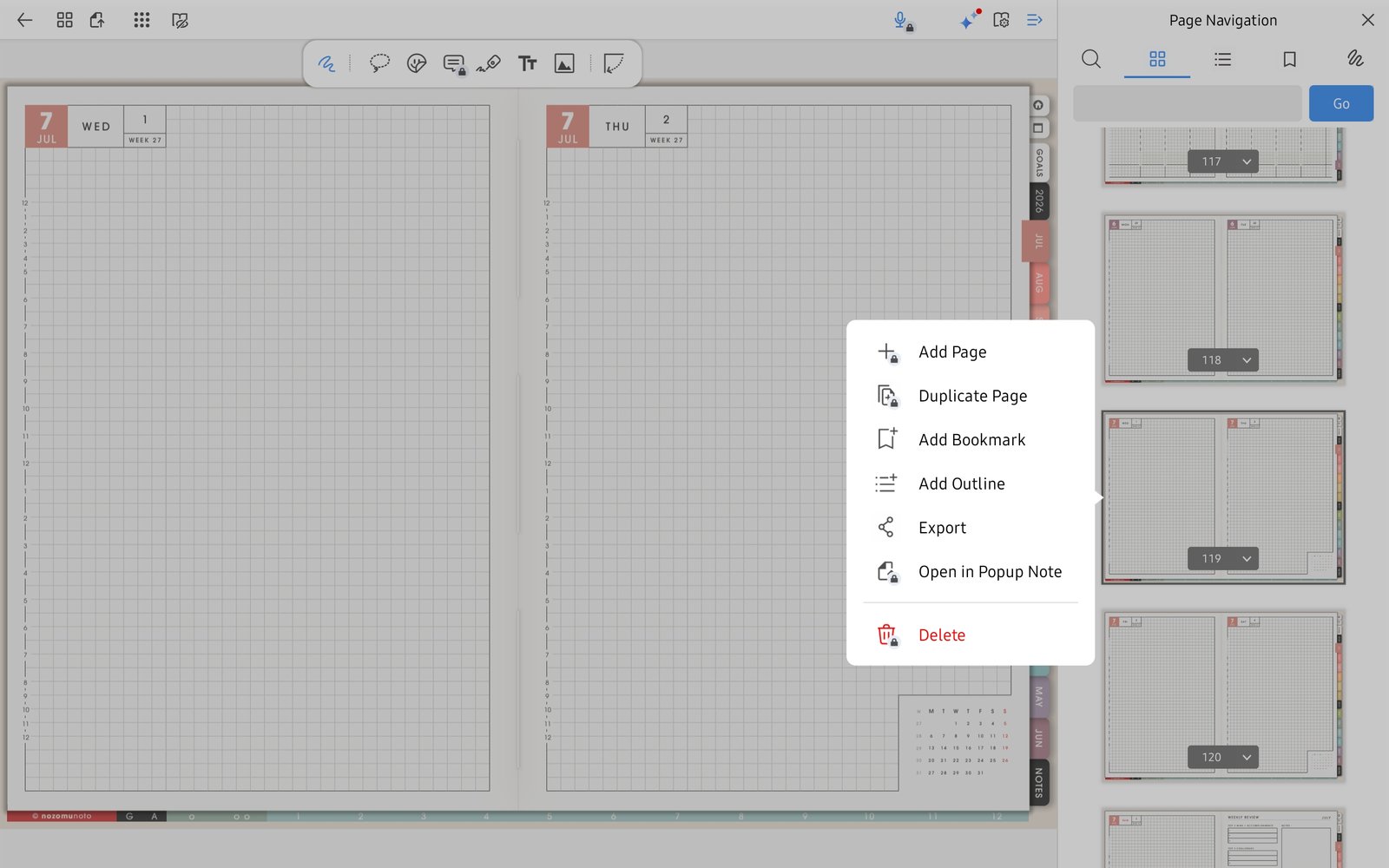
Duplicate PageFlexcil page action menu with Duplicate Page for reusing a clean Yume Techo template page. - Use Add Page only when you need a blank page. Keep the original NozomuNoto template page clean.
- After duplicating a template, switch to Gesture mode and test the index or tabs before using it for daily planning.