

Use these steps to work with NozomuNoto PDF planners, notebooks, stickers, covers, and template pages in Flexcil. The official links below are for downloads, updates, and current help pages.
Reference links
Use these for current app or device help, downloads, updates, vendor support, and manual references.
Small Flexcil habits that help on Android
- Use Gesture mode for planner links and Index links, then return to Pen mode for writing.
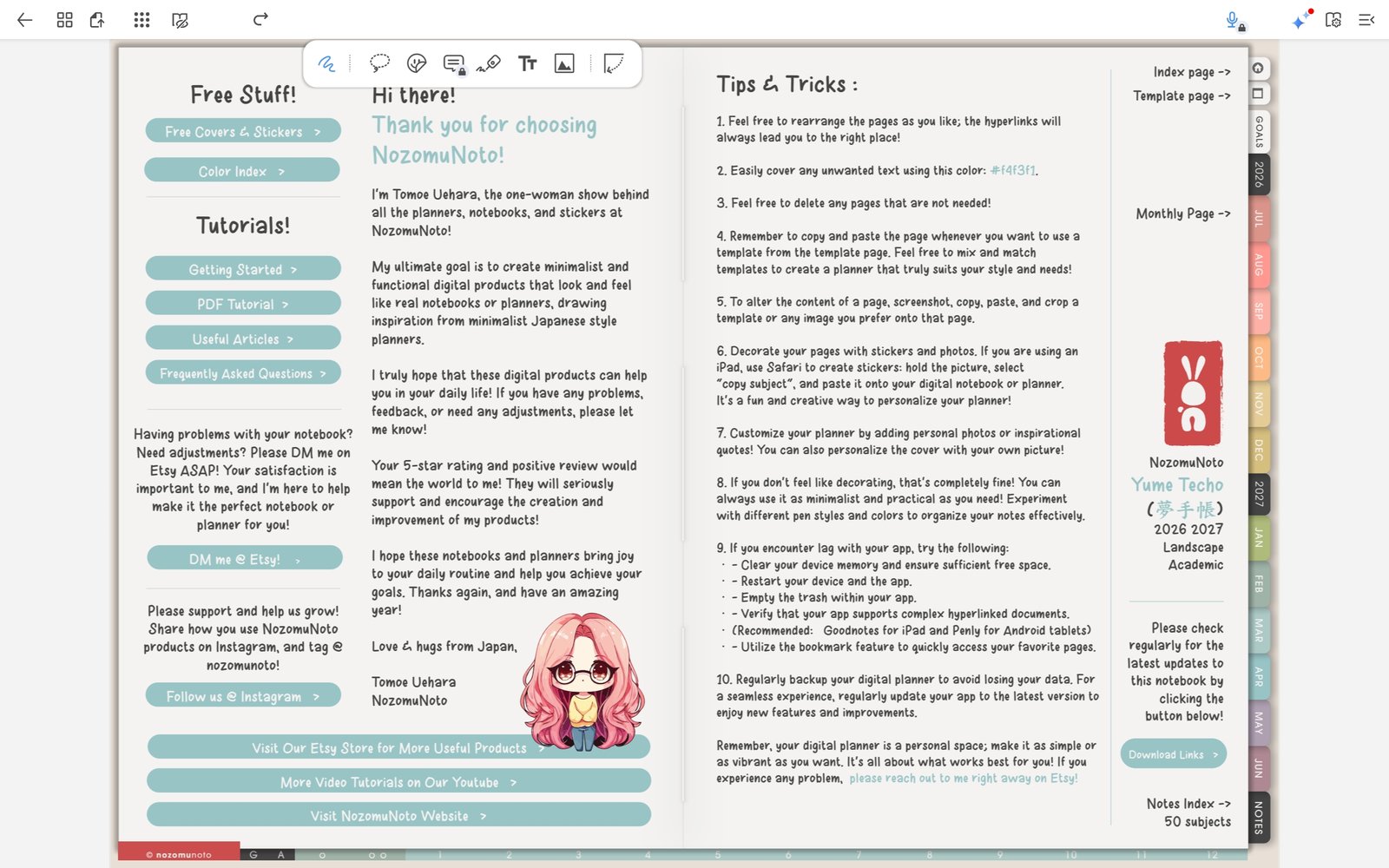
Gesture modeUse Gesture mode for links, then return to Pen mode for writing. Product shown: Yume Techo Academic 26-27 Landscape. - Use Page Navigation for thumbnails, bookmarks, outlines, and page actions.
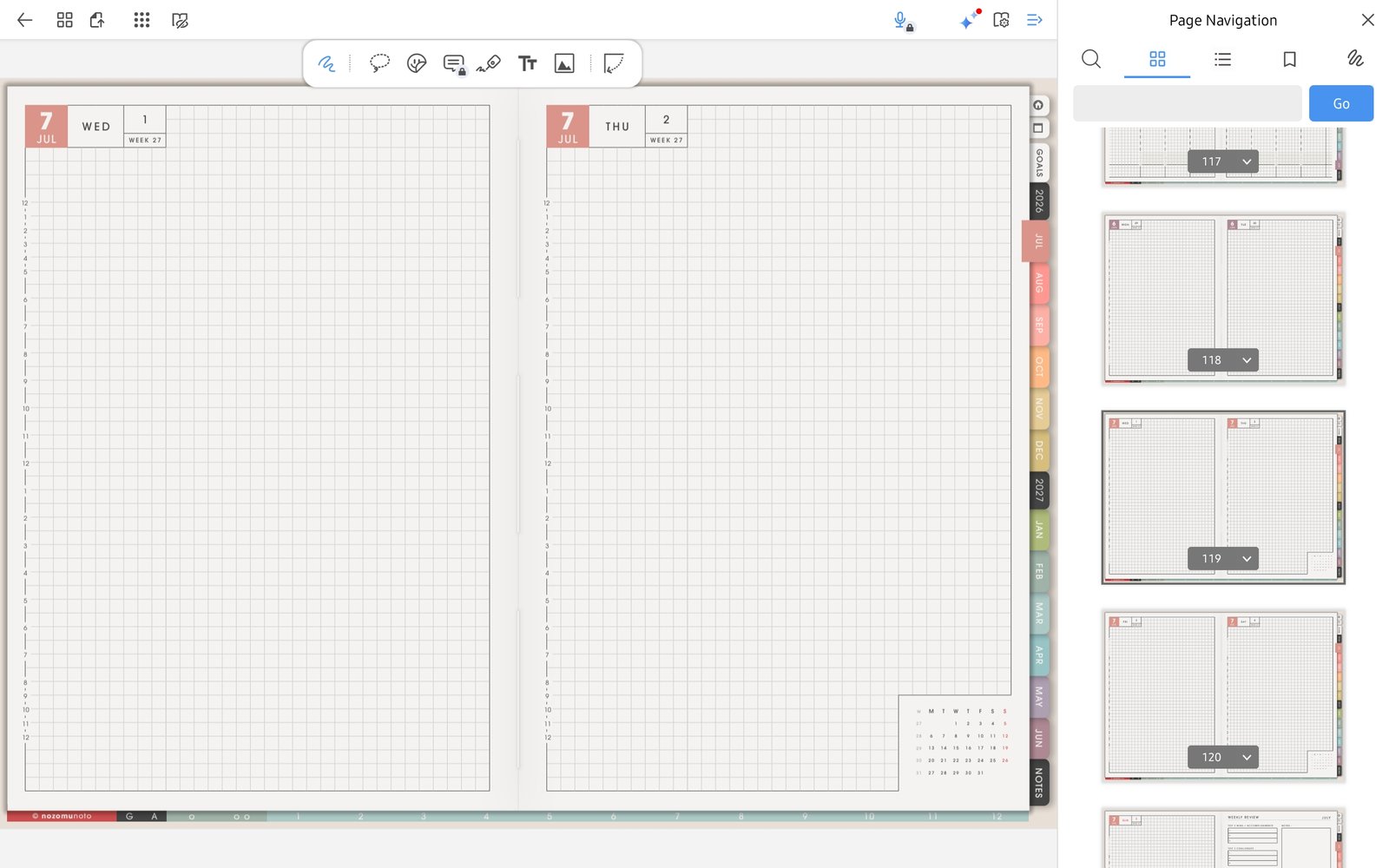
Page NavigationUse Page Navigation for thumbnails, bookmarks, outlines, and page actions. Product shown: Yume Techo Academic 26-27 Landscape. - Bookmark only the pages you open often, such as Index, This Month, This Week, Notes, or Project.
- Use Duplicate Page before writing on reusable NozomuNoto template pages.
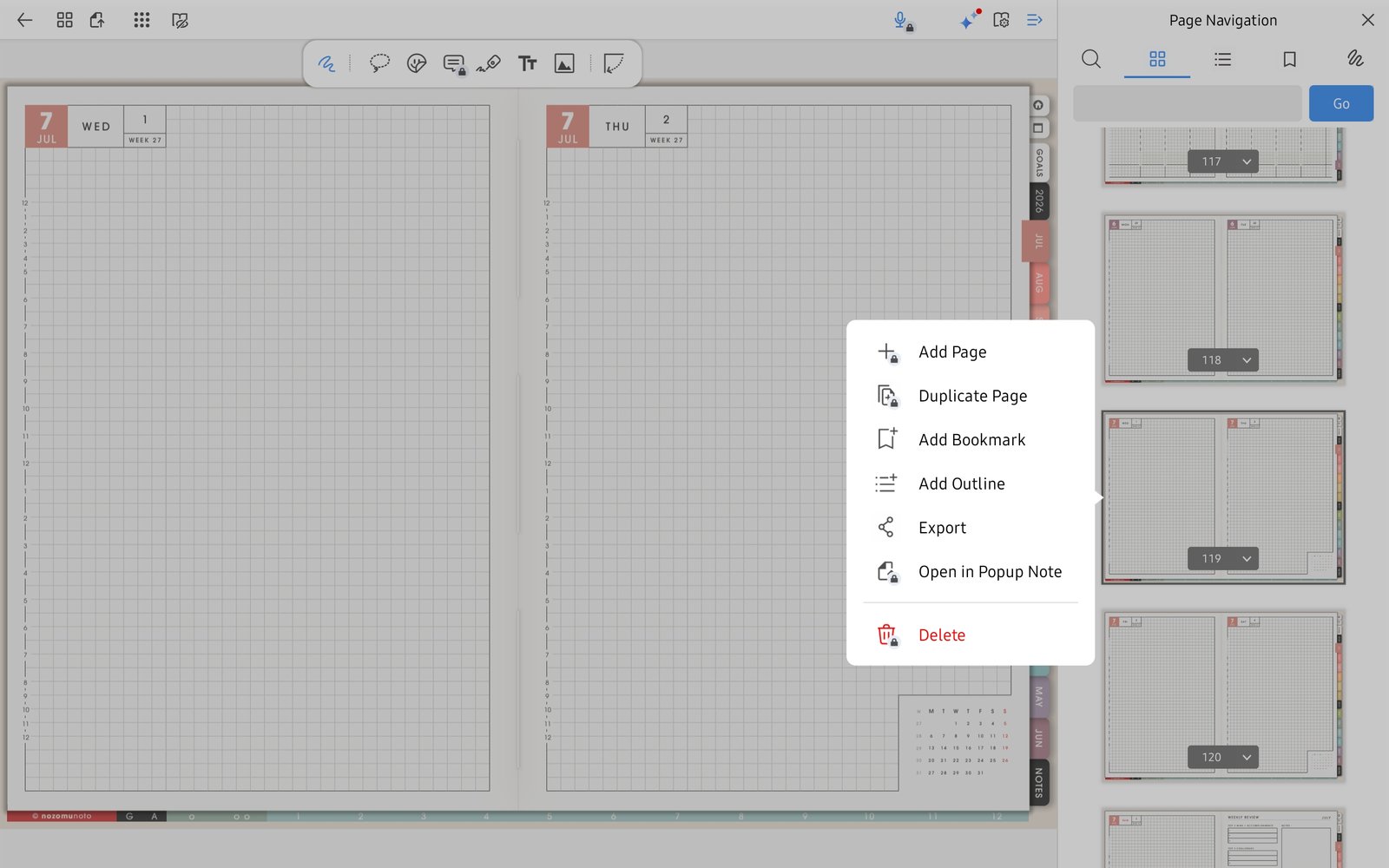
Duplicate PageUse Duplicate Page before writing on reusable template pages. Product shown: Yume Techo Academic 26-27 Landscape. - Use the image icon for PNG stickers and images, then test one page before decorating many pages.
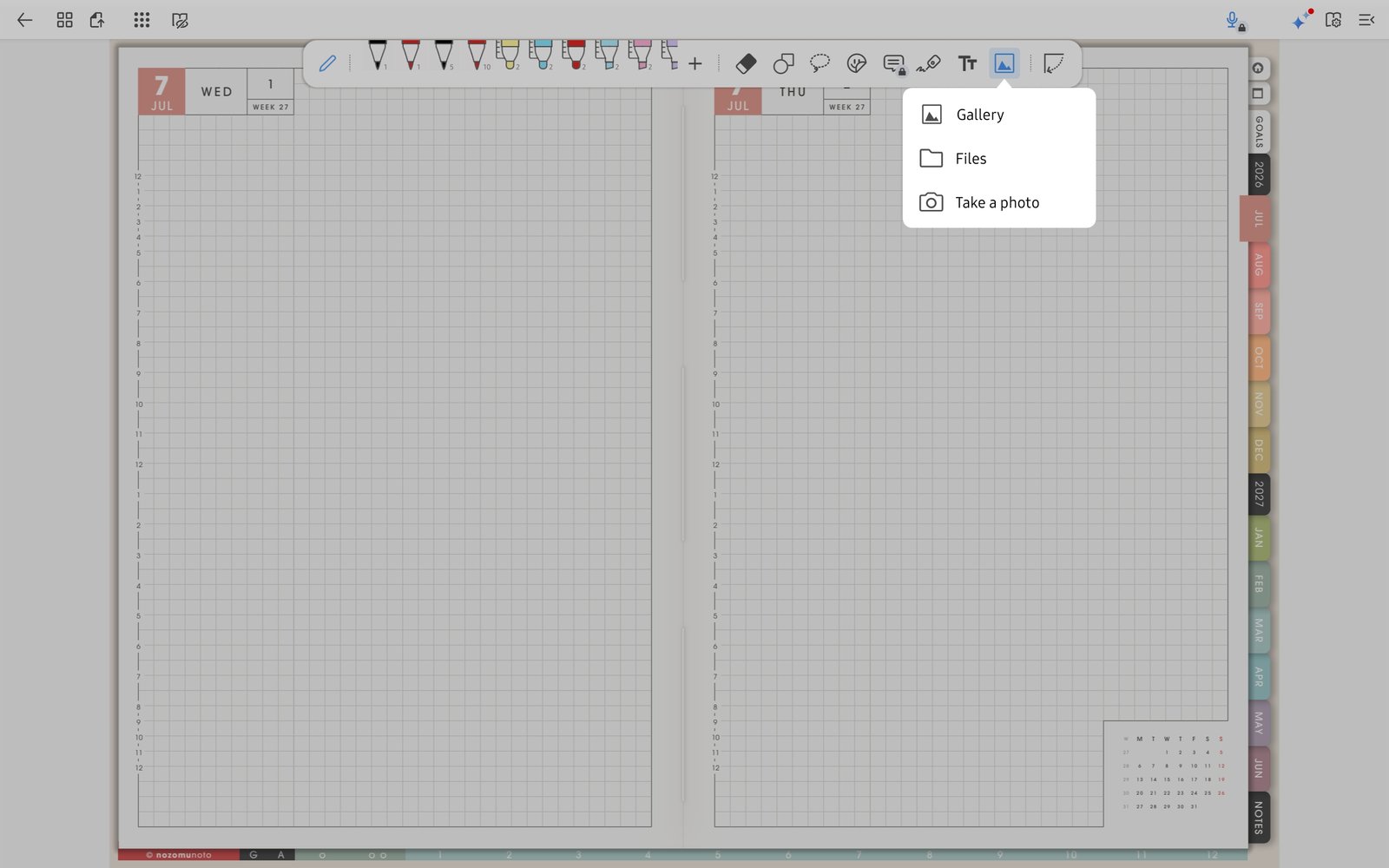
Image testTest one PNG sticker or image before decorating many pages. Product shown: Yume Techo Academic 26-27 Landscape. - Keep the original NozomuNoto PDF outside Flexcil so you can re-import after experiments.
Notes
- Best Flexcil rhythm: Use Gesture mode to move, Page Navigation to manage, and Pen mode to write. That small rhythm prevents most accidental taps and page confusion.
- If the app starts to feel heavy, return to import, links, page navigation, and one small test page first.