

Use these steps to work with NozomuNoto PDF planners, notebooks, stickers, covers, and template pages in Flexcil. The official links below are for downloads, updates, and current help pages.
Reference links
Use these for current app or device help, downloads, updates, vendor support, and manual references.
Flexcil Android problems to check first
- The planner is missing: confirm the ZIP is extracted, then import the PDF again from Documents > blue + > Files.
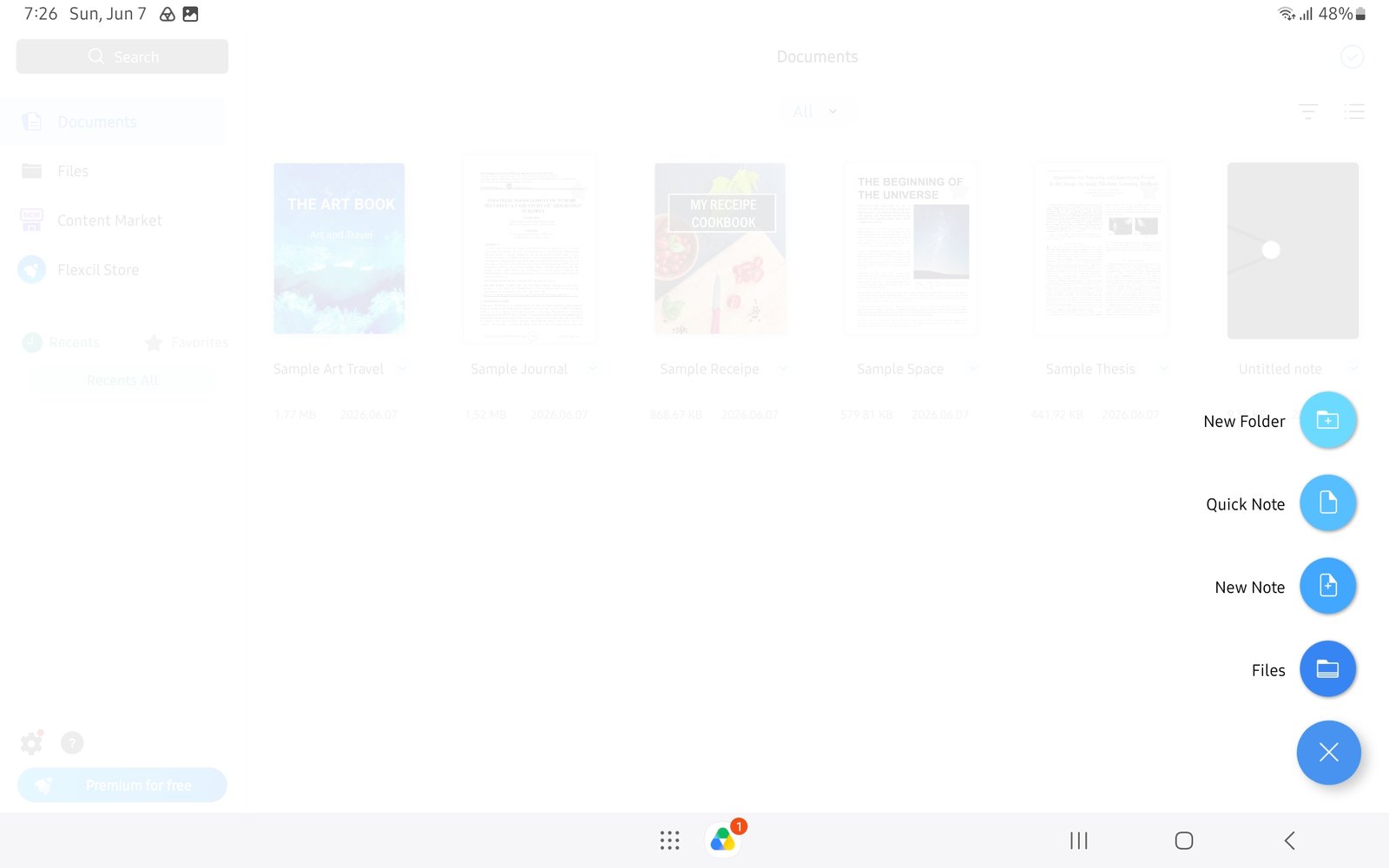
Use Files for importIf the planner does not appear, import again from the blue plus menu and Files. - Planner links do not move: switch to Gesture mode and test the same tab again before writing more.
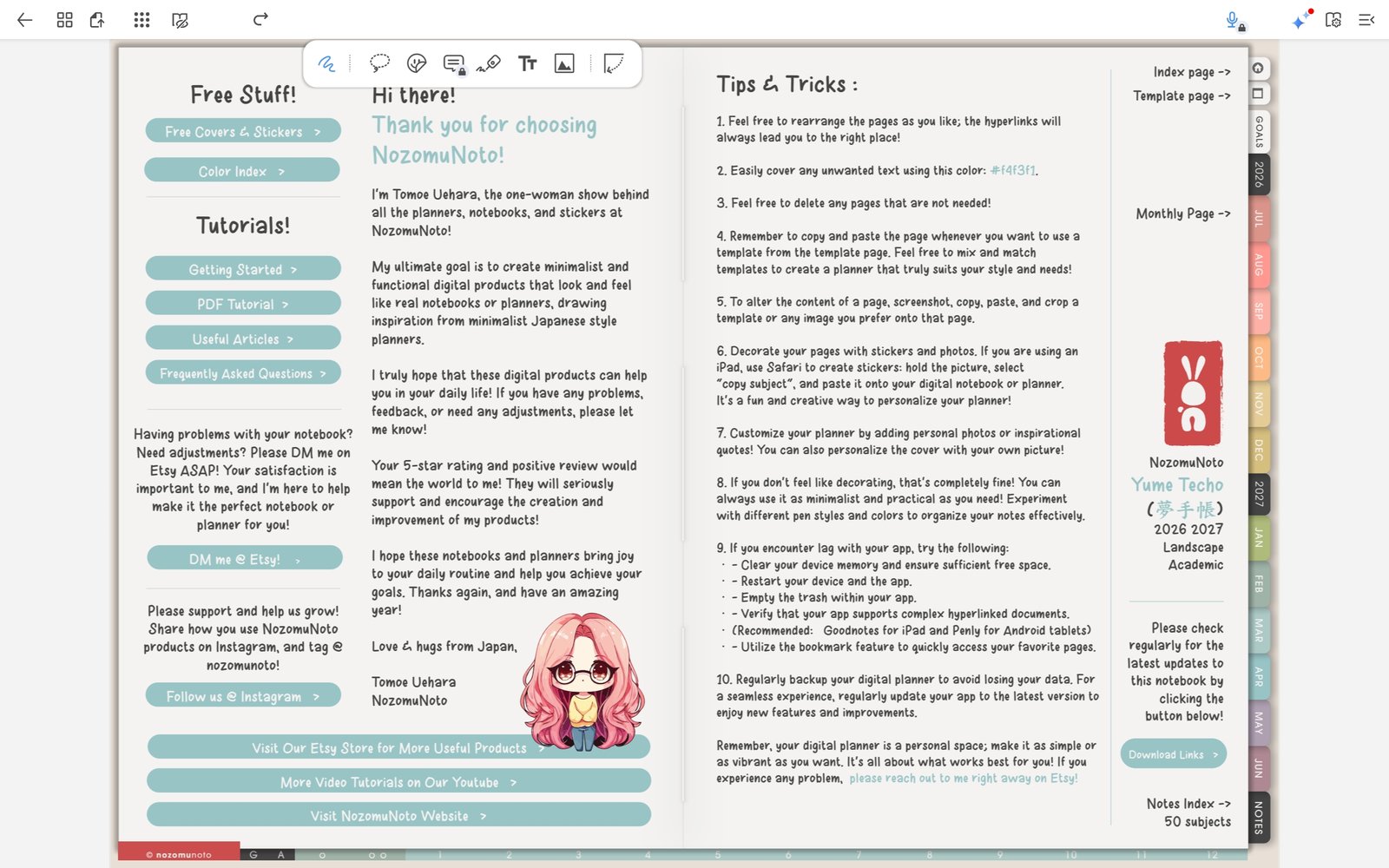
Use Gesture mode for linksPlanner links are easiest to test before decorating or writing heavily. - Page tools feel hidden: open Page Navigation, then use the thumbnail menu for actions such as Add Page, Duplicate Page, Add Bookmark, Add Outline, Export, Open in Popup Note, or Delete.
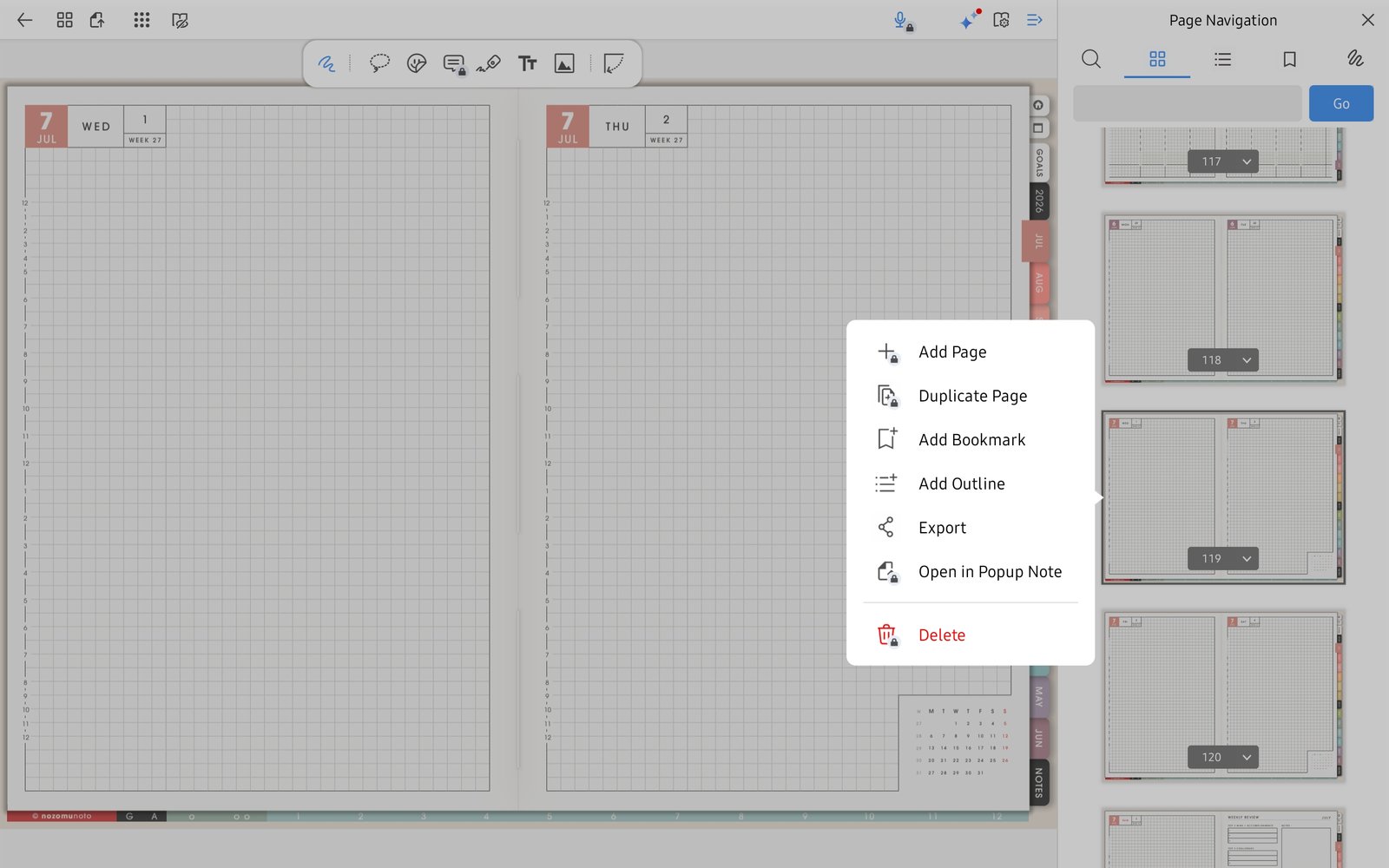
Duplicate before writingUse Duplicate Page for reusable Yume Techo template pages before writing on them. - A clean template was filled by accident: re-import a fresh copy, find the clean template, and duplicate it before writing.
- Stickers or images feel heavy: insert one small PNG from Gallery or Files first, then keep decoration lighter on busy planner pages.
Notes
- When to start fresh: If the working planner has too many page or image experiments, re-import a clean copy from the original NozomuNoto PDF. It is usually faster than repairing a confusing file.
- If the same issue happens in a fresh copy, note the product name, device, app version, and exact step before asking for help.