

Browse tips
Yume Techo Use Cases
- As a Student
- As a Teacher
- For Moms & Family
- For Work
- For Creative Projects
- For Bible Study
- For Small Business
- For Content Creation
- For Fitness & Health
- For Travel
- For Rapid Logging
- For Life Planning
- For Journaling & Reflection
- For Budget & Finance
- For Meals & Grocery
- For Project Planning
- For Home Management
- For Creative Writing
- For Music Writing
- For Brainstorming
- For Homeschooling
Page-by-Page Use Ideas
Essential Template Pages
- Template Index
- Yearly Spread
- Yearly Grid
- Yearly - Day Month Tracker
- Monthly - Day Tracker
- Monthly Grid
- Monthly Overview
- Weekly Review
- Monthly Spread
- Weekly - Horizontal
- Weekly - Vertical
- Routines
- 30 Day Challenges
- 100 Day Challenges
- Vision Board
- 100 Things
- Multi Purpose Table
- Level 10 Life
- 31 Things
- Daily Page - Type 1
- Daily Page - Type 2
- Gantt Chart - Universal
- Gantt Chart - Weekly
- Photo Page
- World Map
- Multi Purpose Wheel
- Kanban - 4/6/8 columns
- Template Pages
- Level 10
- Daily Template
- Yearly Tracker
Life Planner Pages
- Life Planner Index
- Life Planner
- Vision Board
- Life Inspirations
- Favorite Quotes
- Things That Make Me Happy
- My Life Systems and Rules
- Level 10 Life
- Things I Need To Change
- Bucket List
- Skills To Learn
- Projects To Make
- Challenges To Try
- Resolutions
- Yearly Goal Overview
- Goal Planner
- Reward Ideas
- Distraction List
- My Achievements
- Note To My Future Self
- Routines
- 30 Day Challenges
- Kanban Board
Books
How to use Yume Techo as an ADHD digital planner
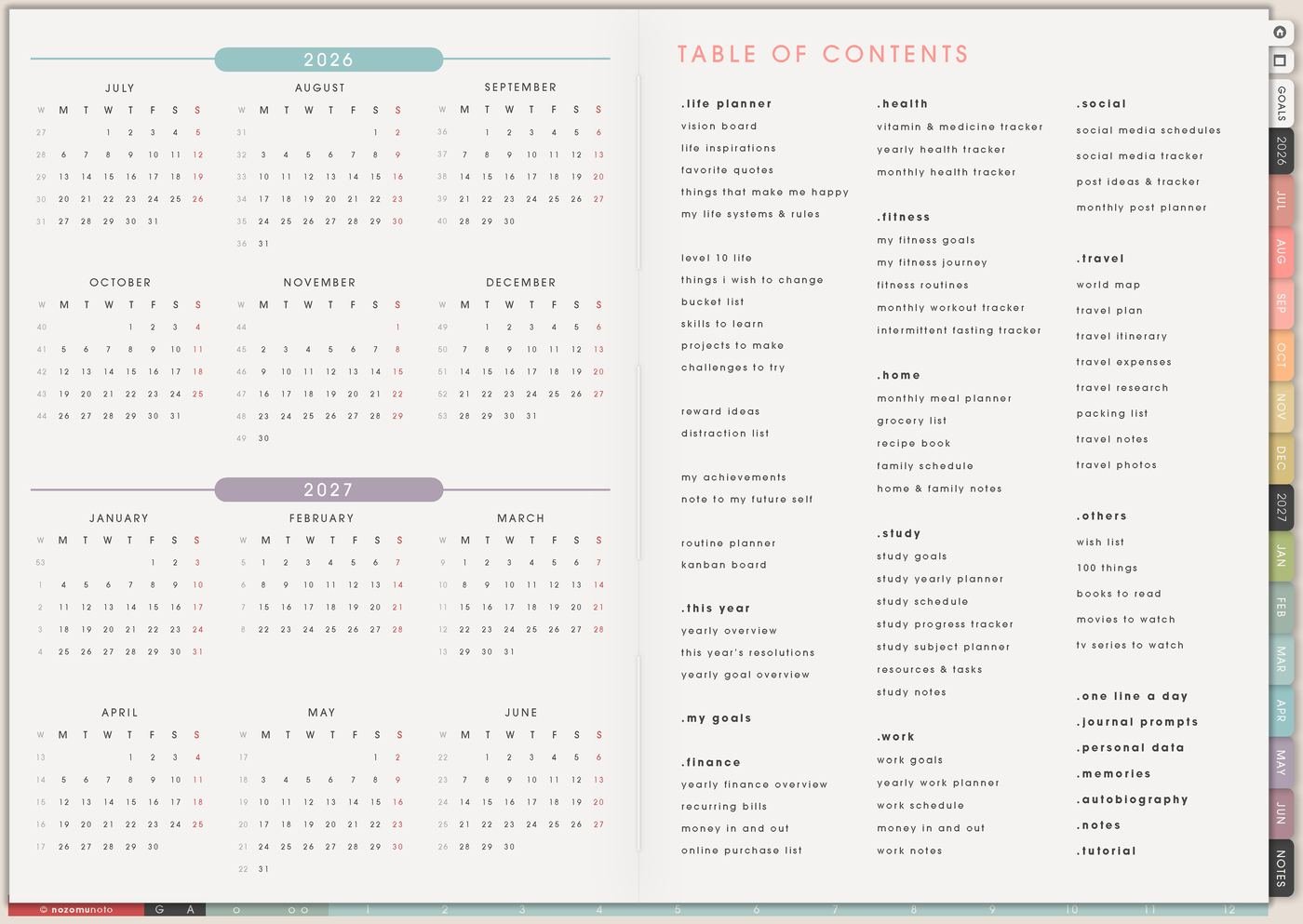
Use Yume Techo as an ADHD digital planner with quick capture, simple weekly planning, visible priorities, flexible routines, and review pages.
I have ADHD, and I know how quickly a planner can feel like one more thing to manage. Use this article to set up Yume Techo as an ADHD-friendly digital planner with one small working loop: Index, Monthly, Weekly, Daily, Notes, and Routines.
Below are practical tips for everyone who wants to start using Yume Techo without opening every page at once: what to prepare first, which page to use for each problem, what to do when you fall behind, and how to keep the planner easy to restart.
A simple ADHD planning setup
Use Yume Techo as a place to catch thoughts quickly, see what matters, and return to tasks without rebuilding your whole system.
Try this setup:
- Keep one daily page for quick capture.
- Keep one weekly page for the few tasks that matter most this week.
- Use the Index page as your home base.
- Use one notebook section for brain dumps, unfinished tasks, and later ideas.
- Use template pages for routines, project steps, and simple review pages.
- Move only the important items forward during review.
You do not need to fill every page or keep a perfect streak. Use the planner as a flexible tool, not a test you have to pass.
This article is a planner workflow only. It cannot diagnose ADHD, treat ADHD, or replace care from a qualified professional.
What to prepare first
- Keep one clean backup. Save the original planner PDF before writing, moving pages, or testing templates.
- Favorite only a few pages. Start with Index, the current Monthly page, the current Weekly page, today, and one Notes page.
- Choose one capture place. Use Notes for brain dumps, sudden ideas, errands, worries, and things that are not ready for a date yet.
- Choose one daily check-in. Morning coffee, lunch, after work, or bedtime. Let one planner routine work before adding more.
- Decide your restart rule. If you miss days, you restart from today. No backfilling unless it genuinely helps.
Practical ways to use the planner
1. Use Index as your return point
When a planner has many tabs, it is easy to search for the perfect page instead of doing the actual thing. Treat Index like the return point. If the planner starts feeling confusing, go back there first. From Index, you can jump to Month, Week, Today, Notes, Template Pages, Routines, Goal Planner, or any specialty page without scrolling page by page.
2. Use Monthly pages for the things that can surprise you
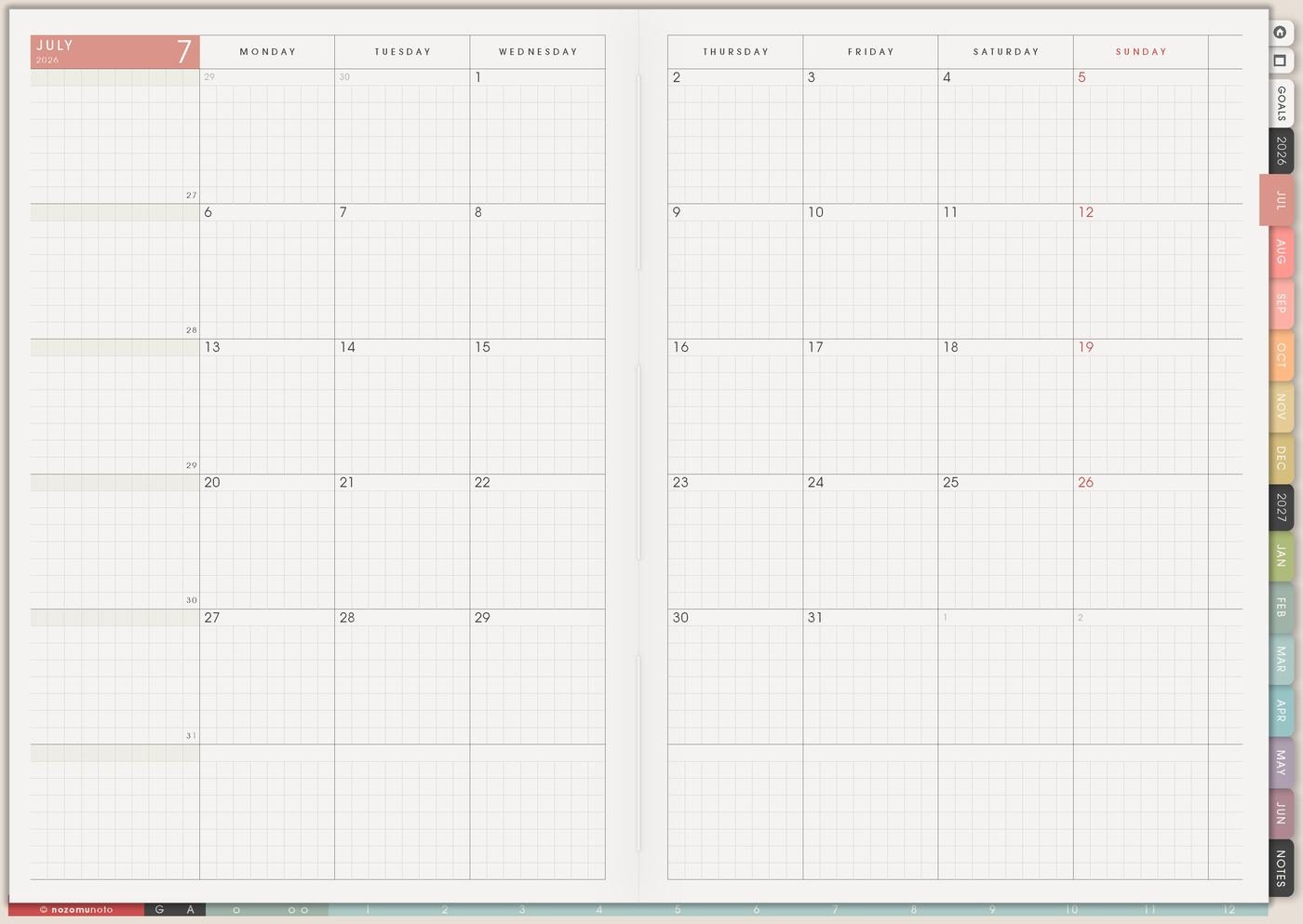
Use Monthly pages for things that can surprise you later: appointments, bills, renewals, exam dates, launches, birthdays, trips, medical appointments, school deadlines, and anything with a real date. Keep random tasks off Monthly unless they belong to a date, because the monthly view should stay easy to scan.
- Example: Put “dentist 10:00”, “Etsy fee review”, “assignment due”, and “subscription renews” on Monthly.
- Keep off this page: extra chores added only because the box is empty.
3. Use Weekly as the home base

Weekly is the home base for the actual plan. Try three zones: Must, Should, and Could. Must is for real consequences. Should is for tasks that make life easier. Could is for high-energy bonus ideas. This prevents “organize stickers” and “pay bill due today” from looking equally urgent.
4. Use Daily pages only for today
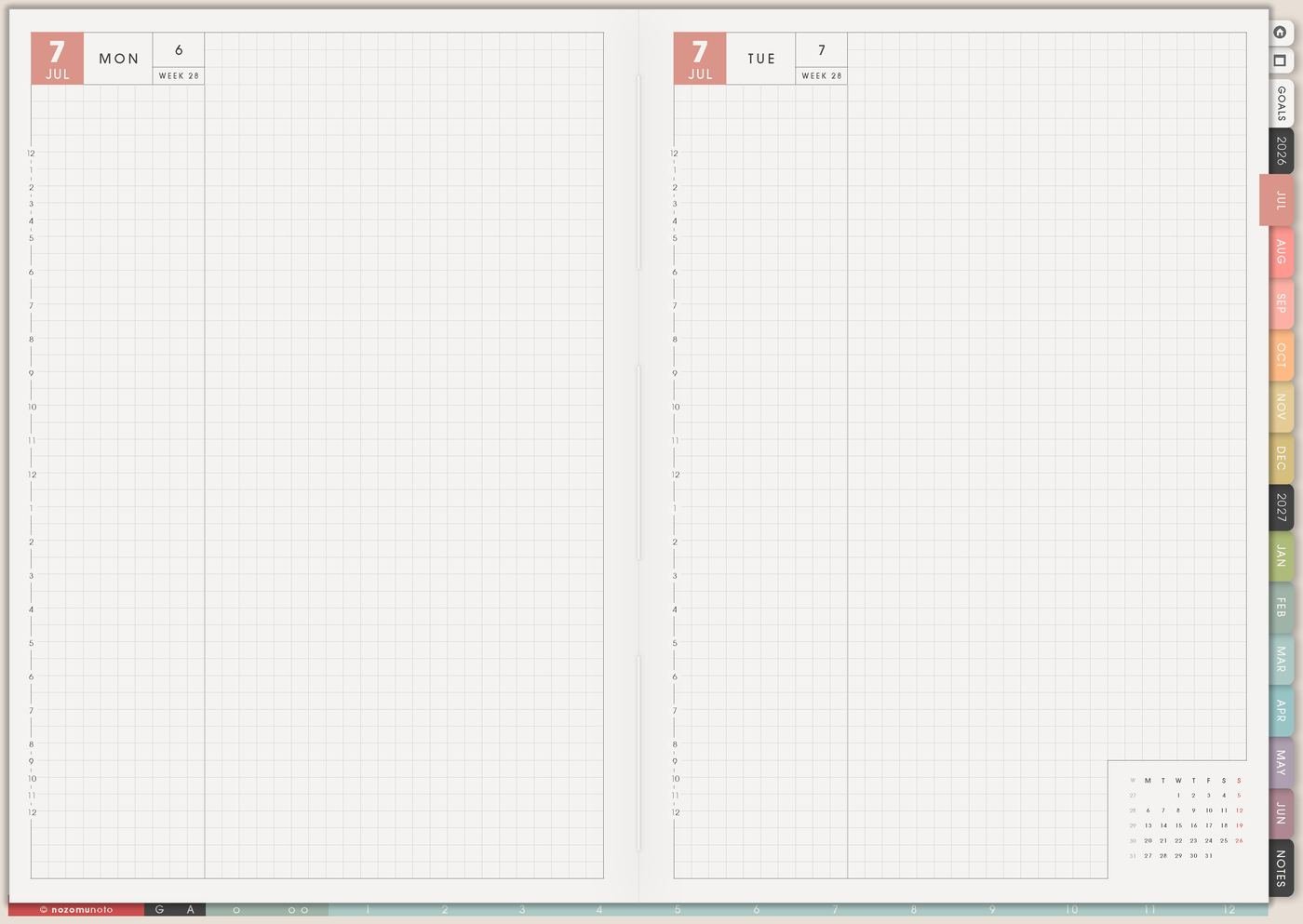
Use Daily pages for today, not for every unfinished task from the past week. Add appointments, three realistic actions, notes, meals, body care, and one tiny recovery step. If the day changes, the page can change too.
- Too big: clean room.
- Better: put laundry in basket.
- Too unclear: study.
- Better: open chapter 3 notes and highlight one section.
5. Use Notes for brain dumps, not Weekly
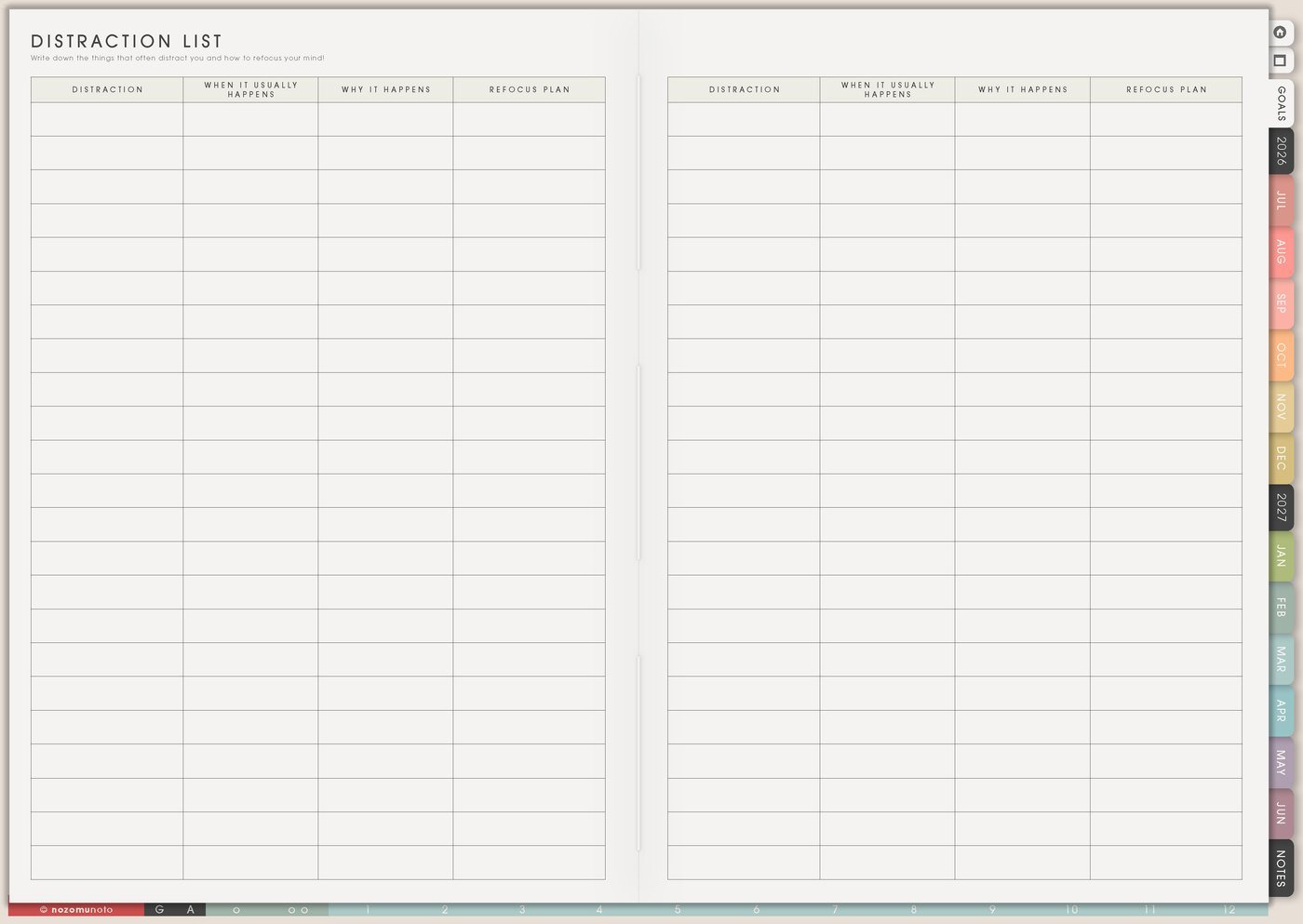
A brain dump can be enormous. Weekly should not be. Put everything on Notes first, then move only a few tasks to Weekly. The full list stays safe, but it does not get to control the whole week.
- Write everything without sorting.
- Circle deadlines, money consequences, appointments, and people waiting.
- Choose three high-relief tasks.
- Rewrite them as tiny next actions on Weekly.
6. Use Routines for low-energy defaults
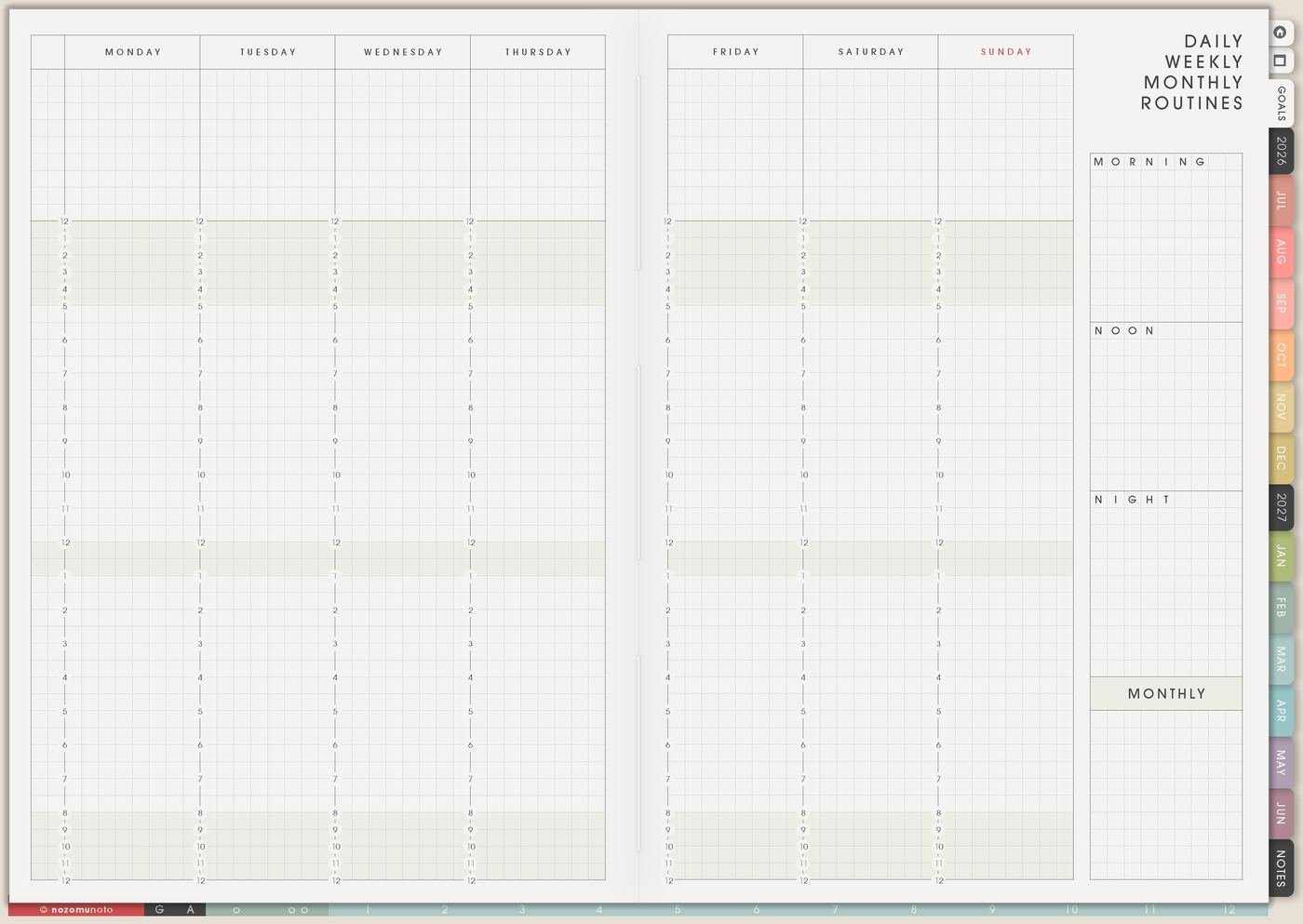
Routines are most useful when they include a minimum version. A normal morning might be water, medication, breakfast, planner, clothes, bag. A low-energy morning might be medication, water, clean shirt, leave.
7. Use trackers for questions, not perfection
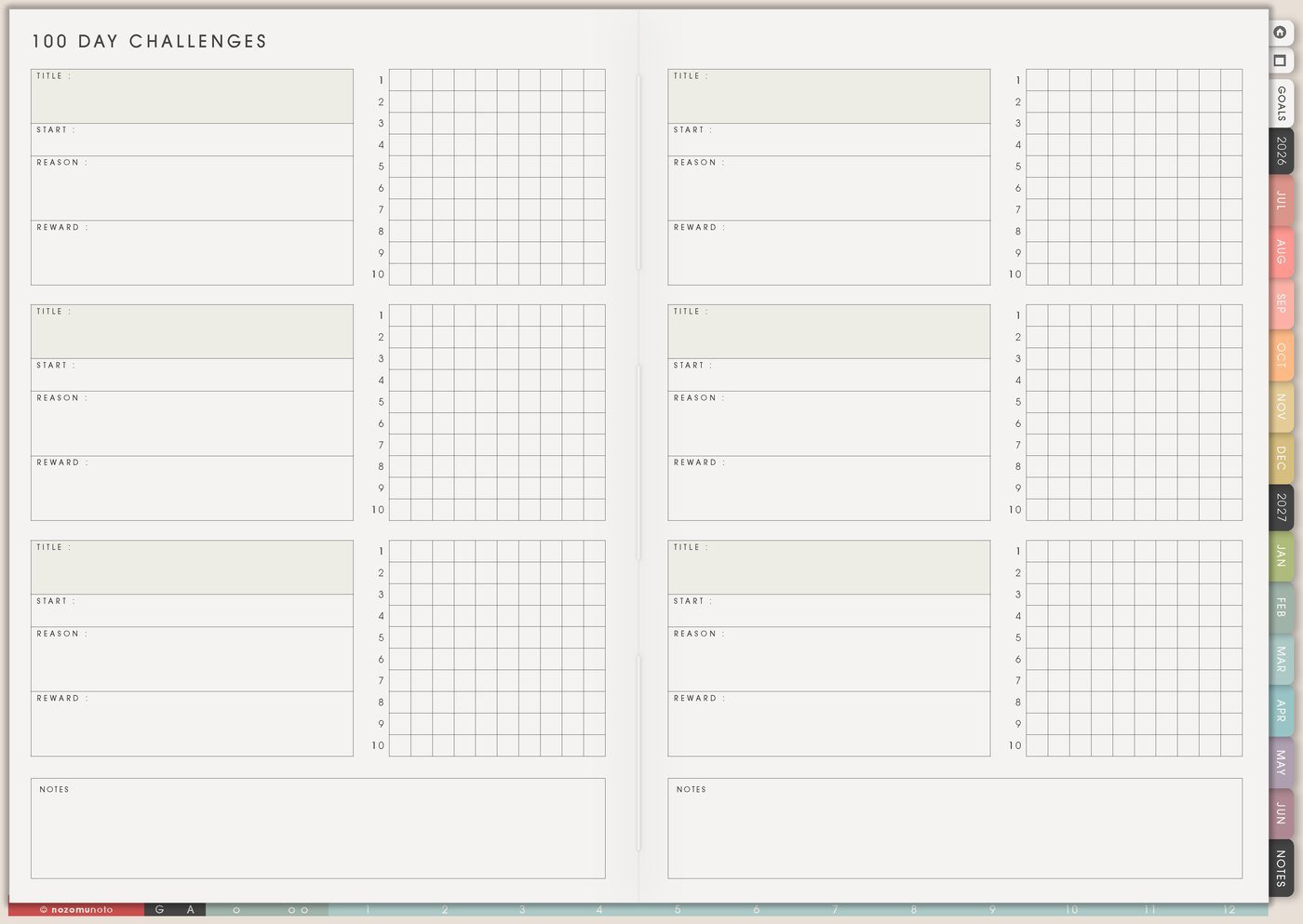
Track only when the information helps you decide something. Sleep, symptoms, spending, migraines, study time, planner-open days, medication refills, and energy patterns can be useful. A tracker that only makes you feel bad should be changed or stopped.
- Useful question: Does sleep get worse before busy work days?
- Useful question: Does spending get higher when meal planning gets skipped?
- Not useful: Can this tracker create a perfect row of checkmarks forever?
8. Use Template Pages when the same problem repeats
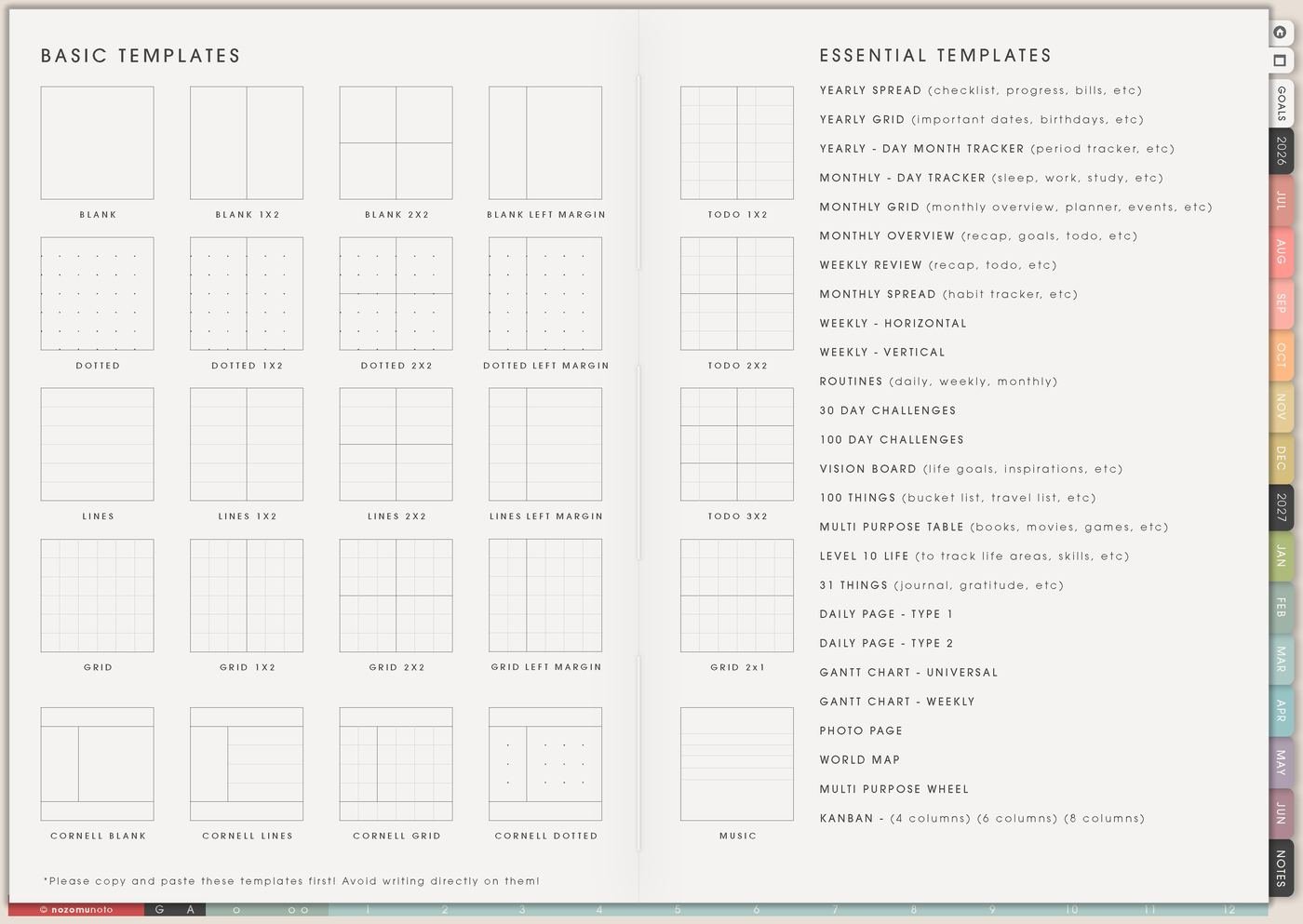
Copy templates when they solve a repeating problem. Copy a Daily Template if daily pages need the same structure. Copy a Yearly Tracker if you need a long pattern. Copy Kanban if projects keep hiding inside to-do lists.
9. Use visual cues carefully
Color, stickers, icons, and tabs can help ADHD planning when they guide attention. They become clutter when every mark asks your brain to interpret something. Pick a small repeating code first.
- Red or star: must do.
- Blue: appointments or school.
- Green: money or admin.
- Heart or flower: body care, rest, joy, or recovery.
10. Use rewards and body doubling on purpose
Planning is easier when the check-in has a small reward attached. Pair it with tea, music, a favorite pen, a cute sticker, or five quiet minutes. For hard tasks, add body doubling with a friend, coworking video, study room, or someone sitting nearby.
11. Use a waiting list
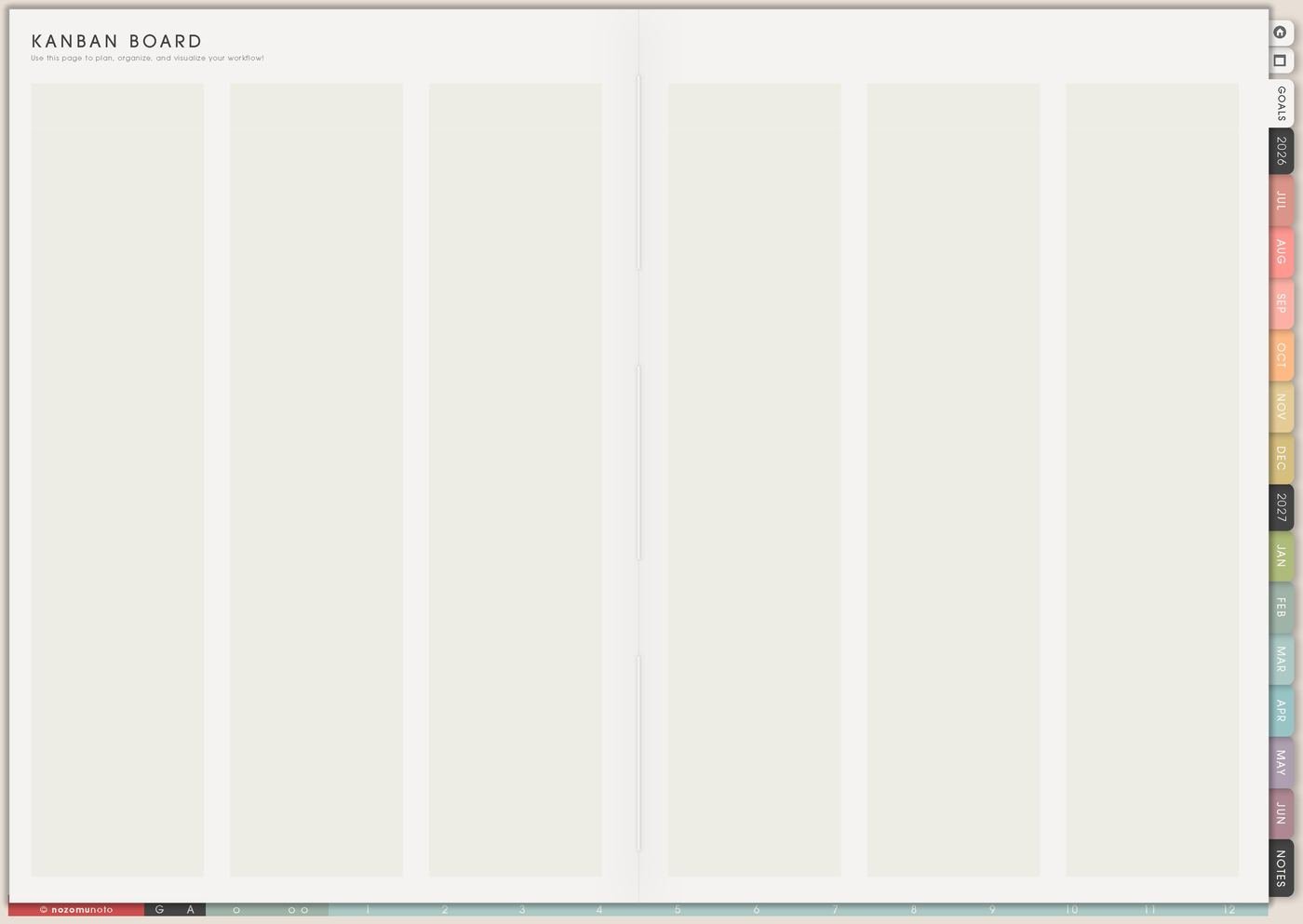
Task lists get stressful when waiting tasks look the same as active tasks. Add a Waiting area on Weekly, Notes, or Kanban for replies, approvals, deliveries, payments, files, and decisions from other people. This keeps active tasks separate from things that cannot move yet.
12. Use Weekly Review as a restart page
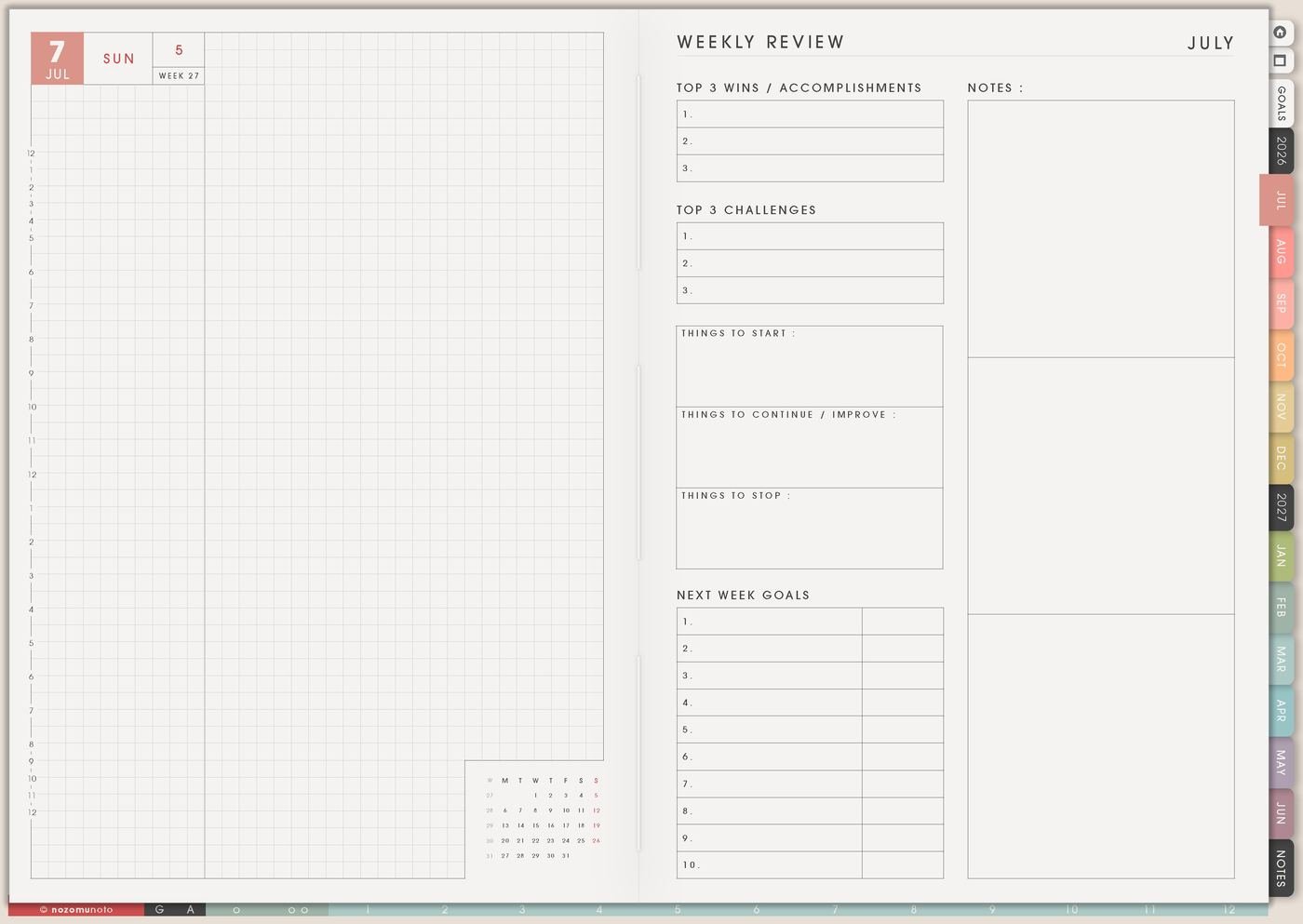
At the end of the week, ask three questions: What still matters? What can disappear? What is the first next action? Blank days can stay simple; the current plan is the important part.
What I usually use it for and how I use it
Tips for using this ADHD planner setup
- Keep the planner visible. Put the planner beside something already part of the day: coffee, keyboard, tablet home screen, desk, bedside table, school bag, or work bag. Favorite Index, Weekly, Today, and Notes so the return path is short.
- Use a ten-minute planning timer. When the timer ends, choose one action with a physical verb: open, wash, email, draft, choose, pay, pack, read, or submit. If the plan keeps growing but no task starts, make the next action smaller.
- Restart from today after missed days. Open the current Weekly page, write “restart from today”, and move only tasks that still matter. Blank pages are just blank pages.
- Rewrite repeating tasks with clearer first moves. If “update website” moves for three weeks, change it to choose one product photo, fix one button, or ask for the missing link.
- Make trackers answer a decision. Use done, partial, skipped, sick, tired, travel, or one tiny note. A skipped mark can mean the routine is too large, the timing is wrong, or the page needs fewer boxes.
- Treat extra pages like a library. Every page does not need daily attention. Open the section that solves today’s problem and leave the rest waiting quietly until it has a real job.
- Protect private details. For health, medicine, money, school, client, account, family, location, or child details, keep sensitive details in a secure place and use short labels in the planner.
Related guides: start Yume Techo without getting overwhelmed, rapid logging in a digital planner, and Yume Techo routines for daily, weekly, monthly, and low-energy systems.
When you need setup help
If the app buttons are the hard part, open how to import the PDF, how to use hyperlinks, how to use NozomuNoto template pages, how to install and use digital stickers, or the main NozomuNoto Help Center.
Final thought
I hope this ADHD planner setup feels easier because it gives every page one clear job. Start small, make the next action visible, keep the full brain dump somewhere safe, and let Yume Techo be a clear place to restart.
Use this with a simple digital planner setup
Start with one small working loop, then add pages only when they solve a real planning problem.
Browse NozomuNoto products
Find the planner, notebook, e-reader file, or add-on that fits the way you actually plan.
About NozomuNoto
NozomuNoto creates Japanese-inspired digital planners, notebooks, stickers, and e-reader PDFs for people who want useful pages that still work in real life.
Yume Techo is built with dated yearly, monthly, weekly, daily, Life Planner, Planner Pages, and Template Pages so one planner can hold study, work, home, ADHD-friendly routines, lists, and creative projects without adding paper bulk.
New to digital planning? Start there, use the Help Center for setup help, or browse NozomuNoto products when you are ready to choose your planner.