

Use these steps to work with NozomuNoto PDF planners, notebooks, stickers, covers, and template pages in Noteshelf. The official links below are for downloads, updates, and current help pages.
Reference links
Use these for current app or device help, downloads, updates, official guides, and manual references.
Best Noteshelf habits
These small habits make NozomuNoto easier to use in Noteshelf.
- Keep one clean backup outside Noteshelf.
- Test one hyperlink before setting up the whole planner.
- Use the Index page as your home base.
- Bookmark the pages you use often.
- Duplicate or copy template pages before writing on them.
- Use page tools carefully when moving, copying, or deleting pages.
- Resize stickers a little at a time so they stay clear.
- Make small setup changes first before changing covers, pages, or sections.
- Export or back up your working copy regularly.
- Learn one feature at a time.
You can enjoy your planner with only the Noteshelf features you need today.
Small Noteshelf habits that help
- Use Read-Only Mode for planner links and Index links, then tap Edit when you want to write again.
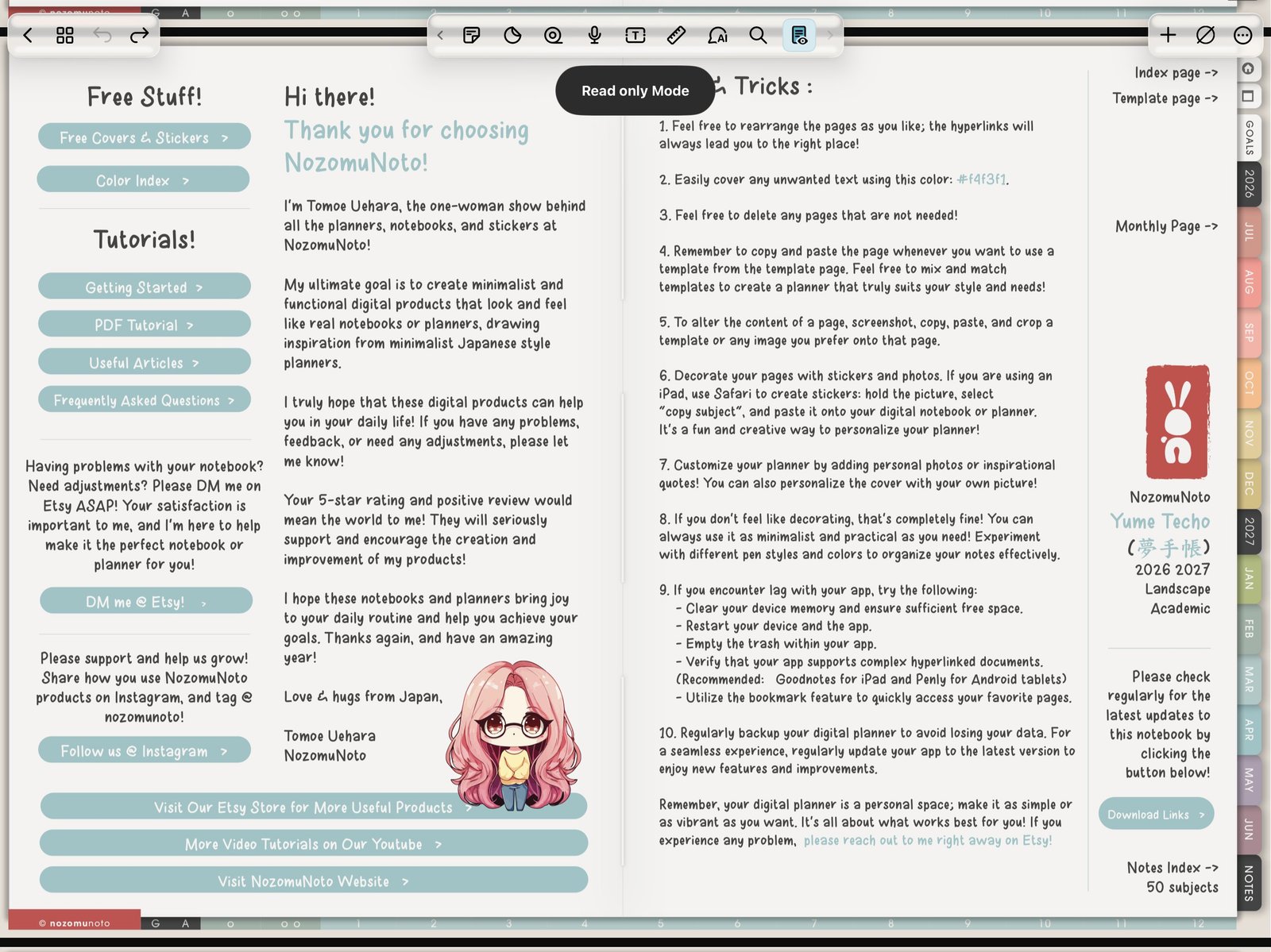
Read-Only ModeUse Read only Mode for navigation, then Edit for writing. Product shown: Yume Techo Academic 26-27 Landscape. - Use the Pages or Finder view when you want thumbnails, bookmarks, duplicate, copy, paste below, move, share, or trash.
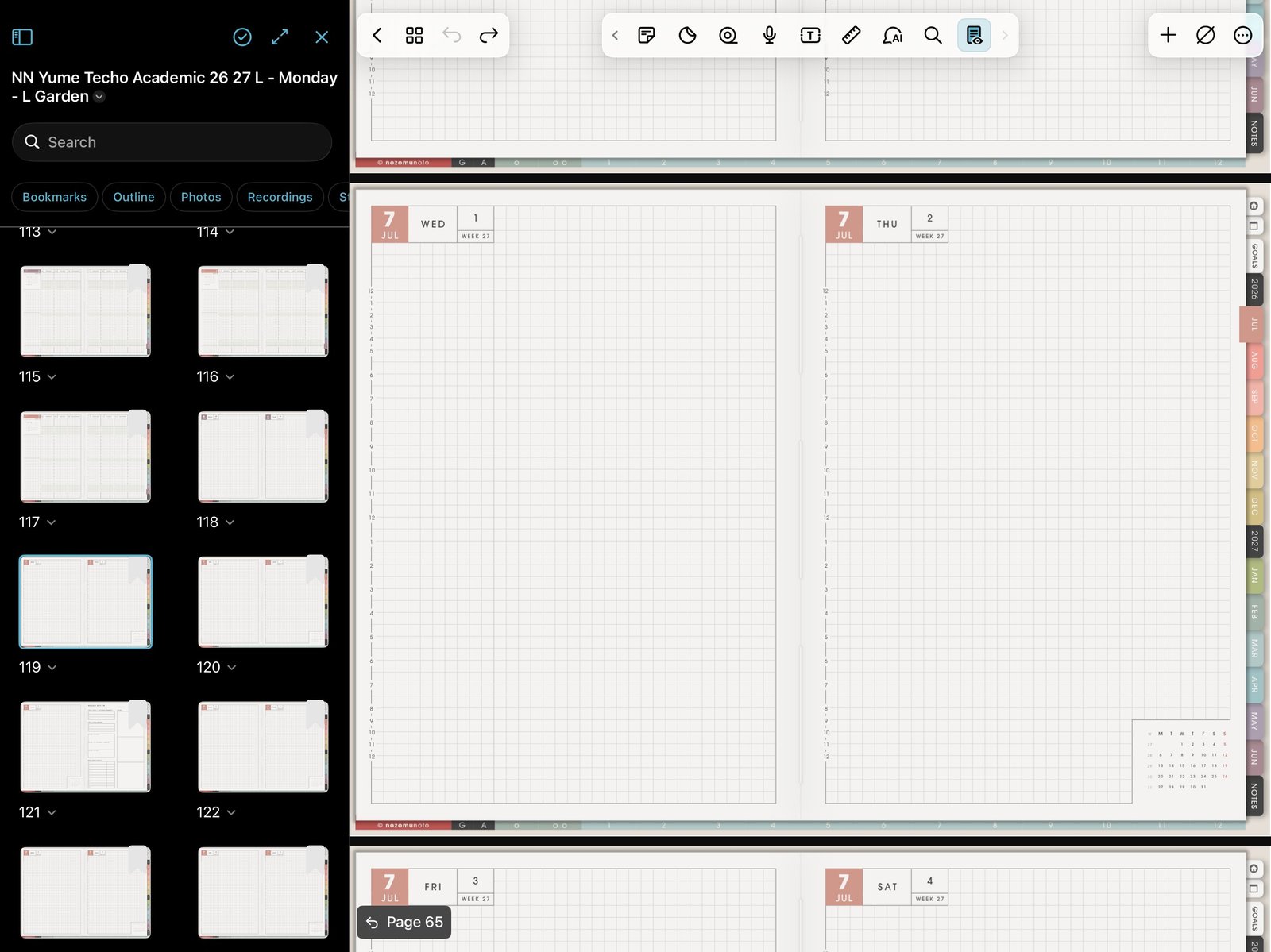
Pages and FinderUse Pages or Finder for thumbnails, bookmarks, and page actions. Product shown: Yume Techo Academic 26-27 Landscape. - Bookmark pages by purpose, not by long product names. Index, This Month, This Week, Notes, Project, and Review are easier to scan.
- Duplicate or copy template pages before writing on reusable NozomuNoto template pages.
- Use Add > Image for PNG stickers and images, then test size and save behavior on one page first.
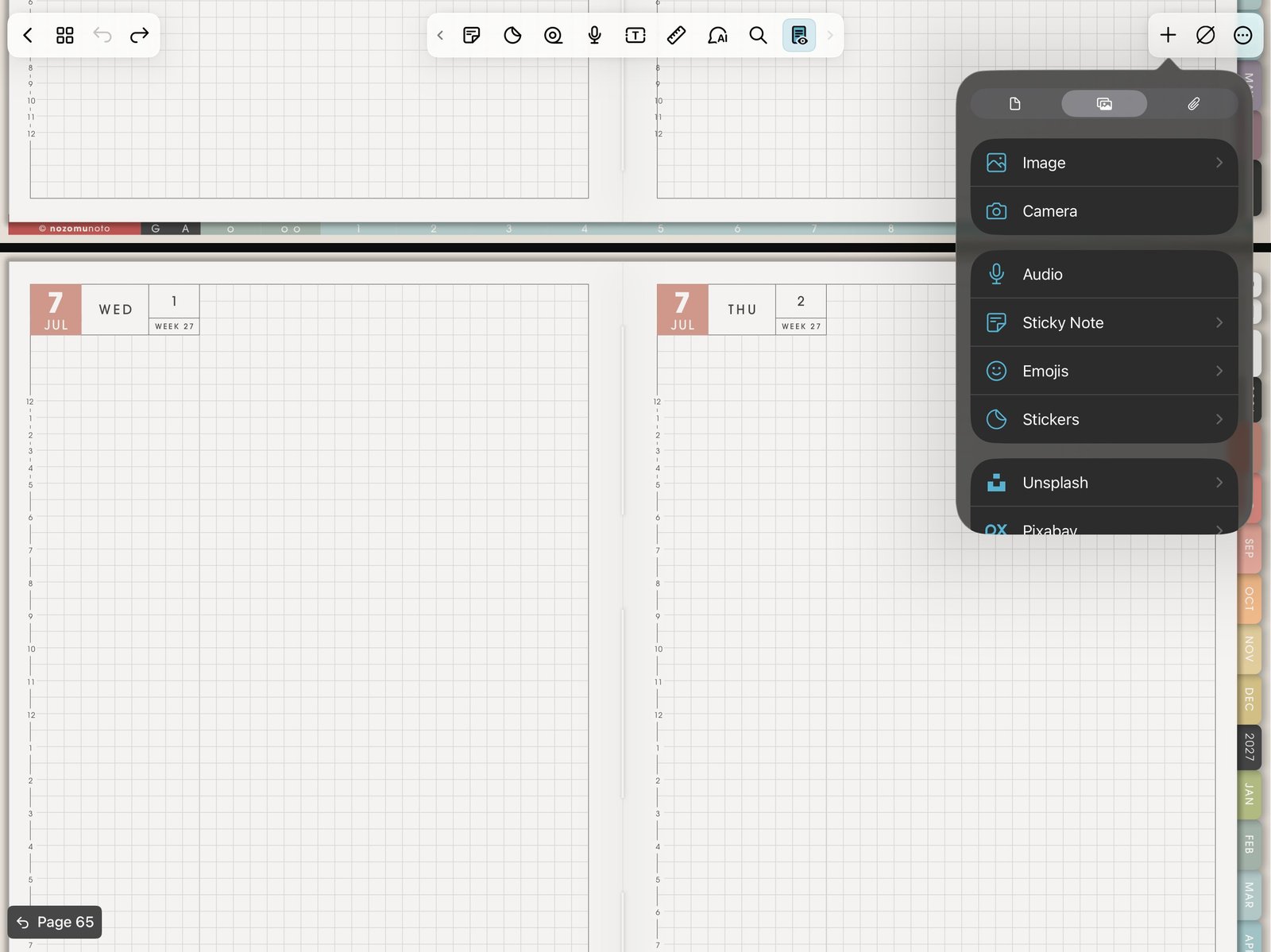
Image testUse one image test before decorating many pages. Product shown: Yume Techo Academic 26-27 Landscape. - Keep one clean imported copy or the original downloaded PDF saved outside Noteshelf so you can start again if the working planner gets messy.
Use this as a shortcut page
This page is the quick habit list after the main tutorials. Use it when you want a short reminder for links, Index pages, template copies, bookmarks, stickers, covers, page tools, and backups.
Best Noteshelf rhythm
Use Read-Only Mode to move, Pages or Finder view to manage pages, and Edit mode to write. That simple rhythm prevents most accidental taps and page confusion.
Small setup changes first
Test one link, one template copy, one bookmark, one sticker, and one backup before changing many planner pages. Small tests make it easier to find what went wrong if the working planner gets messy.
Use the right Help Center article
- Import a NozomuNoto PDF in Noteshelf
- Use planner hyperlinks in Noteshelf
- Use the index page in Noteshelf
- Use template pages in Noteshelf
- Bookmark pages in Noteshelf
- Manage pages in Noteshelf
- Change your cover in Noteshelf
- Handle stickers in Noteshelf
- Noteshelf known problems
- Noteshelf official Read-Only Mode guide
- Noteshelf official page copy guide