

Browse tips
Yume Techo Use Cases
- As a Student
- As a Teacher
- For Moms & Family
- For Work
- For Creative Projects
- For Bible Study
- For Small Business
- For Content Creation
- For Fitness & Health
- For Travel
- For Rapid Logging
- For Life Planning
- For Journaling & Reflection
- For Budget & Finance
- For Meals & Grocery
- For Project Planning
- For Home Management
- For Creative Writing
- For Music Writing
- For Brainstorming
- For Homeschooling
Page-by-Page Use Ideas
Essential Template Pages
- Template Index
- Yearly Spread
- Yearly Grid
- Yearly - Day Month Tracker
- Monthly - Day Tracker
- Monthly Grid
- Monthly Overview
- Weekly Review
- Monthly Spread
- Weekly - Horizontal
- Weekly - Vertical
- Routines
- 30 Day Challenges
- 100 Day Challenges
- Vision Board
- 100 Things
- Multi Purpose Table
- Level 10 Life
- 31 Things
- Daily Page - Type 1
- Daily Page - Type 2
- Gantt Chart - Universal
- Gantt Chart - Weekly
- Photo Page
- World Map
- Multi Purpose Wheel
- Kanban - 4/6/8 columns
- Template Pages
- Level 10
- Daily Template
- Yearly Tracker
Life Planner Pages
- Life Planner Index
- Life Planner
- Vision Board
- Life Inspirations
- Favorite Quotes
- Things That Make Me Happy
- My Life Systems and Rules
- Level 10 Life
- Things I Need To Change
- Bucket List
- Skills To Learn
- Projects To Make
- Challenges To Try
- Resolutions
- Yearly Goal Overview
- Goal Planner
- Reward Ideas
- Distraction List
- My Achievements
- Note To My Future Self
- Routines
- 30 Day Challenges
- Kanban Board
Books
Yume Techo Template Pages Ideas: Which Page Should You Copy First?
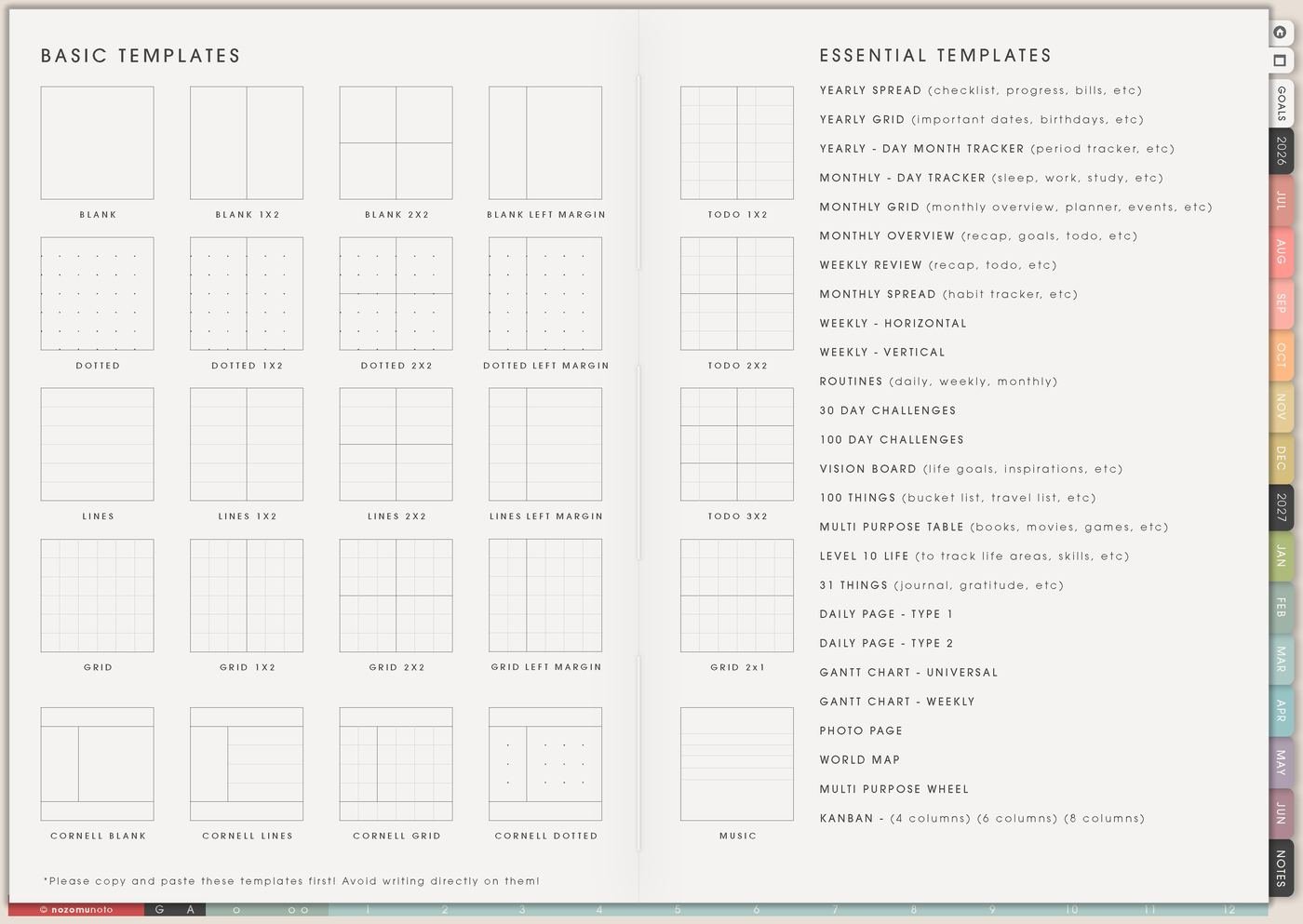
Find useful Yume Techo template page ideas and choose which planner page to copy first for planning, tracking, journaling, projects, home, or study.
Template Pages is the place to go when the normal Monthly, Weekly, or Daily pages are not enough for a repeating problem. This page walks through how to use the Template Pages section in Yume Techo without making your planner cluttered. Template Pages is the section after Index where Yume Techo keeps clean master pages: Daily Template, Yearly Tracker, Level 10, Kanban, notes, grids, tables, maps, lists, and specialty pages you can copy when you need a page with a specific job.
The most important rule is simple: keep the original clean. Copy the template first, rename or move the copy, then write on the copy. That way the master page stays reusable, and every copied page has a clear purpose.
Which template page should you copy first?
Start with the page that matches your real need today. You do not need to copy every template before the planner becomes useful. Choose one page, use it for a normal week, then add more only when you know what is missing.
- Need a simple plan? Copy a daily or weekly page.
- Need to track something? Copy a tracker or table.
- Need project structure? Copy a Gantt chart, Kanban board, or project page.
- Need journaling? Copy 31 Things, 100 Things, or a journal page.
- Need visual planning? Copy the Vision Board, Photo Page, World Map, or Multi Purpose Wheel.
- Need home or family planning? Copy a monthly page, table, or chore-related template.
- Need study planning? Copy a study tracker, table, weekly page, or project page.
Related guides: how to use the Template Index and copy clean template pages, Multi Purpose Table ideas, and Kanban Board ideas.
How to use Template Pages without making clutter
- Choose the job first. Decide whether the problem needs a tracker, a list, a project board, a blank thinking page, or a reusable daily layout.
- Copy only one template. Try it for a real situation before copying more. A copied page should earn its place.
- Name the copied page. Practical names beat pretty names: Sleep Tracker June, Website Kanban, Gift Ideas, Low-Energy Daily.
- Move or bookmark it. Put it near the section where it will actually be used, or favorite it in the app.
- Review after one week. Keep, change, or delete. A copied template is allowed to be an experiment, not a lifelong contract.
Ways to use copied Template Pages
1. Daily Template for repeatable days
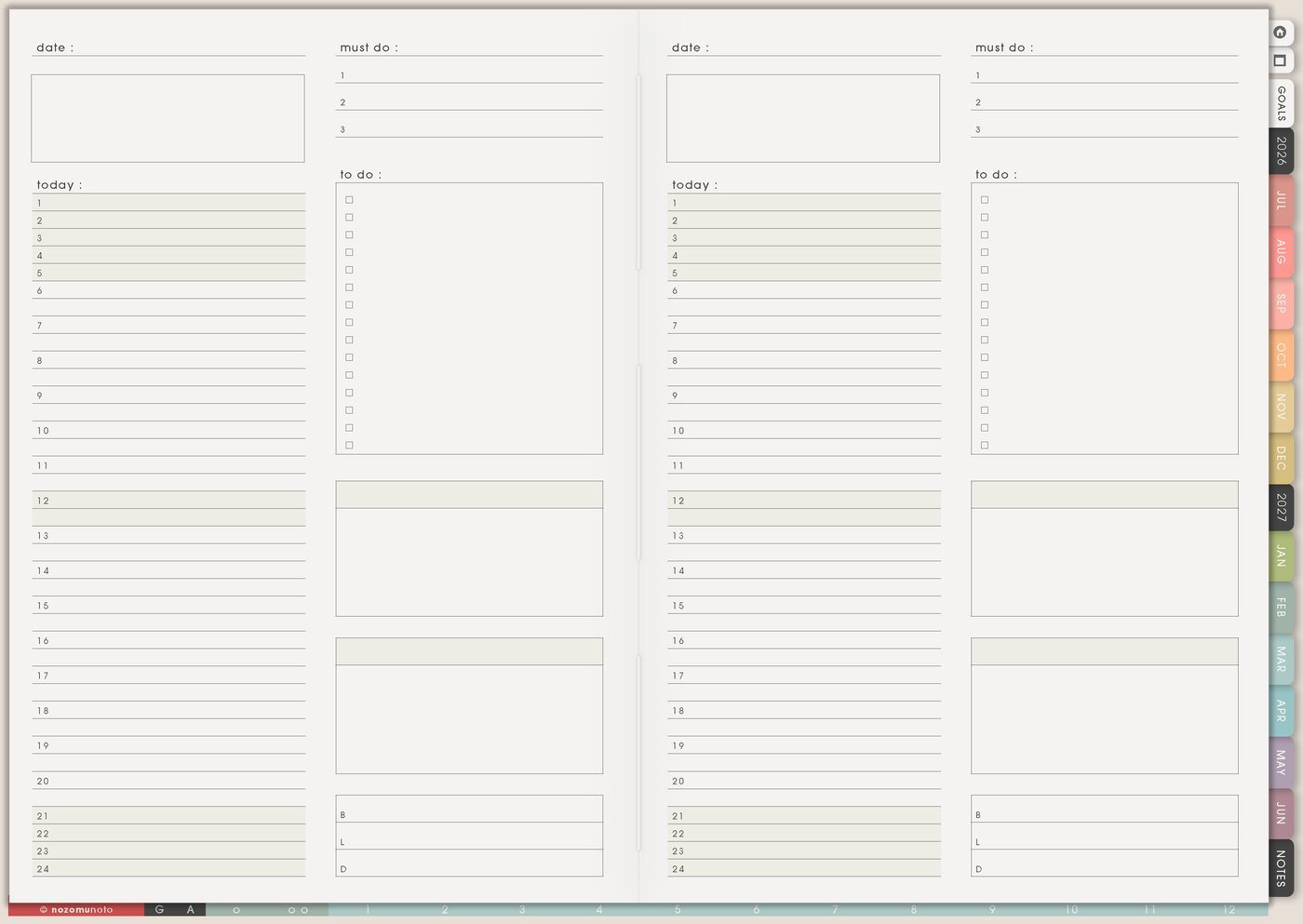
Use Daily Template when your days need the same shape: top three tasks, appointments, meals, notes, errands, body care, tomorrow, and one return point. This is helpful for ADHD days, school days, workdays, busy parenting days, health routines, travel days, launch days, or any season where the day keeps repeating but your brain keeps rebuilding it from zero.
- Student example: classes, assignment next action, reading, review, meal, bag checklist.
- Shop owner example: orders, customer messages, listing update, content, admin, one personal task.
- Home example: appointments, dinner, laundry, medicine, school pickup, tomorrow prep.
2. Level 10 for an honest life check
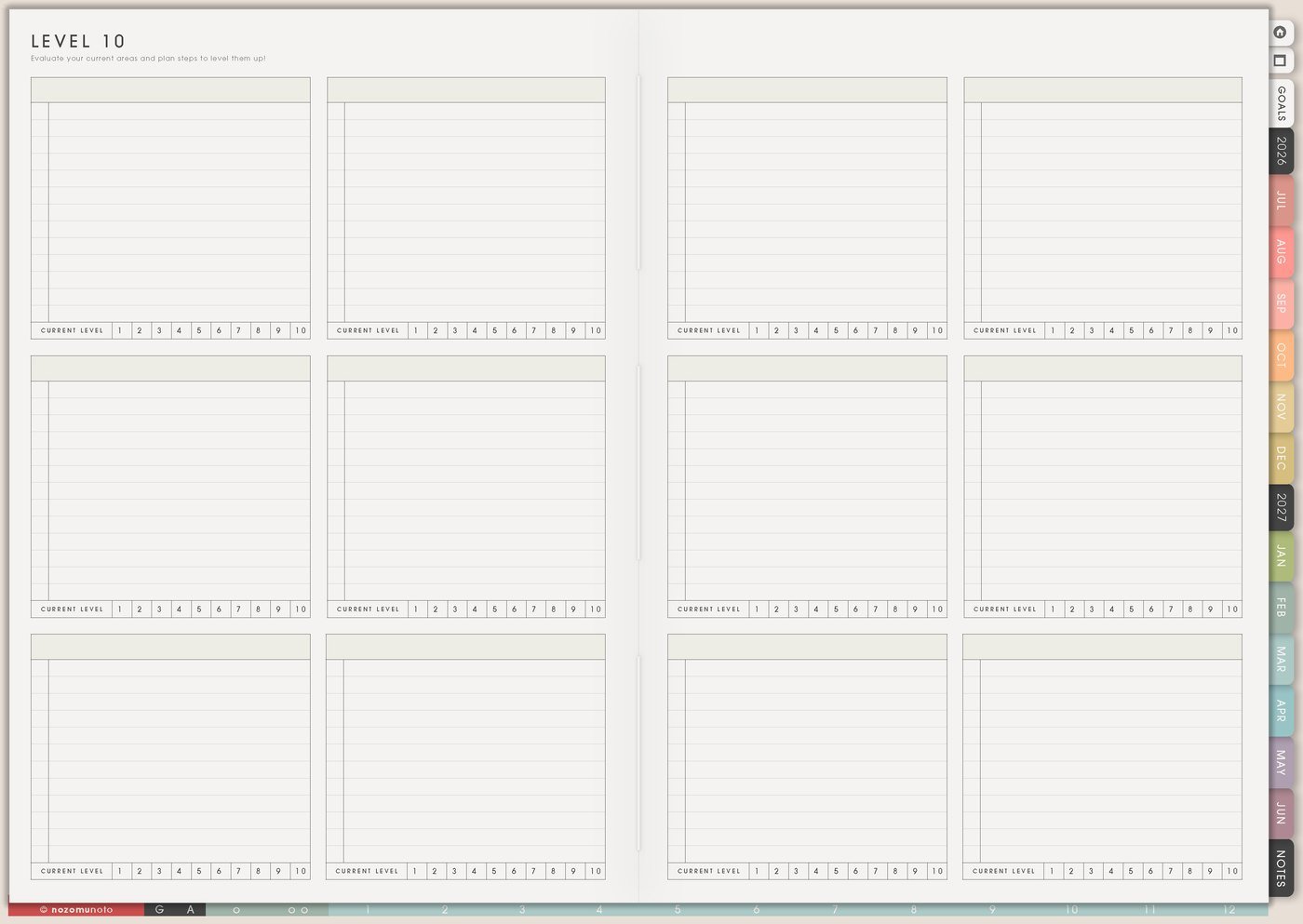
Use Level 10 when you want to look at life areas without turning it into a giant self-improvement project. Rate each area quickly, write one honest sentence, and choose only one area for the month. The page works best when it helps you pick a next care area, not when it becomes a full life makeover.
- Occasions: birthday review, New Year, school break, burnout recovery, moving house, after a hard season.
- Example: If Home feels like a 4, the action might be “clear the dining table every Sunday”, not “become perfectly organized.”
- Simple rule: one rating, one sentence, one next action. More than that can turn the page into homework.
3. Yearly Tracker for long patterns
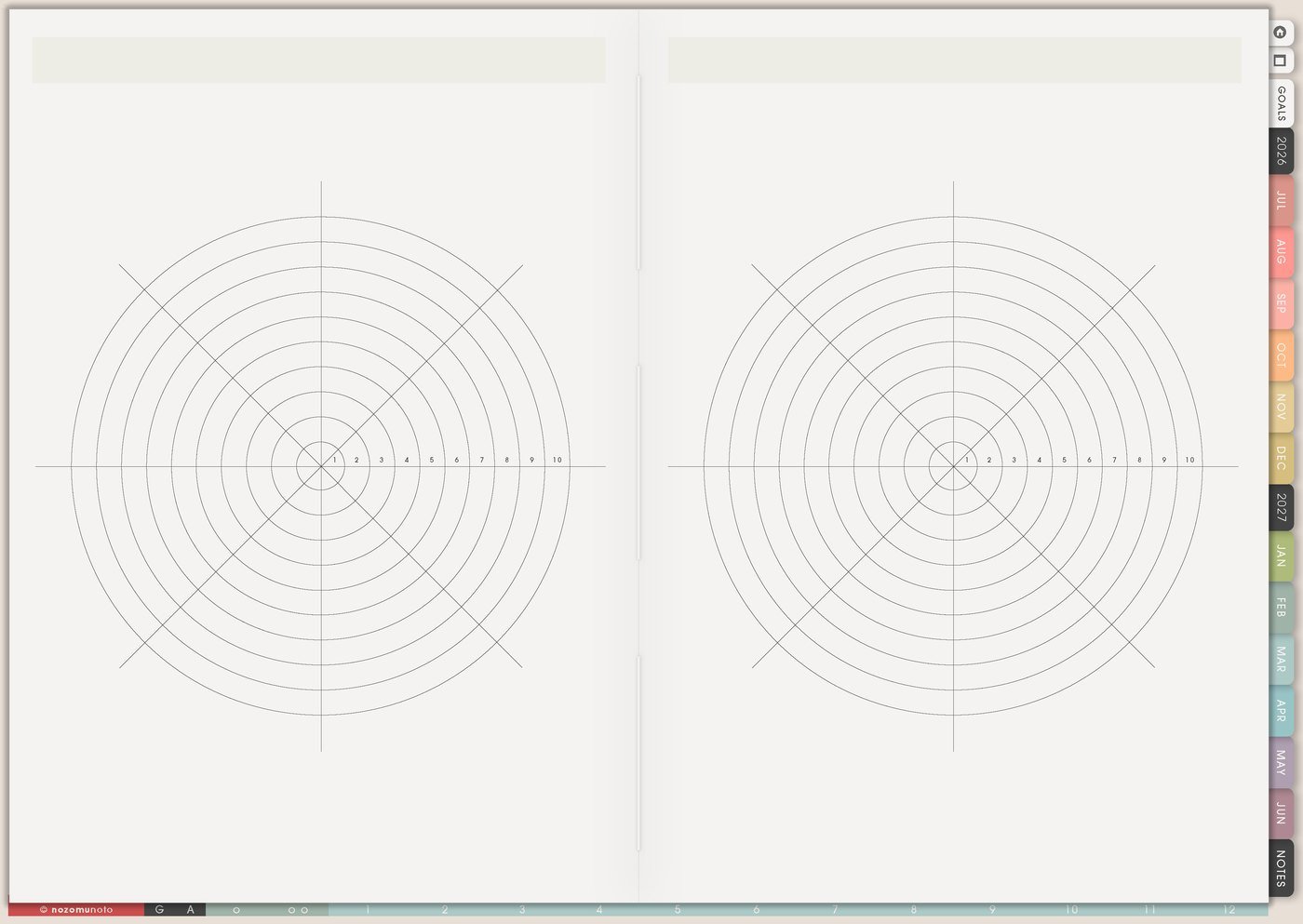
Use Yearly Tracker for patterns that need time: sleep, symptoms, planner-open days, reading, workouts, migraines, spending, cycle notes, medication refills, study sessions, creative practice, social media posting, mood, screen time, pain, energy, or anything that becomes clearer when you can see months at once.
4. Monthly tracker for short experiments
Use a monthly tracker when a yearly view feels too big. It is good for 7-day, 14-day, and 30-day experiments: drink water before coffee, open planner after breakfast, post three times a week, walk after lunch, review spending every Friday, stretch after work, read ten pages, or put your phone outside the bedroom.
Monthly trackers are helpful for experiments because the ending is visible. Everyone can try one behavior for a short season, review what happened, and decide whether it deserves more space.
5. Kanban for projects that keep spreading
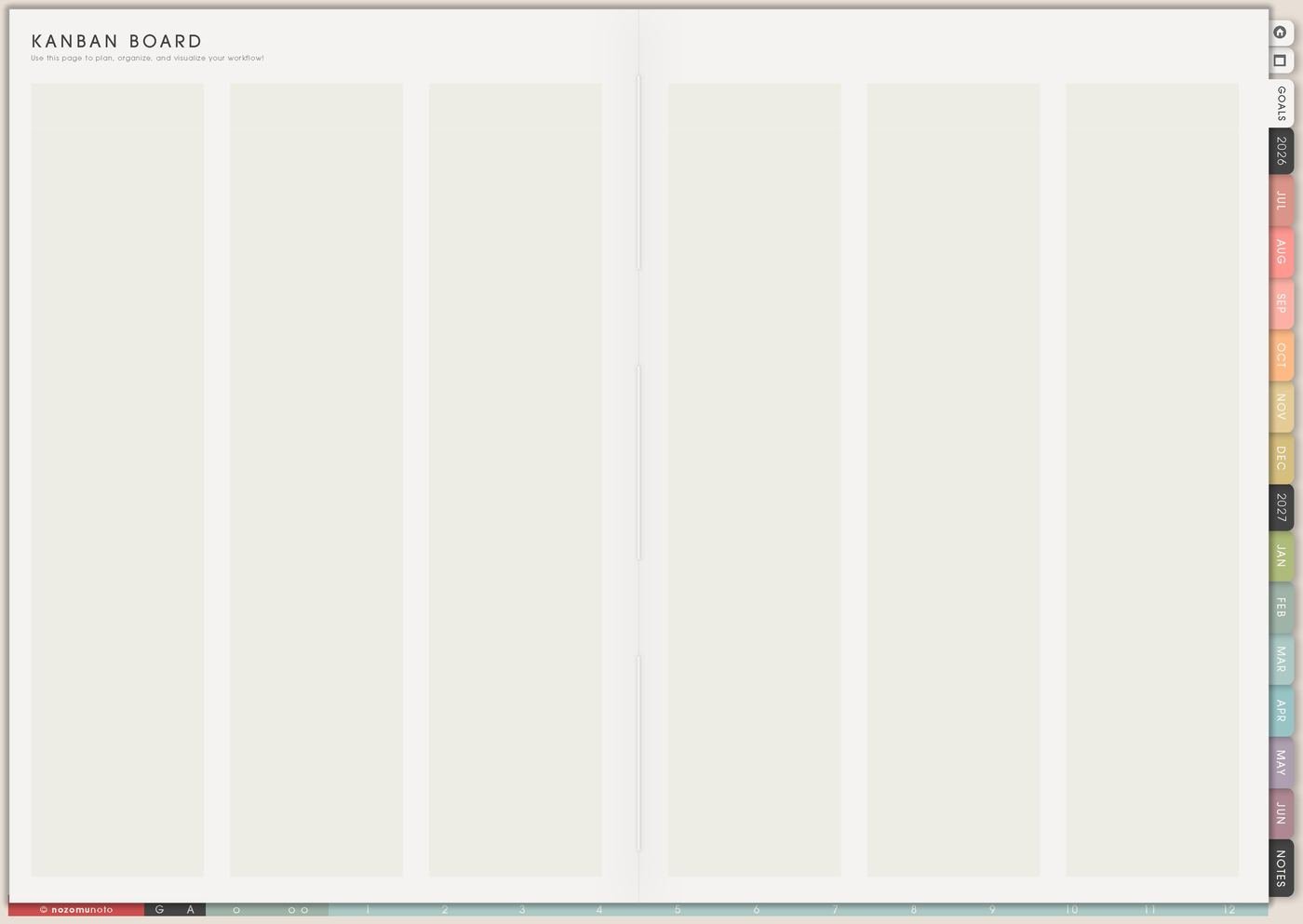
Use Kanban when a normal list hides what is active, waiting, stuck, and done. Try columns like Backlog, This Week, Doing, Waiting, Done. For school, use Assigned, Research, Draft, Review, Submitted. For home, use Ideas, Supplies Needed, This Weekend, Waiting, Finished.
- Home example: declutter closet, buy storage, donate clothes, waiting for shelf delivery.
- Work example: article idea, draft, images, edit, publish.
- Study example: choose topic, sources, outline, draft, submit.
- Keep it usable: if the Doing column has more than three cards, move the extra cards back to This Week or Backlog.
6. Blank Notes for messy thinking
Use blank notes when your thoughts are too early for structure. Brain dumps, meeting notes, class notes, product ideas, home plans, packing ideas, journal pages, decision pros and cons, and emotional processing can all start on a blank page. Capture the messy thought first, then sort it into a table later if it needs structure.
When the page feels overwhelming, circle only the parts that need a date, an action, or a waiting place. Everything else can stay on Notes until it has a real job.
7. Grid or dot pages for visual layouts
Use grid pages for room plans, sticker layouts, habit boxes, content calendars, budget sketches, handwriting practice, mind maps, packing cubes, renovation measurements, capsule wardrobe planning, or drawing a simple dashboard before you build it.
Grid pages are best when space matters. A room plan, a sticker kit layout, or a content calendar is easier to understand when you can see placement instead of keeping every detail in a sentence.
8. Table pages for collections
Use table pages when each item needs the same details. Examples: books to read with author and rating, online orders with tracking and return date, subscriptions with renewal date, gift ideas with price, school assignments with due date and status, recipes with source and family rating, or products with price and launch status.
A table is useful when the same questions keep repeating. Where was it bought? When is it due? How much was it? Was it returned? If the questions repeat, the page probably wants a table.
9. List pages for ideas you want to keep
Use list templates for 100 Things, wish lists, post ideas, recipes to try, places to visit, favorite meals, weekend ideas, gift ideas, challenge ideas, Mother’s Day gift ideas, birthday ideas, date ideas, rainy-day ideas, self-care ideas, books to borrow, or things that make you happy.
List pages are useful because they hold ideas without demanding a date. A good list lets everyone collect “maybe later” without pretending every idea belongs on this week’s task list.
10. Gantt or timeline pages for long projects
Use timeline pages when dates matter across several weeks. This works for launches, exams, moving, travel planning, content batches, renovation, applications, holiday prep, wedding tasks, course creation, and big creative projects.
Mark the real anchors first: deadline, order-by date, travel date, exam week, publish date, or appointment. Then add the preparation steps backward from there. The timeline can become prettier after the important dates are visible.
11. Map pages for travel and memory
Use map-style templates for dream trips, places visited, country study, book settings, family history, food memories, language learning, or a visual travel bucket list. If one place becomes real, move details to Travel Planner or Travel Research.
This can also become a memory page. Mark where family lives, where packages went, where favorite authors are from, or where the next dream trip might be.
12. Photo pages for memory keeping
Use photo templates for trips, ordinary moments, before-and-after progress, favorite meals, outfits, project milestones, screenshots you want to remember, monthly highlights, children’s artwork, shop reviews, or tiny proof that life happened even when the week felt blurry.
Add one short caption under each image: where, when, and why it mattered. The caption is what turns a pretty page into a memory.
13. Finance templates for money clarity
Copy finance-related templates for recurring bills, savings goals, subscriptions, online purchases, wish lists, debt payoff, taxes, business expenses, refund tracking, gift budgets, holiday spending, or a no-buy month. Keep them simple enough to open weekly.
Use finance templates for clarity and decisions. If a page makes money harder to look at, simplify it until it can be opened without dread.
14. Health templates for patterns and appointments
Use health templates for medicine refills, symptoms, energy, appointments, movement, meals, sleep, cycle notes, migraines, pain, vitamins, therapy notes, questions for a doctor, or recovery routines. Keep health notes practical and private.
For health patterns, tiny marks and short notes usually work better than complicated tracking. “Headache after bad sleep” is more usable than a tracker that takes too long to maintain.
15. Study templates for classes and exams
Use study templates for subject planning, assignment breakdowns, study progress, resource lists, exam countdowns, flashcard sessions, weekly review, reading logs, language practice, lab reports, thesis notes, and scholarship applications.
Copy one template per class only if each class genuinely needs its own space. If not, one table for all assignments may be easier to maintain.
16. Content templates for business or social media
Use content templates for post ideas, monthly post planning, launches, YouTube notes, product demos, customer questions, Pinterest ideas, email topics, seasonal campaigns, product education, before-and-after planner pages, and behind-the-scenes notes.
Keep one content idea list and one active content Kanban. Ideas can be messy. Active posts need a next step: screenshot, caption, edit, schedule, publish.
17. Routine templates for daily, weekly, and monthly check-ins
Use routine templates for morning, evening, weekly review, monthly finance check, photo backup, medicine refill, laundry rhythm, cleaning loop, meal planning, Sunday prep, Friday check-in, digital file cleanup, and low-energy defaults.
Always write a minimum version. A routine that only works on a perfect day is not a routine yet; it is a wish list with boxes.
18. Challenge templates for small experiments
Use challenge templates when you want to try a behavior without making it your identity. Add the full action, the fallback action, and a short review. This works for 30-day challenges, reading, walking, drawing, decluttering, hydration, no-spend weeks, posting practice, language learning, or getting back into planning.
- Full action: write one paragraph.
- Fallback: open the document and write one sentence.
- Review: what made it easier or harder?
A simple workflow to try
Tips for copying Template Pages
- Copy one page for one real job. If I copy Kanban, Daily Template, Yearly Tracker, grid pages, meal planner, and three list pages on the first day, I quickly forget which one is active.
- Keep the master page clean. If I write June habits on the original Yearly Tracker or fill the clean Daily Template before duplicating it, I bring in a fresh clean copy from the backup PDF.
- Name the copied page right away. Sleep Tracker June, Website Kanban, and Low-Energy Daily are easier to find than “new page 7”.
- Choose by job, not by page prettiness. Repeating pattern means Yearly Tracker. Moving project means Kanban Board. Repeating day means Daily Template. Life check means Level 10 Template.
- Use only the part that helps. Cross out sections, ignore boxes, or use the template as inspiration. A page does not need to be used perfectly to be worth keeping.
- Use one copied page for three normal days before redesigning it. Redesigning can feel productive while the real first action, like choose photos or write outline, still has not started.
- Decorate after the page proves itself. A plain page with the bill date written down is better than a beautiful finance tracker that never gets opened.
- Keep sensitive details off shared pages. For health, school, client, customer, money, account, family, or private notes, I use initials, broad labels, or a secure place instead of full private details.
When you need setup help
Template Pages helps you decide what to copy and why. If you need exact app steps for copying pages, keeping the clean master page, moving copied pages, bookmarking favorites, importing Yume Techo, using hyperlinks, or adding stickers, use the Help Center guides below.
- How to use NozomuNoto template pages
- How to import your PDF planner
- How to use planner hyperlinks
- How to install and use digital stickers
- Open the Help Center
Tips for using this page
- Choose the one part of this page that helps the current week instead of trying to fill everything at once.
- Move one small next action to Weekly or Daily so the page changes what happens next.
- Keep the page easy to return to by linking it from Index, favorites, bookmarks, or the related planner section.
What I usually use it for and how I use it
Final thought
Template Pages are powerful because they let Yume Techo grow with your real life. Use them slowly. Copy one page for one problem, try it in a normal week, and keep only what makes planning clearer or easier to return to. I hope the best template today is the one page that makes this week a little less tangled.
Browse NozomuNoto products
Find the planner, notebook, e-reader file, or add-on that fits the way you actually plan.
About NozomuNoto
NozomuNoto creates Japanese-inspired digital planners, notebooks, stickers, and e-reader PDFs for people who want useful pages that still work in real life.
Yume Techo is built with dated yearly, monthly, weekly, daily, Life Planner, Planner Pages, and Template Pages so one planner can hold study, work, home, ADHD-friendly routines, lists, and creative projects without adding paper bulk.
New to digital planning? Start there, use the Help Center for setup help, or browse NozomuNoto products when you are ready to choose your planner.