

Browse help topics
Getting Started
Need help choosing?
Need help after purchase?
Download & Import
Using your notebook/planner
- How to change or reuse template pages on planner landing pages
- Why stickers look blurry when enlarged
- What to check if a product does not work on your device
- How to use NozomuNoto index pages
- How to use NozomuNoto template pages
- How to change a digital planner cover
- How to install and use digital stickers
Product Tutorials
- How to use Yume Techo Landscape tutorial pages
- How to use Yume Techo Portrait tutorial pages
- How to use Shibui Techo Weeks tutorial pages
- How to use Shibui Techo Months tutorial pages
- How to use Yume Noto V1 Landscape tutorial pages
- How to use Yume Noto V1 Portrait tutorial pages
- How to use Yume Noto V2 Landscape tutorial pages
- How to use Yume Noto V2 Portrait tutorial pages
- How to use Yume Noto V3 Portrait tutorial pages
- How to use NozomuNoto Ultimate Digital Stickers
- How to use NozomuNoto Digital Covers
- Which NozomuNoto instruction or tutorial file should I open first?
Device & App
iOS / iPadOS
GoodNotes
Notability
Noteshelf
Noteful
StarNote
Flexcil
Kilonotes
Android
StarNote
Samsung Notes
Penly
Flexcil
Noteshelf
Xodo
E-reader Devices
Boox devices
reMarkable
Bigme
Supernote
How to Import a NozomuNoto PDF into Noteshelf on Android
Learn how to import a NozomuNoto PDF into Noteshelf on Android, choose the right planner file, extract ZIP folders, and save a backup.
On this page
Use these steps to work with NozomuNoto PDF planners, notebooks, stickers, covers, and template pages in Noteshelf. The official links below are for downloads, updates, and current help pages.
Before importing into Noteshelf
Make sure you are importing the correct file before you open Noteshelf on Android.
- Save the original download as your clean backup.
- If the download is a ZIP file, extract it first and open the extracted folder.
- Choose the actual NozomuNoto planner or notebook PDF.
- Skip receipts, preview pages, ZIP files, cover files, sticker files, and instruction-only PDFs for planner import.
- Use Import File from Noteshelf All Notes or the plus menu, then choose the PDF and tap Select.
- Open the imported planner or notebook, test one link, and write one small note before setting up everything.
Reference links
Use these for current app or device help, downloads, updates, vendor help, and manual references.
Import the PDF into Noteshelf on Android
- Save and extract the NozomuNoto download first so the PDF is visible outside the ZIP file.
- Open Noteshelf on the All Notes screen.
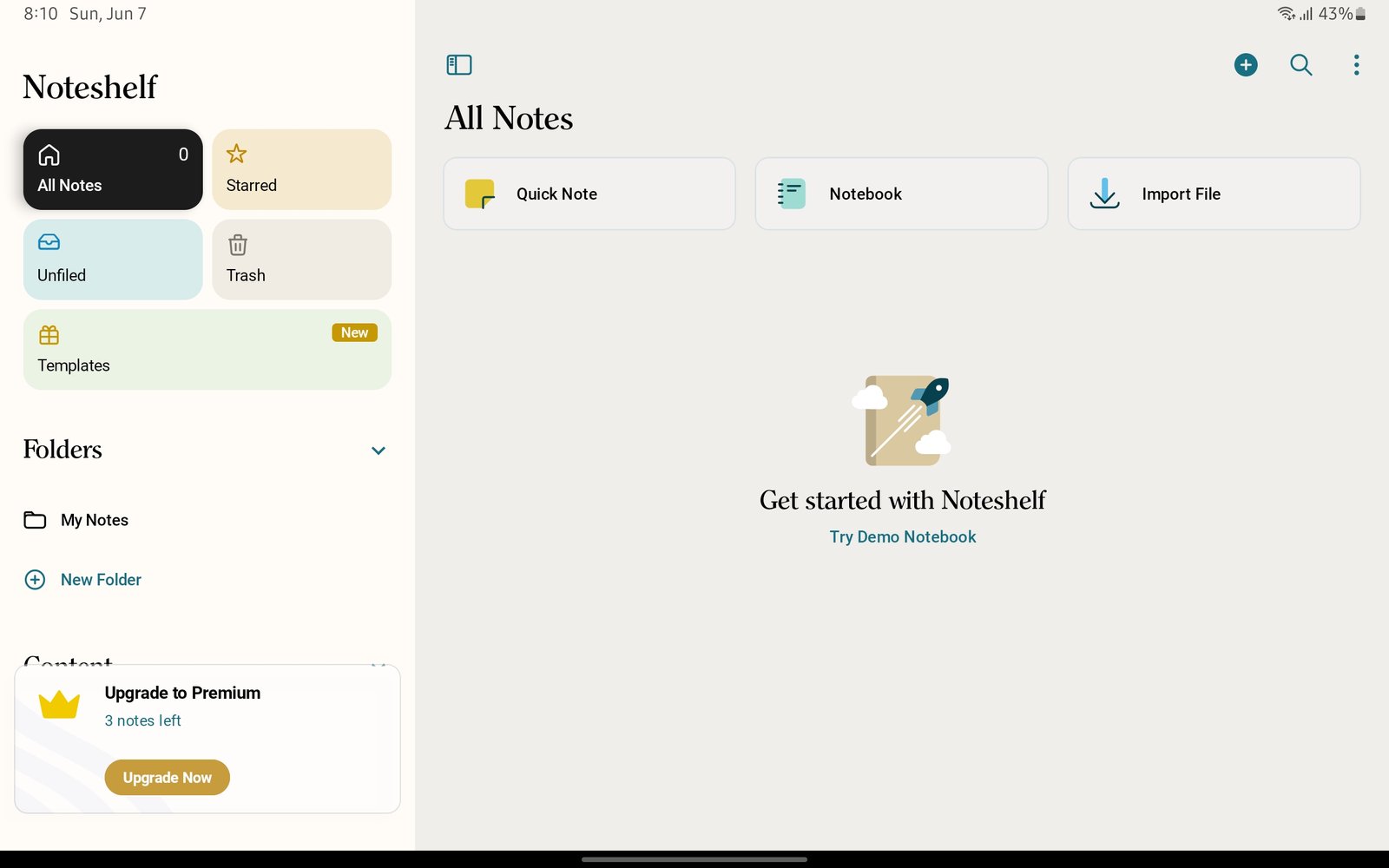
Noteshelf All NotesStart from Noteshelf All Notes before importing the NozomuNoto PDF. Product shown: Yume Techo Academic 26-27 Landscape. - Tap Import File. If you use the plus menu, choose Import File there too.
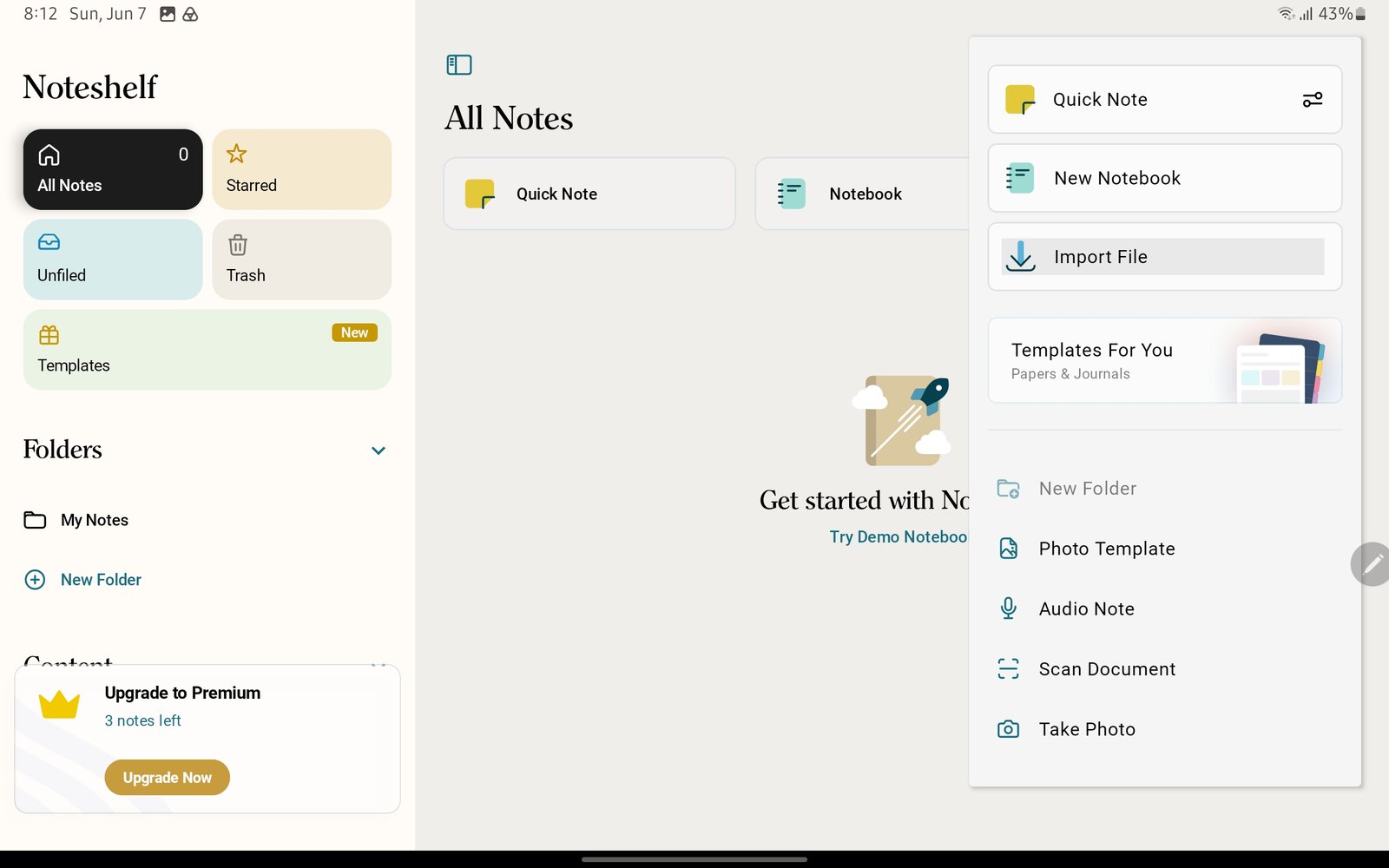
Import FileUse Import File from the Noteshelf start screen or plus menu. Product shown: Yume Techo Academic 26-27 Landscape. - In the Android file picker, select the NozomuNoto PDF from Drive, My Files, OneDrive, Gallery, or the folder where you saved it.
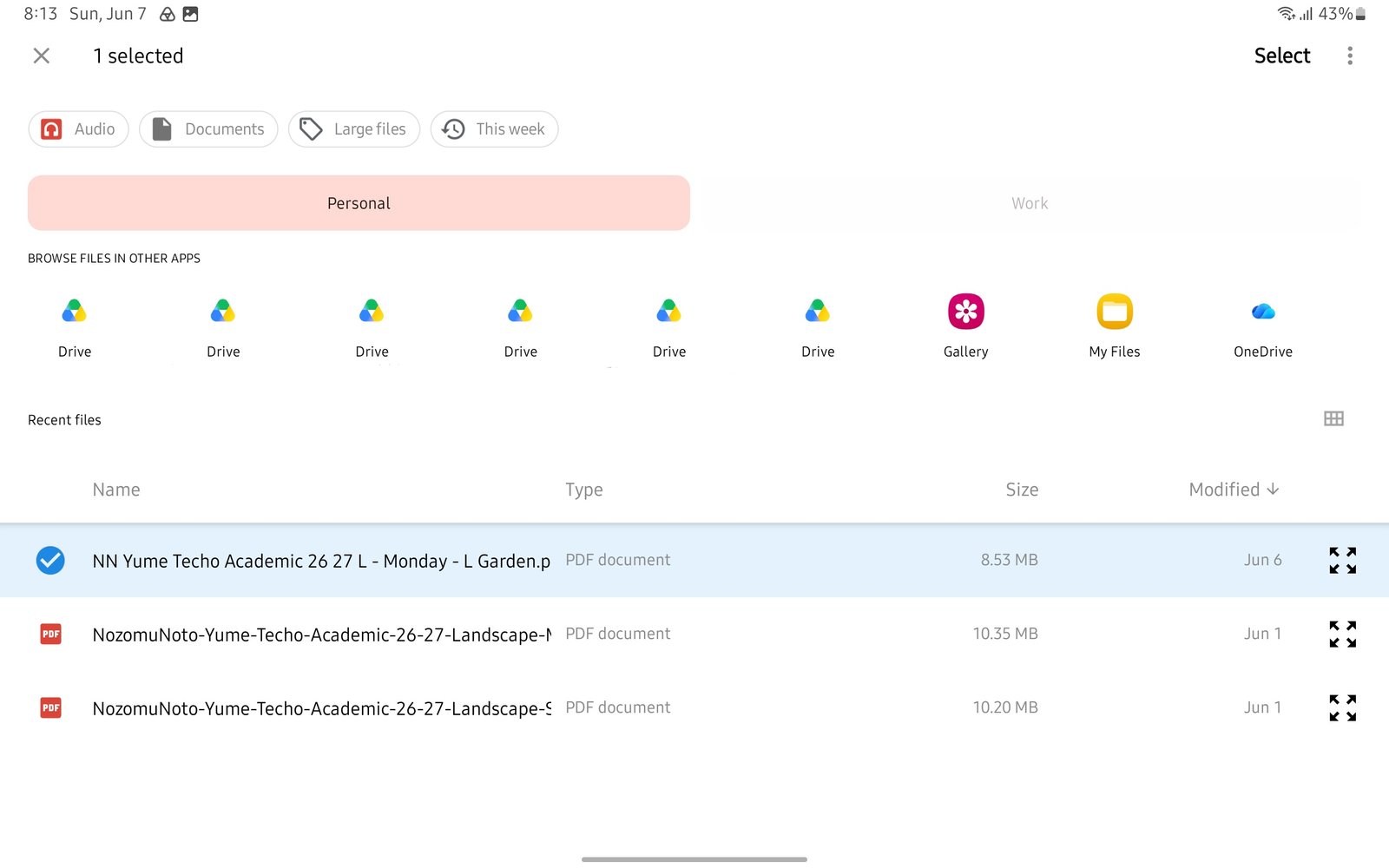
Android file pickerSelect the extracted NozomuNoto PDF, then tap Select. Product shown: Yume Techo Academic 26-27 Landscape. - Tap Select, then wait for the planner card to appear in Noteshelf.
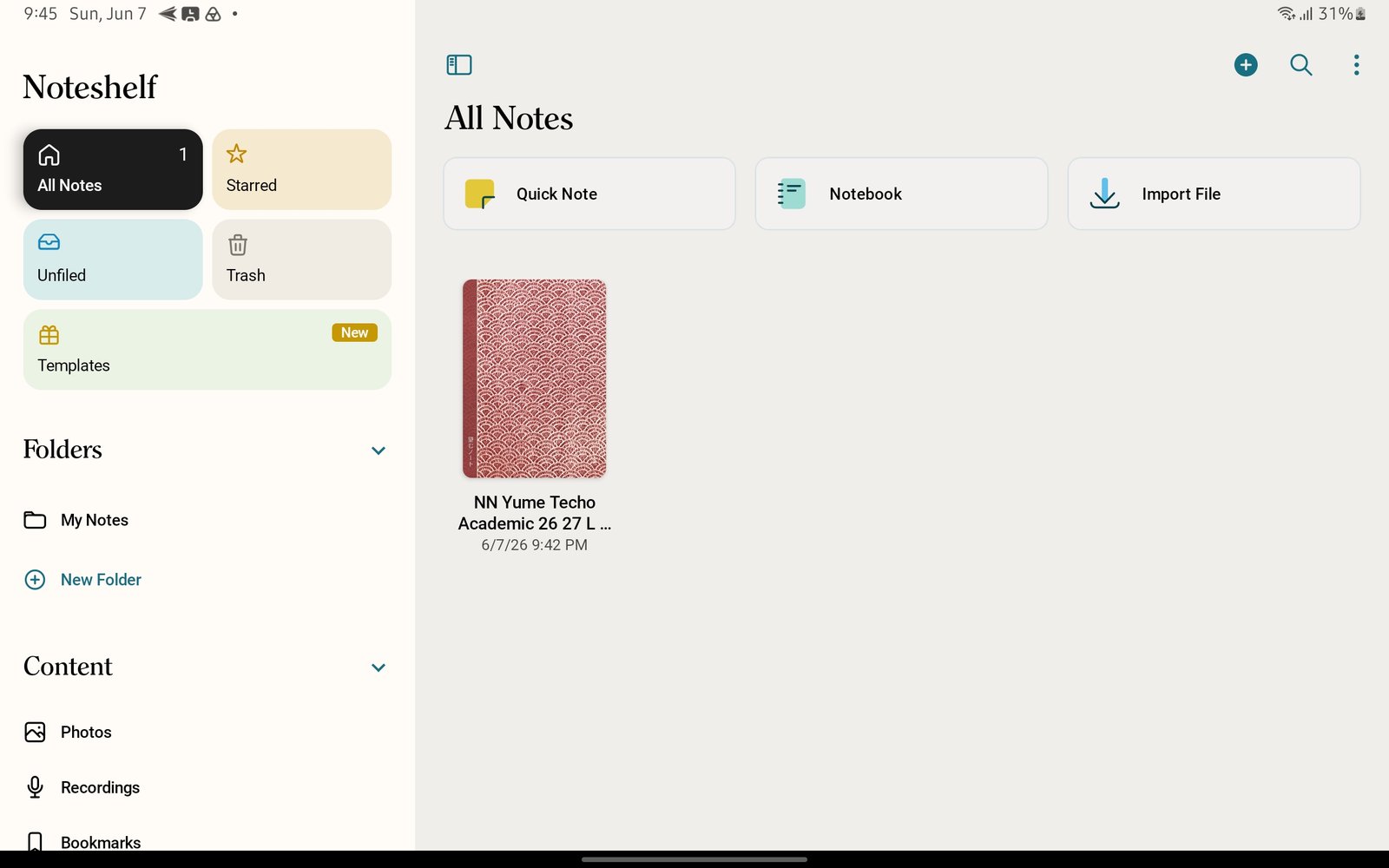
Imported planner cardThe imported planner appears as a notebook card in Noteshelf. Product shown: Yume Techo Academic 26-27 Landscape. - Open the imported planner and check the cover, Index, and one date page before writing heavily.
Noteshelf Android import checks
1. Choose the planner or notebook PDF
Use the actual NozomuNoto planner or notebook PDF from the extracted folder. Receipts, previews, ZIP files, cover files, sticker files, and instruction-only PDFs are not the planner file.
2. Keep one clean backup
Noteshelf imports the planner as a working notebook. Keep the original NozomuNoto PDF somewhere safe, then use the Noteshelf copy for handwriting, page tests, and daily planning.
3. Keep the first test tiny
After import, open the planner, test one Index link or month tab, and write one small note before setting up the whole planner.
Next Noteshelf Android import links
Still need help?
Send your order number, product name, device, app, and a screenshot or short screen recording if the issue is visual.