

Use these steps to work with NozomuNoto PDF planners, notebooks, stickers, covers, and template pages in Samsung Notes. The official links below are for downloads, updates, and current help pages.
Reference links
Use these for current app or device help, downloads, updates, vendor support, and manual references.
Use the Index page in Samsung Notes
- Open the imported NozomuNoto planner.
- Tap the book/read mode icon before using linked planner areas.
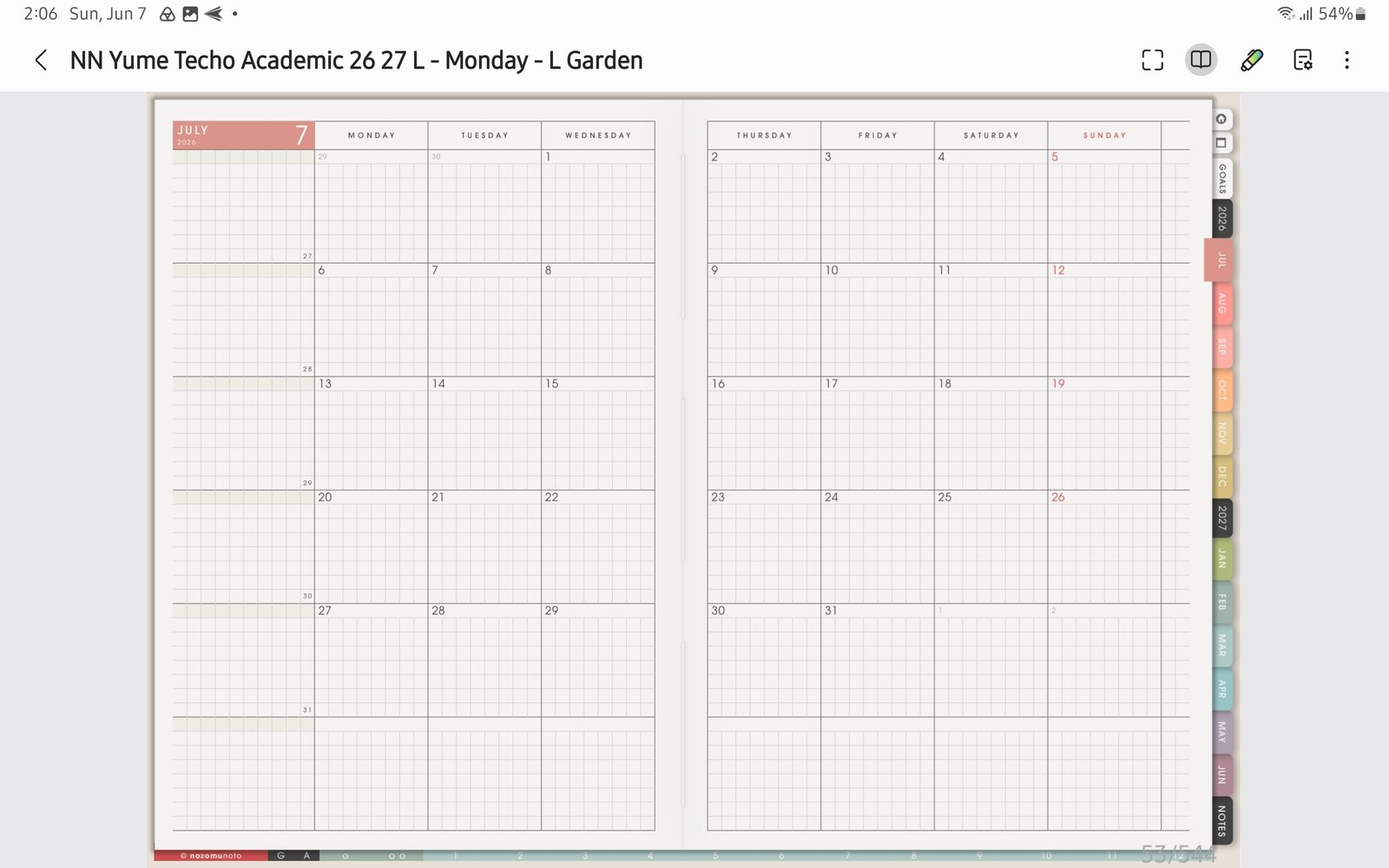
Book / read modeUse the book icon before tapping the NozomuNoto Index or planner tabs. Product shown: Yume Techo Academic 26-27 Landscape. - Go to the NozomuNoto Index page or tap the printed Index tab.
- Tap the linked section, month, template group, or planner area you want to open.
- Use the page sorter / thumbnail icon when you want to jump visually by page preview instead.
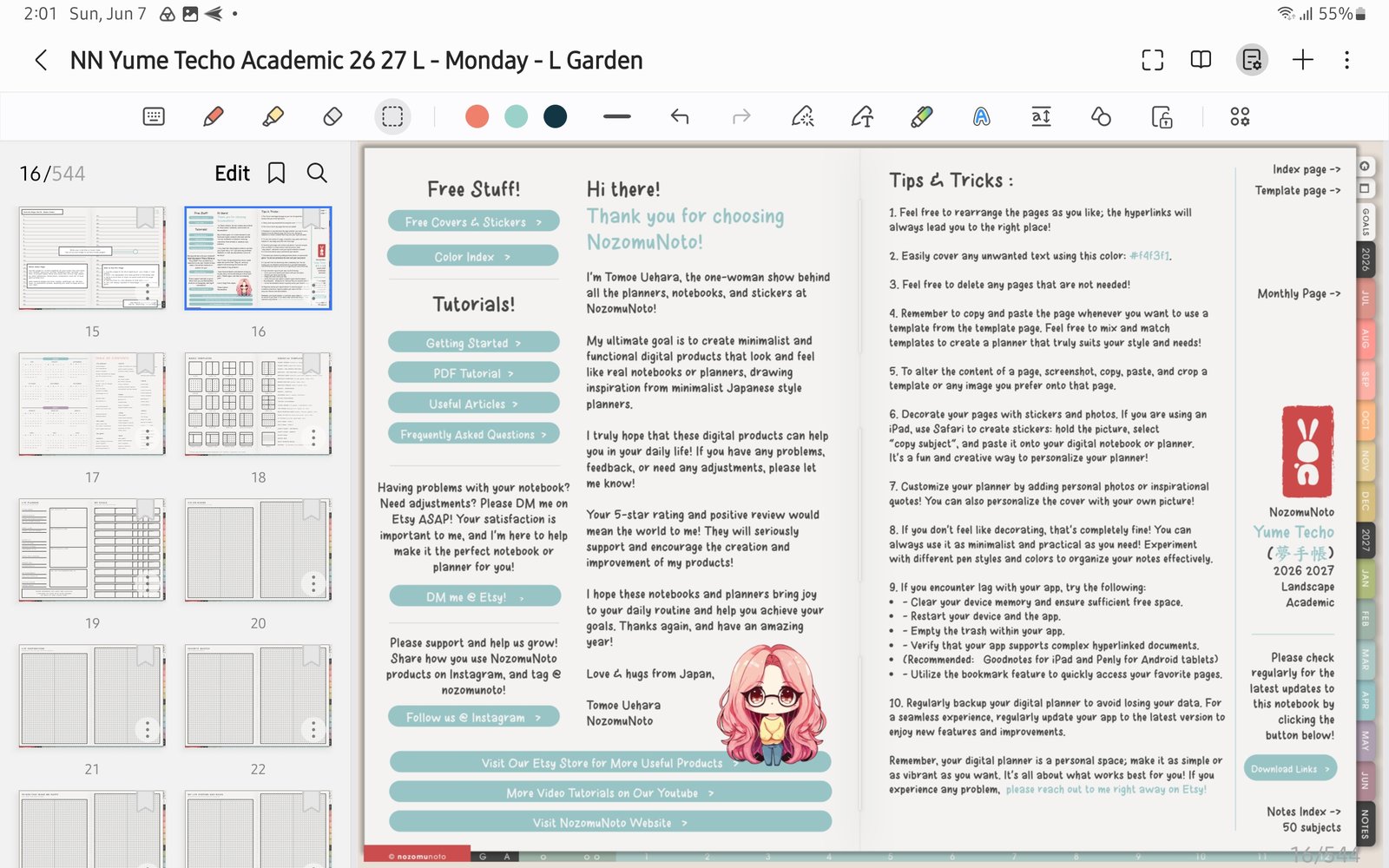
Page sorterUse the page sorter / thumbnail panel when you want a visual page map. Product shown: Yume Techo Academic 26-27 Landscape. - Favorite the whole planner note from Samsung Notes if you want the file easy to find later.
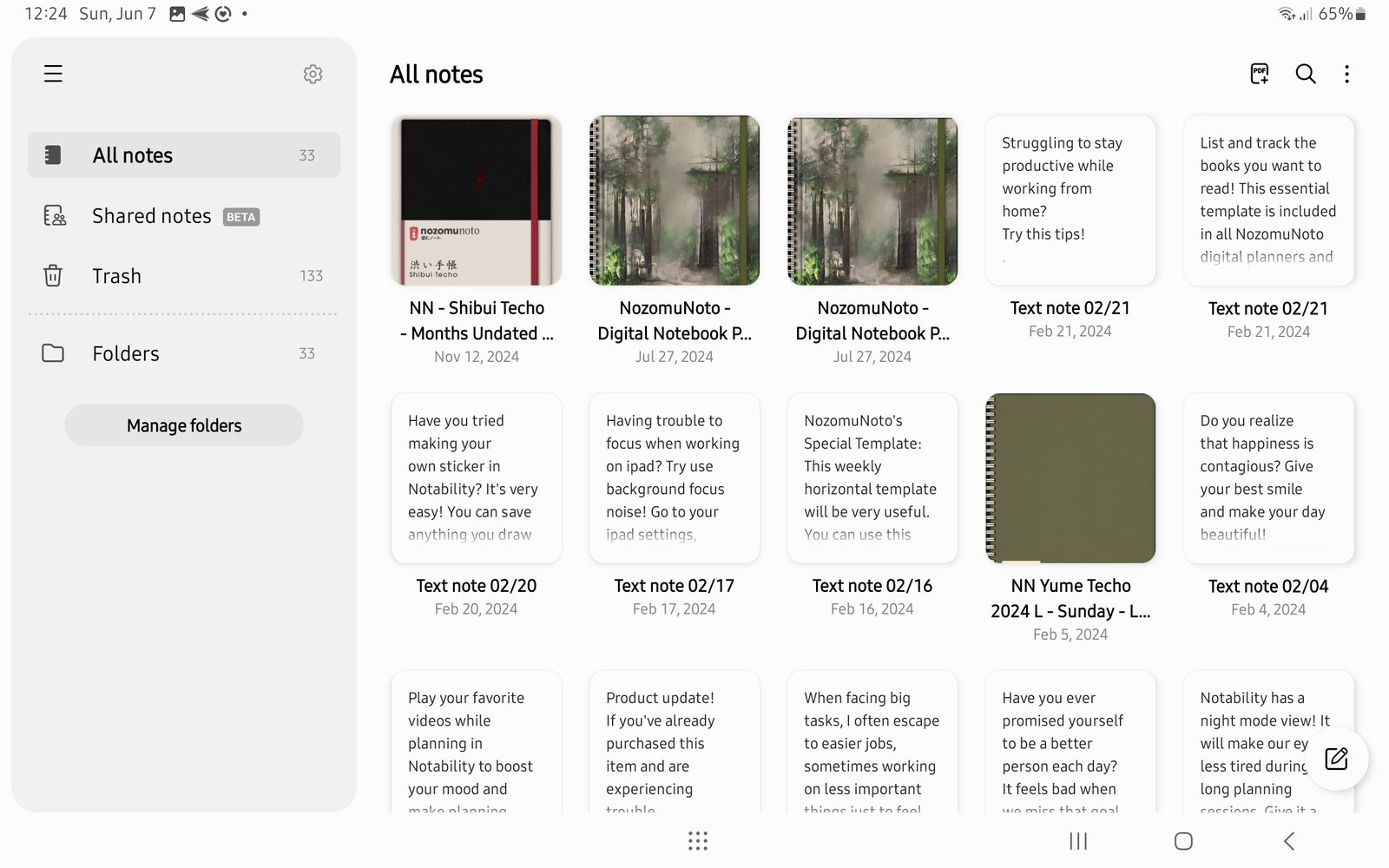
Samsung Notes libraryFavorite the whole planner note, then use the NozomuNoto Index for exact planner pages. Product shown: Yume Techo Academic 26-27 Landscape.
Notes
- Index first: In Samsung Notes, the NozomuNoto Index is usually the clearest page-level map. Use Samsung Favorites for finding the whole planner note, then use the Index and page sorter inside the planner.
- If the Index works but a copied page is hard to find, use bookmarks, favorites, thumbnails, or a small personal index note.