

Use these steps to work with NozomuNoto PDF planners, notebooks, stickers, covers, and template pages in Flexcil. The official links below are for downloads, updates, and current help pages.
Reference links
Use these for current app or device help, downloads, updates, vendor support, and manual references.
Flexcil problems to check first
- The planner is missing after import: return to Files and check that the NozomuNoto ZIP was extracted. Import the planner PDF again through Documents > round + > Files.
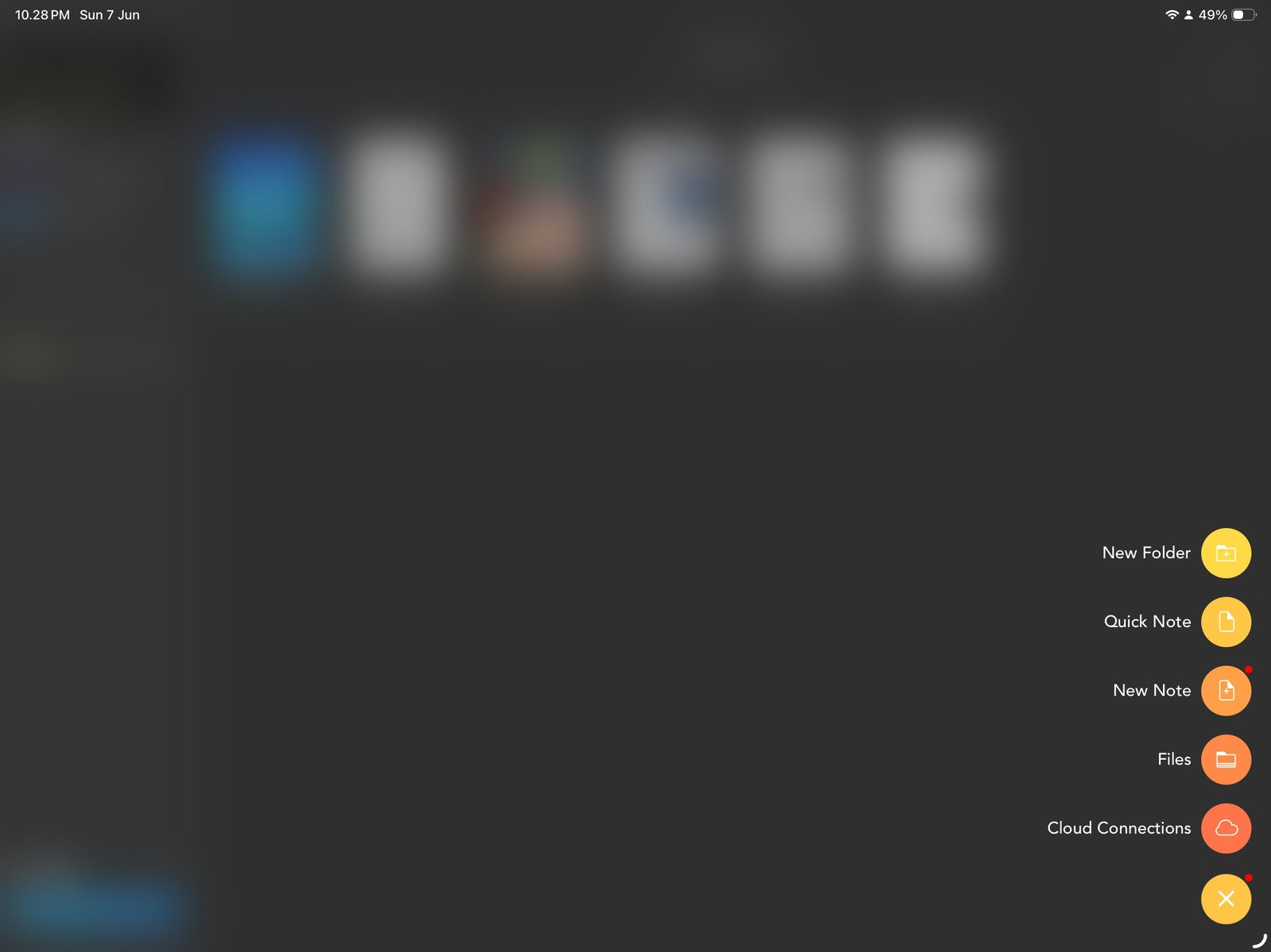
Import again from FilesIf the planner is missing, import the extracted PDF again from Documents > + > Files. Product shown: Yume Techo Academic 26-27 Landscape. - Planner tabs do not move: switch to Gesture mode and test the same tab again. Then test the original PDF in Apple Files so you know whether the issue is the file or the Flexcil mode.
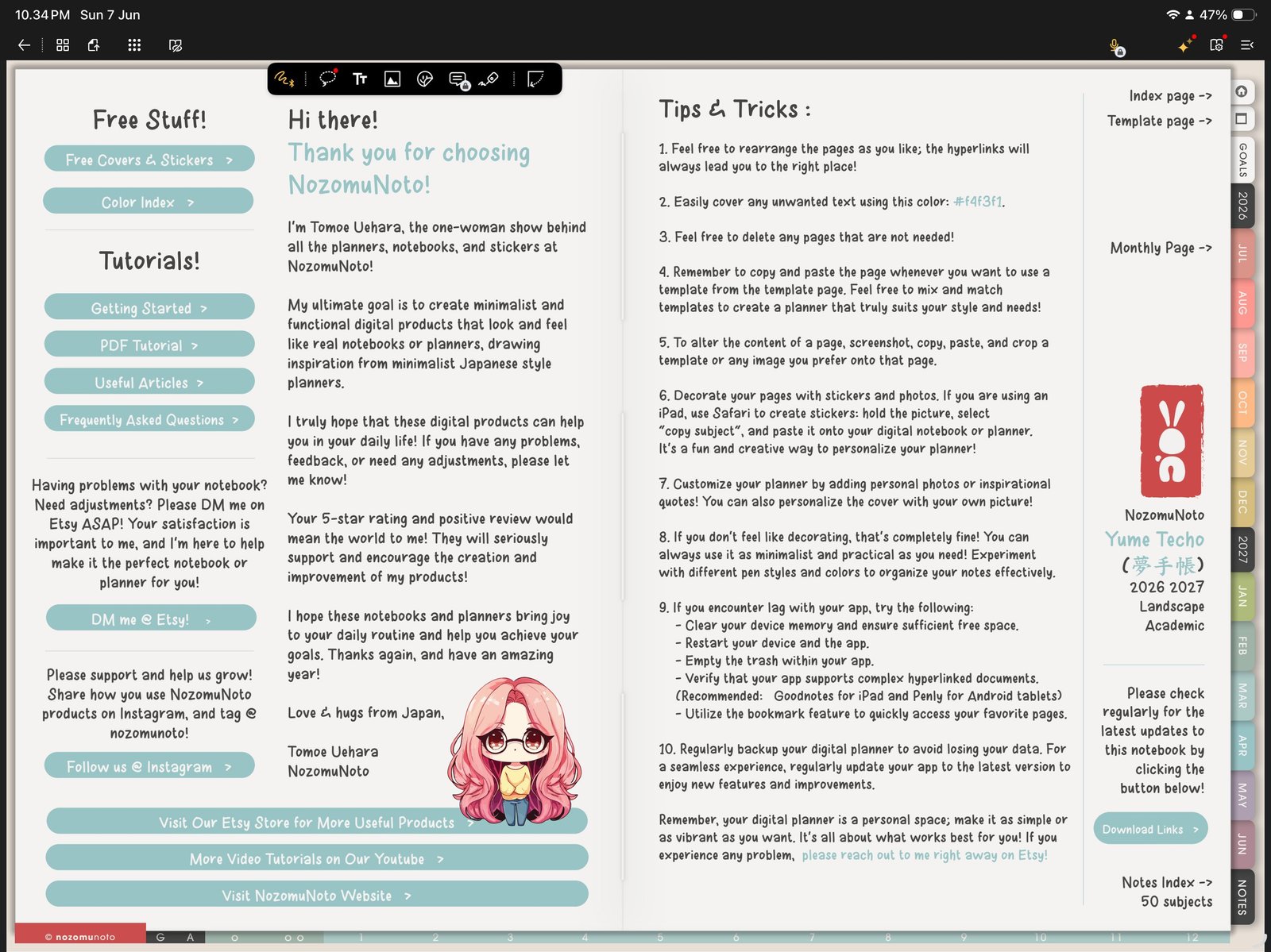
Gesture modeIf planner links do not move, switch to Gesture mode and test again. Product shown: Yume Techo Academic 26-27 Landscape. - Page tools feel hidden: open Page Navigation, then use the thumbnail menu. The screenshot-ready workflow shows Add Page, Duplicate Page, Add Bookmark, Add Outline, Export, Open in Popup Note, and Delete there.
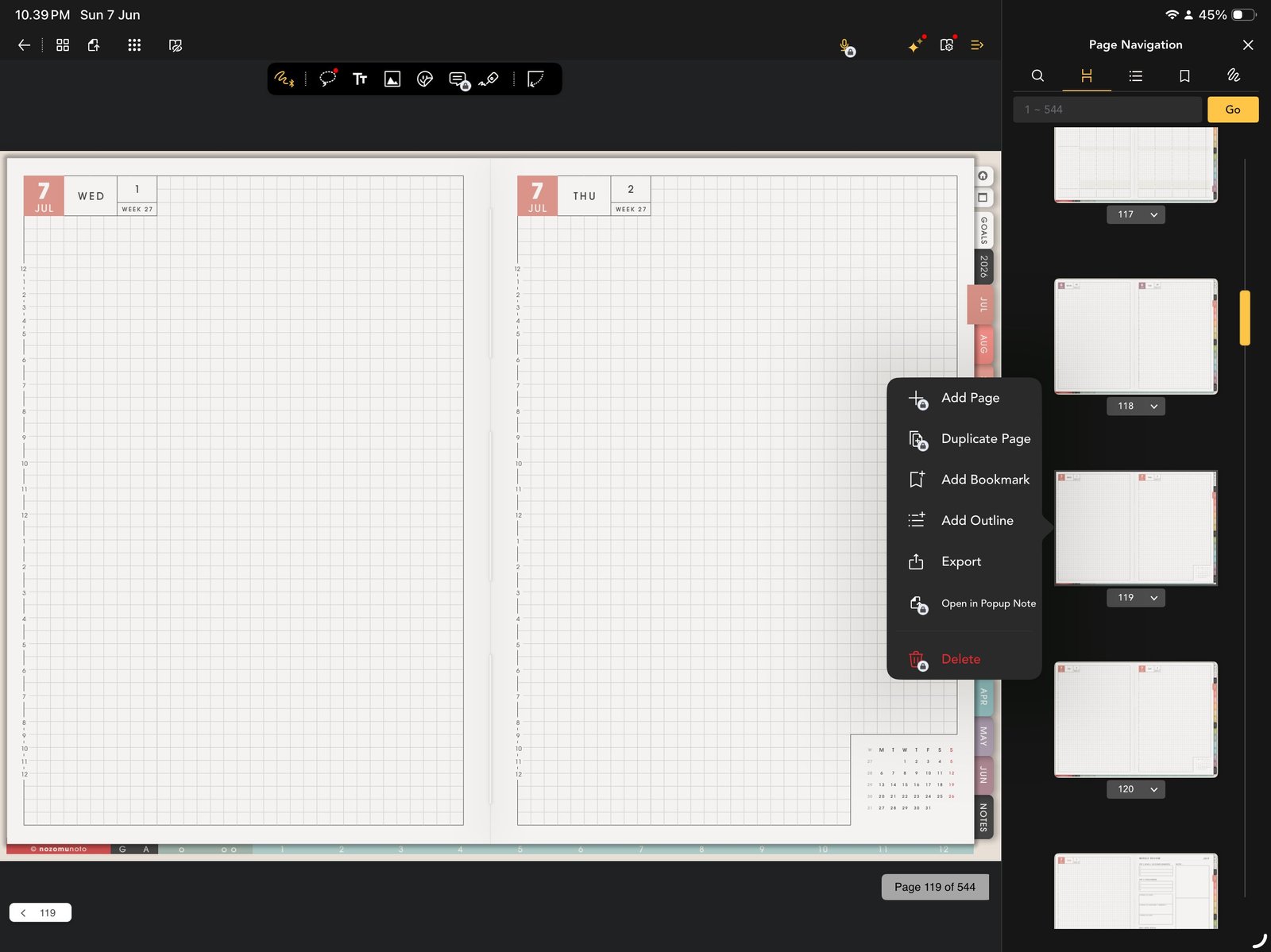
Thumbnail menuIf page tools feel hidden, open Page Navigation and use the thumbnail menu. Product shown: Yume Techo Academic 26-27 Landscape. - A clean template was filled by accident: import a fresh copy of the original PDF, find the clean template page, and duplicate it again. Keep the working copy separate from the backup copy.
- A sticker or image is hard to place: use the toolbar image icon, choose Photo Library, and test one PNG on a blank or notes page before adding many images.
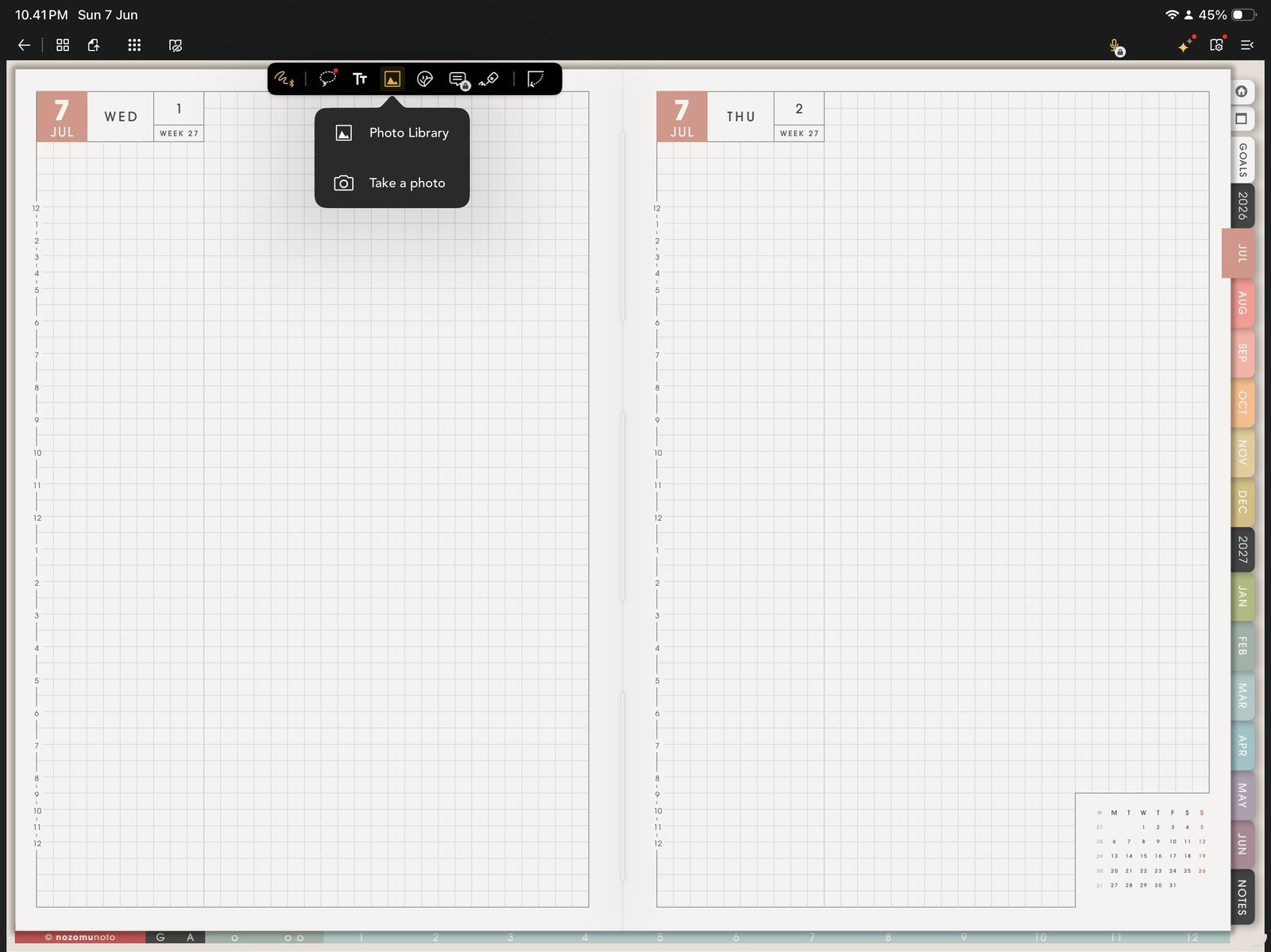
Image toolIf sticker insertion is confusing, test one PNG with the image tool and Photo Library. Product shown: Yume Techo Academic 26-27 Landscape. - The planner feels slow: close extra files, use fewer large images, and test export/sync with a smaller decorated section before decorating the whole planner.
Notes
- When to start fresh: Start fresh when links stop working after many edits, the wrong file was imported, or too many page/image experiments made the planner confusing. A clean re-import is often faster than trying to repair a heavily edited copy.
Before asking for help
- Test a fresh import. Import the original NozomuNoto PDF again without page moves, exports, or heavy stickers.
- Test the same link in Apple Files. This separates file-link problems from Flexcil mode problems.
- Write down the exact product and app version. Include product name, year, orientation, week start, color, device, iPadOS version, and Flexcil version.
- Send a short screen recording if possible. Show the mode, the link or page action, and what happens after tapping.
Common Flexcil fixes
1. Use the PDF, not the ZIP
Planner and notebook products should be imported as PDF files after extraction.
2. Use Gesture mode for links
Writing tools are for editing the page. Gesture mode is for moving through hyperlinked planner pages.
3. Use Page Navigation for page structure
When pages feel lost, Page Navigation gives the clearest overview of thumbnails, bookmarks, outlines, and page actions.
- If the same issue happens in a fresh copy, note the product name, device, app version, and exact step before asking for help.